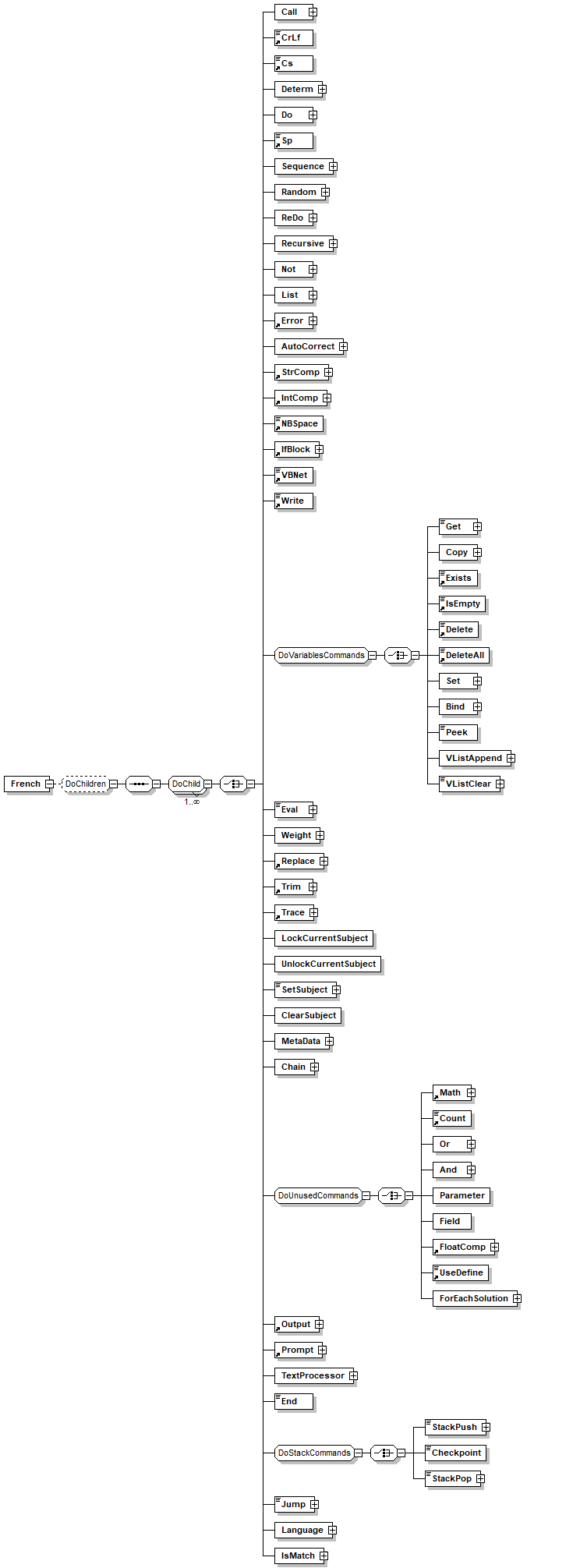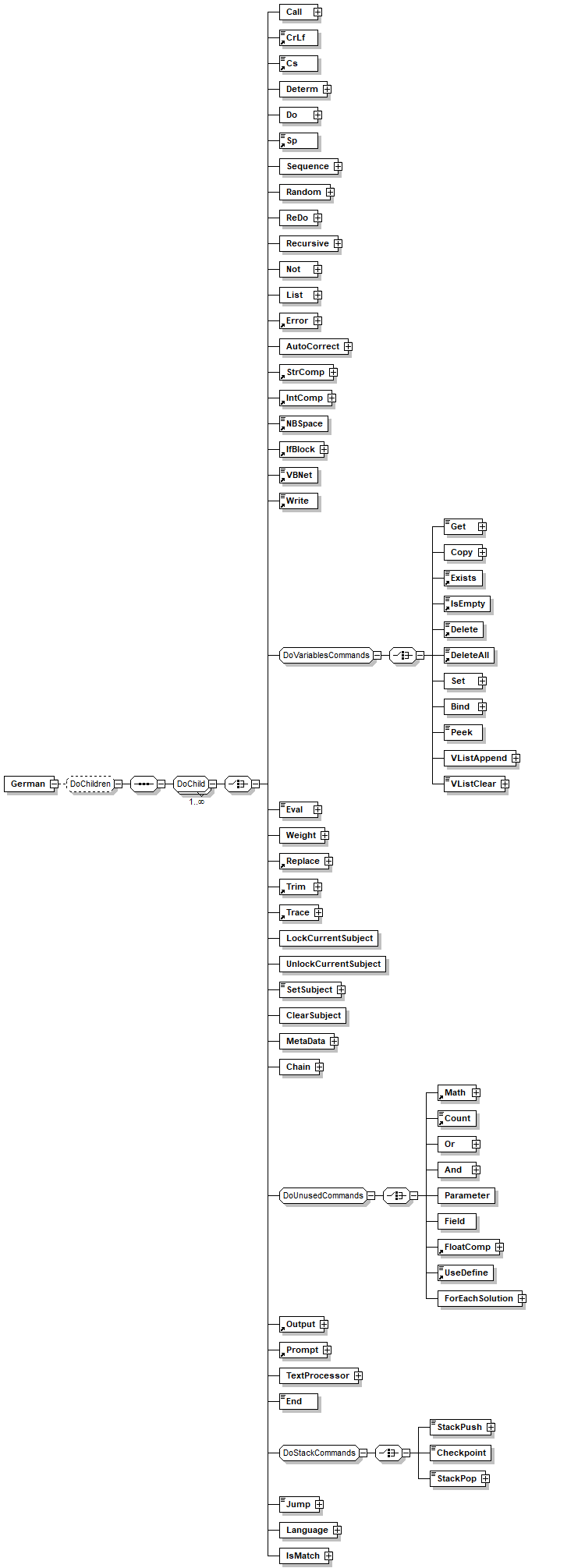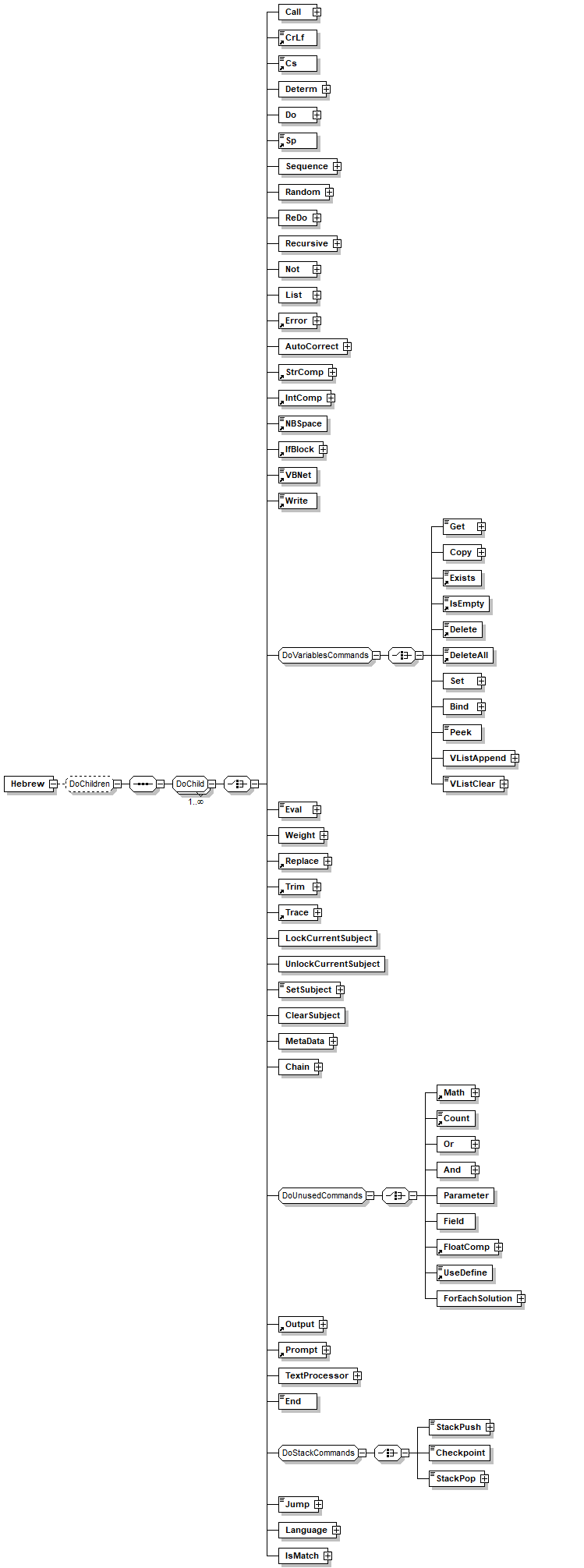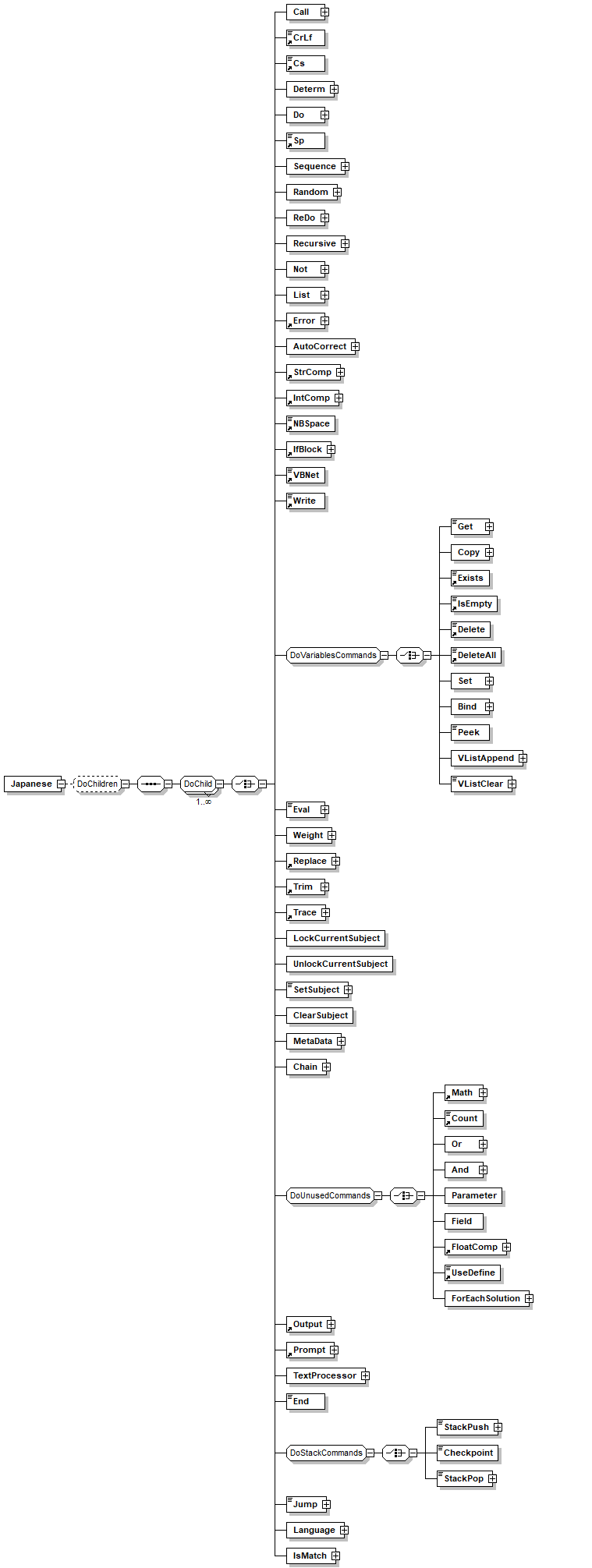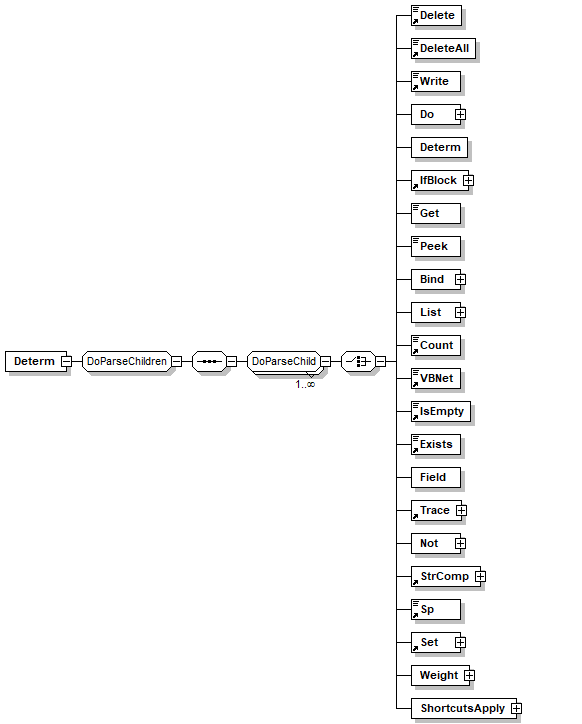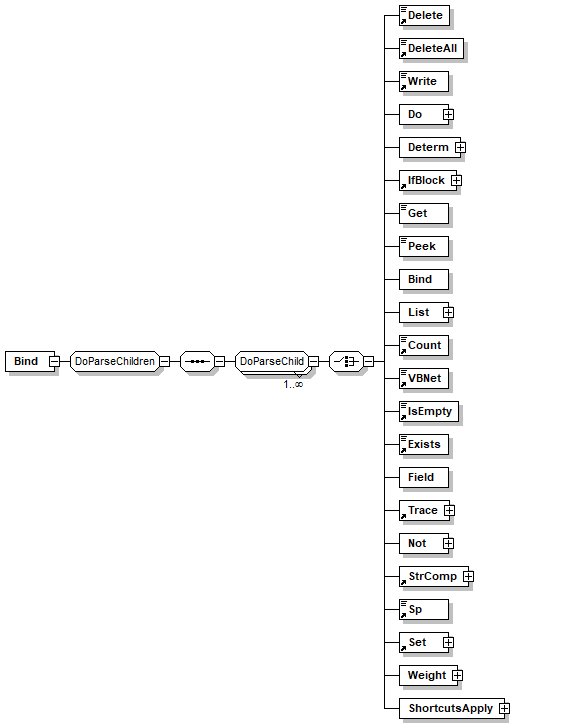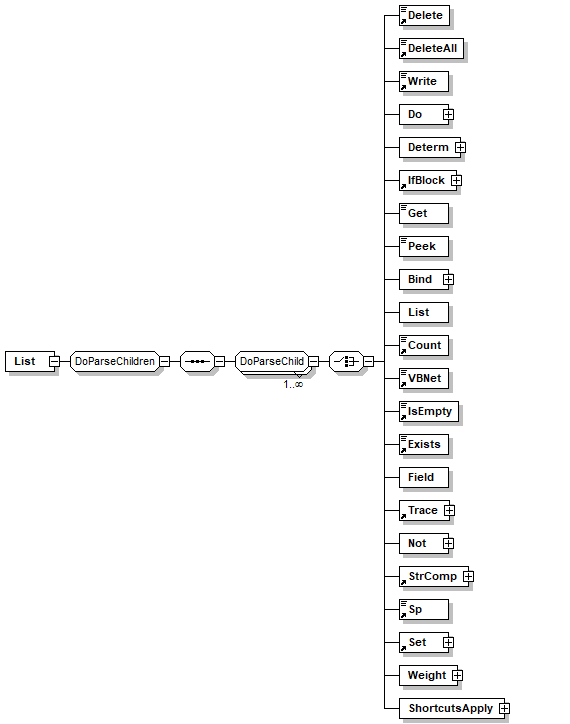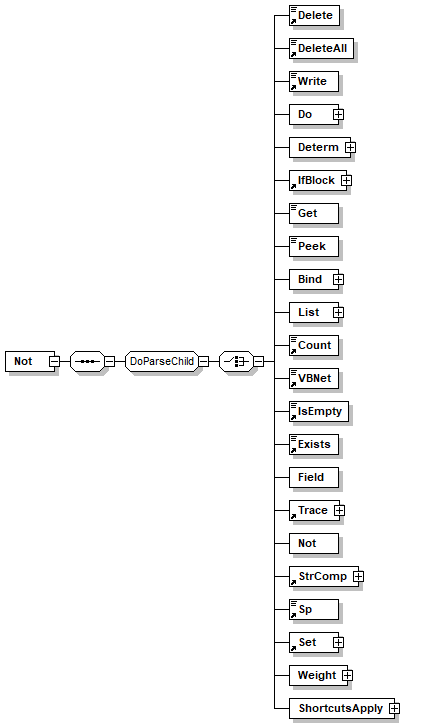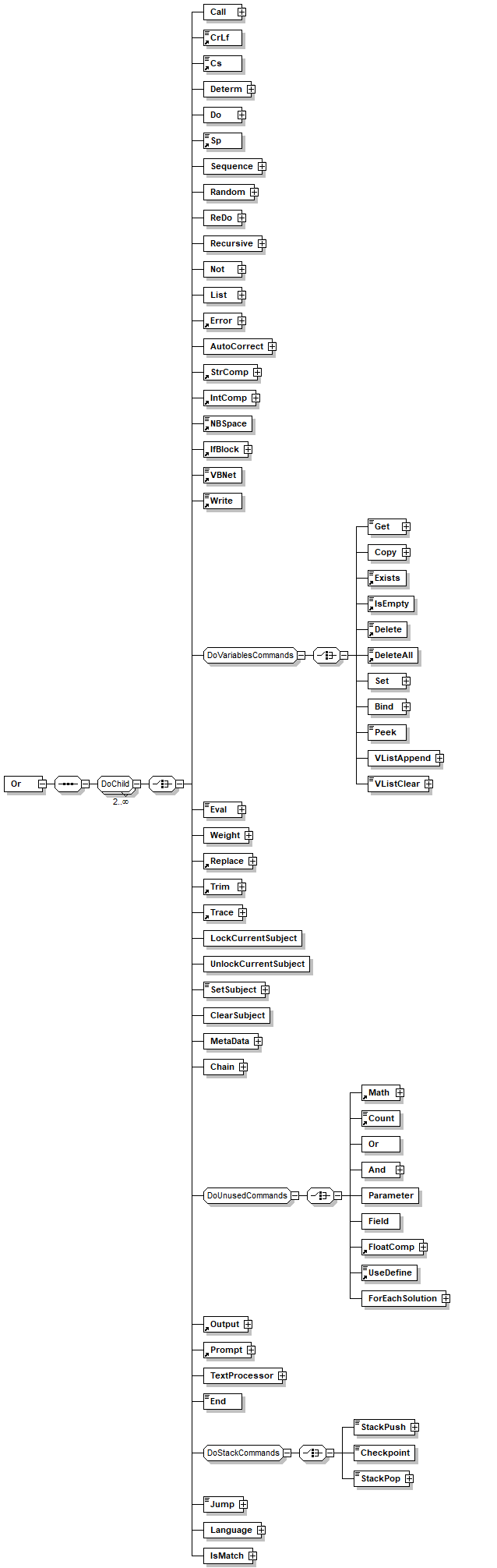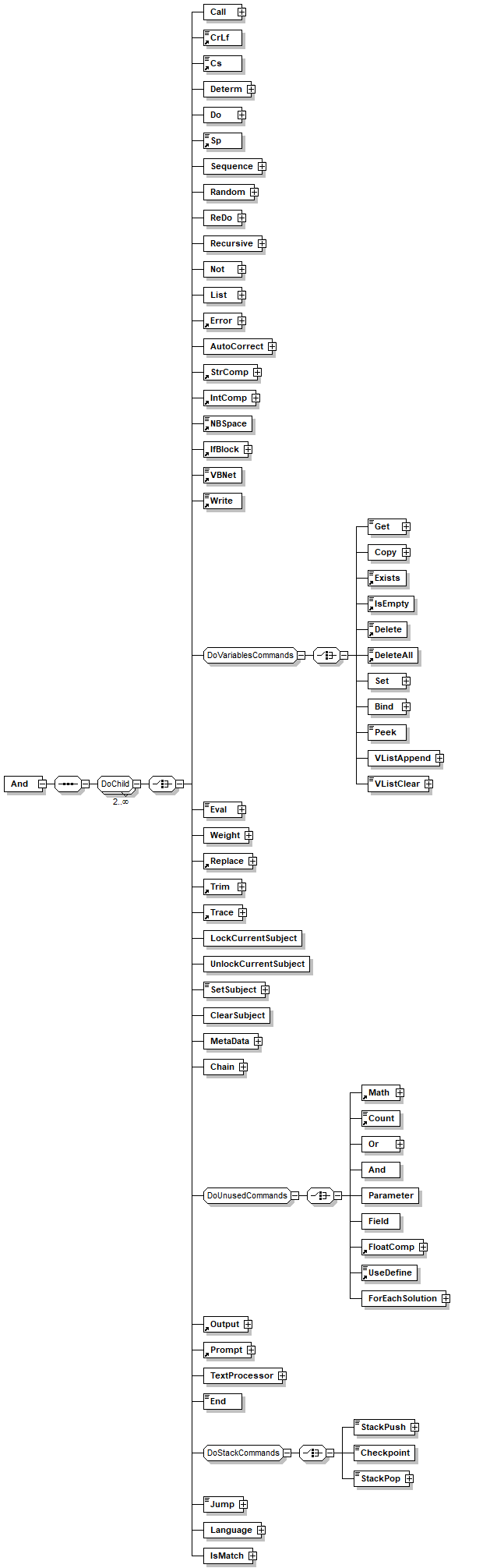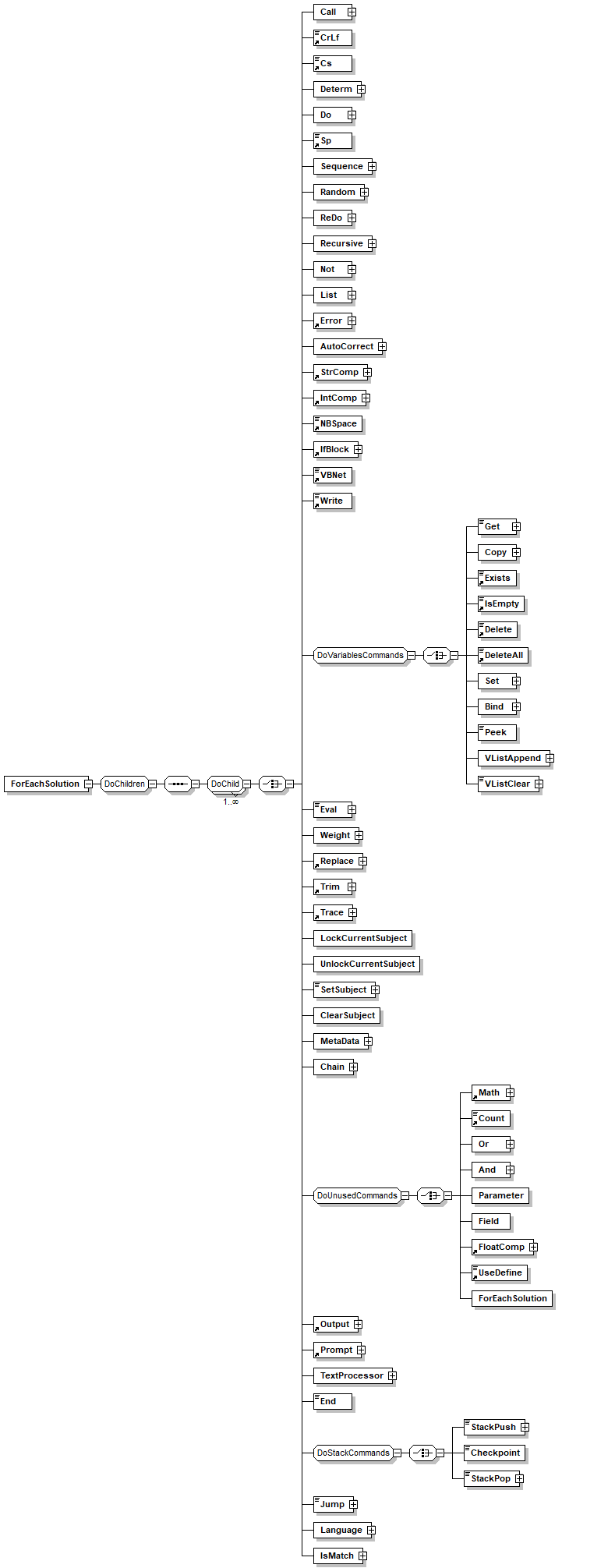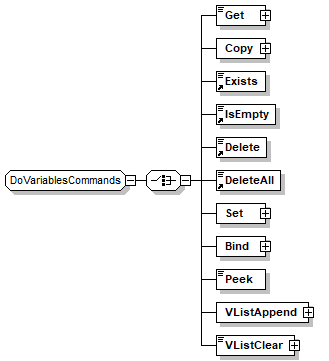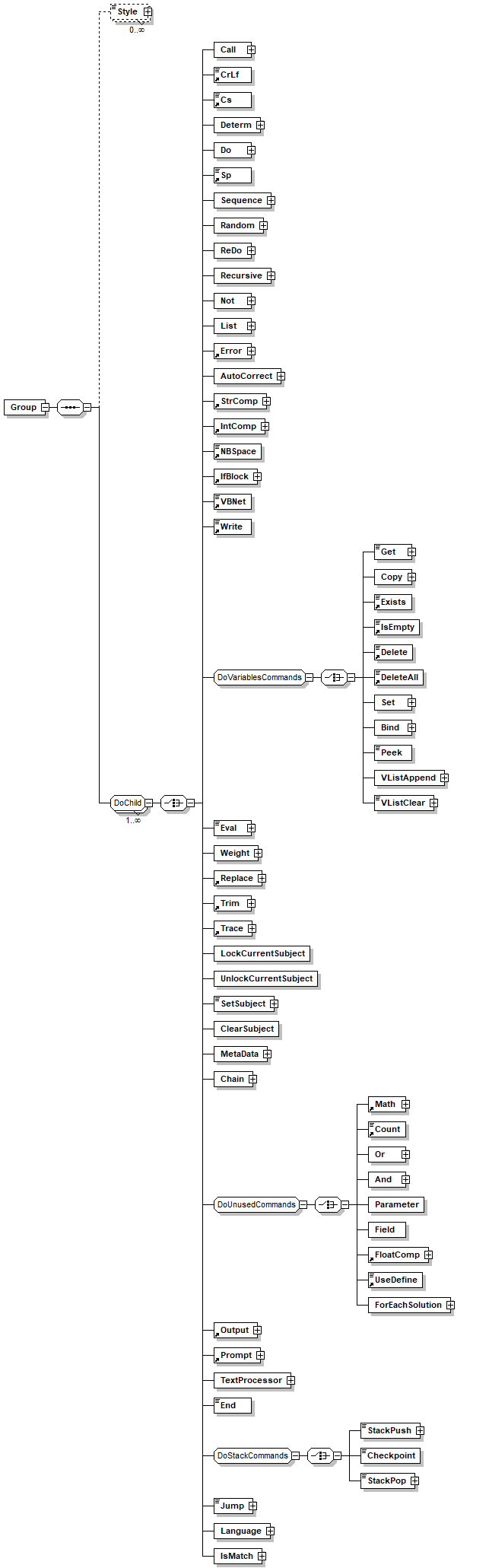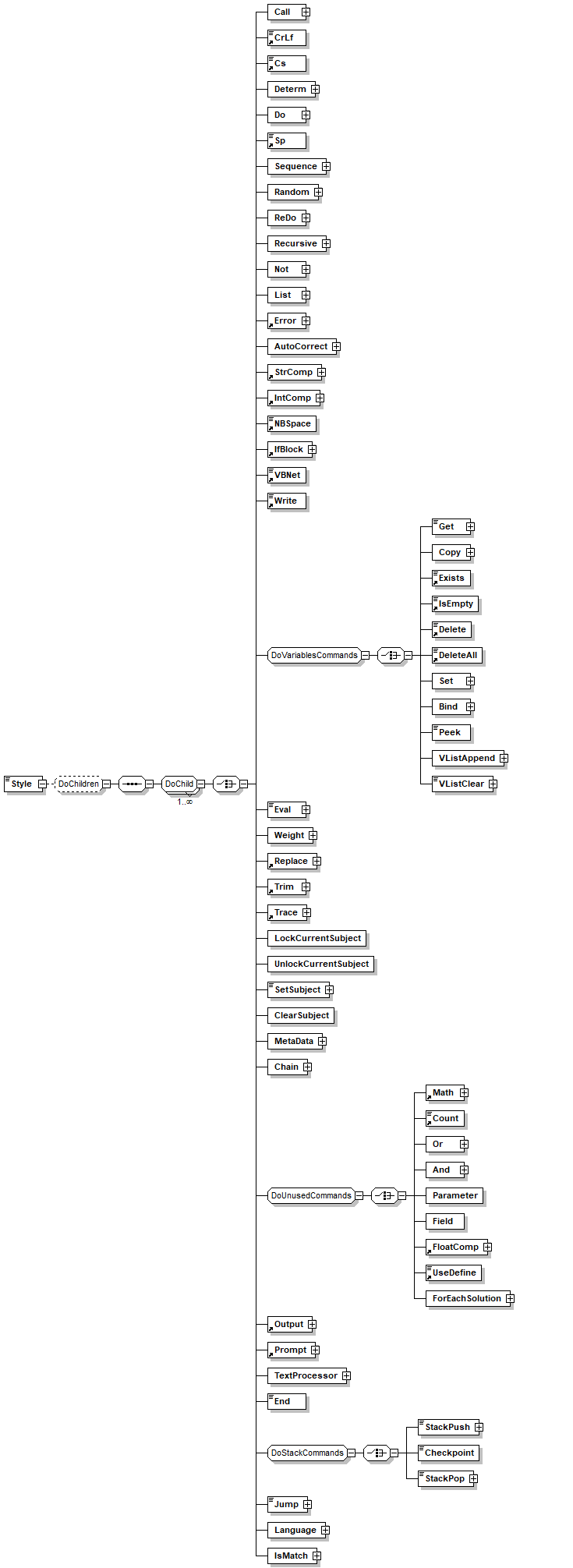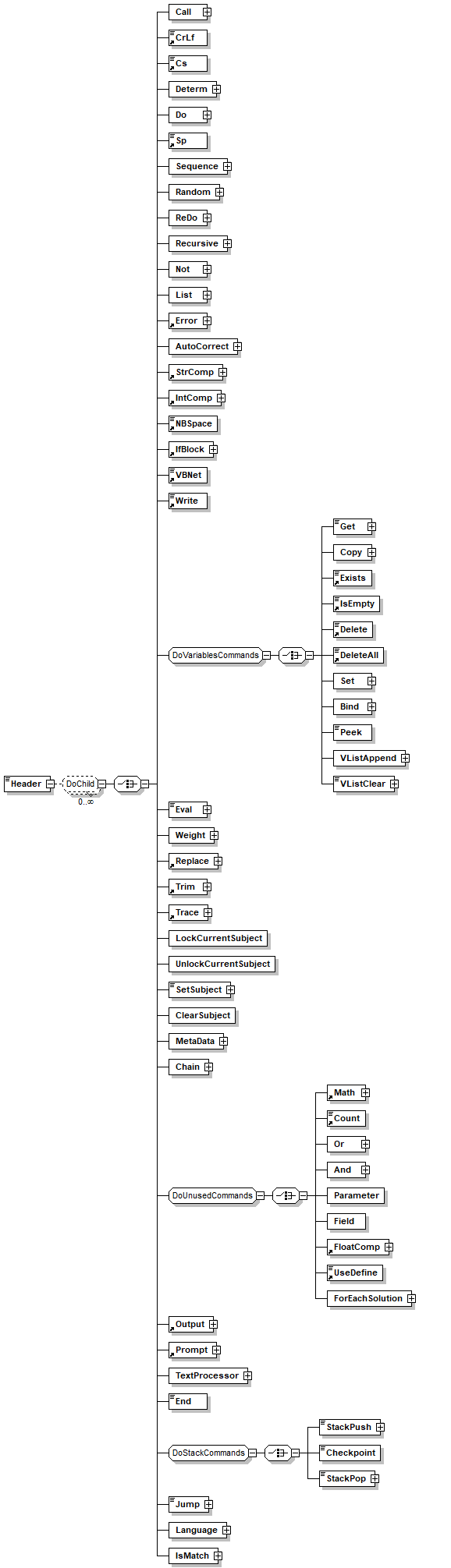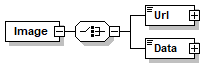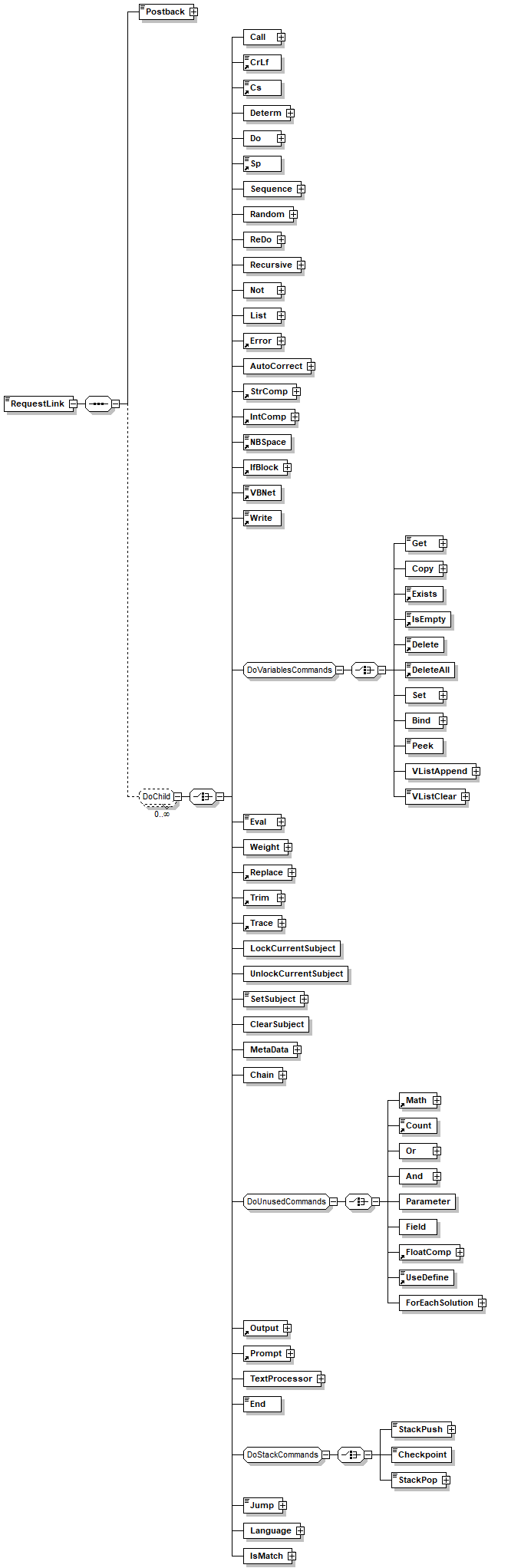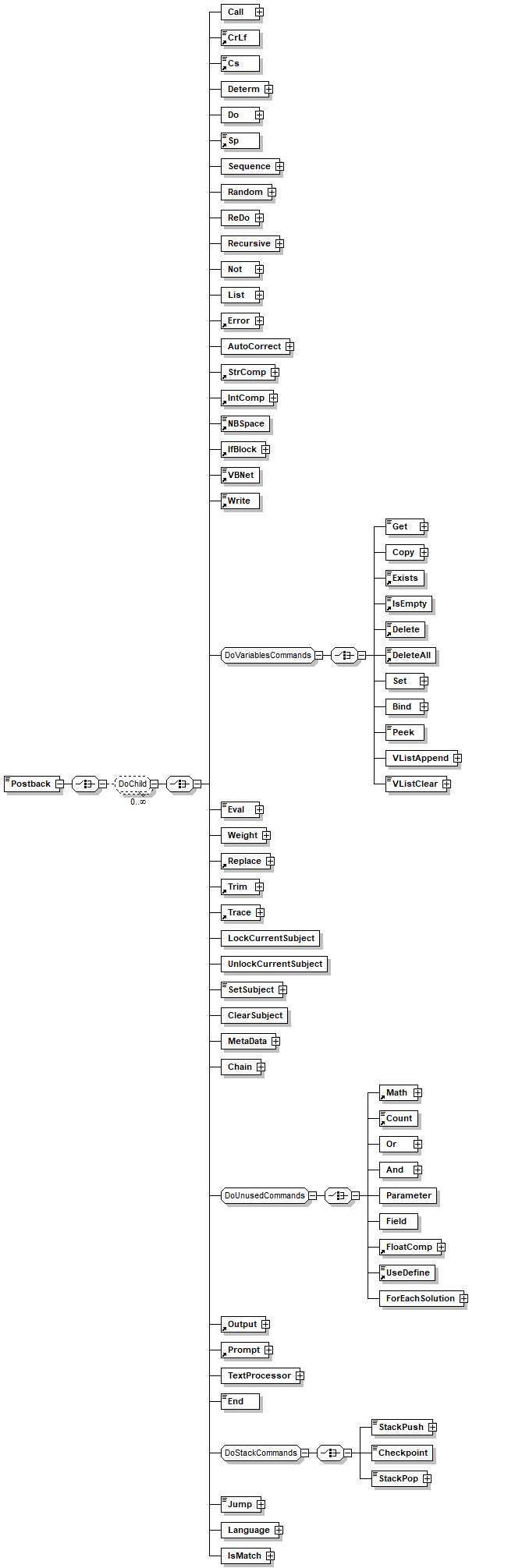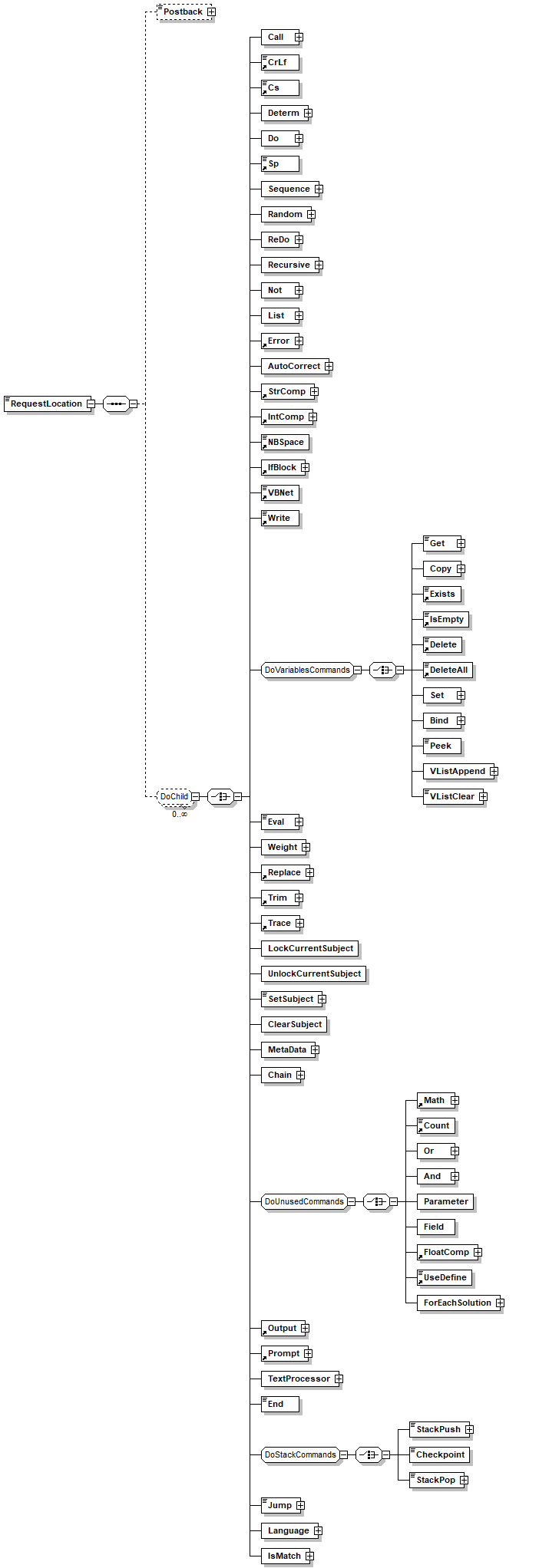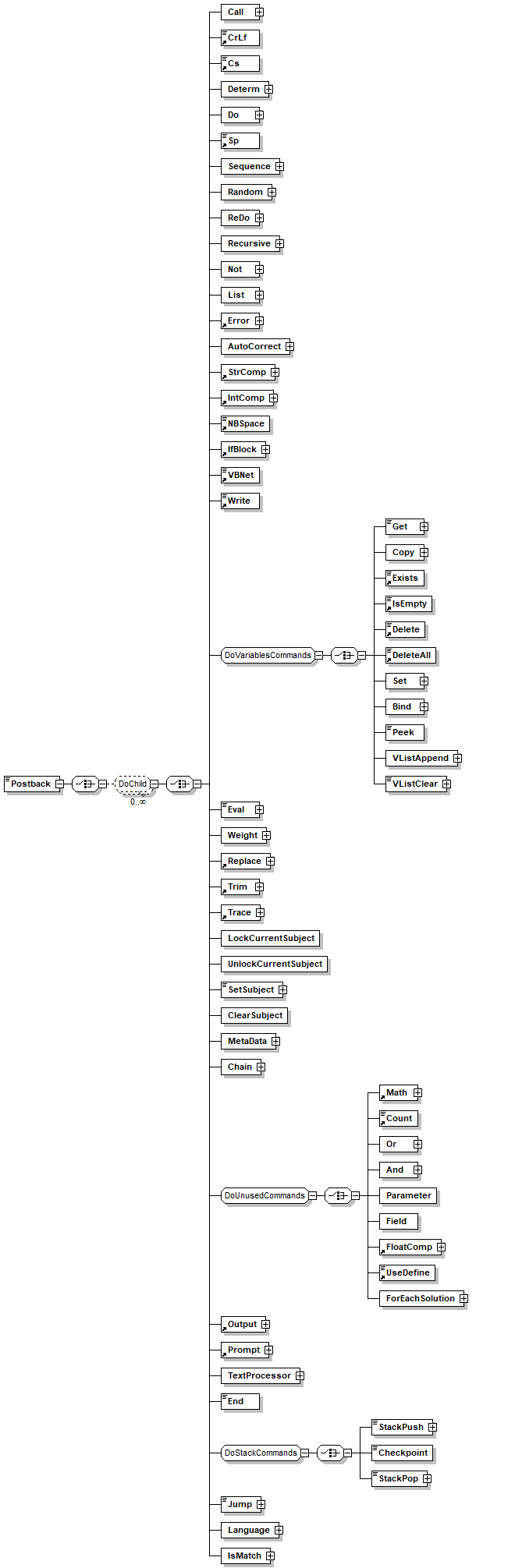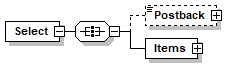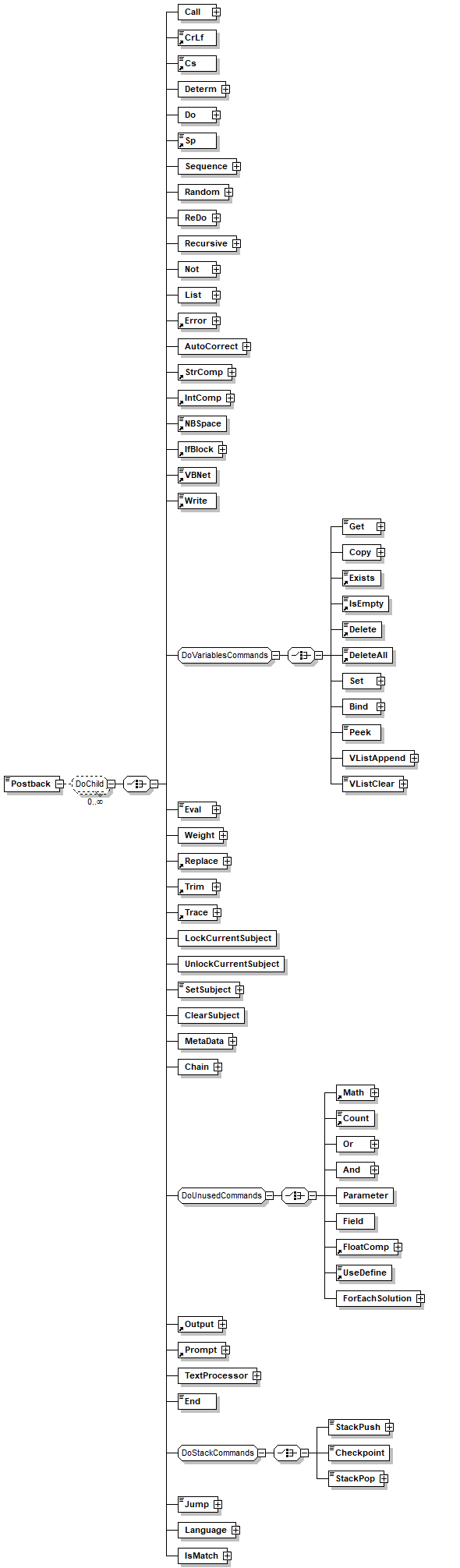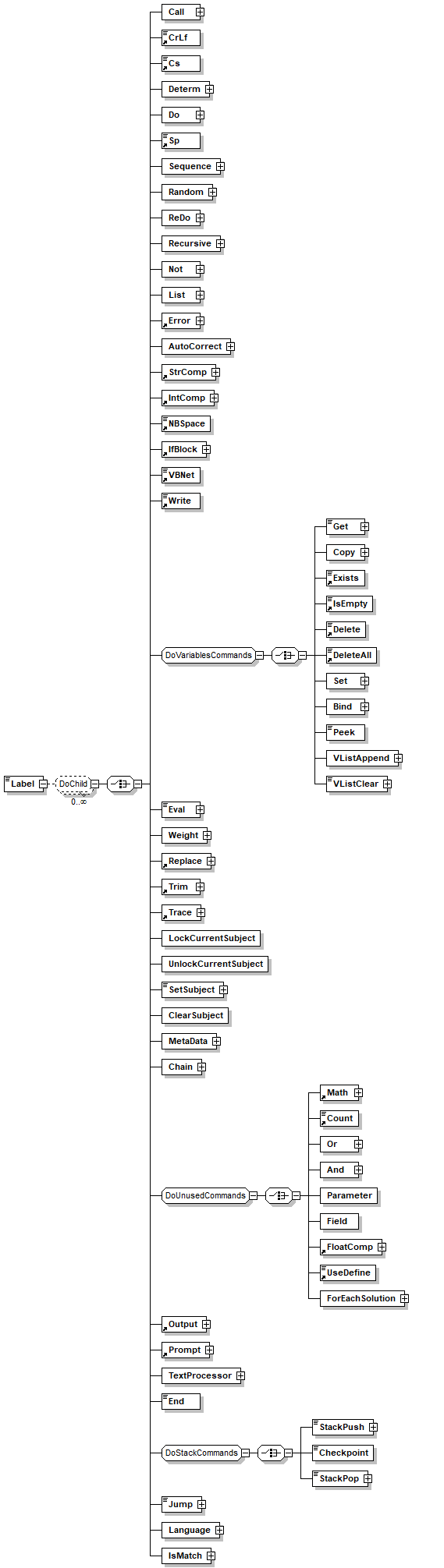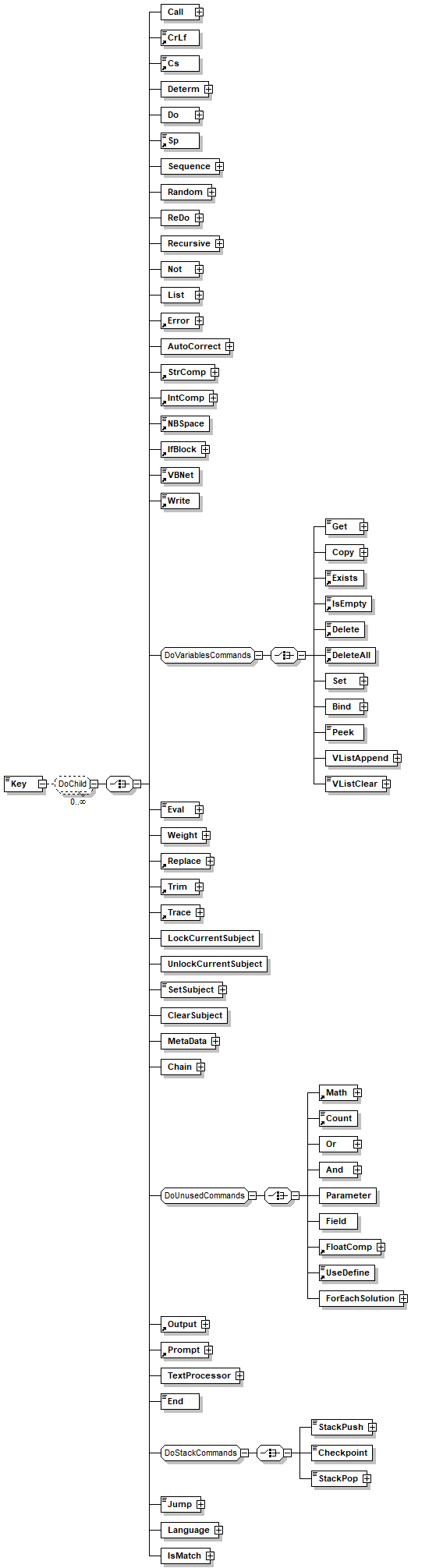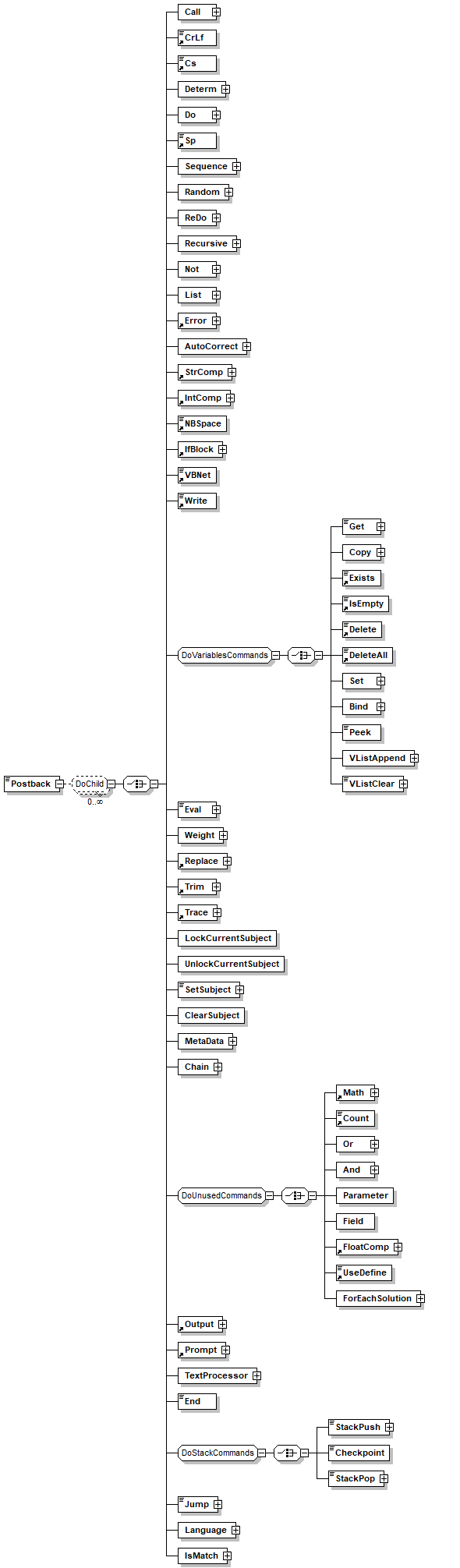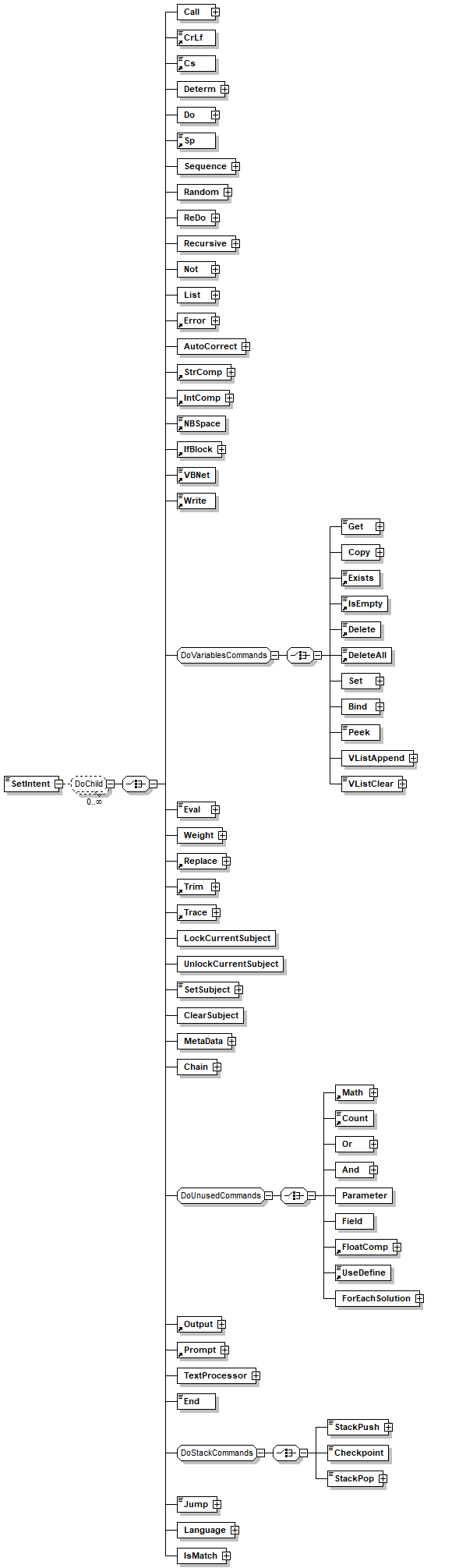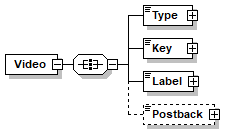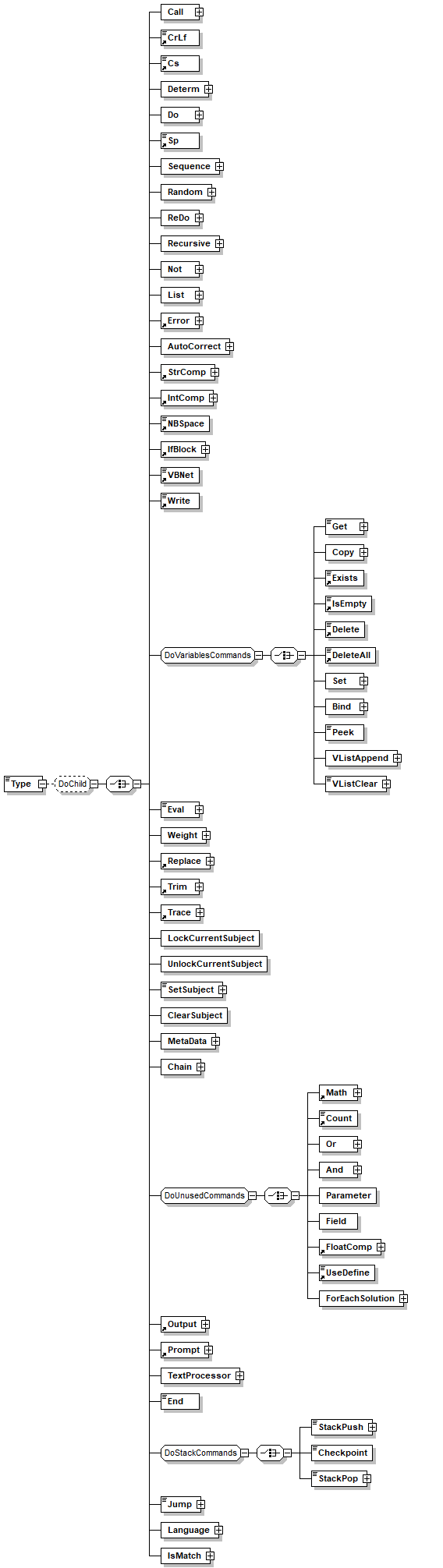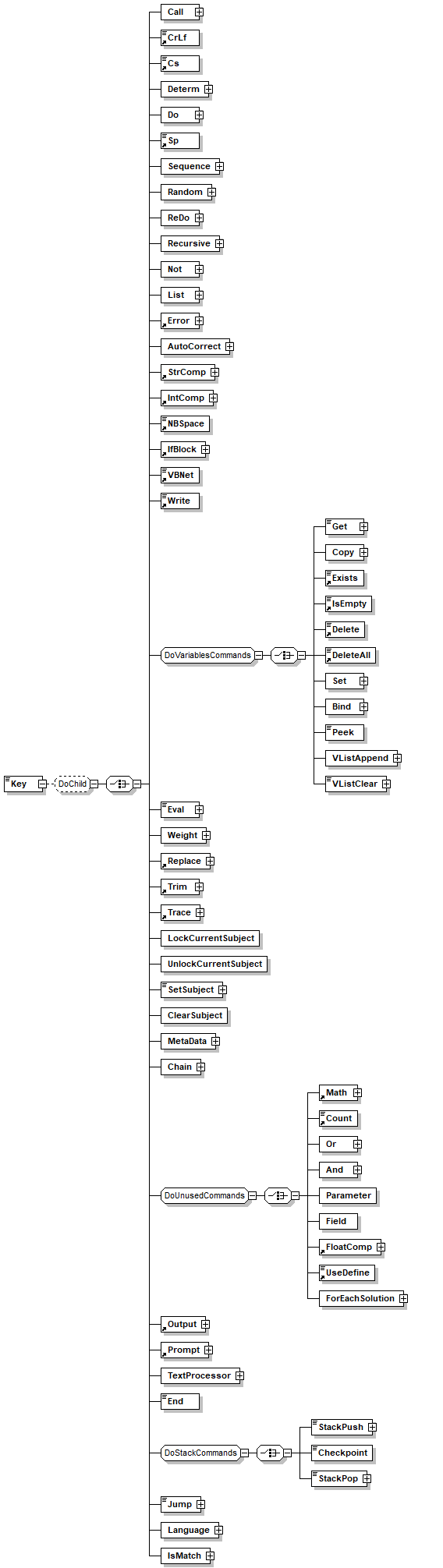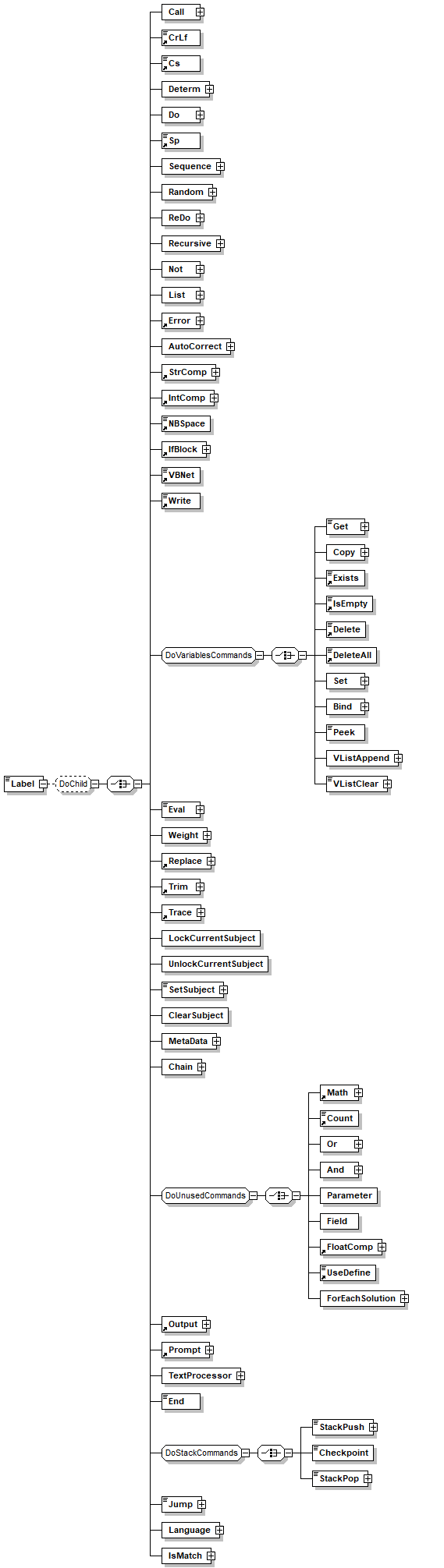
Schema aml.xsd


schema location:  C:\dragonflow\v4_1\modules\Aml\Aml.Schema\aml.xsd
 
Elements  Groups  Complex types  Simple types  Attr. groups 
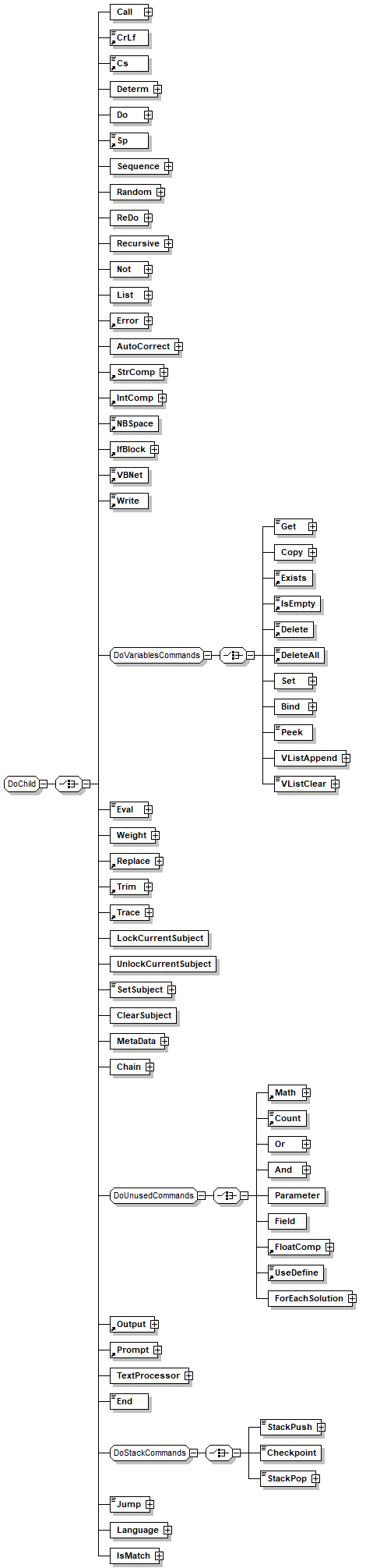
Collection  DoChild  TextProcessorType  AccuracyType  BindingModel 
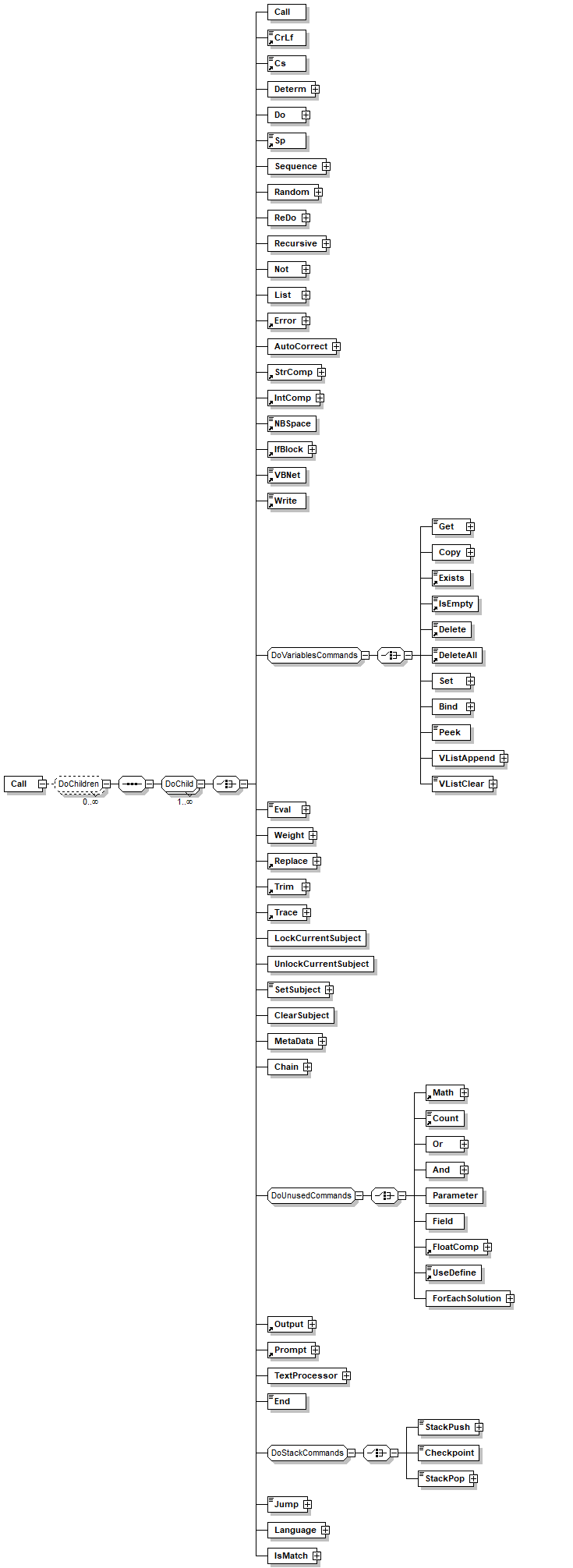
Contains  DoChildren  amlduration  ClauseID 
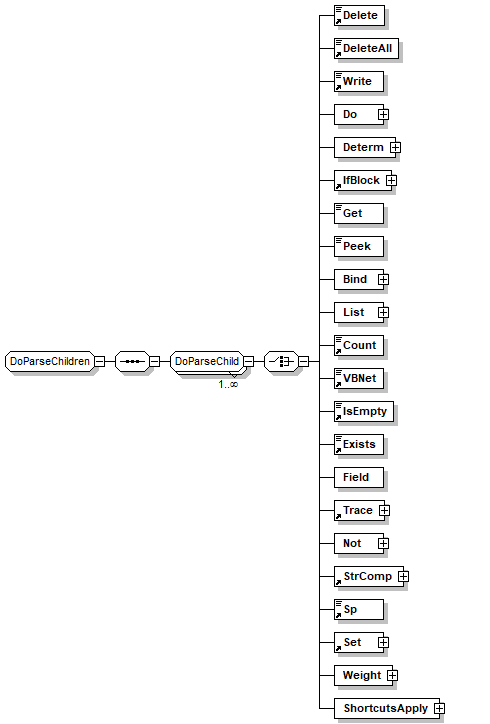
Count  DoParseChild  amlduration_names  DisableClause 
CrLf  DoParseChildren  BaseFormName  Distance 
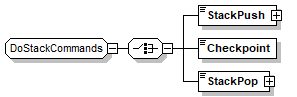
Cs  DoStackCommands  BindingModel  DoCommonFormating 
CsParse  DoUnusedCommands  connection_name  DoProperties 
CsRequire  DoVariablesCommands  ConstVB  FlexListTokenAttributes 
Database  OutputChildren  cs  Keep 
DataSource  ParseChild  DataRecords  Mask 
Delete  ParseChildren  DataRecordsEnums  MaskBegin 
DeleteAll  ParseTerminators  dbCommandParameterType  MaskEnd 
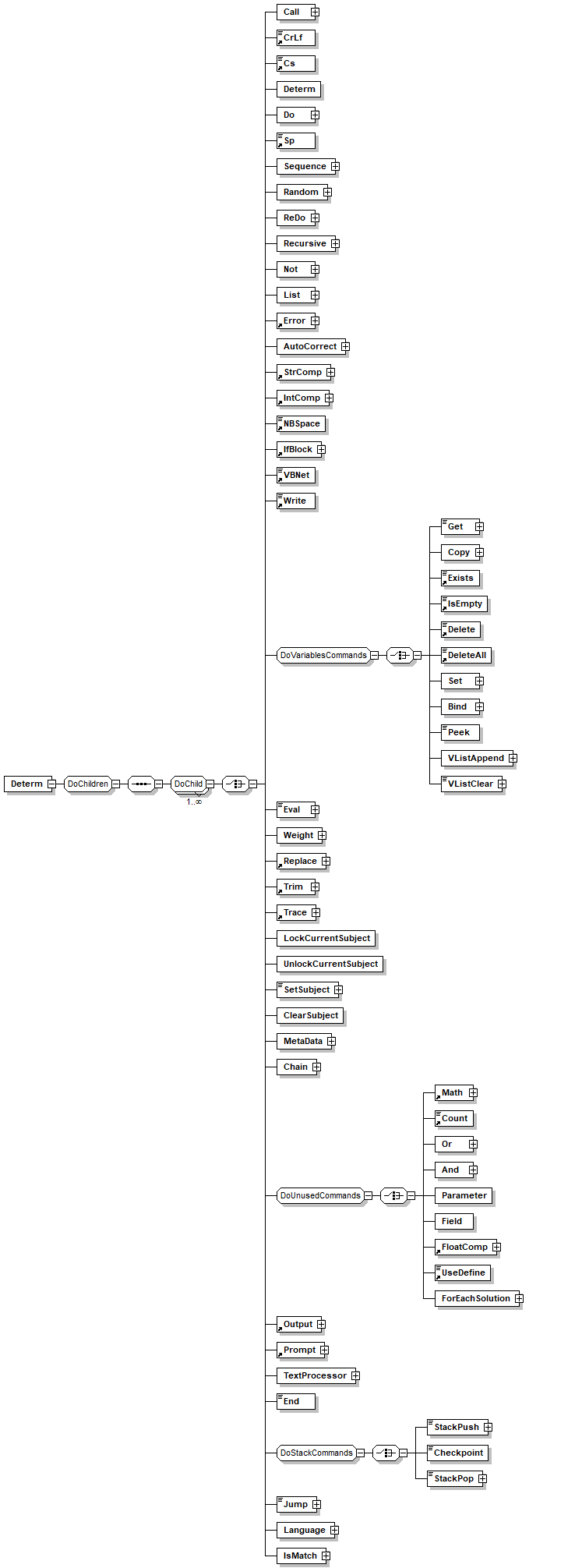
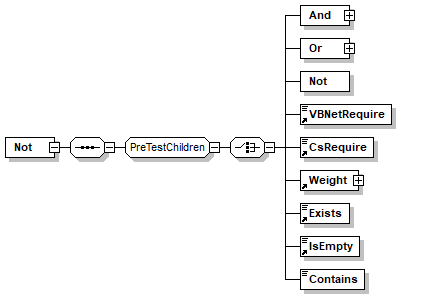
Do  PreTestChildren  dbConnectionParamName  MaskLike 
elementID_Hide  TextProcessor_Filters  dbConnectionParamName1  MatchTolerance 
Error  TextProcessor_Tokenizer  DefineName  MatchType 
Exists  DefineUse  Private 
Fit_Begin_Hide  Divs  Sense 
Fit_End_Hide  FlexListSearchDropToken  StopWordsFilterCommon 
FloatComp  IntegerOrVariable  Top 
IfBlock  Key  words 
IntComp  Keys  words_bind 
Interaction  Language  words_language 
IsEmpty  list_name 
Items  MatchType 
List  MetaDataItems 
Match  OnMissingType 
Math  parse_name 
NBSpace  PermutationRelations 
Output  Rank 
Parse_Child_Hide  Rank_names 
Parse_Inline_Hide  SearchSetName 
Parse_Pattern_Hide  sense 
Parse_Trim_Hide  SeparatorType 
ParseALL_Child2_Hide  singlecharacter 
ParseALL_Terminator_Child2_Hide  TempVariableName 
ParseBest  TempVariablePath 
ParseBest_Terminator_Hide  TempVariablePathWithMember 
ParsePermutations  TerminatorRanges 
Pattern  test_name 
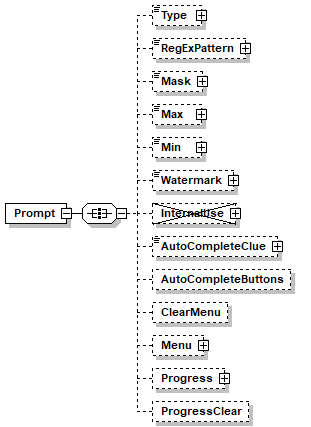
Prompt  TolecranceMethod 
Replace  Tolerance 
Require  TraceType 
Root  TrimedToken 
Rule  unsignedDouble 
Set  VariableName 
Sp  VariablePath 
StrComp  VariableRoot 
Terminator_Hide  vbnet 
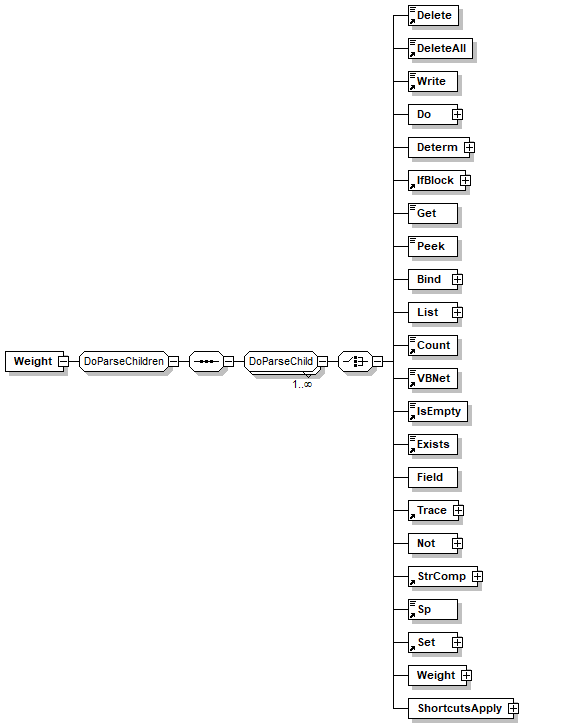
TerminatorChar_Hide  Weight 
Trace 
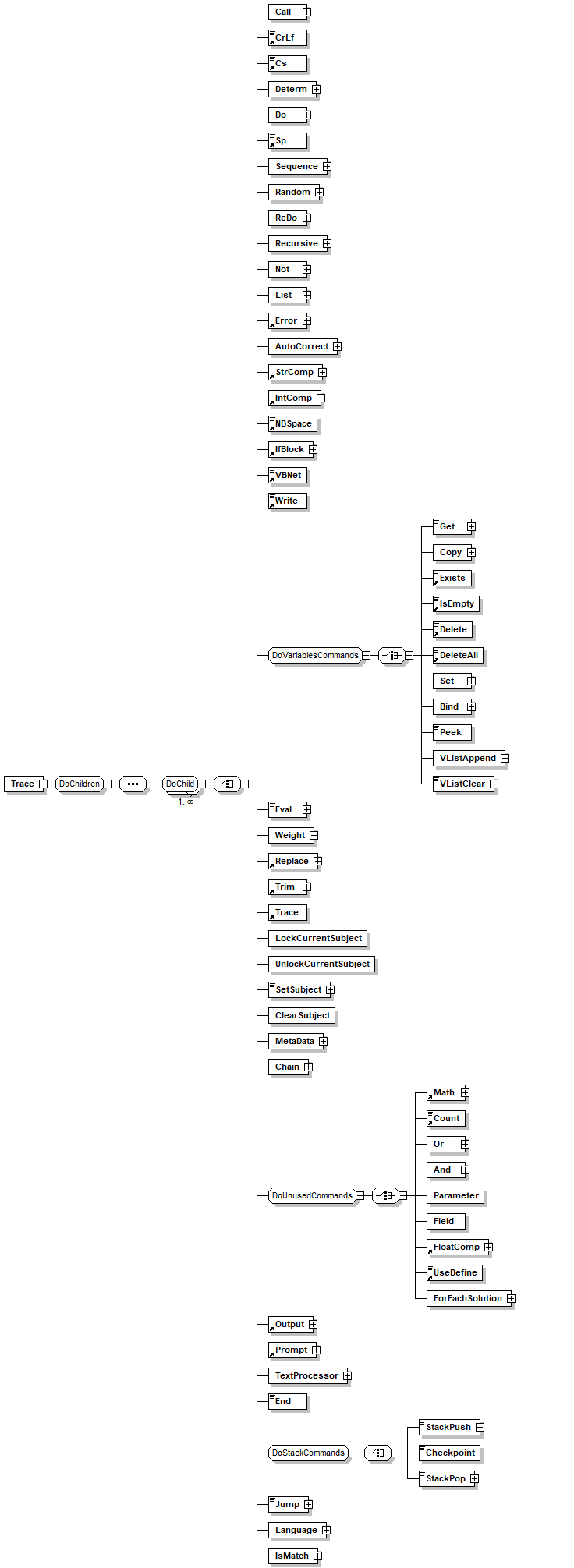
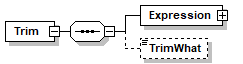
Trim 
UseDefine 
VBNet 
VBNetParse 
VBNetRequire 
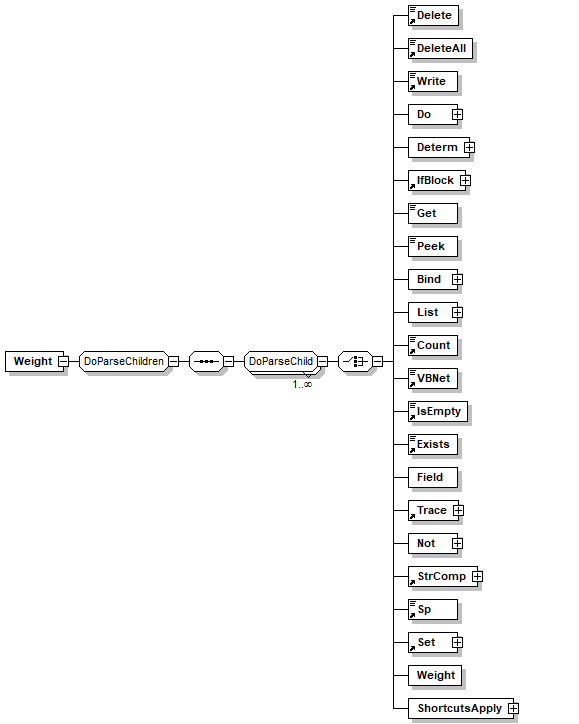
Weight 
Write 


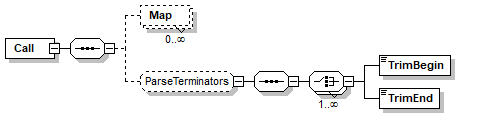
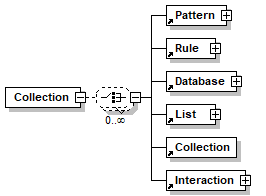
element Collection
diagram
children Pattern Rule Database List Collection Interaction
used by
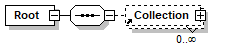
elements Collection Root
attributes
Name  Type  Use  Default  Fixed  Annotation
Name  xs:string  optional      

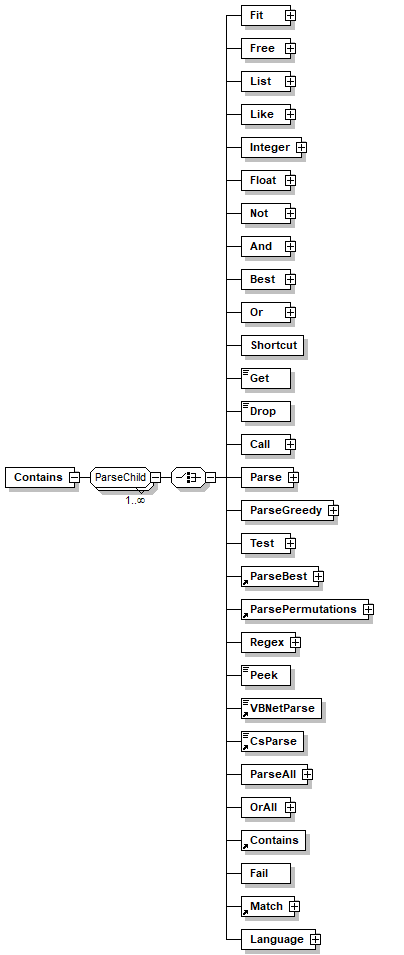
element Contains
diagram
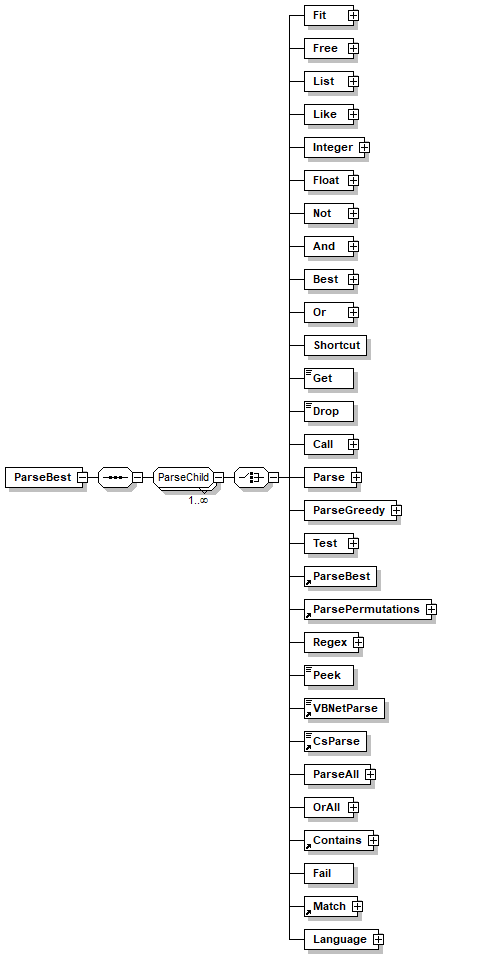
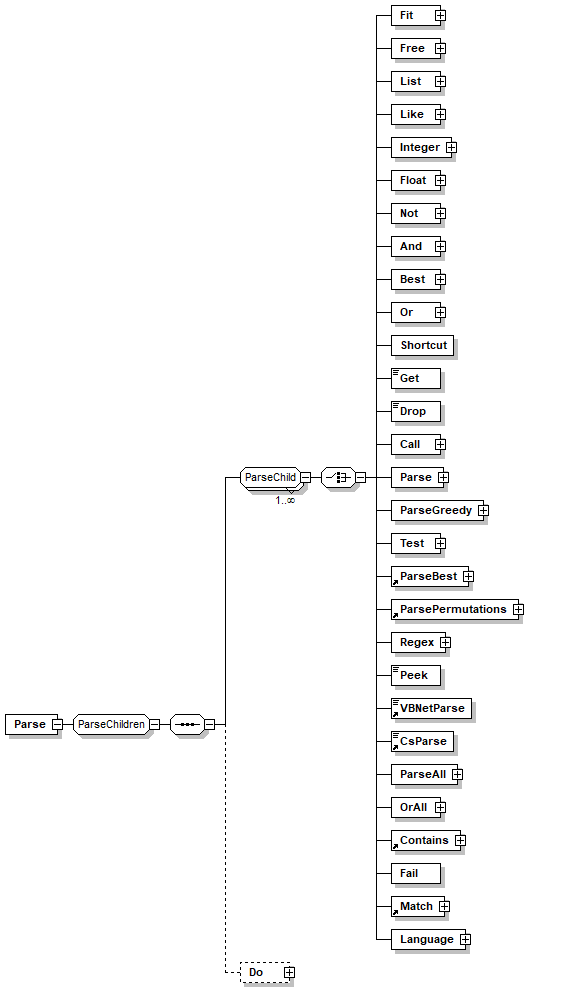
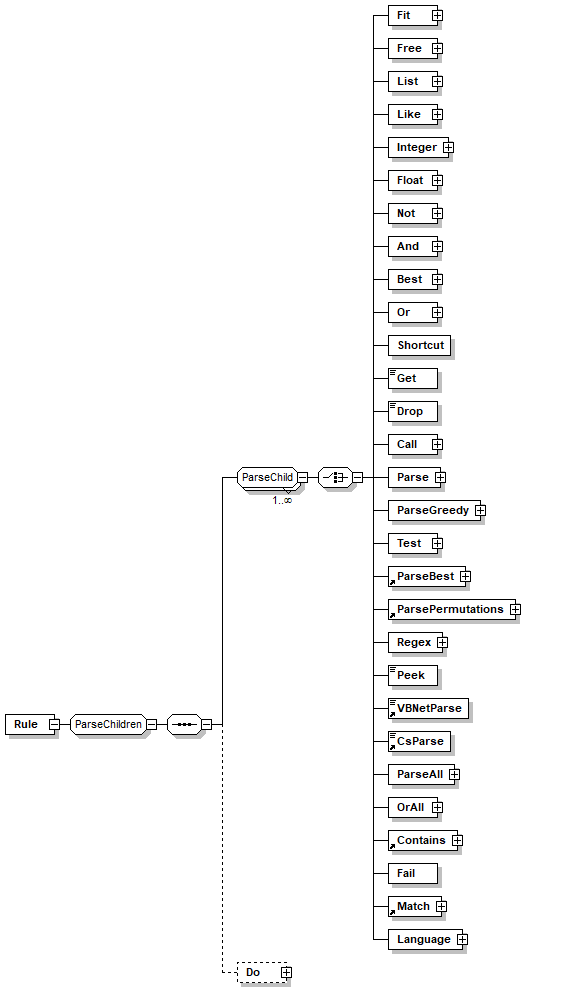
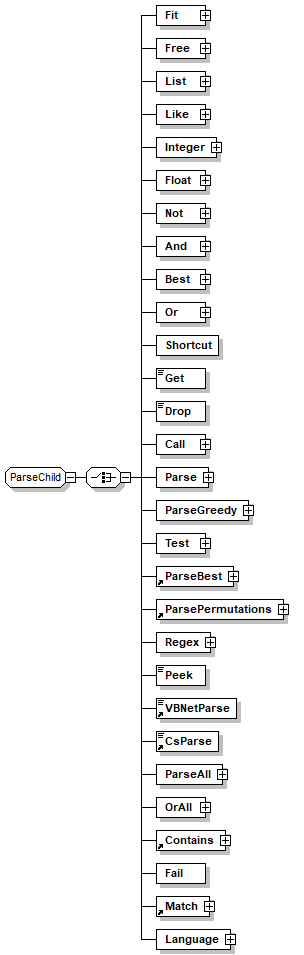
children Fit Free List Like Integer Float Not And Best Or Shortcut Get Drop Call Parse ParseGreedy Test ParseBest ParsePermutations Regex Peek VBNetParse CsParse ParseAll OrAll Contains Fail Match Language
used by
group ParseChild
annotation
documentation 
Checks if one of the child elements are contained anywhere in the string
appInfo 
Checks if one of the child elements are contained anywhere in the string

element Count
diagram
type VariableName
used by
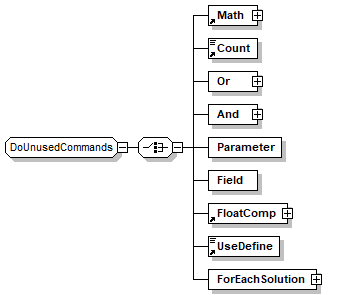
groups DoParseChild DoUnusedCommands
facets
minLength 1
whiteSpace collapse
pattern [_\w]+([./][_\w]+)*
annotation
documentation 
Counts the child variables of the specified variable node.

For example, if the variables map is:
/temp/a/dog = "Pluto"
/temp/a/cat = "Tom"
Then 
<count>/temp/a</count> will return 2
appInfo 
count
appInfo 
Counts the child variables of the specified variable node.
appInfo 
true
appInfo 
Variables
appInfo 
true

element CrLf
diagram
type restriction of xs:string
used by
groups DoChild OutputChildren
facets
length 0
annotation
documentation 
Generates a carriage return and line feed at selected output.
appInfo 
Append a new-line instruction to the output buffer
appInfo 
crlf
appInfo 
true
appInfo 
Format

element Cs
diagram
type extension of cs
used by
group DoChild
attributes
Name  Type  Use  Default  Fixed  Annotation
FunctionName  xs:string  optional      
annotation
appInfo 
cs

element CsParse
diagram
type extension of cs
used by
group ParseChild
attributes
Name  Type  Use  Default  Fixed  Annotation
FunctionName  xs:string  optional      
Bind  TempVariableName  optional      
documentation 
Name of a temporary variable (excluding the "/temp" prefix) that will be bounded to the token matched by the parsing element. This variable may hold several different values while the parser tries to resolve the input.
When using 'bind' no complex variables are allowed, that is you can not use pointers references, randoms or '[' symbols.
appInfo 
bind
appInfo 
Name of a temporary variable excluding the  "/temp" prefix
appInfo 
true
annotation
appInfo 
cs

element CsRequire
diagram
type extension of cs
used by
group PreTestChildren
attributes
Name  Type  Use  Default  Fixed  Annotation
FunctionName  xs:string  optional      
annotation
appInfo 
cs

element Database
diagram
children ConnectionString
used by
element Collection
attributes
Name  Type  Use  Default  Fixed  Annotation
Path  xs:string  optional      
documentation 
Used to hold the path of the clause in the compiler
appInfo 
true
Name  xs:string  required      
documentation 
A mandatory name for referencing this database connection.
appInfo 
A mandatory name for referencing this database connection
appInfo 
name
appInfo 
true
Private  xs:boolean  optional  true    
documentation 
Specifies if the item is private, that is, only clauses from the same file may reference it.
appInfo 
true
appInfo 
private
appInfo 
Specifies if the item is private, that is, only clauses from the same file may reference it.
Disabled  xs:boolean  optional  true    
documentation 
Defines if the clause will be compiled
appInfo 
true
appInfo 
disabled
appInfo 
Prevents the item to be compiled
Provider  xs:string  required      
Keep  xs:string  optional  Auto    
documentation 
Instruct the compiler how to handle unreferenced item (e.g. data base connection) 'always' will keep the clause even if it is not referenced anywhere else. Use this when you reference clause by name like accessing connection by name.
annotation
documentation 
Database clause defines a database connection, with its name, location and where the security information of the database is stored. In other elements the databases are referred to by the name of the database connection.
appInfo 
true
appInfo 
Defines a database connection
appInfo 
database

element Database/ConnectionString
diagram
children Parameter
annotation
documentation 
Database connection is created using ADO connection string. Connection string  includes a list of parameters that define the location, type and login information for a database.
appInfo 
connectionstring
appInfo 
defines ADO connection string
appInfo 
true

element Database/ConnectionString/Parameter
diagram
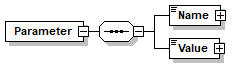
children Name Value
annotation
documentation 
Specifies a parameter in the connection string, a parameter is made from a name and a value.
appInfo 
Specify a parameter in the connection string.
appInfo 
field
appInfo 
true

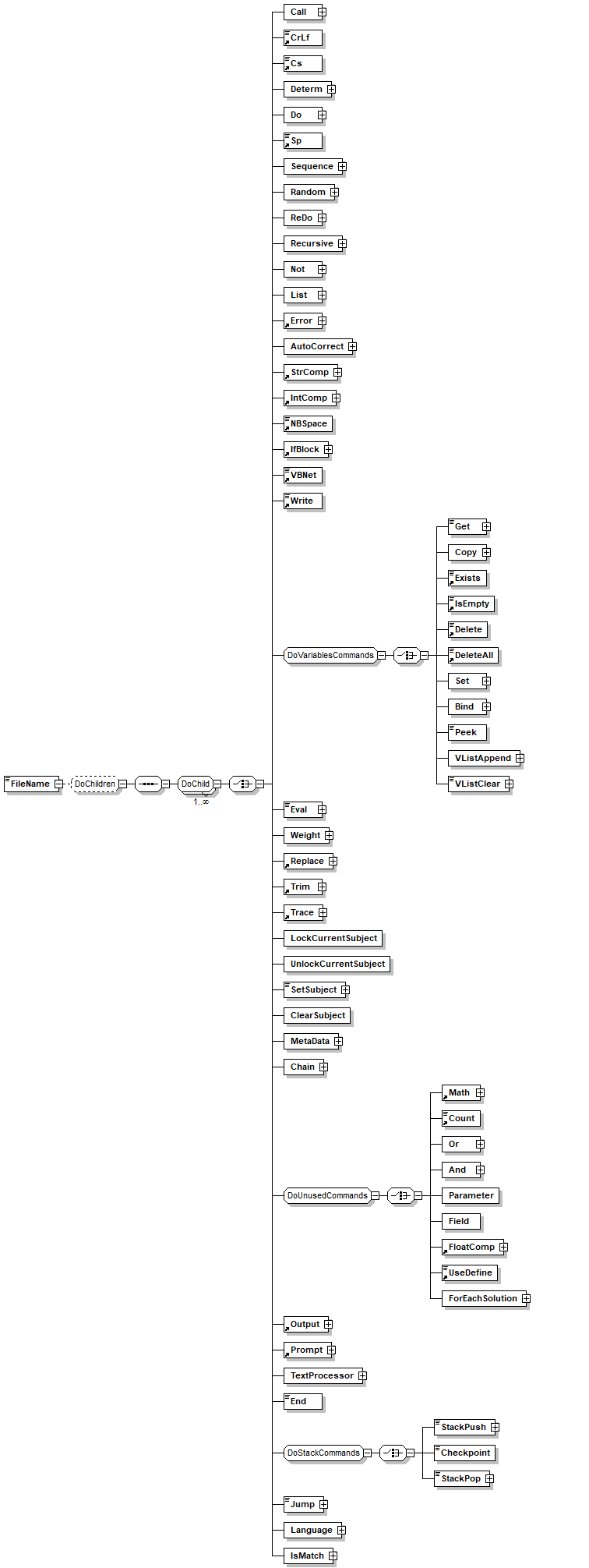
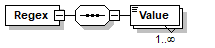
element Database/ConnectionString/Parameter/Name
diagram
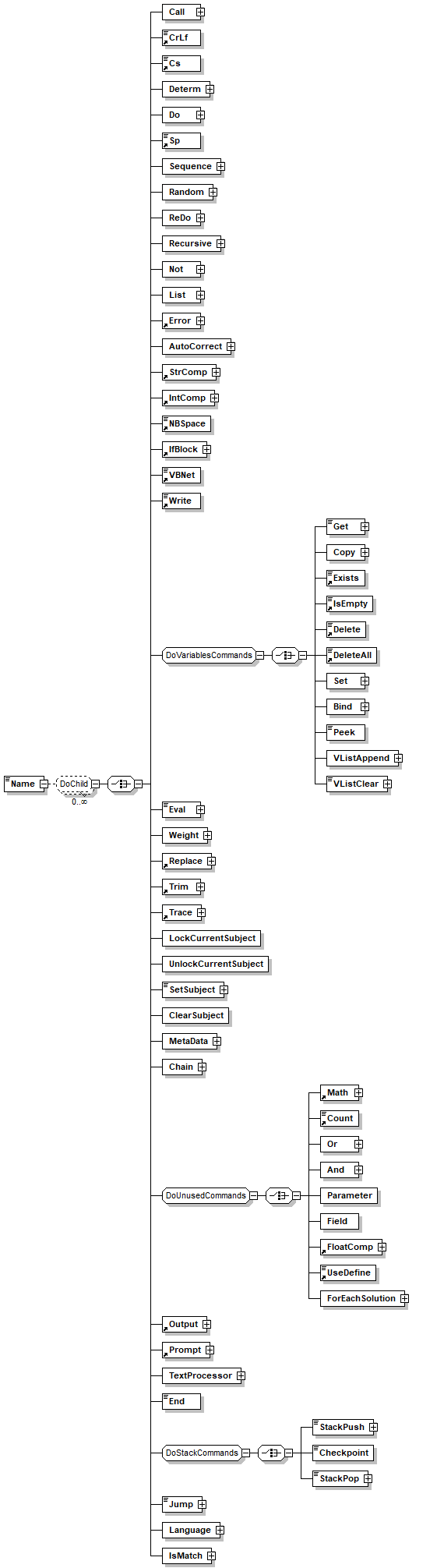
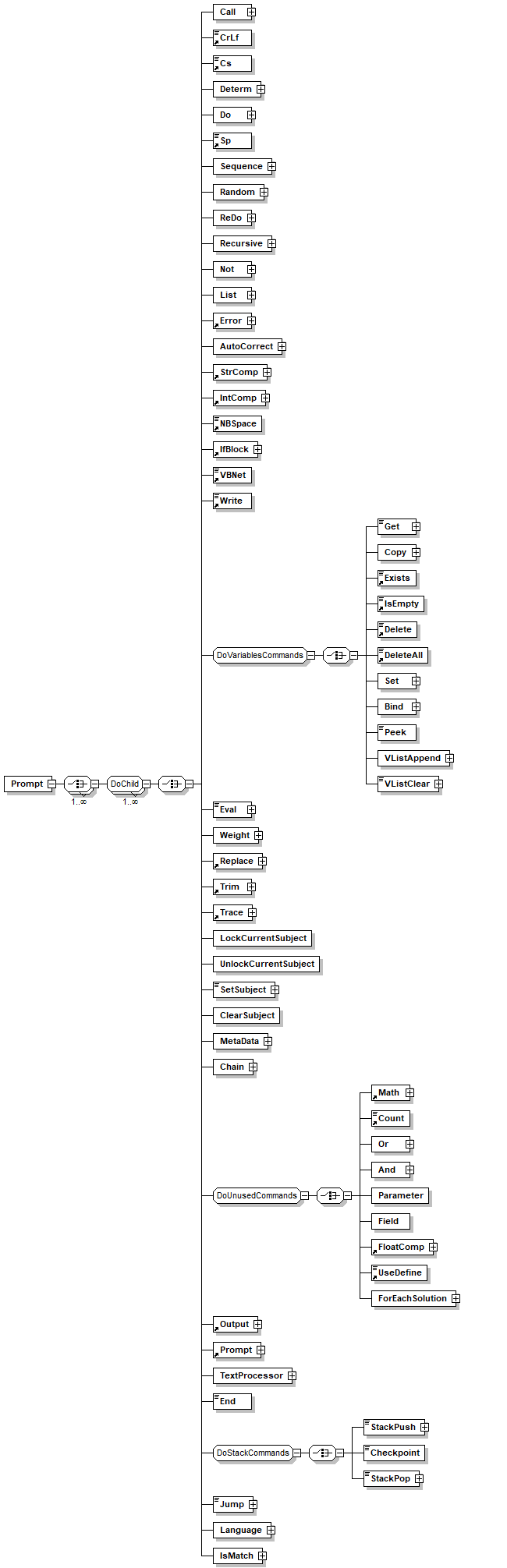
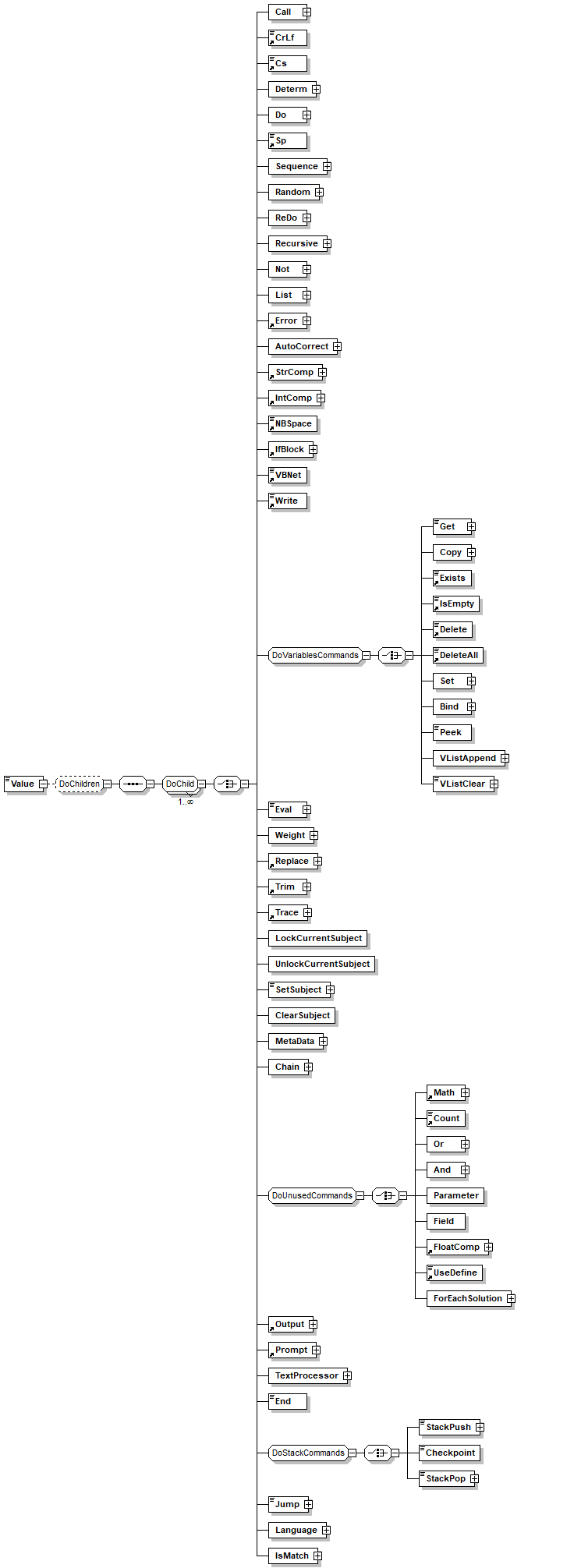
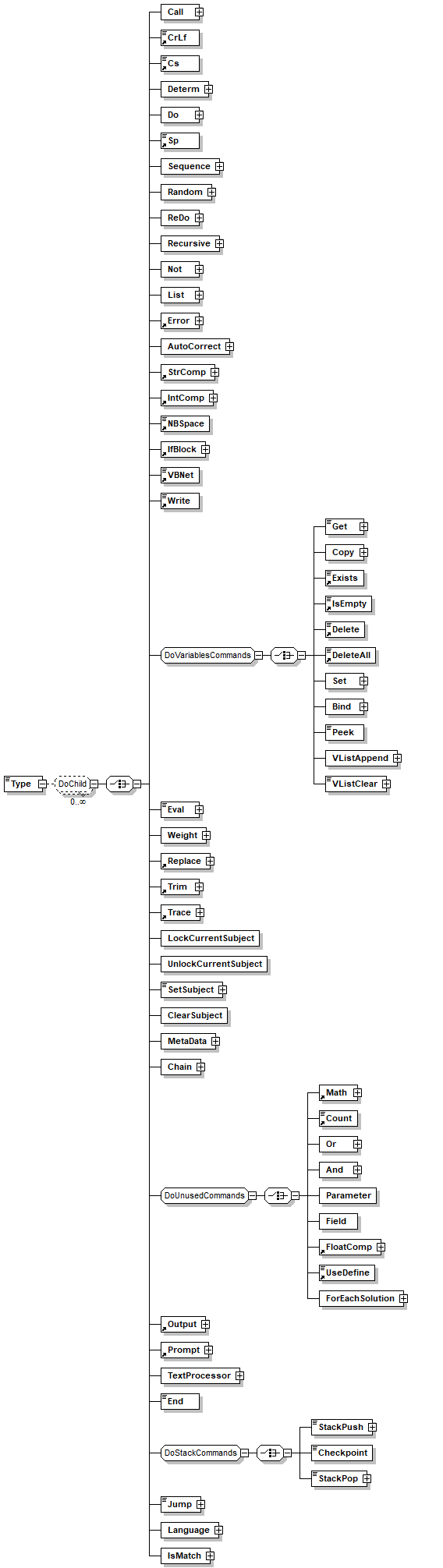
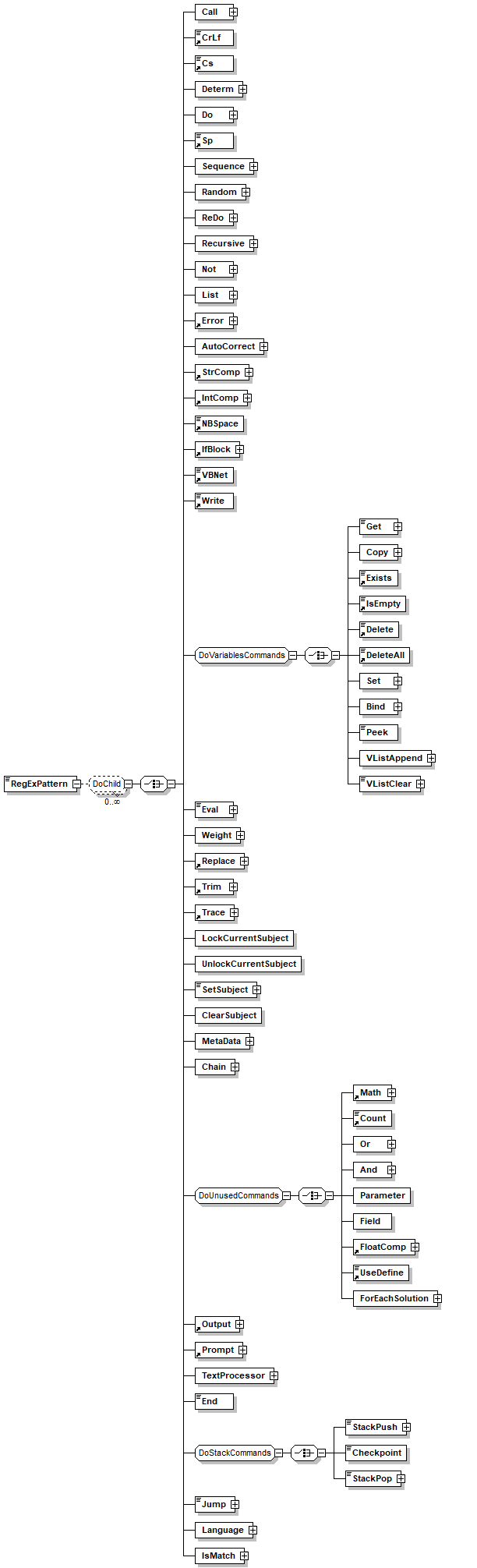
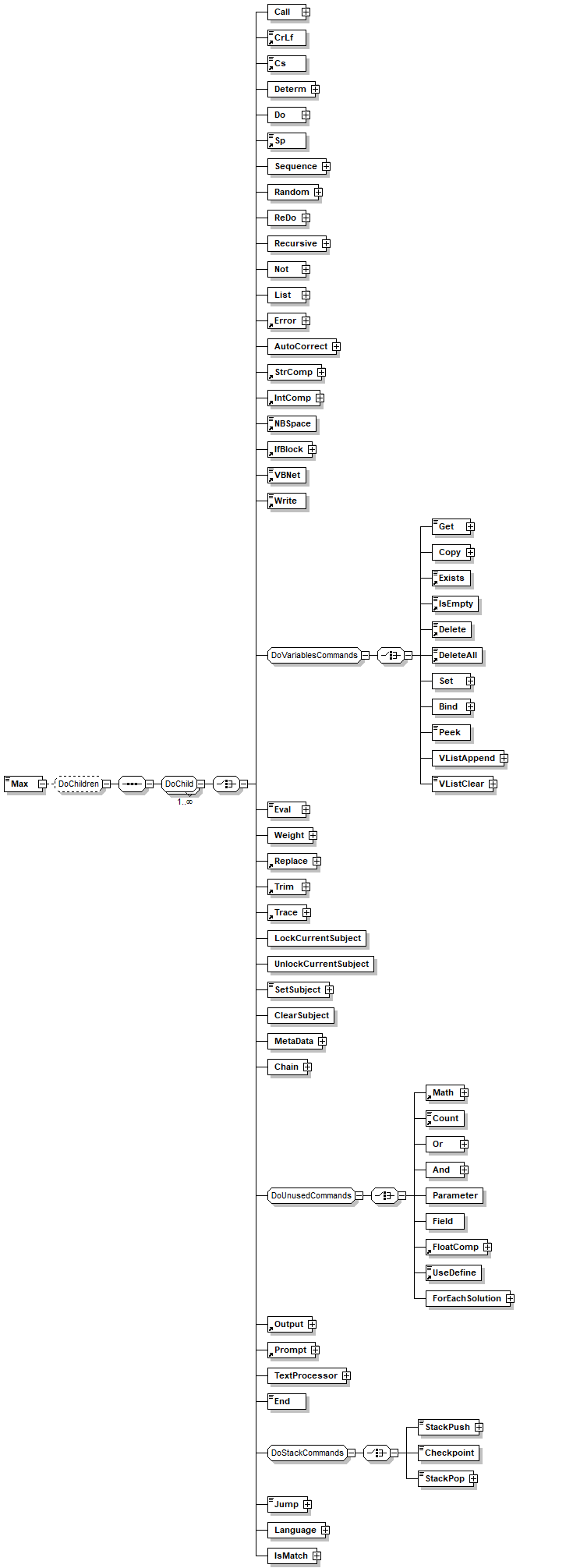
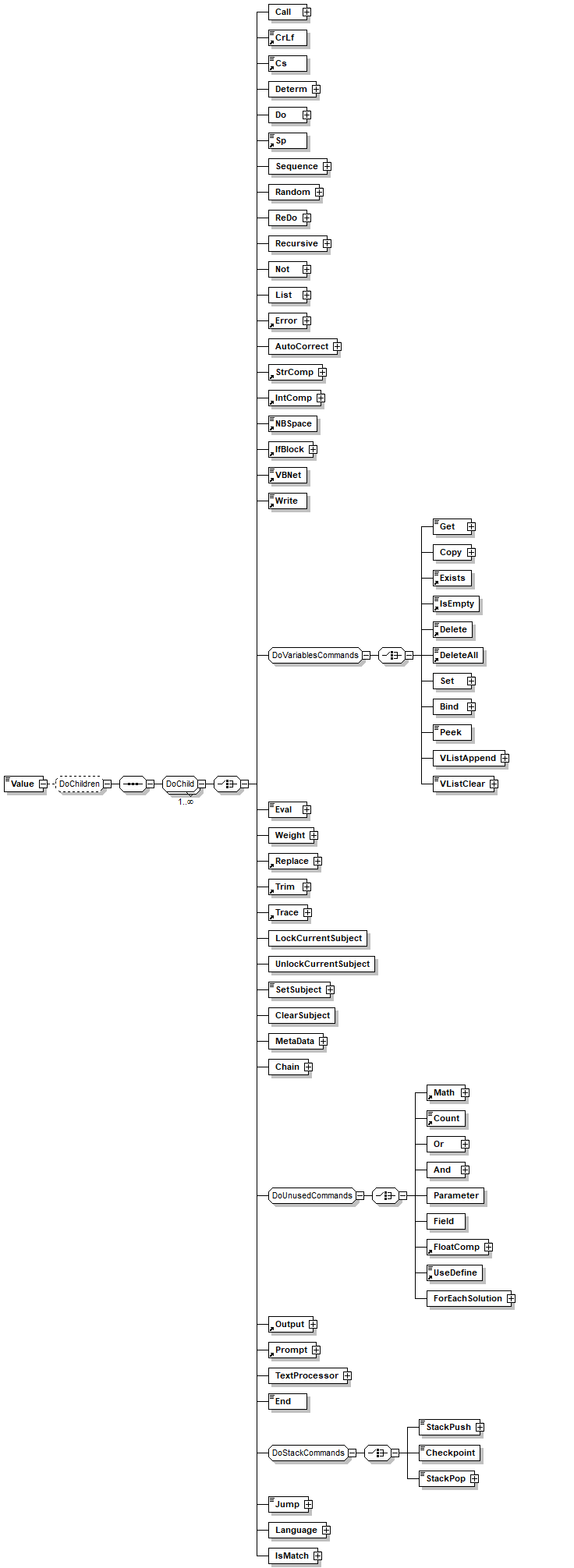
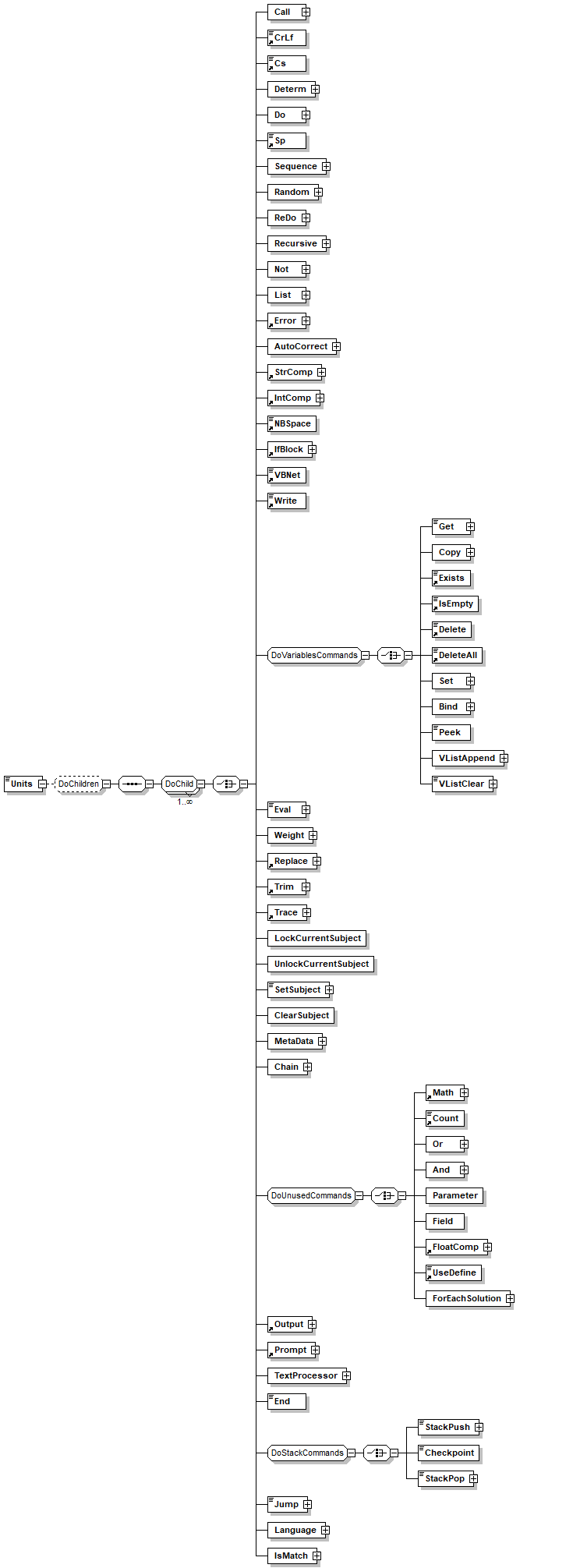
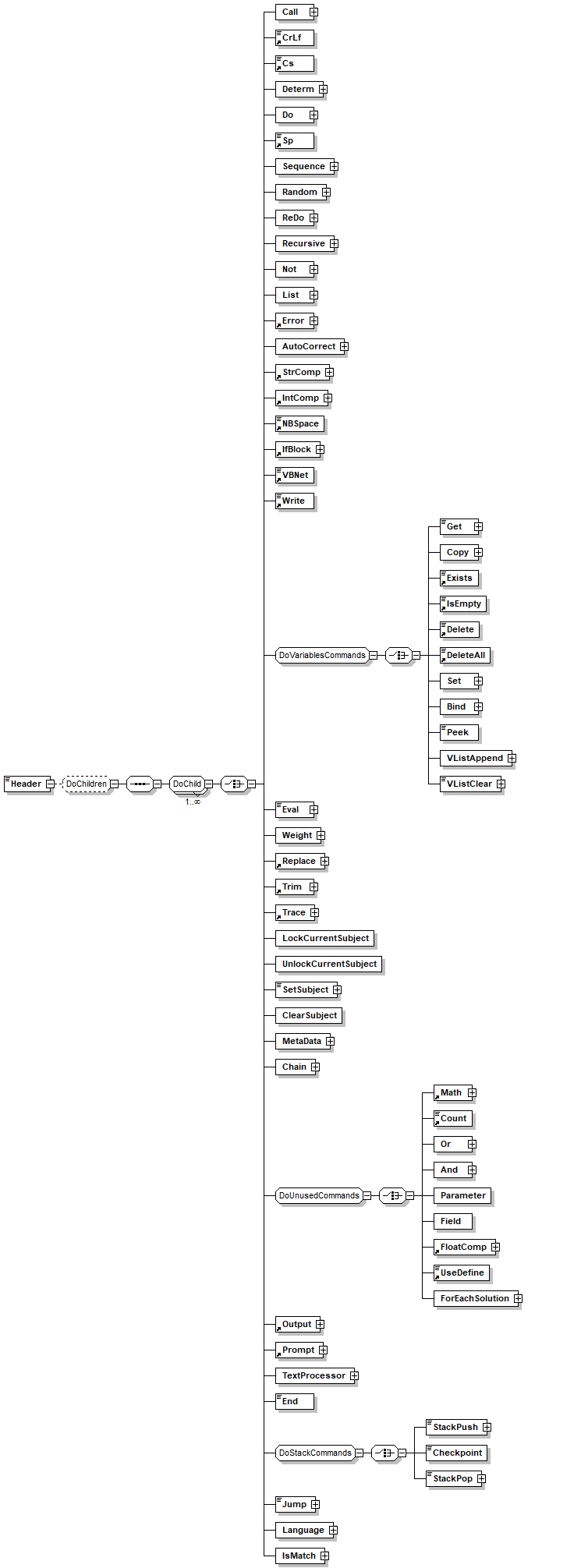
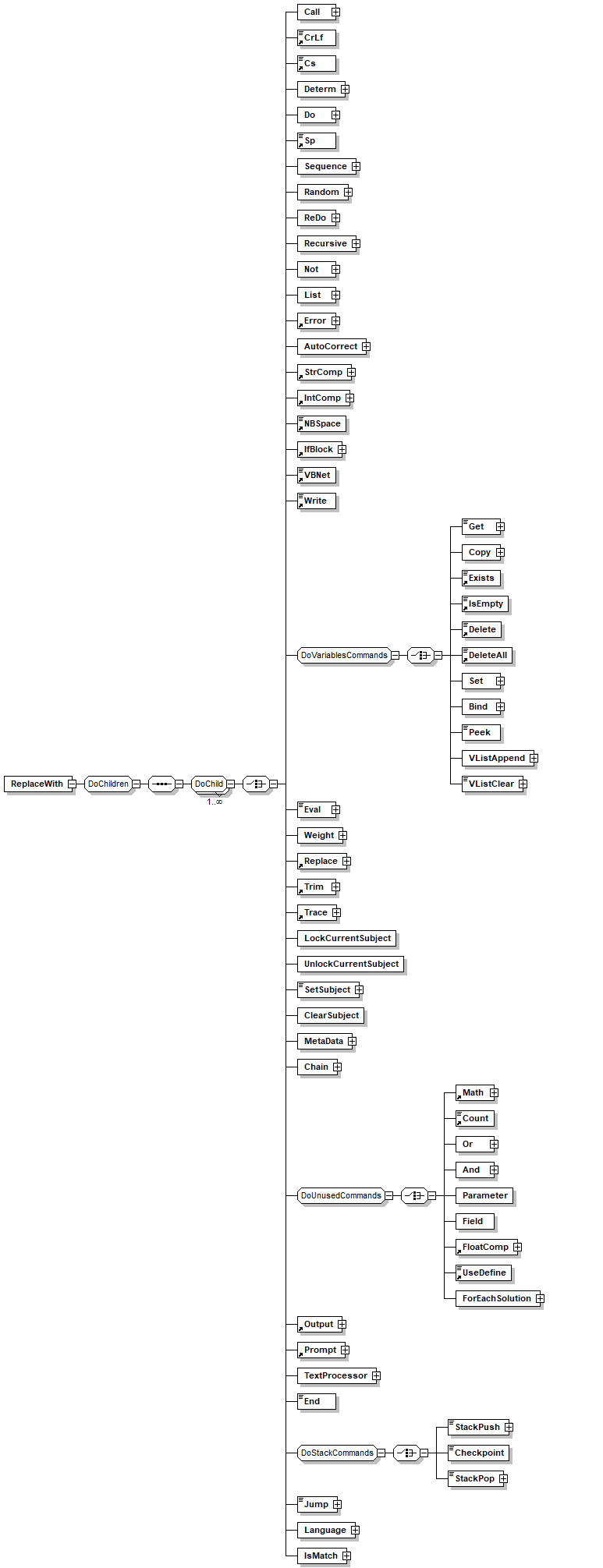
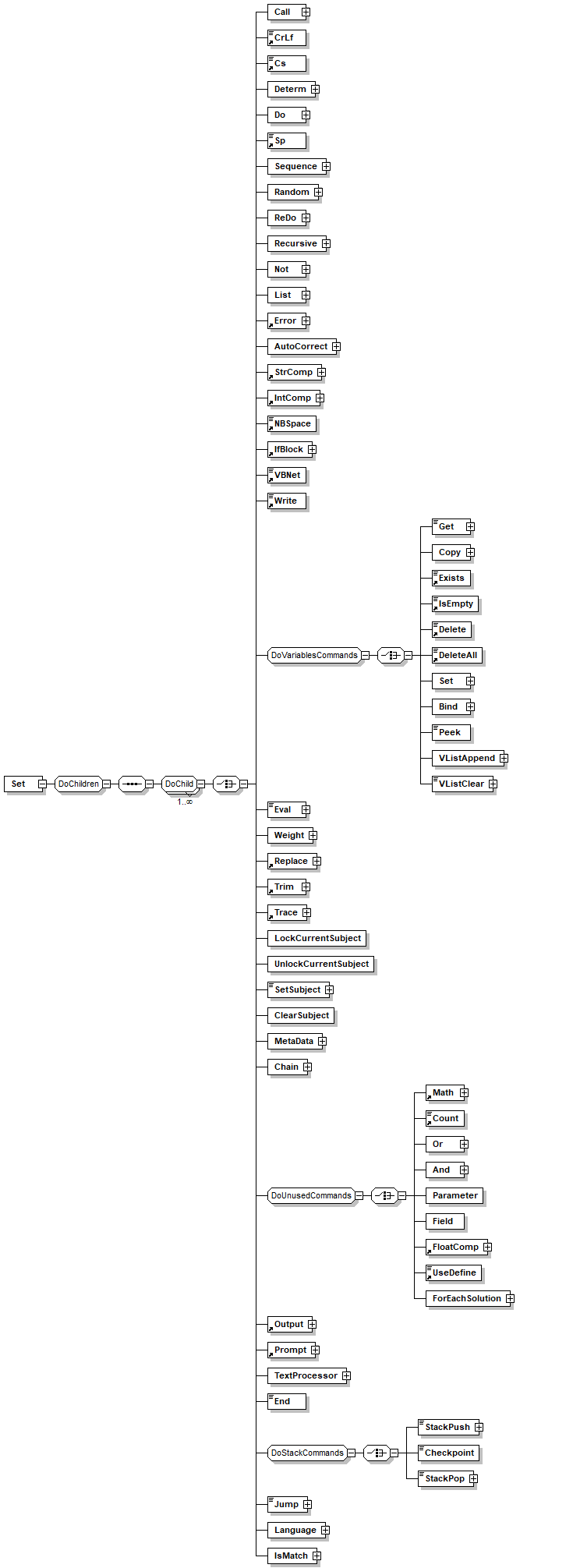
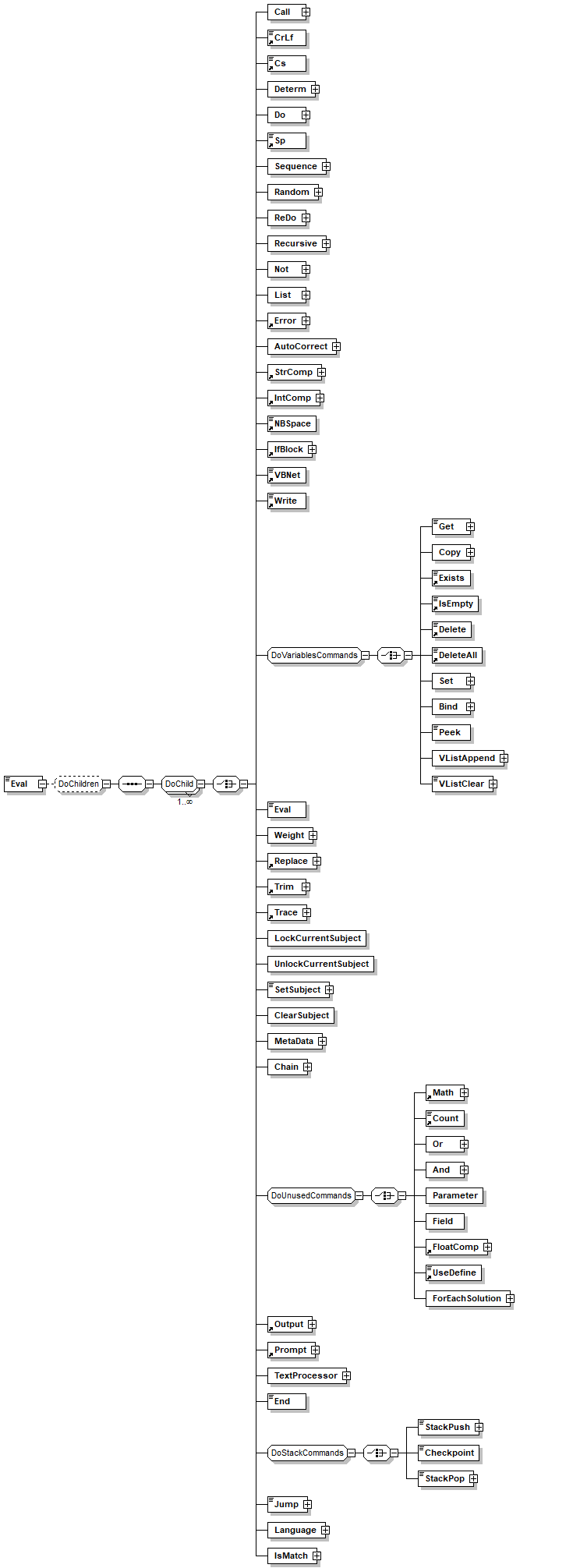
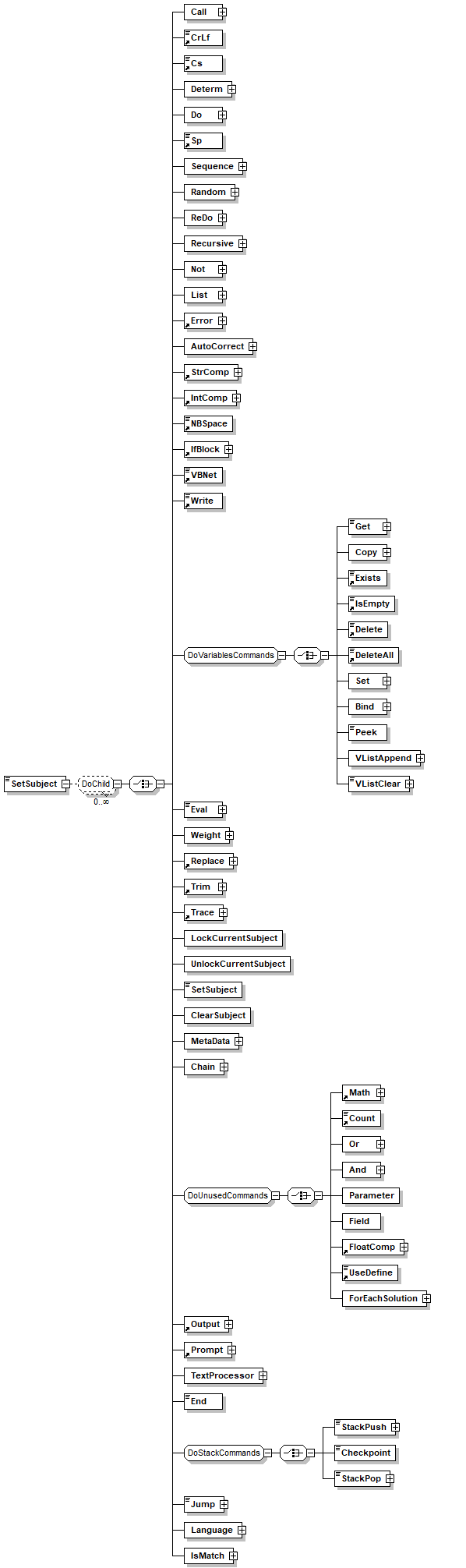
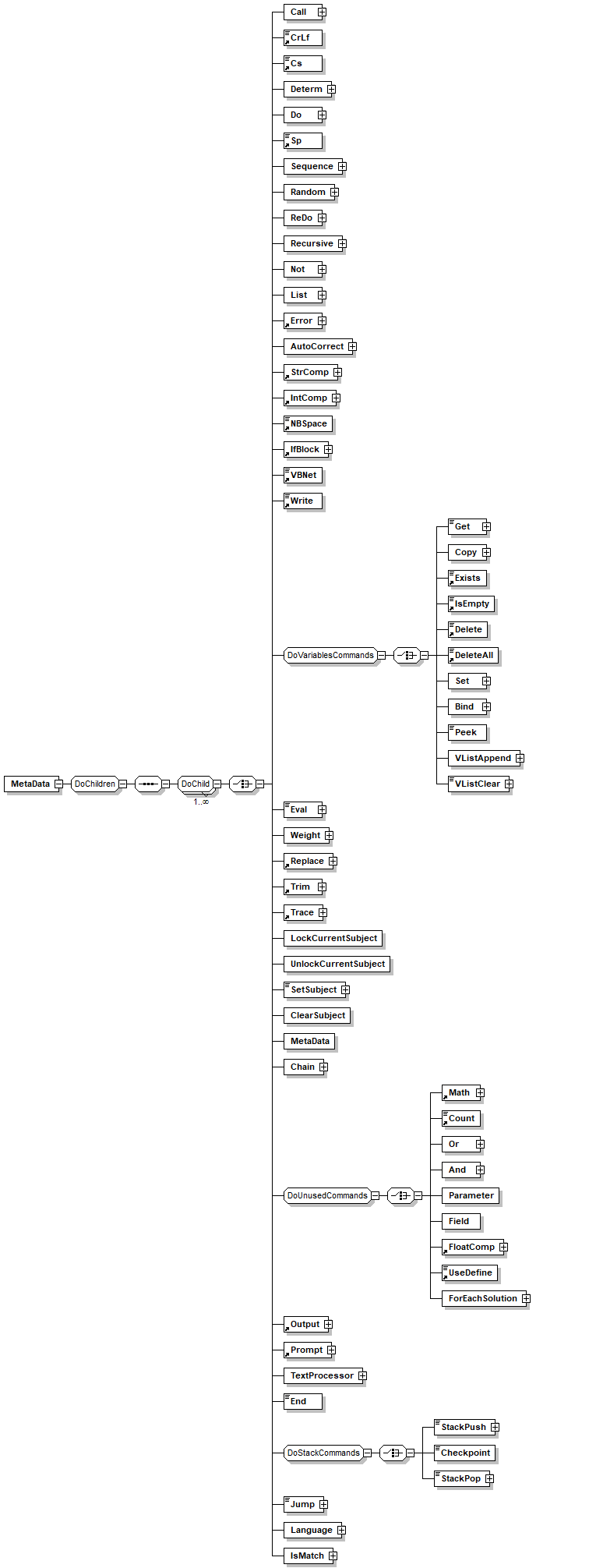
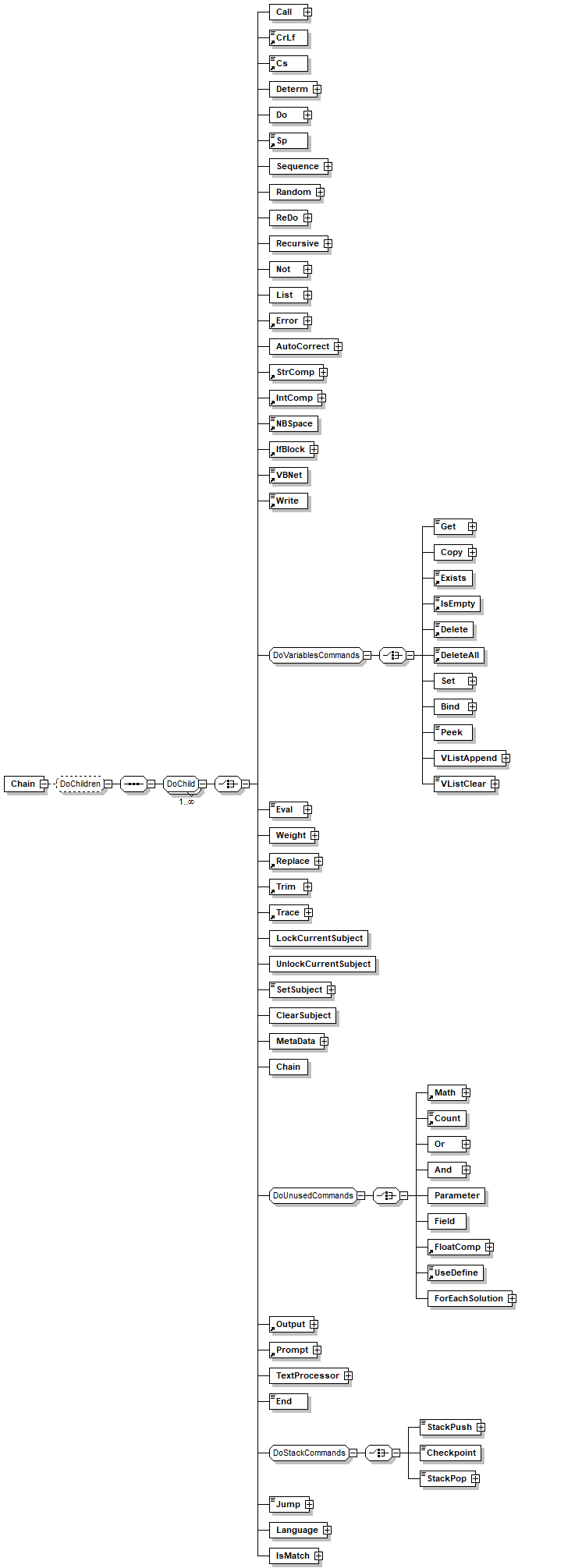
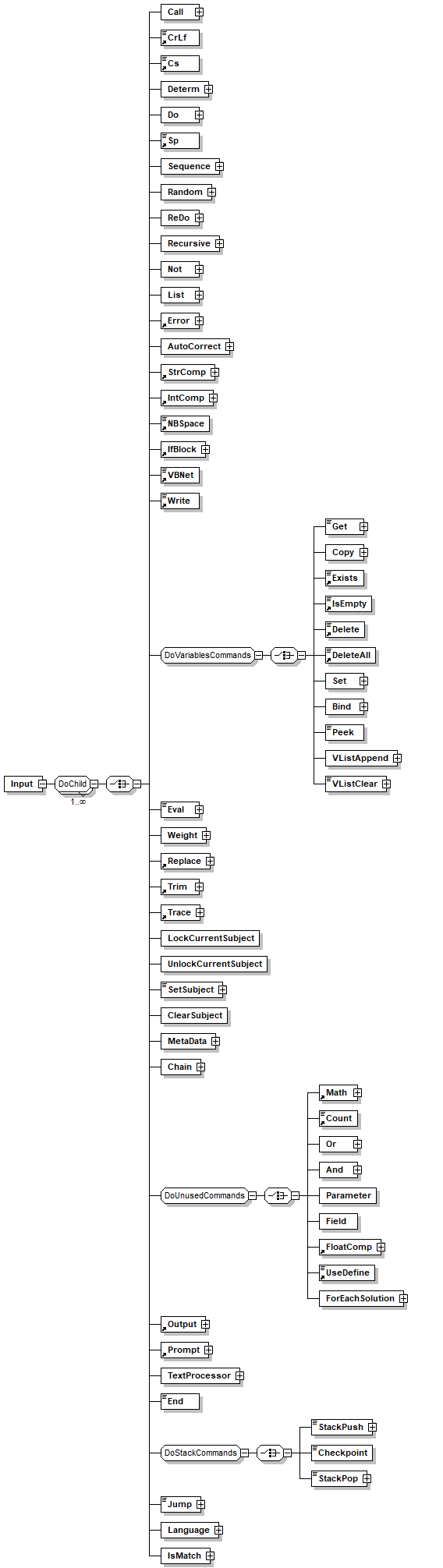
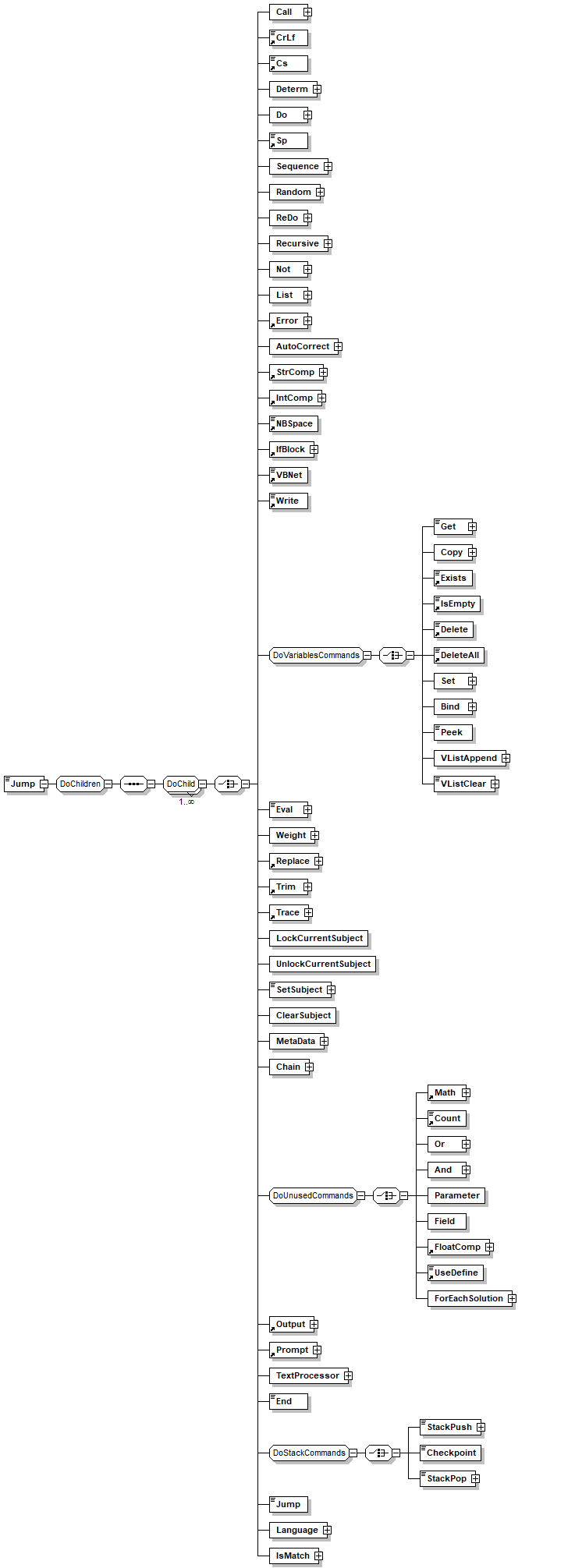
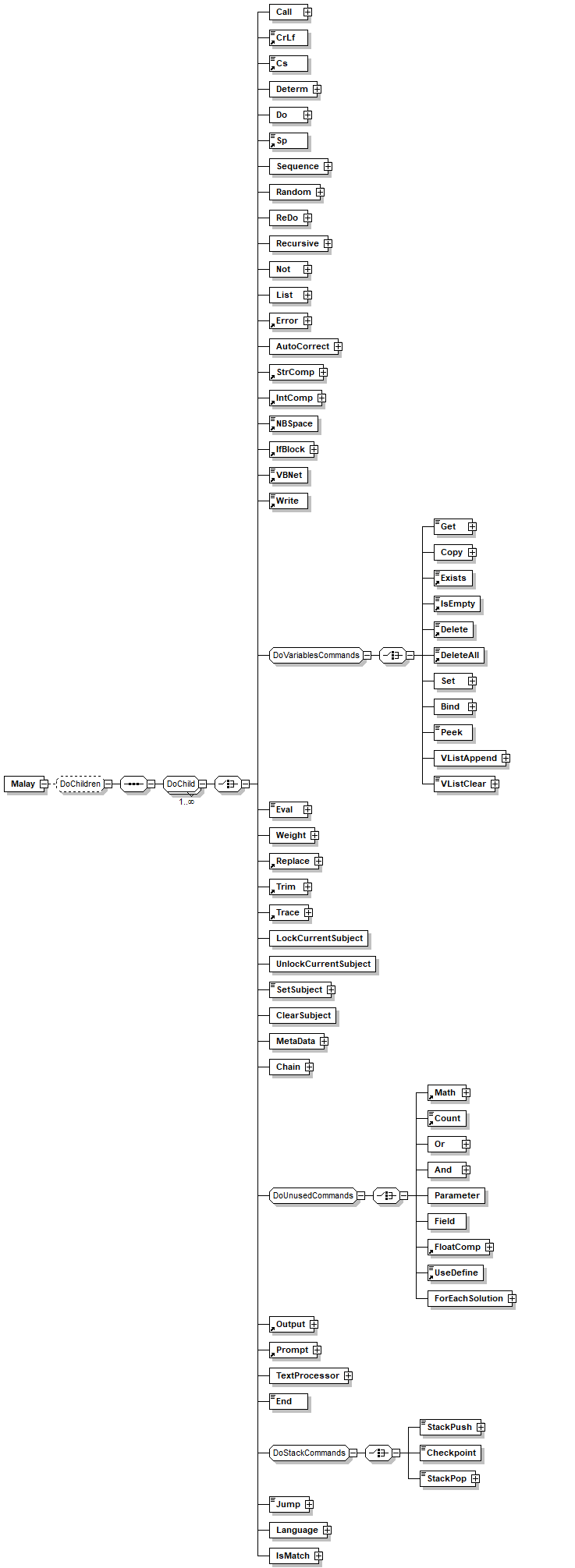
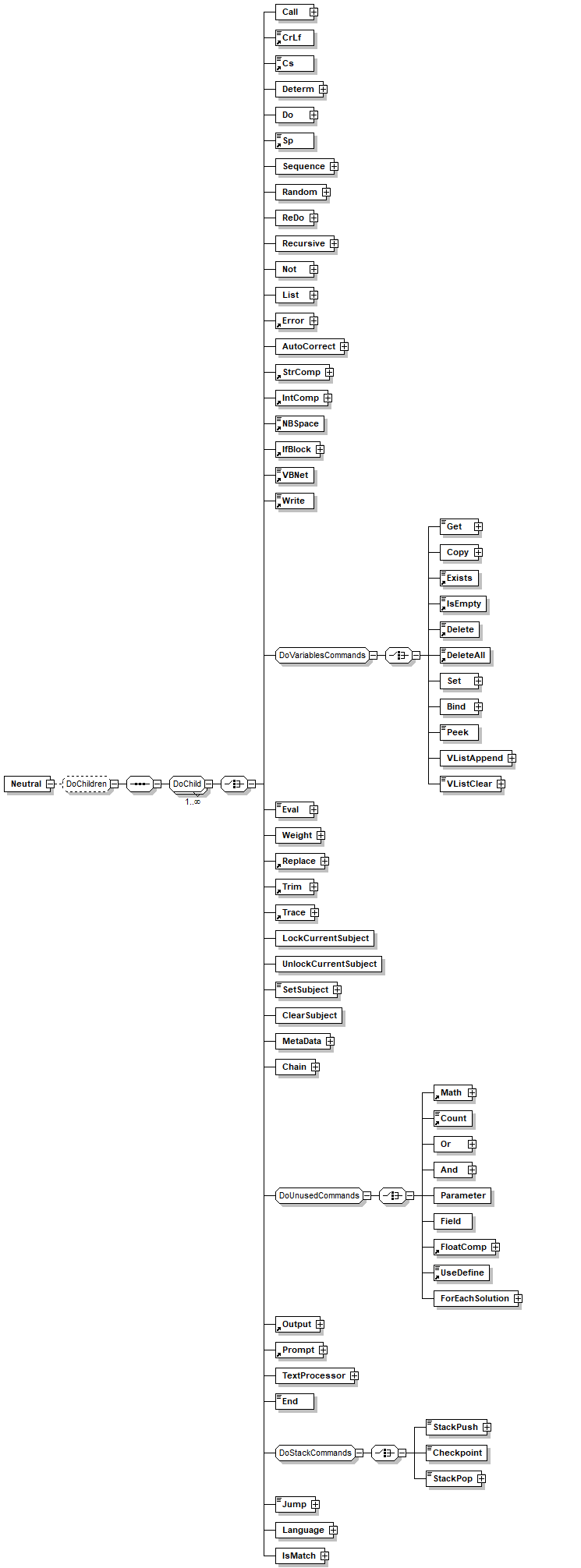
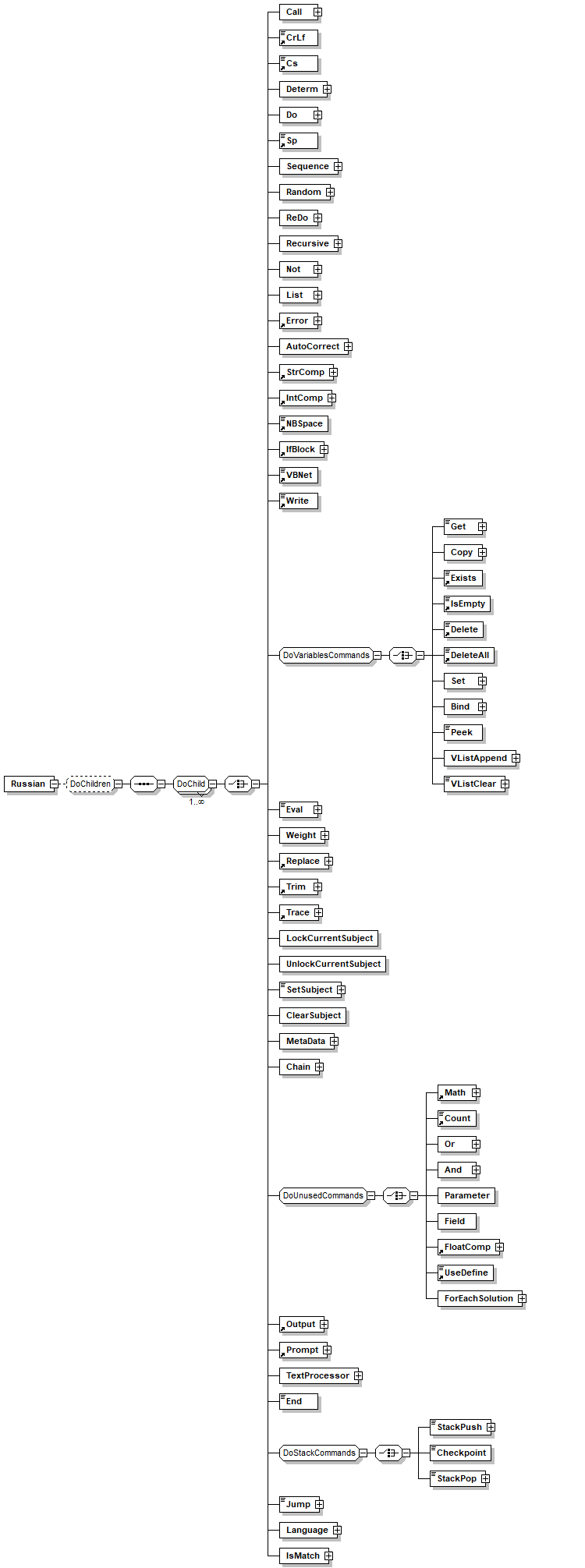
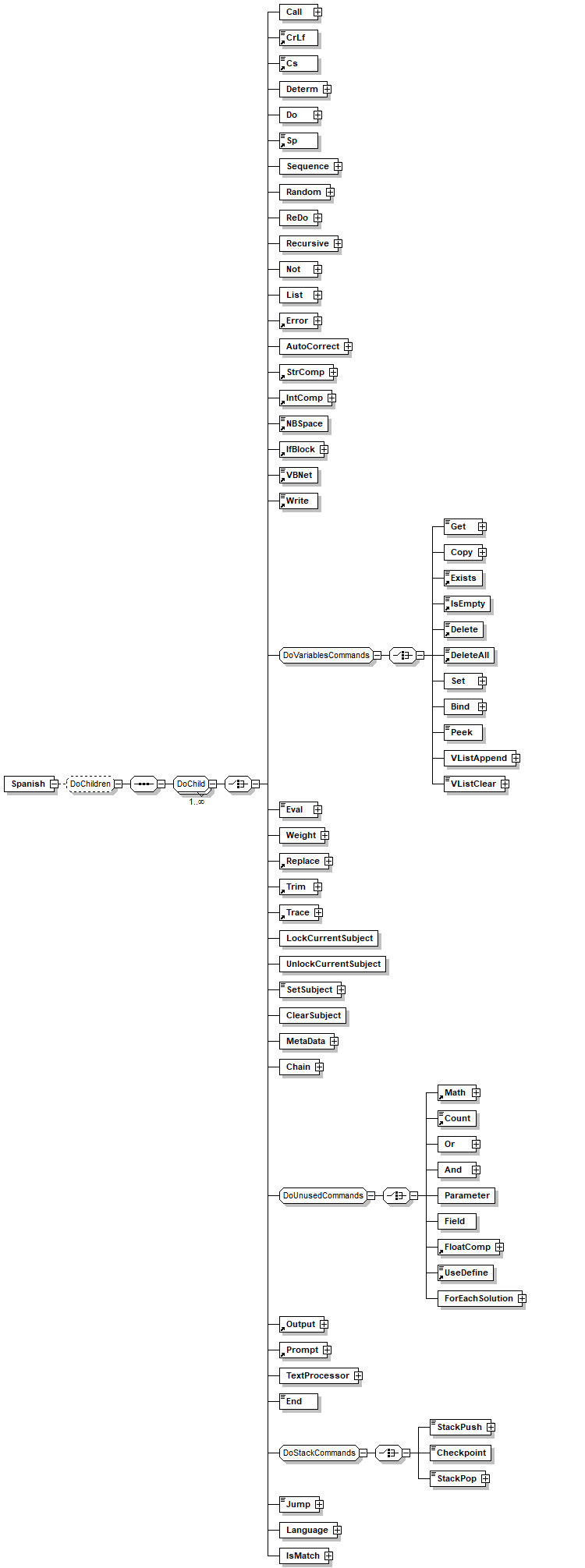
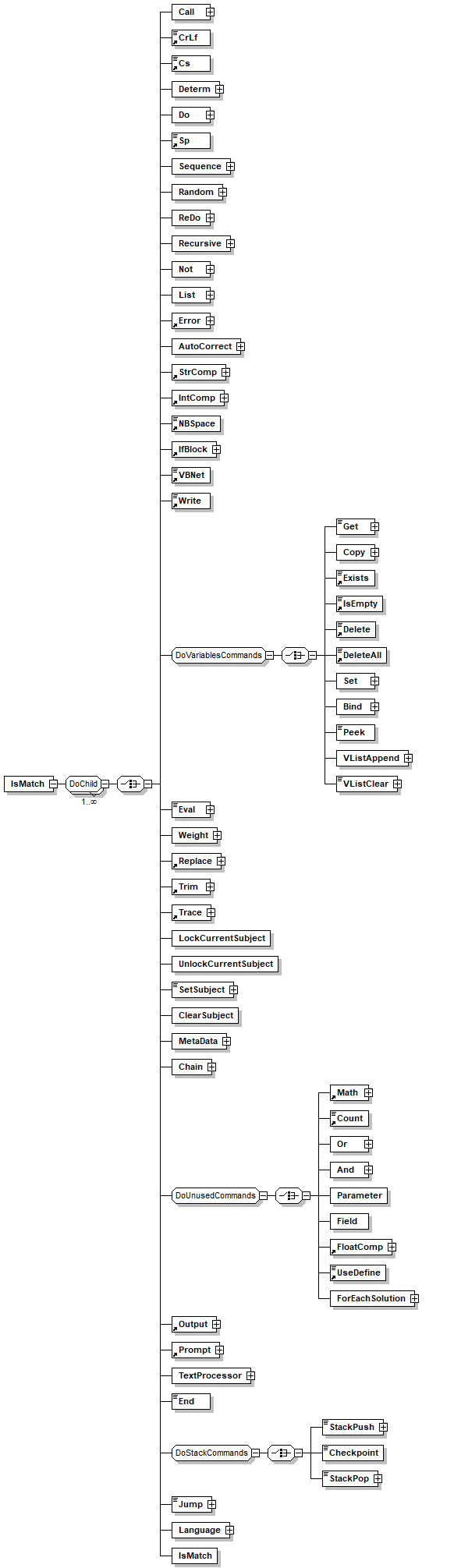
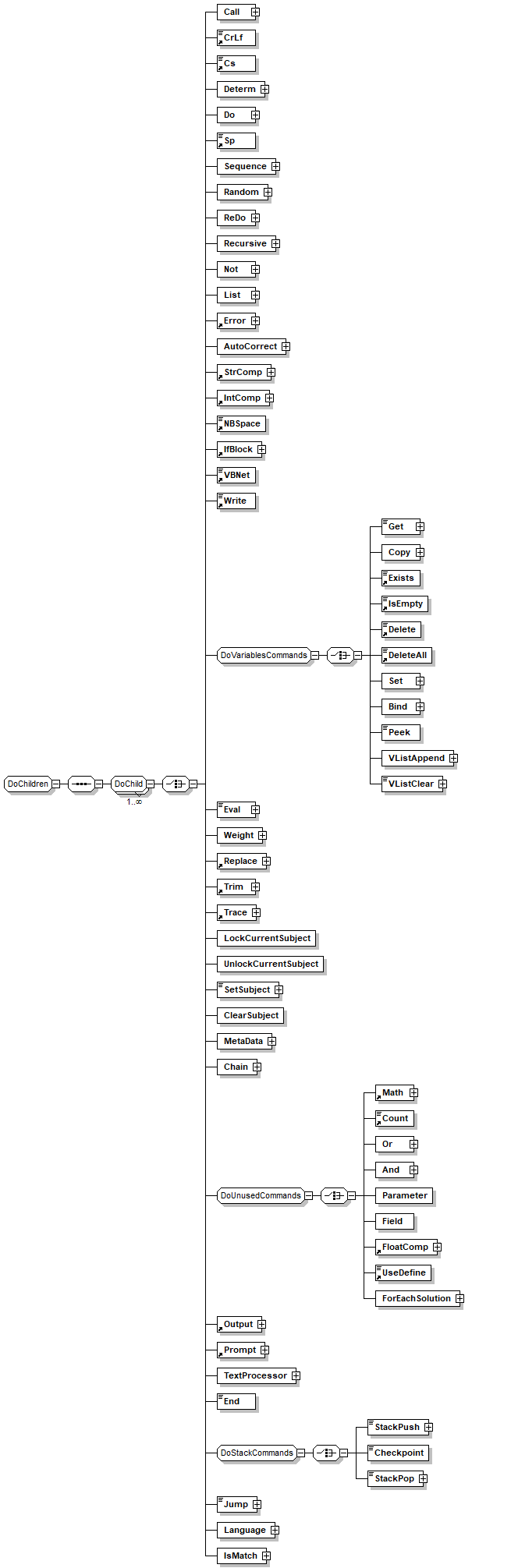
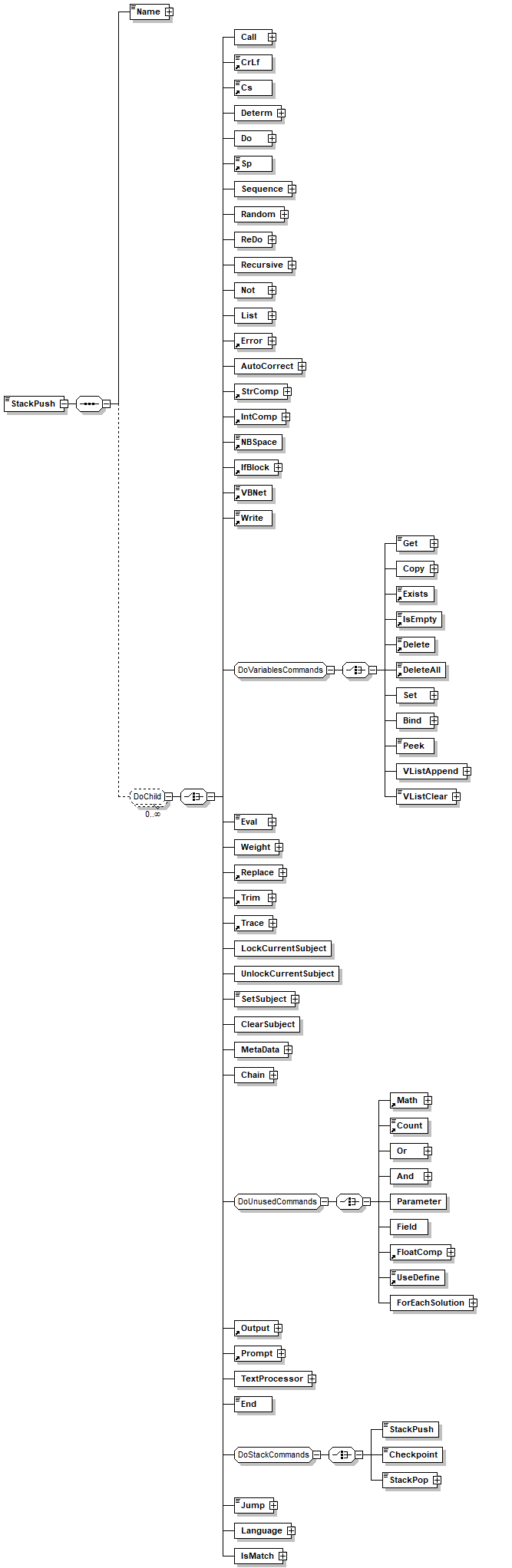
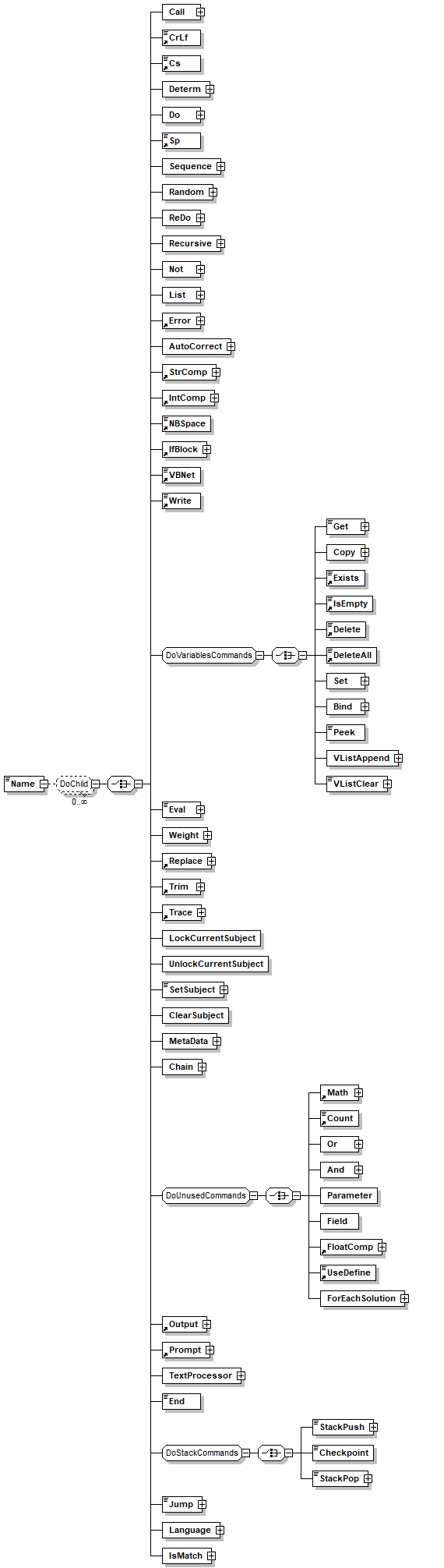
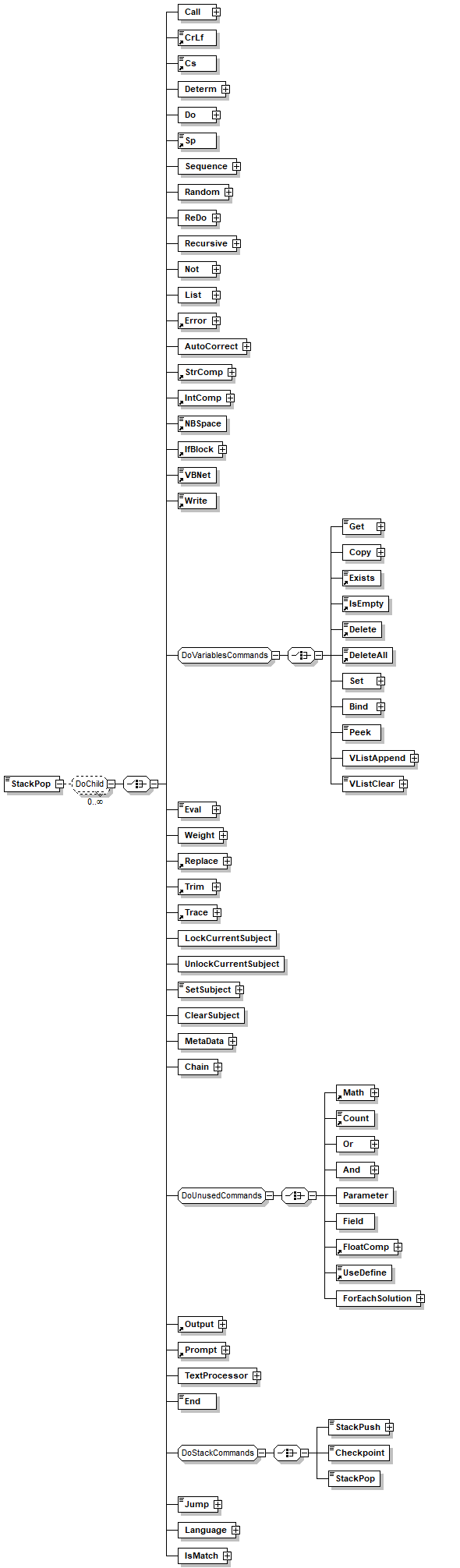
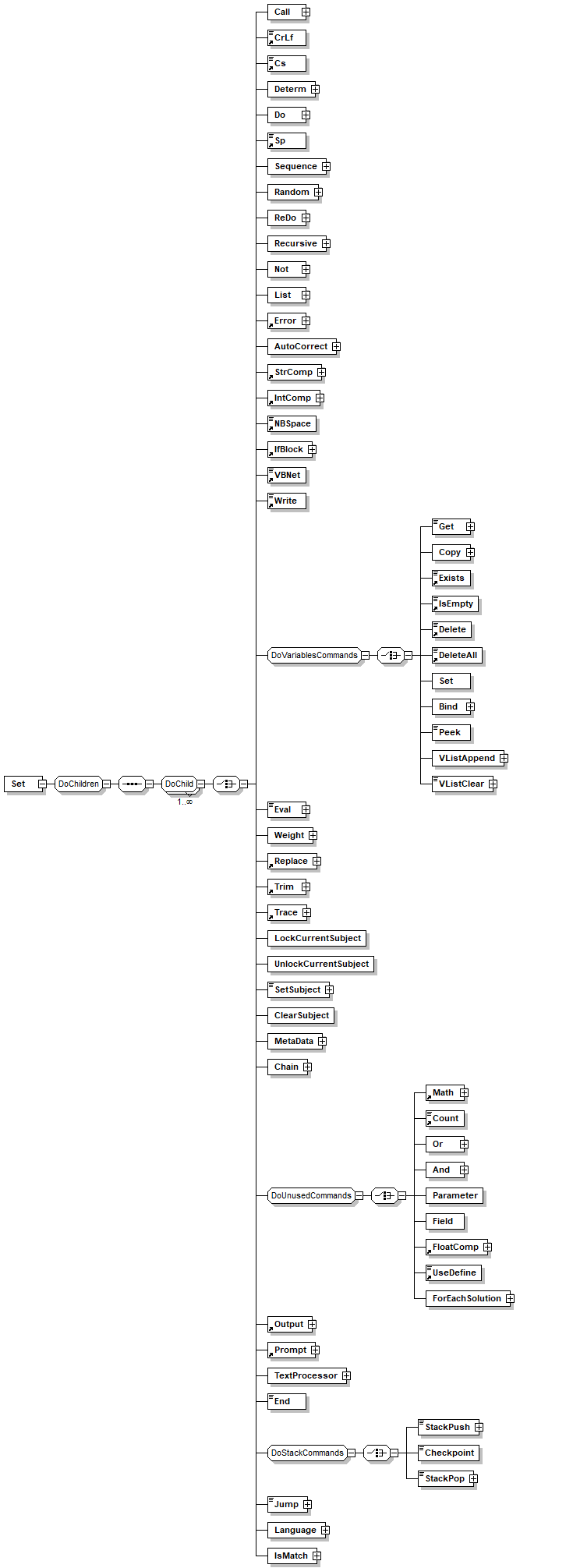
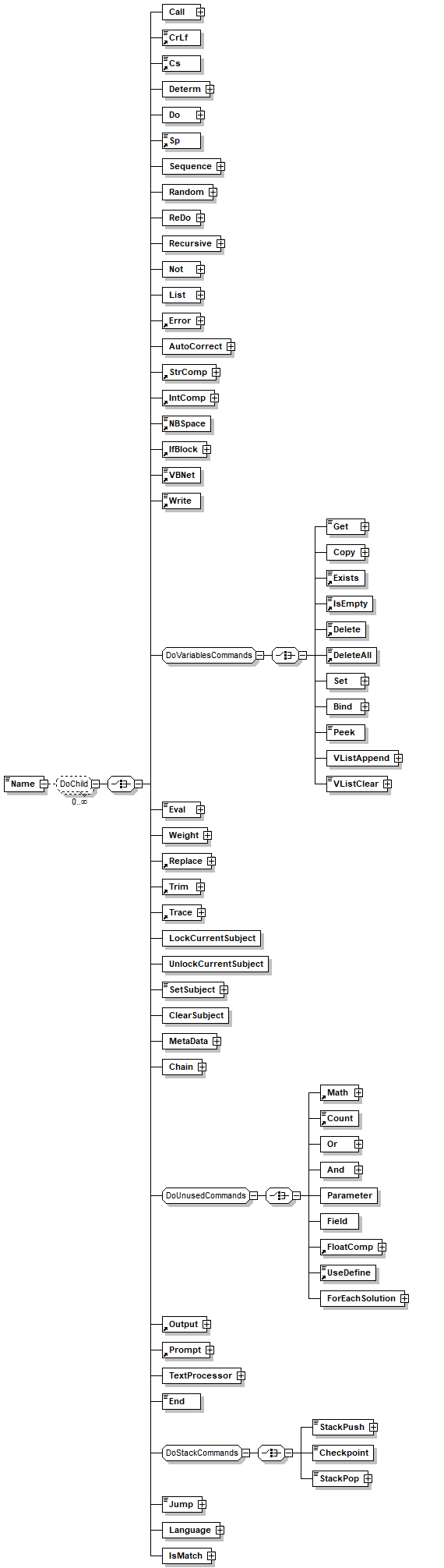
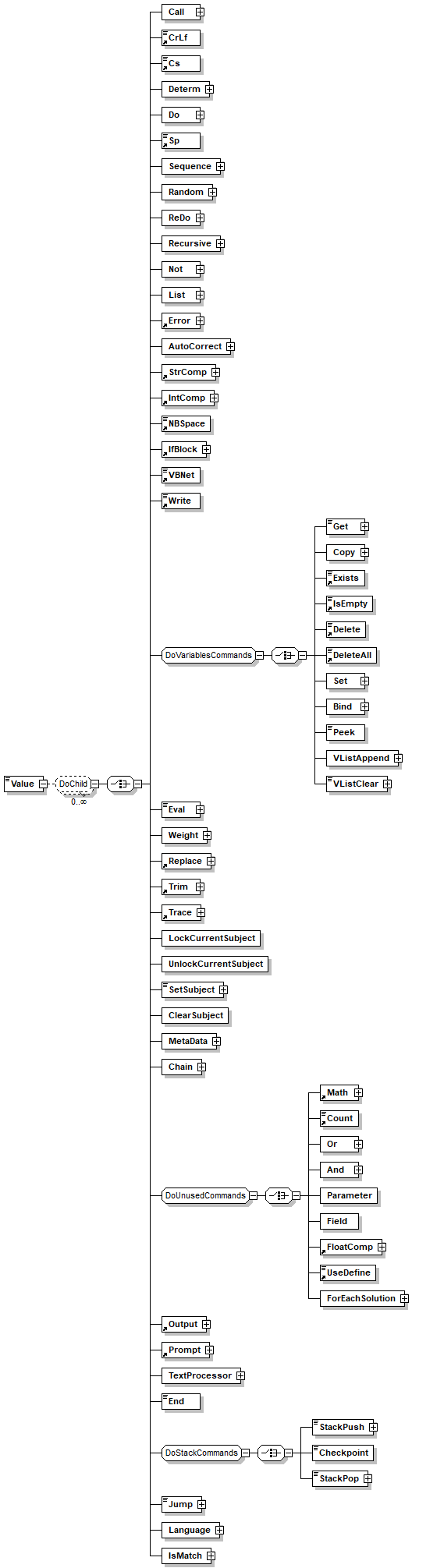
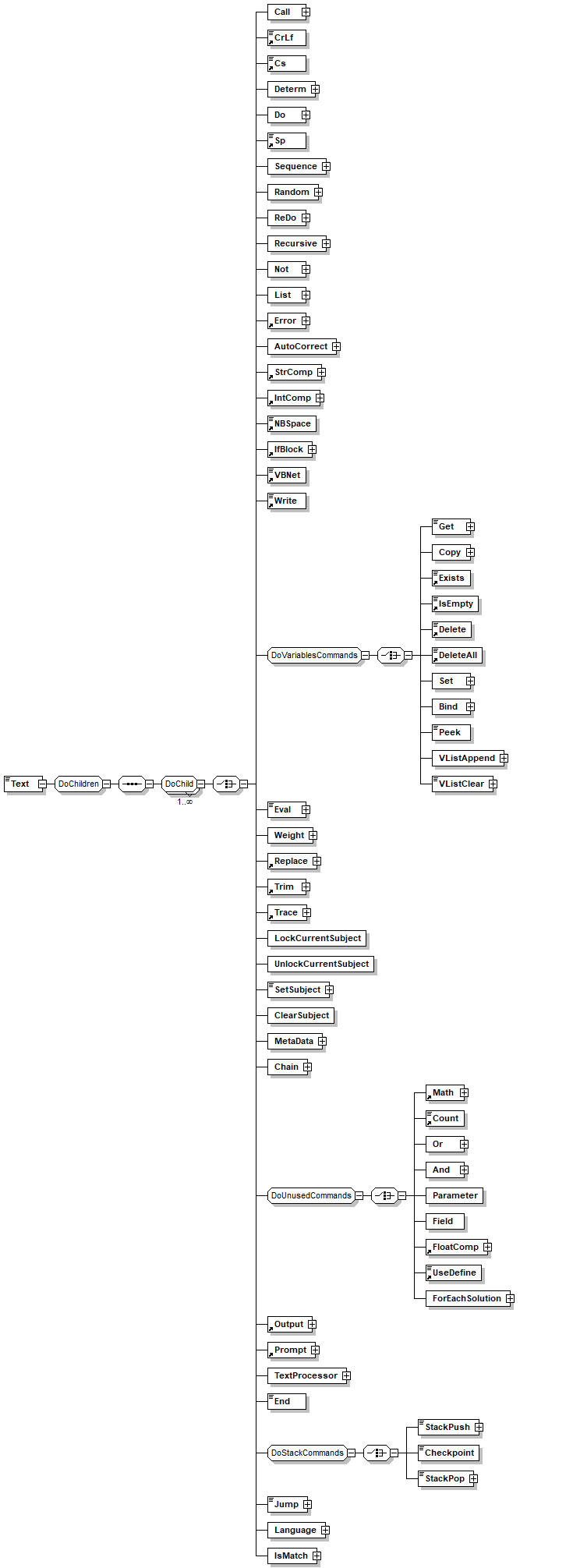
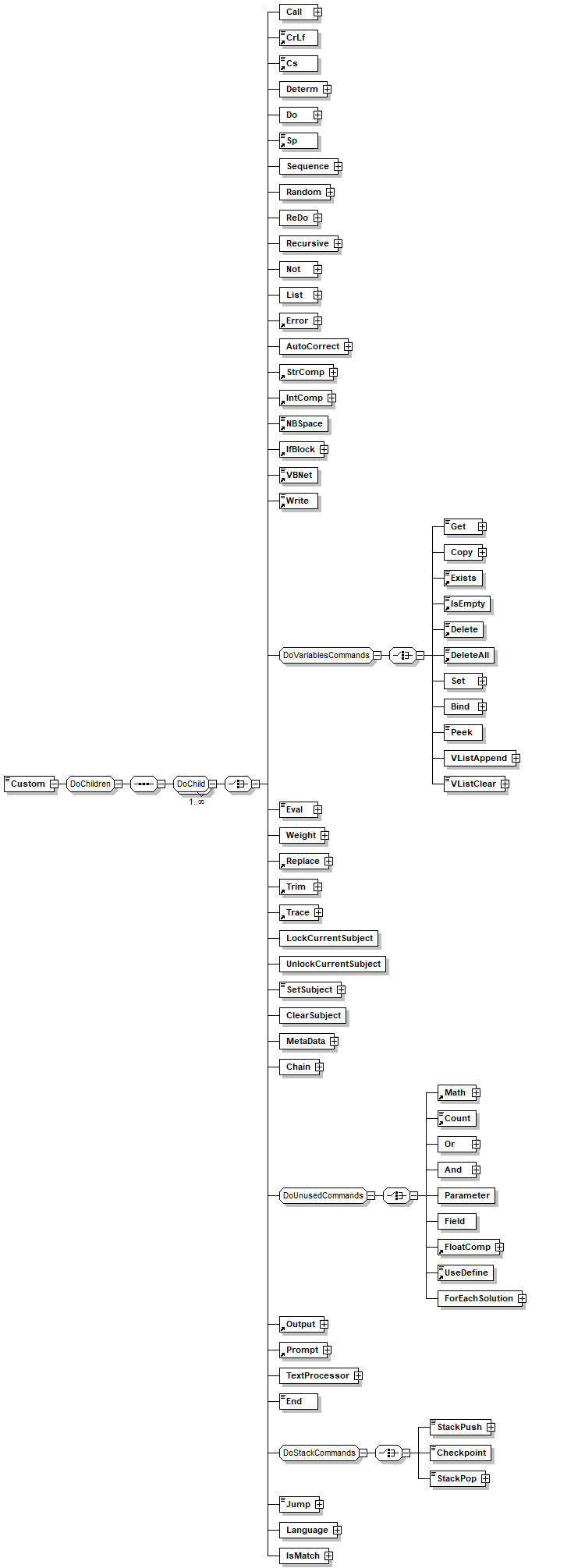
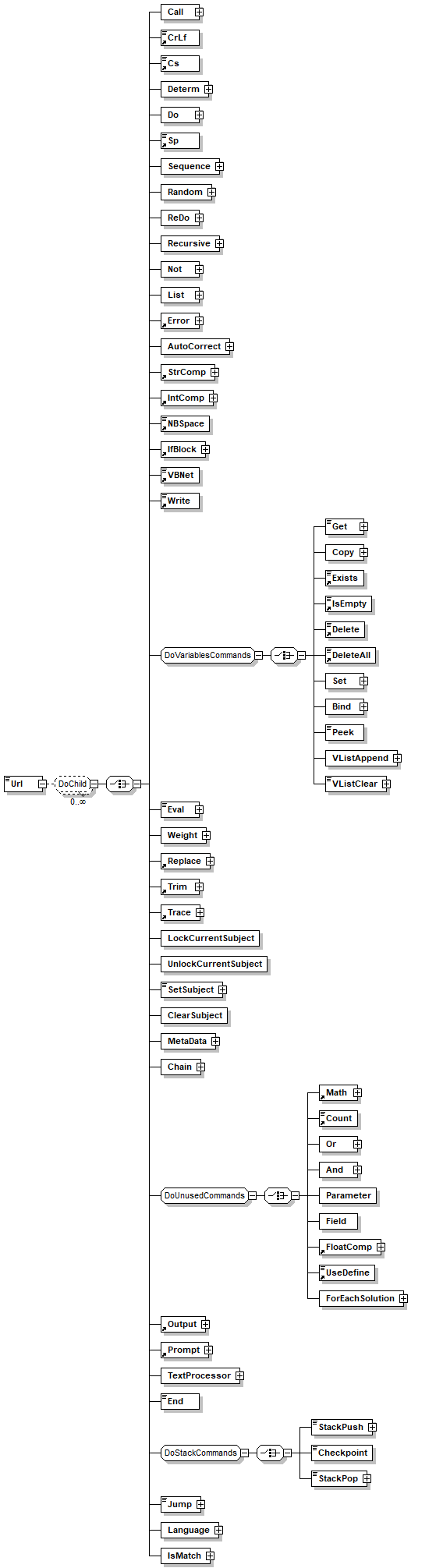
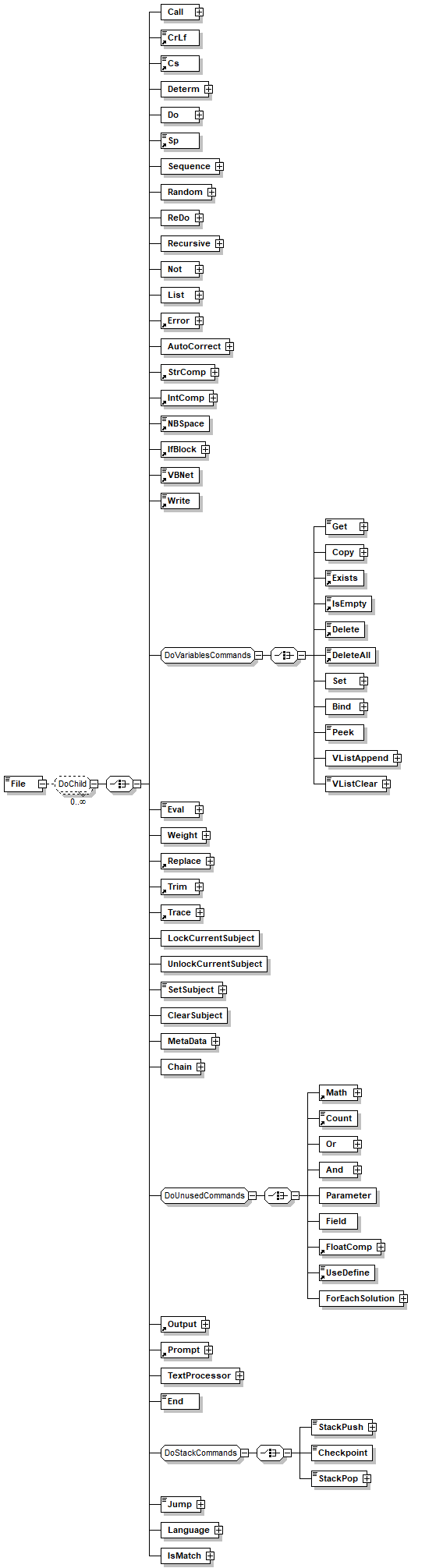
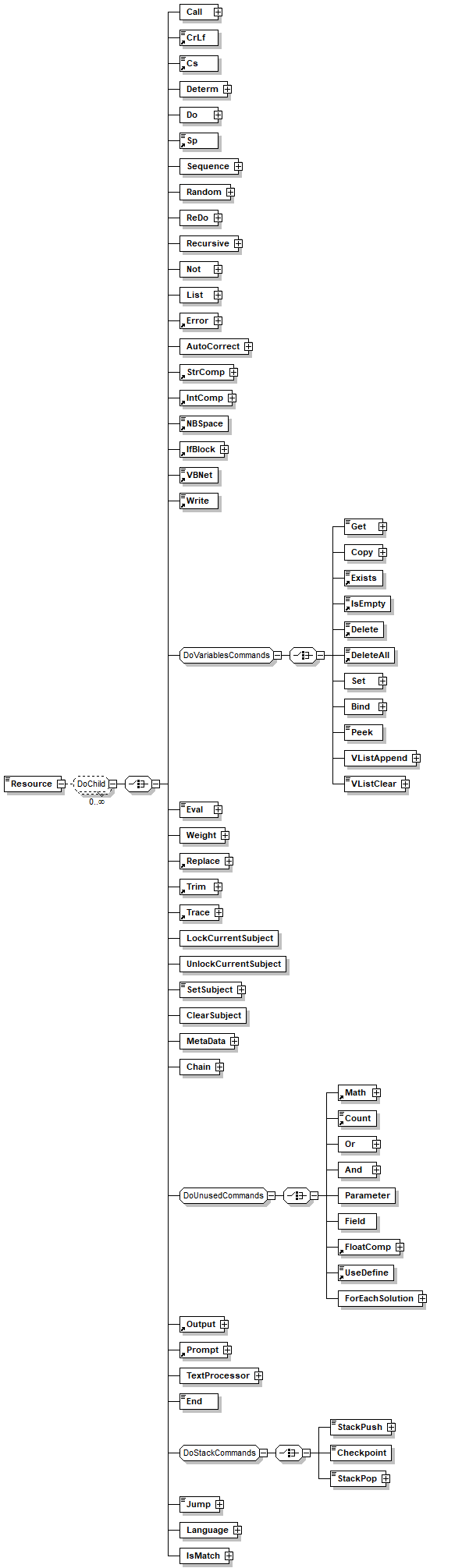
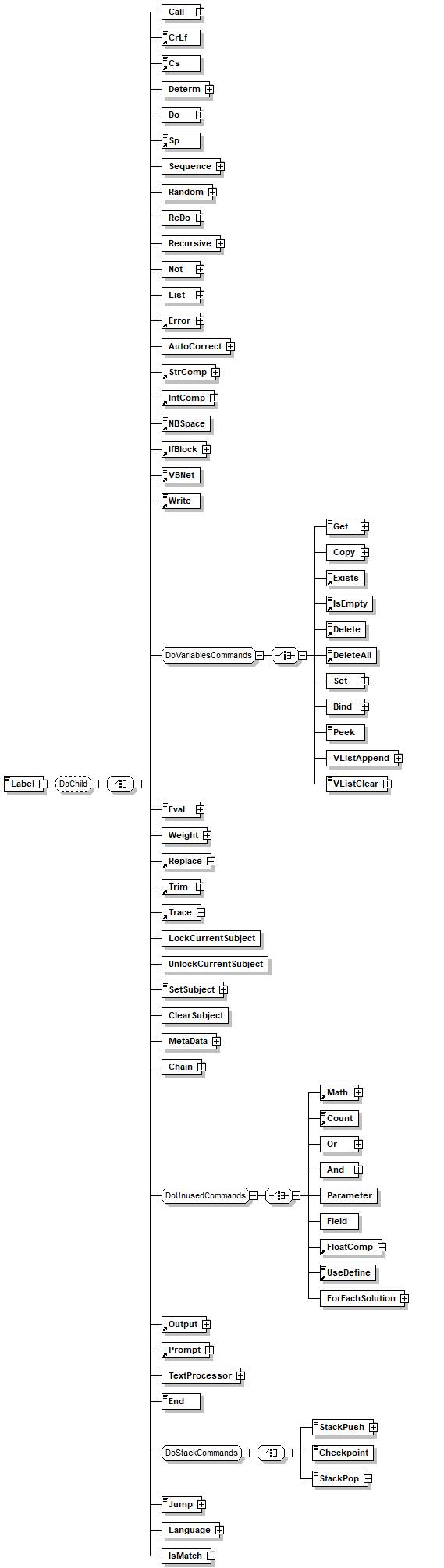
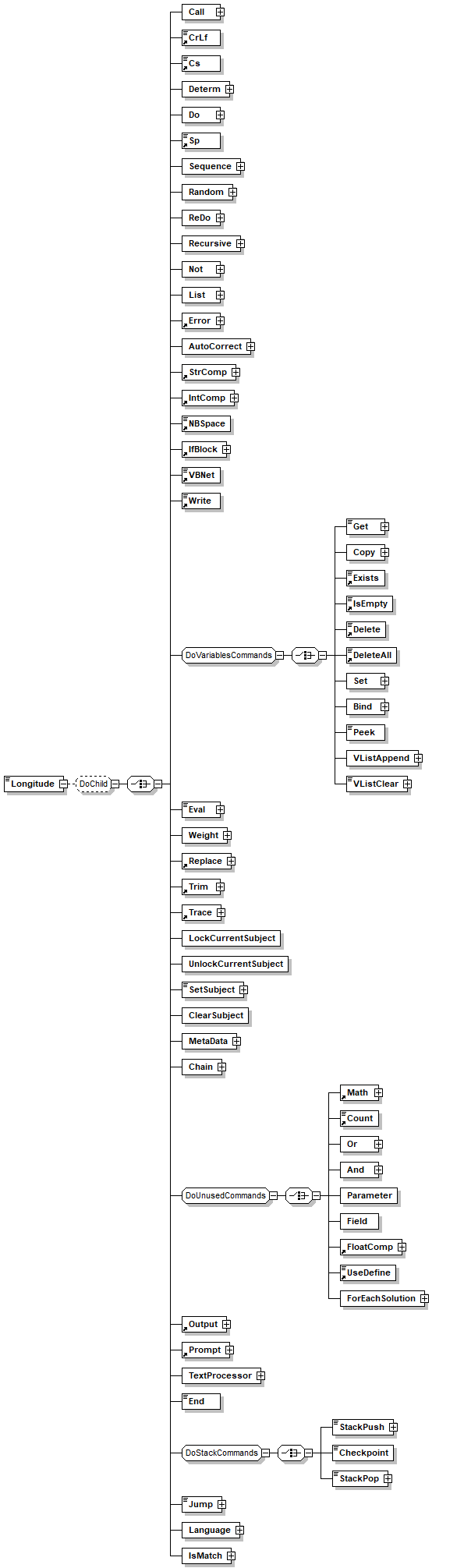
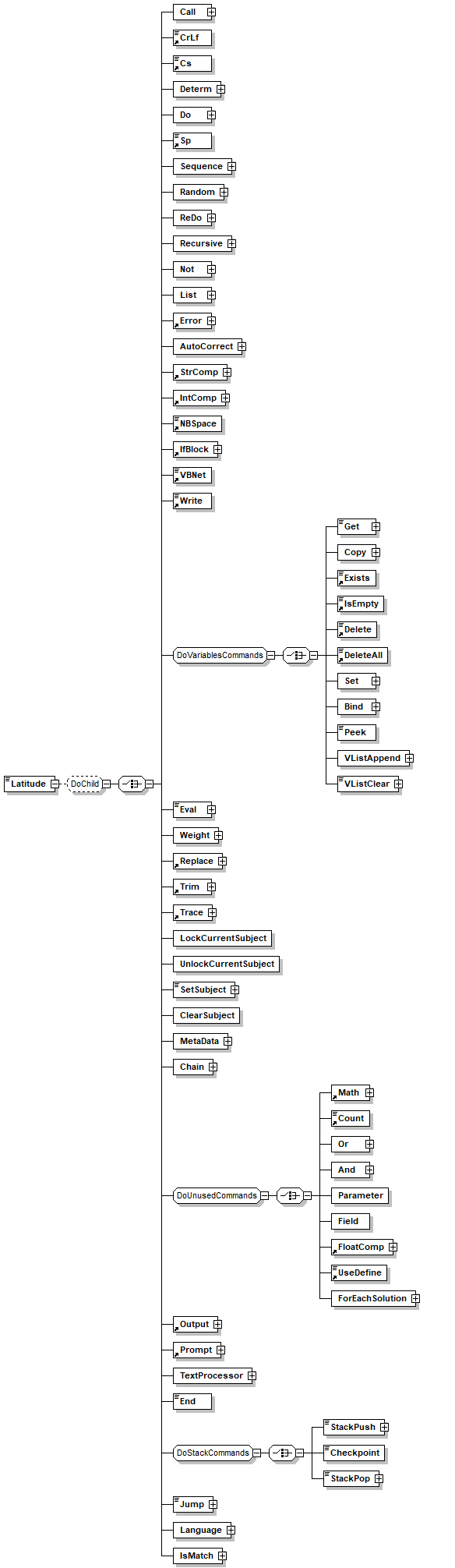
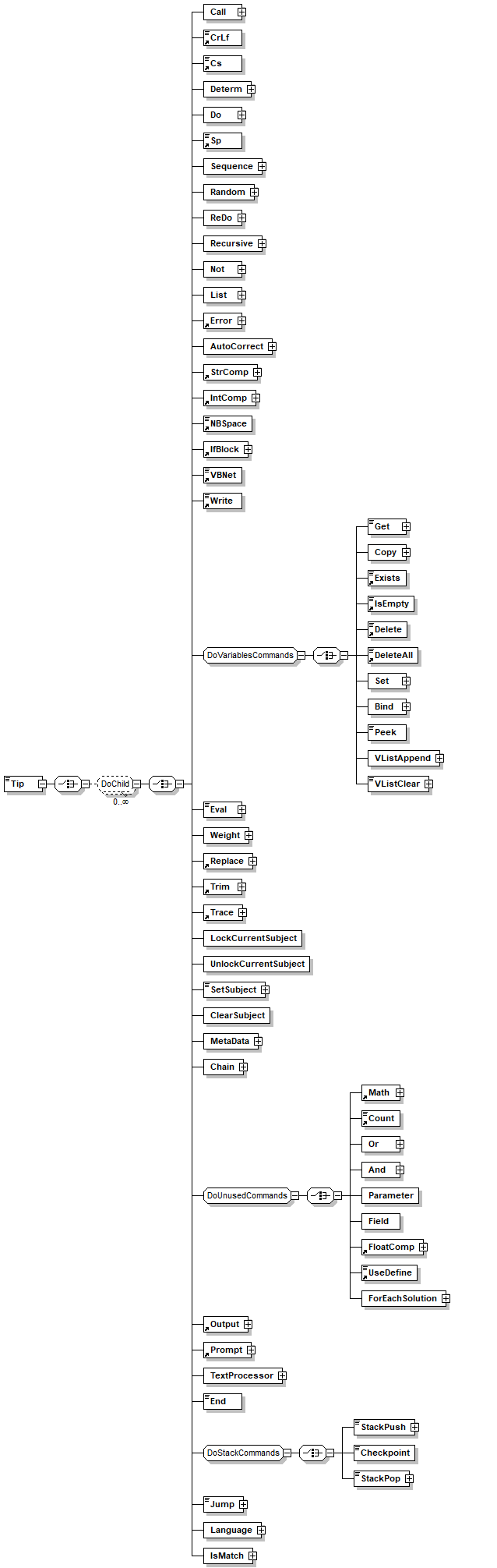
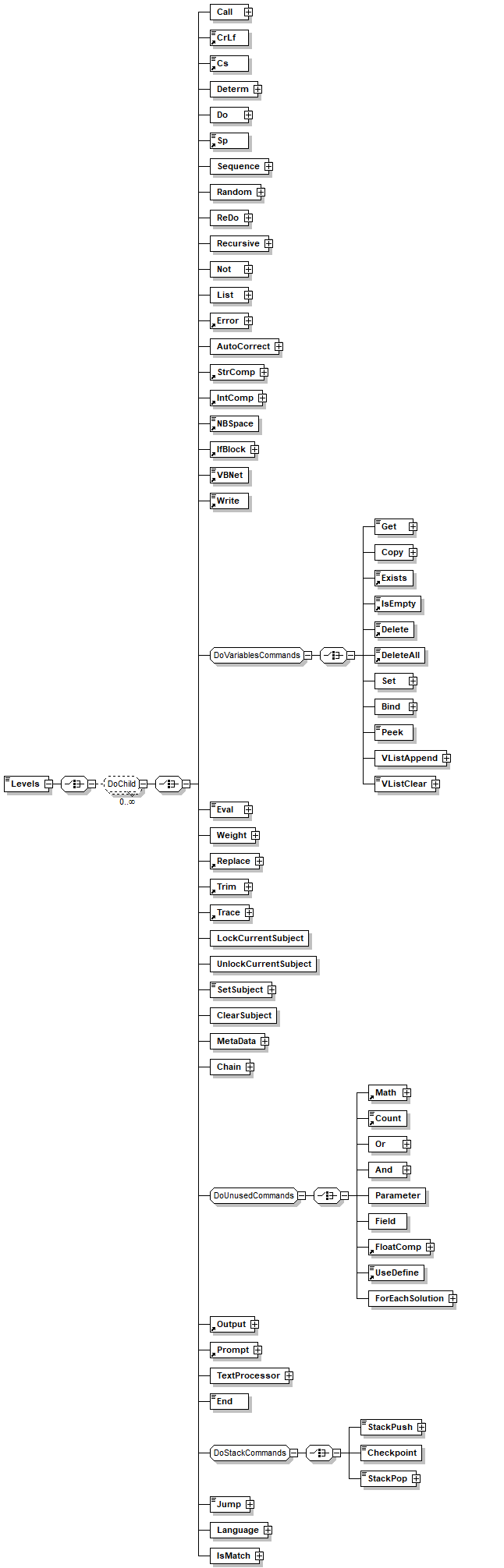
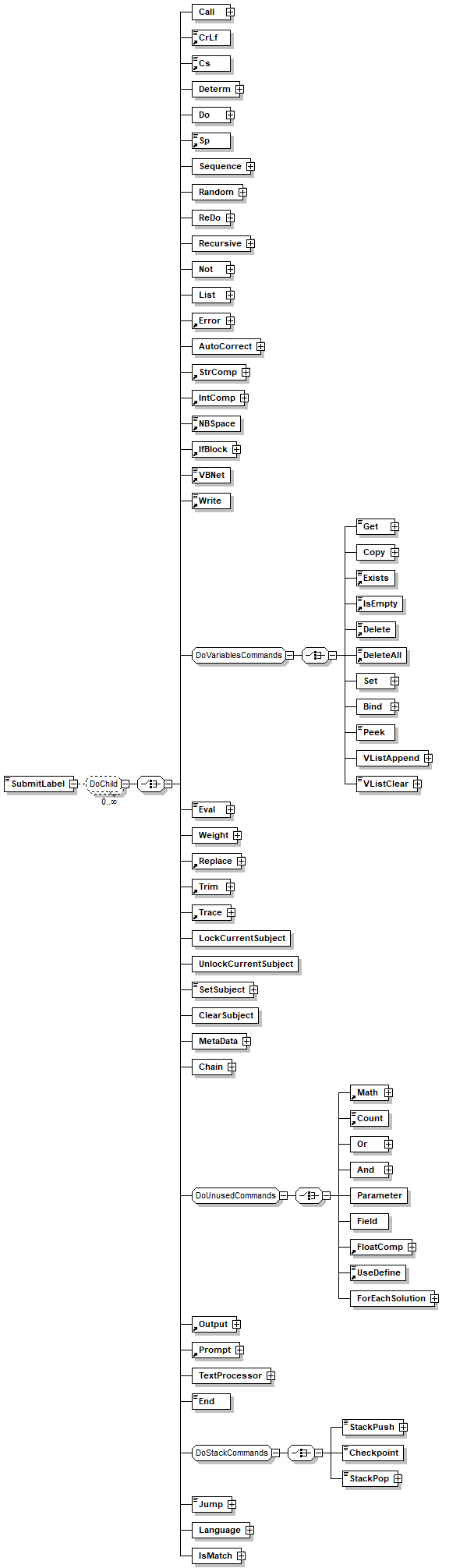
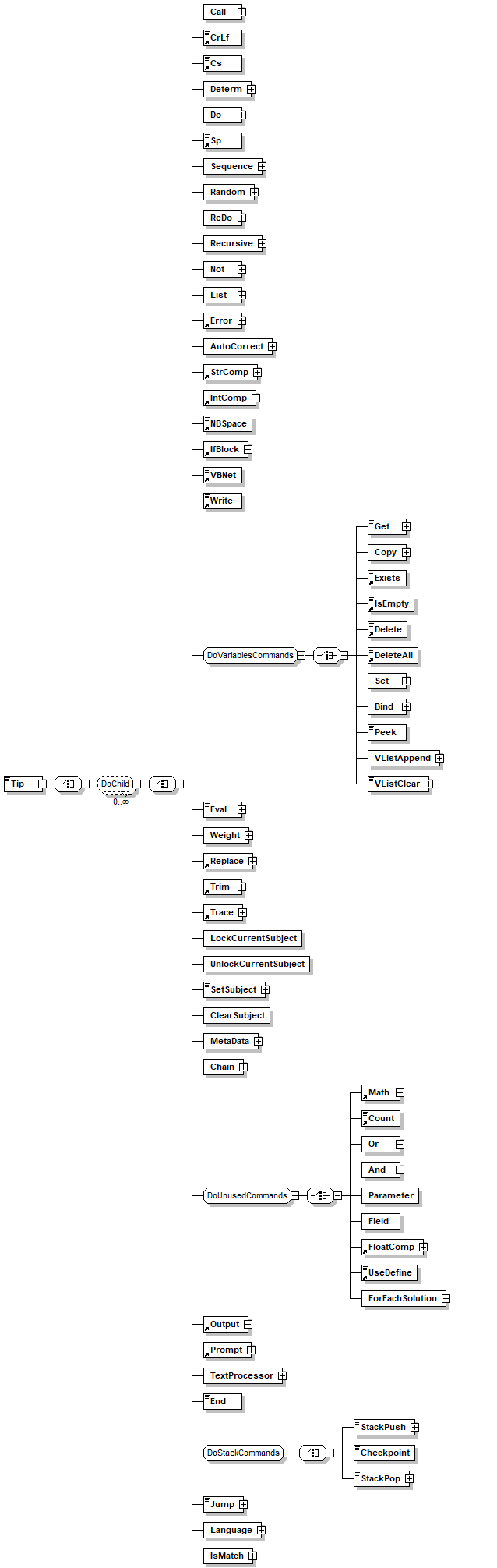
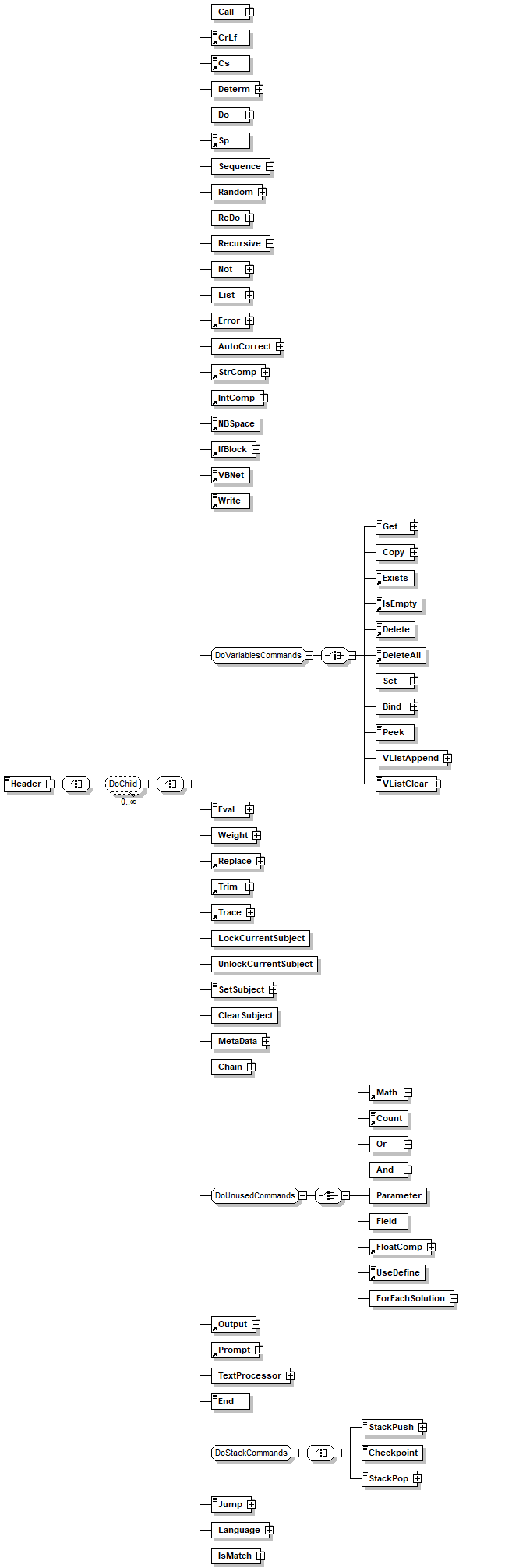
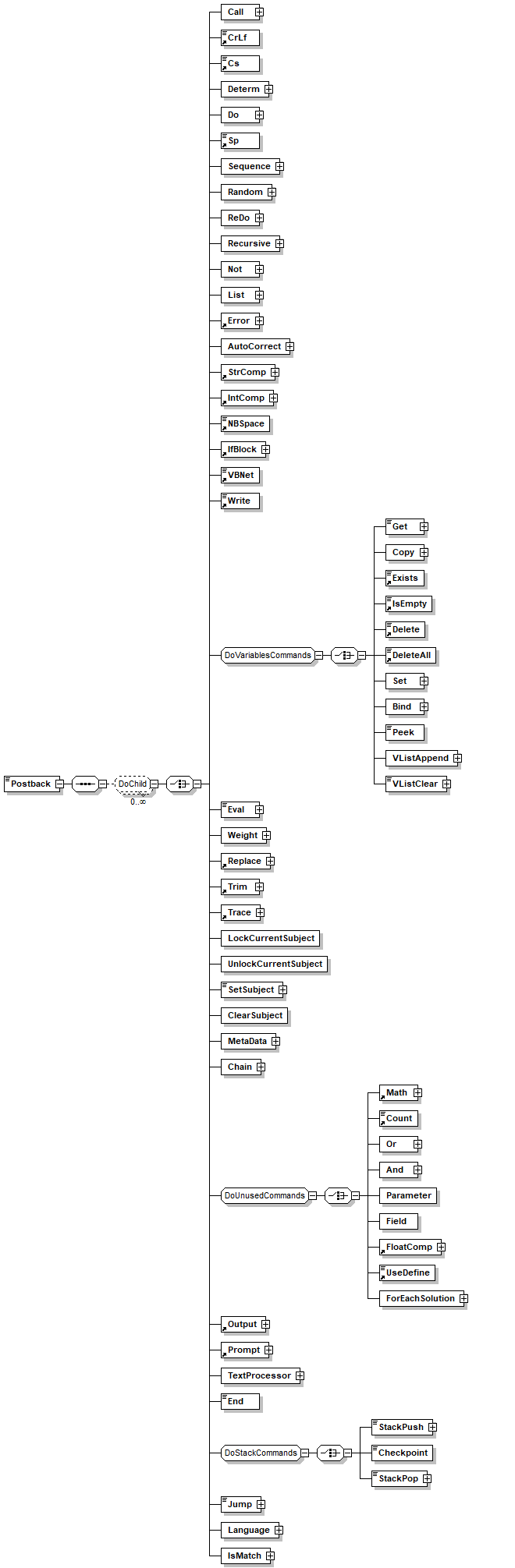
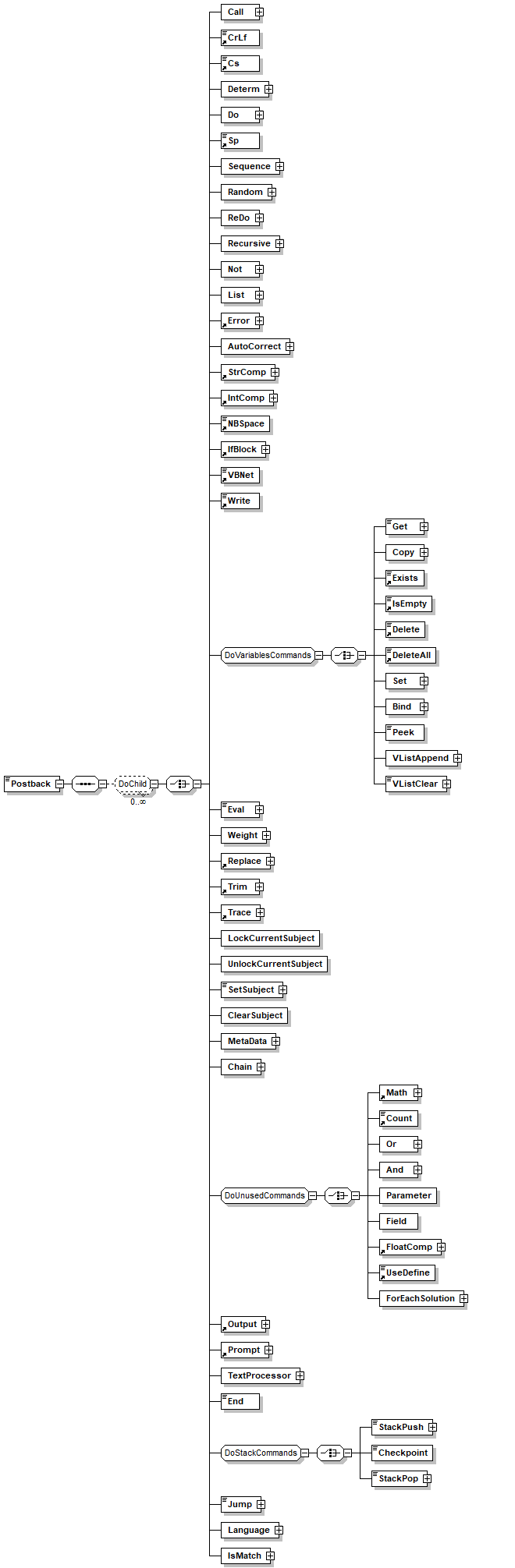
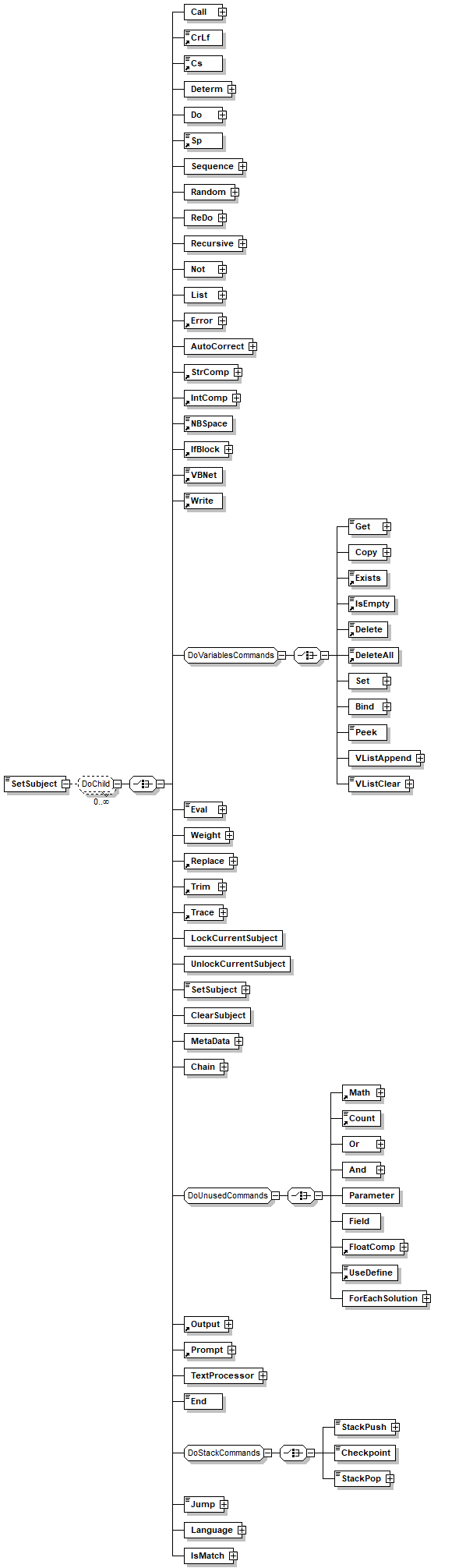
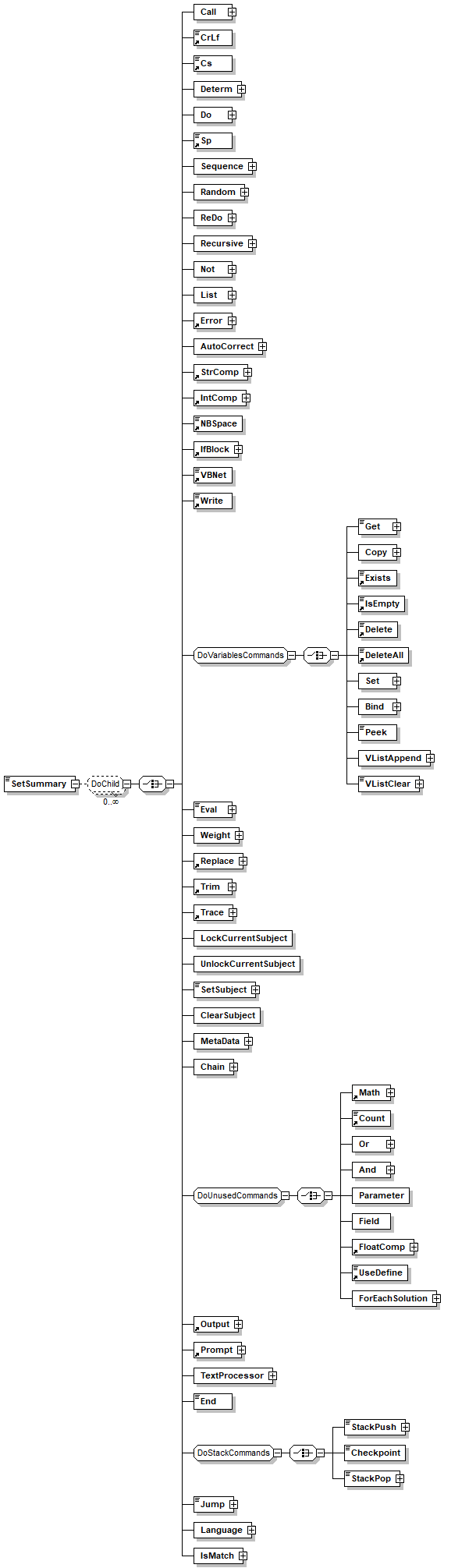
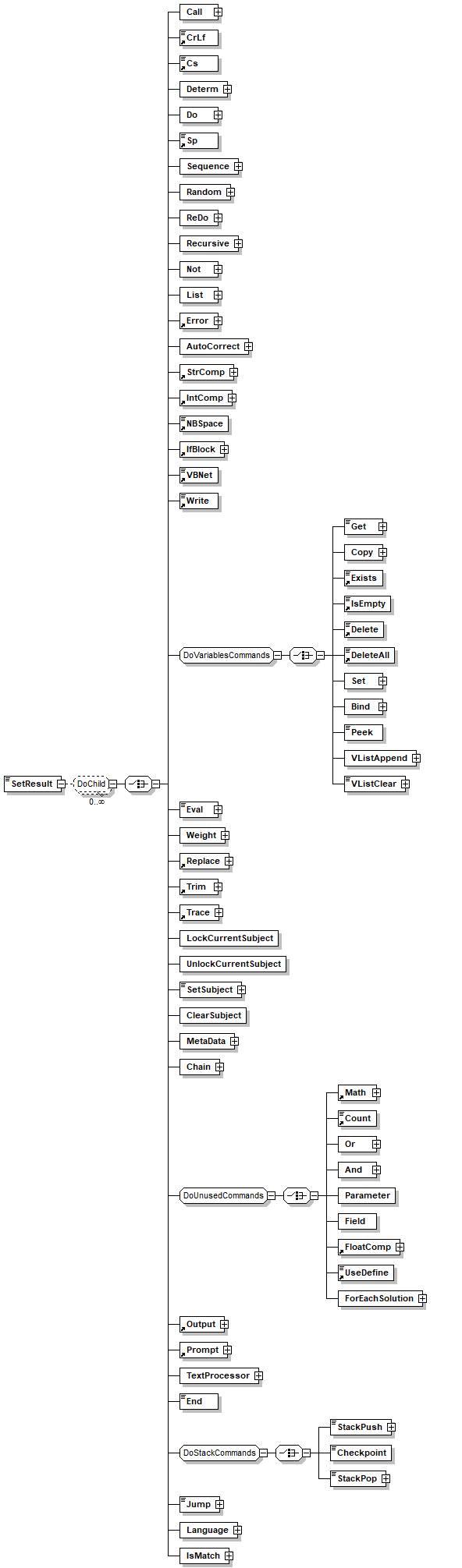
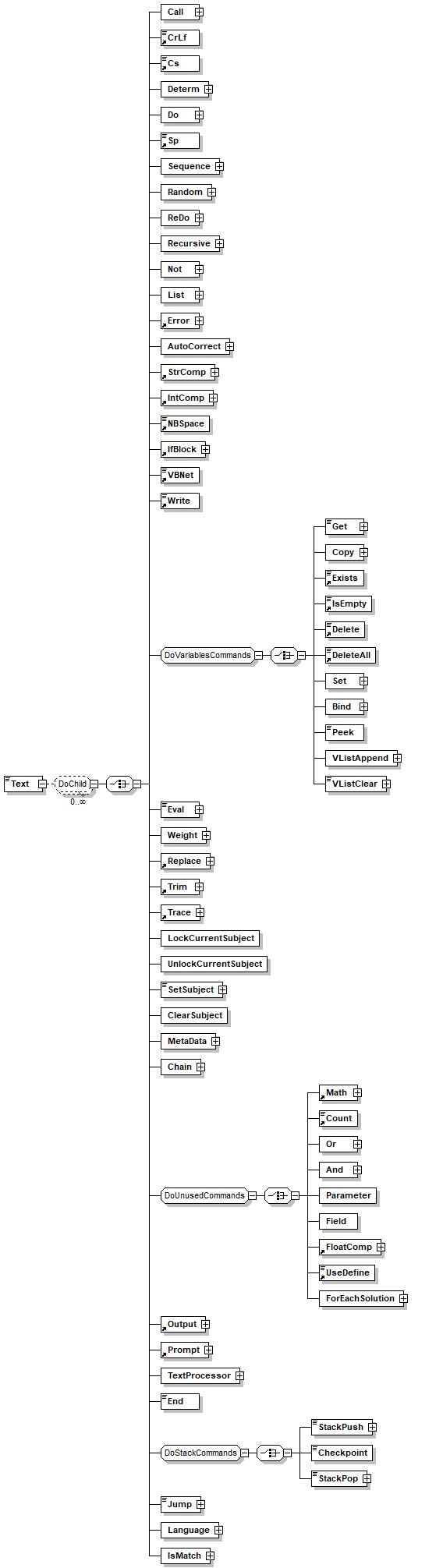
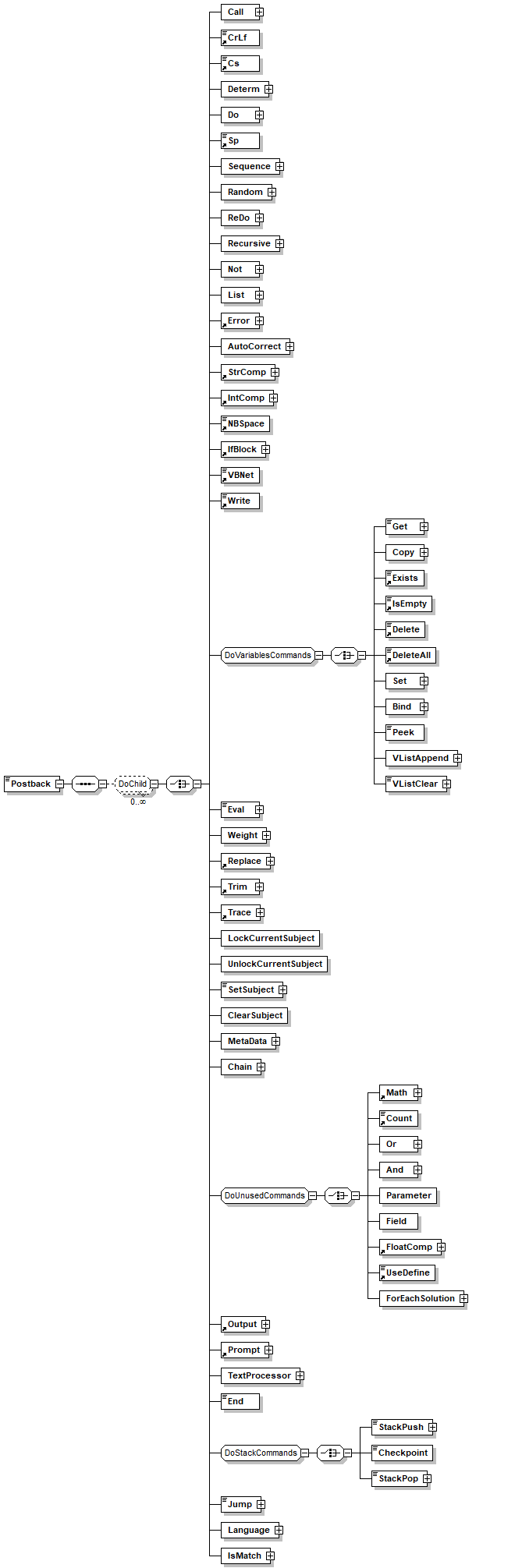
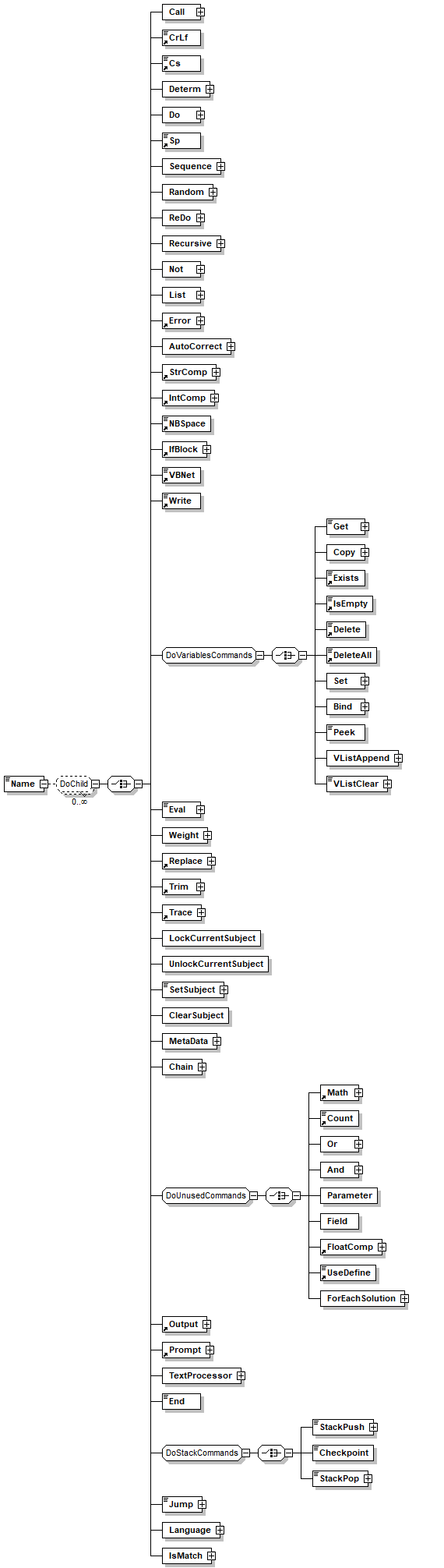
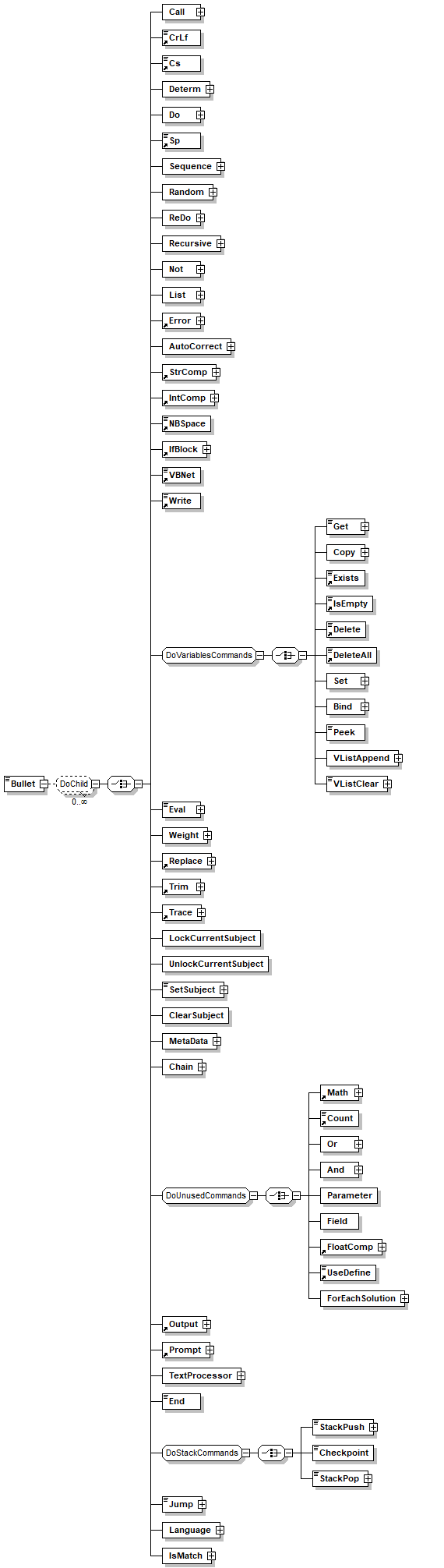
children Call CrLf Cs Determ Do Sp Sequence Random ReDo Recursive Not List Error AutoCorrect StrComp IntComp NBSpace IfBlock VBNet Write Get Copy Exists IsEmpty Delete DeleteAll Set Bind Peek VListAppend VListClear Eval Weight Replace Trim Trace LockCurrentSubject UnlockCurrentSubject SetSubject ClearSubject MetaData Chain Math Count Or And Parameter Field FloatComp UseDefine ForEachSolution Output Prompt TextProcessor End StackPush Checkpoint StackPop Jump Language IsMatch
annotation
documentation 
* Provider= Specifies the name of a provider to use for the connection. 
* File Name= Specifies the name of a provider-specific file (for example, a persisted data source object) containing preset connection information. 
* Remote Provider= Specifies the name of a provider to use when opening a client-side connection. (Remote Data Service only.)
* Remote Server= Specifies the path name of the server to use when opening a client-side connection. (Remote Data Service only.) 
* URL= Specifies the connection string as an absolute URL identifying a resource, such as a file or directory. 
For more information refer to Microsoft ADO connection string documentation.
appInfo 
Specifies the name of a specific connection parameter
appInfo 
name
appInfo 
true

element Database/ConnectionString/Parameter/Value
diagram
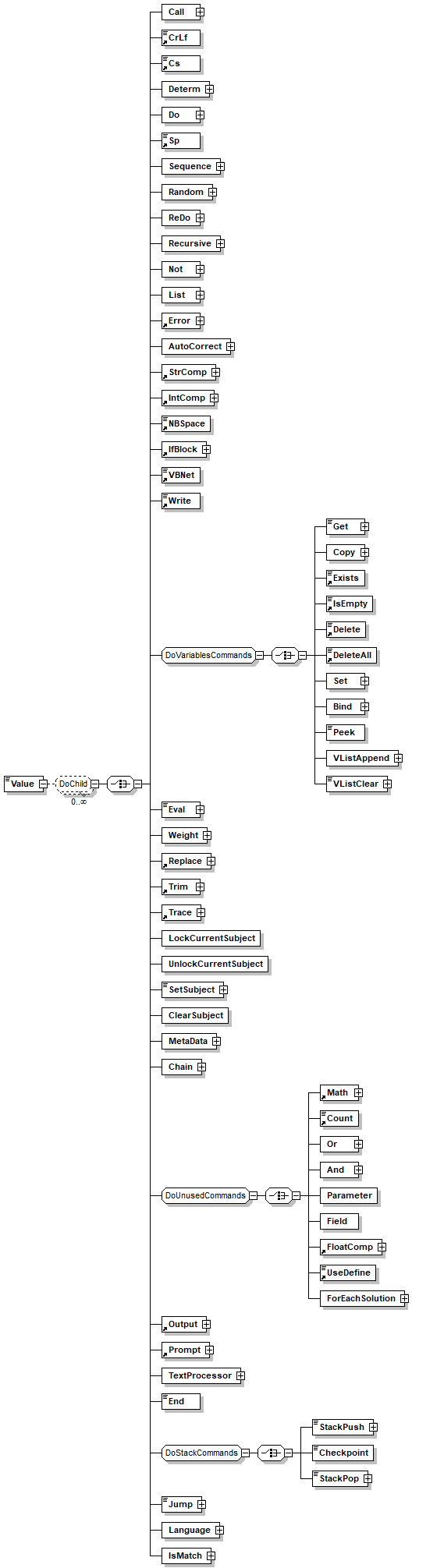
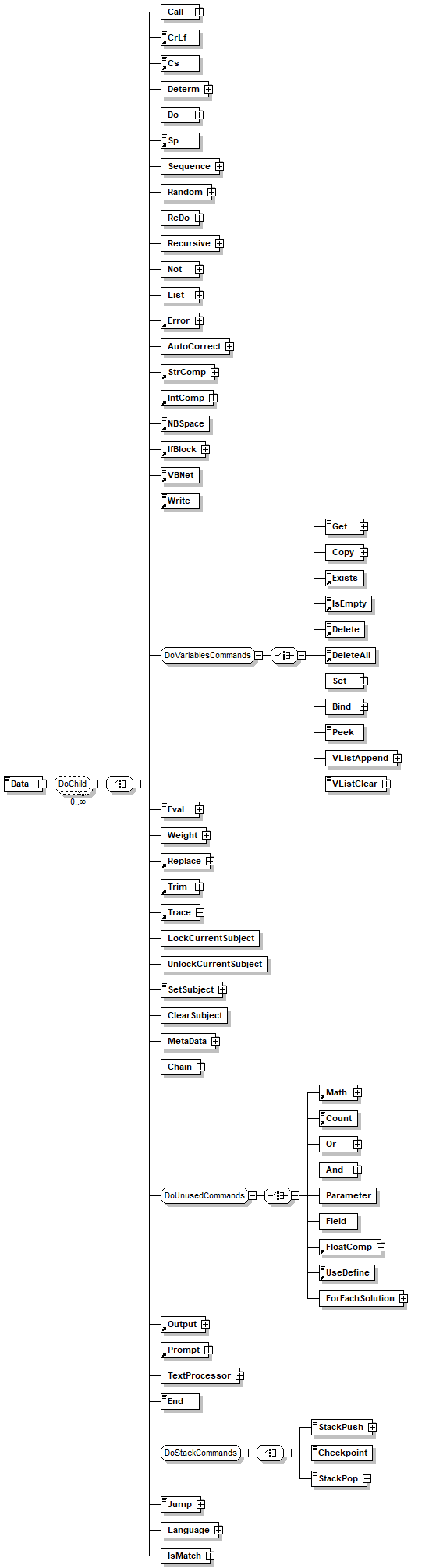
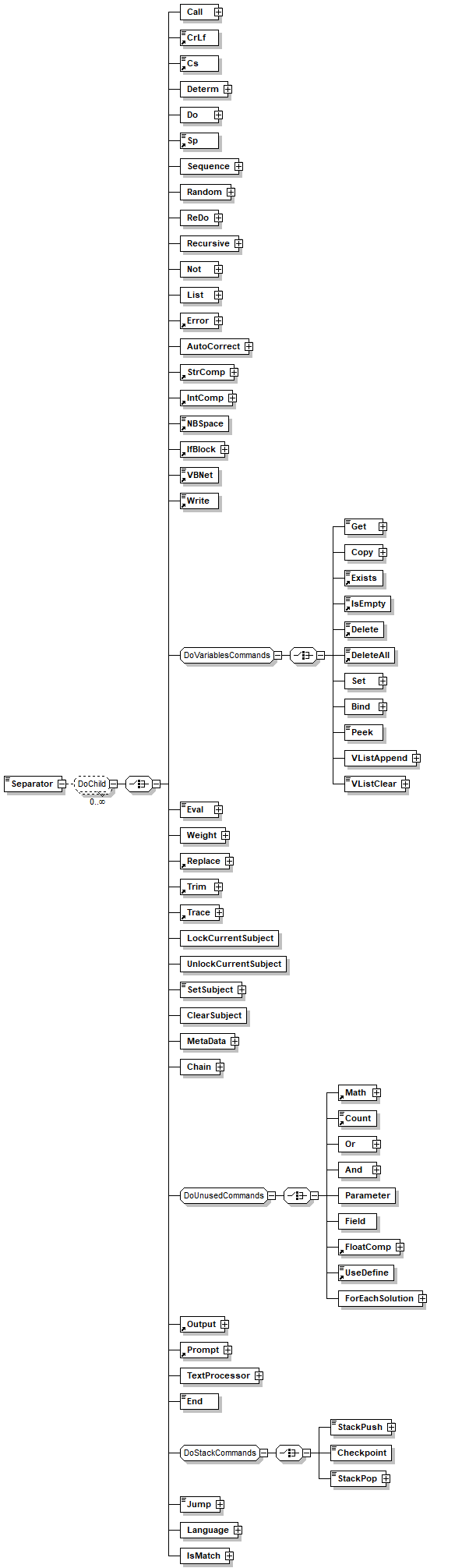
children Call CrLf Cs Determ Do Sp Sequence Random ReDo Recursive Not List Error AutoCorrect StrComp IntComp NBSpace IfBlock VBNet Write Get Copy Exists IsEmpty Delete DeleteAll Set Bind Peek VListAppend VListClear Eval Weight Replace Trim Trace LockCurrentSubject UnlockCurrentSubject SetSubject ClearSubject MetaData Chain Math Count Or And Parameter Field FloatComp UseDefine ForEachSolution Output Prompt TextProcessor End StackPush Checkpoint StackPop Jump Language IsMatch
annotation
documentation 
Value of the specified parameter
appInfo 
Value of the specified parameter
appInfo 
value
appInfo 
true

element DataSource
diagram
children Source
attributes
Name  Type  Use  Default  Fixed  Annotation
Name  xs:Name  optional      
Path  xs:string  optional      
documentation 
Used to hold the path of the clause in the compiler
appInfo 
true

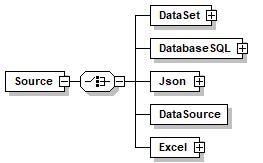
element DataSource/Source
diagram
children DataSet DatabaseSQL Json DataSource Excel
annotation
documentation 
Defines a value list based on a database table or view. The value list can be cached directly into memory or remain in the database imported as a dynaset.
appInfo 
Insert a list based on database table or query
appInfo 
database_table
appInfo 
true

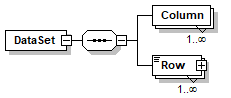
element DataSource/Source/DataSet
diagram
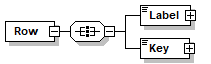
children Column Row
attributes
Name  Type  Use  Default  Fixed  Annotation
ItemsSeparator  xs:string        
annotation
documentation 
VLIST is a definition of a dictionary made from keys and values where one value may have several keys.The VLIST enables defining each value and key by using the DO elements.VLIST enables caching the values and keys for increased performance or to dynamically generate the values and keys as needed caching is set using the CACHE child element.

element DataSource/Source/DataSet/Column
diagram
attributes
Name  Type  Use  Default  Fixed  Annotation
Name  xs:Name        

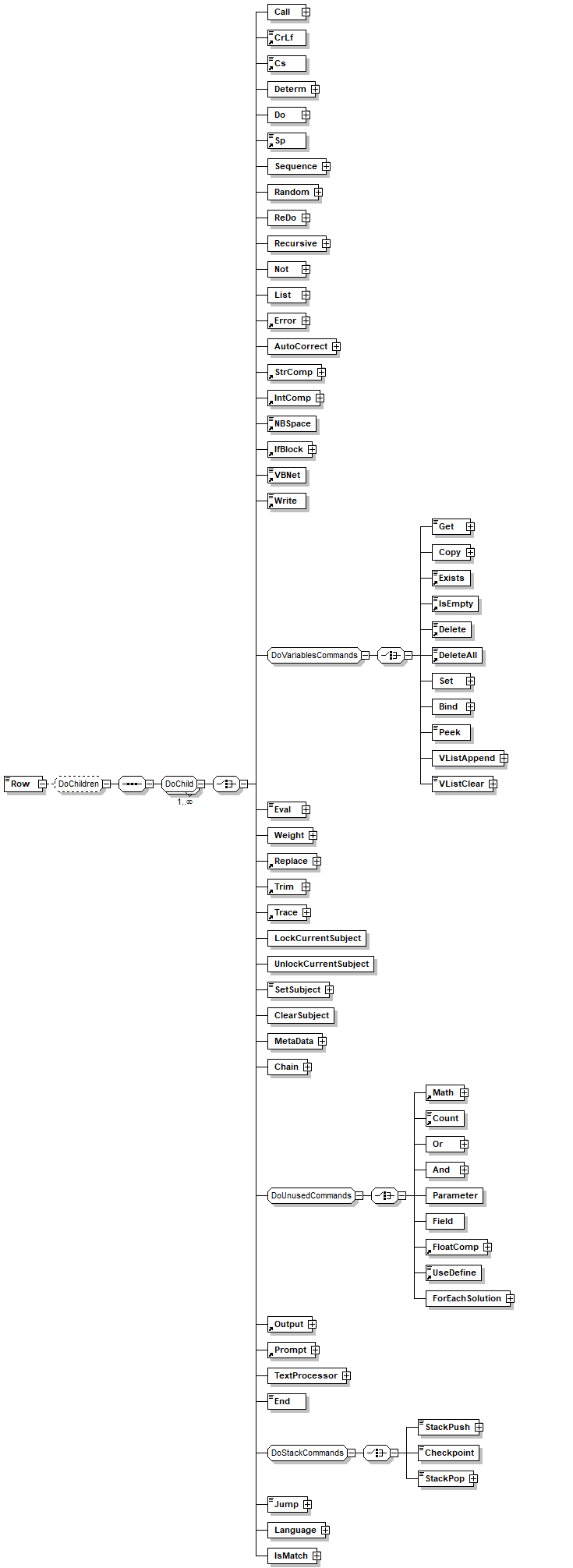
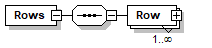
element DataSource/Source/DataSet/Row
diagram
children Call CrLf Cs Determ Do Sp Sequence Random ReDo Recursive Not List Error AutoCorrect StrComp IntComp NBSpace IfBlock VBNet Write Get Copy Exists IsEmpty Delete DeleteAll Set Bind Peek VListAppend VListClear Eval Weight Replace Trim Trace LockCurrentSubject UnlockCurrentSubject SetSubject ClearSubject MetaData Chain Math Count Or And Parameter Field FloatComp UseDefine ForEachSolution Output Prompt TextProcessor End StackPush Checkpoint StackPop Jump Language IsMatch
annotation
documentation 
Row for the data source, separate values by comma, or the separator defined in the dataset element
appInfo 
entry
appInfo 
A single entry in a list, made from a set of one or more keys and a value
appInfo 
true

element DataSource/Source/DatabaseSQL
diagram
children SQL
attributes
Name  Type  Use  Default  Fixed  Annotation
Connection  connection_name  required      
documentation 
Name of the connection to use in this database index list
appInfo 
database_index
appInfo 
true
appInfo 
Name of the connection to use in this database index list
annotation
documentation 
Generate a data source based on the SQL, the column names are the names from the SQL 

element DataSource/Source/DatabaseSQL/SQL
diagram
type xs:string
annotation
documentation 
SQL to use, must be a select SQL
appInfo 
sql
appInfo 
true
appInfo 
SQL

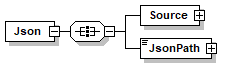
element DataSource/Source/Json
diagram
children Source JsonPath
attributes
Name  Type  Use  Default  Fixed  Annotation
ParseAs  xs:string  optional      
documentation 
use JSON for a normal content "{xx: [{'id':'2',...},{...}...]}"
use ARRAY in case the json provided root is an array so it looks like "[{'id':'2',...},{...}...]"

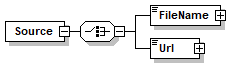
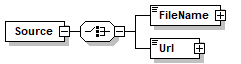
element DataSource/Source/Json/Source
diagram
children FileName Url

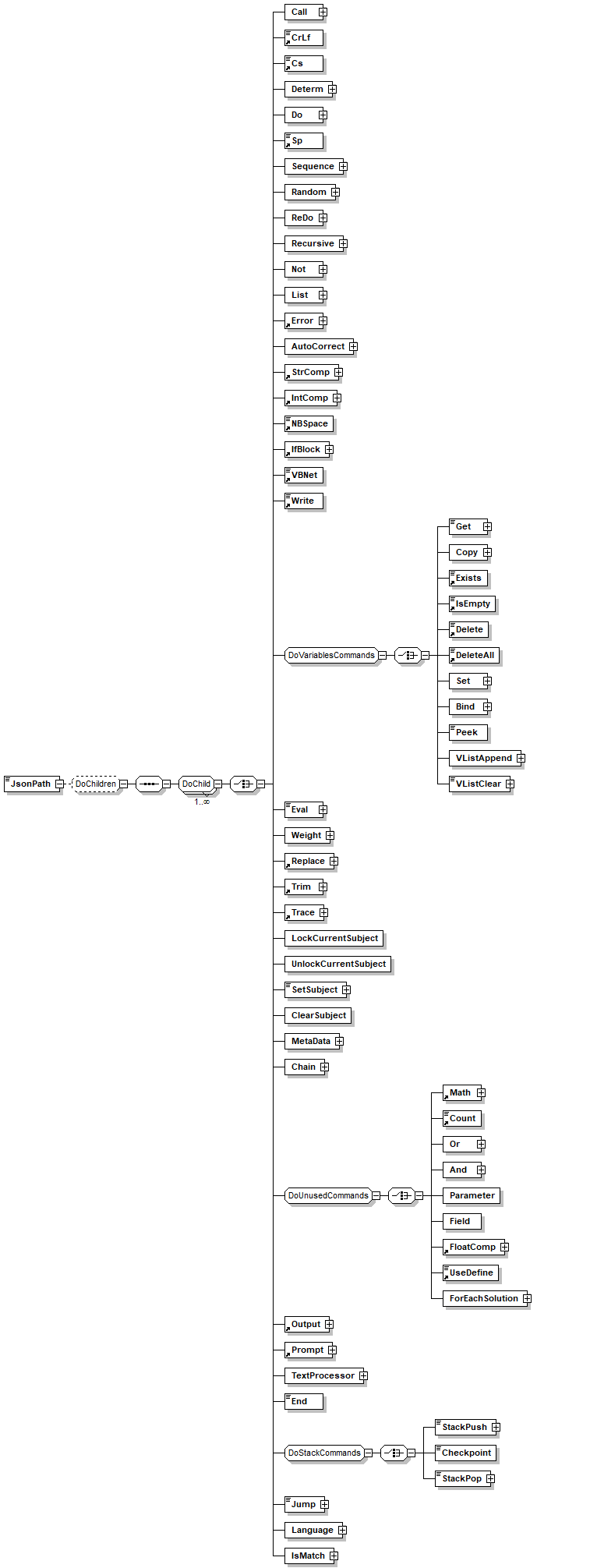
element DataSource/Source/Json/Source/FileName
diagram
children Call CrLf Cs Determ Do Sp Sequence Random ReDo Recursive Not List Error AutoCorrect StrComp IntComp NBSpace IfBlock VBNet Write Get Copy Exists IsEmpty Delete DeleteAll Set Bind Peek VListAppend VListClear Eval Weight Replace Trim Trace LockCurrentSubject UnlockCurrentSubject SetSubject ClearSubject MetaData Chain Math Count Or And Parameter Field FloatComp UseDefine ForEachSolution Output Prompt TextProcessor End StackPush Checkpoint StackPop Jump Language IsMatch

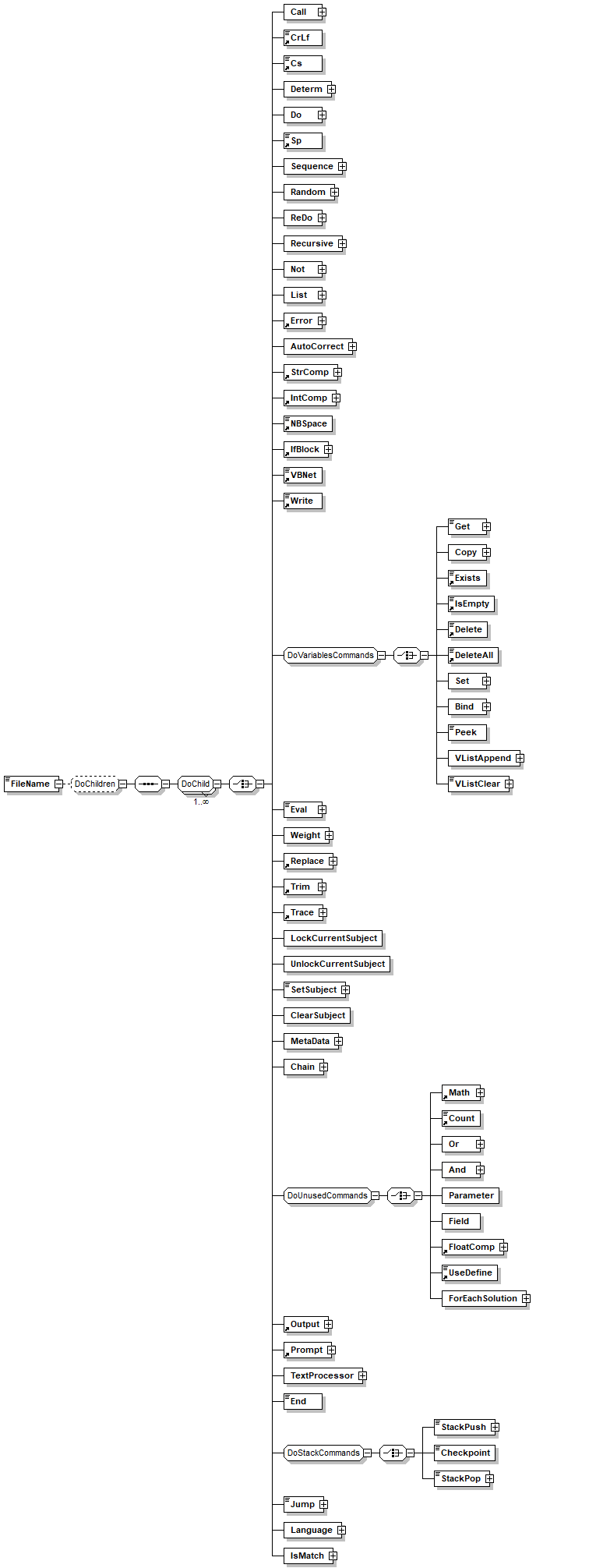
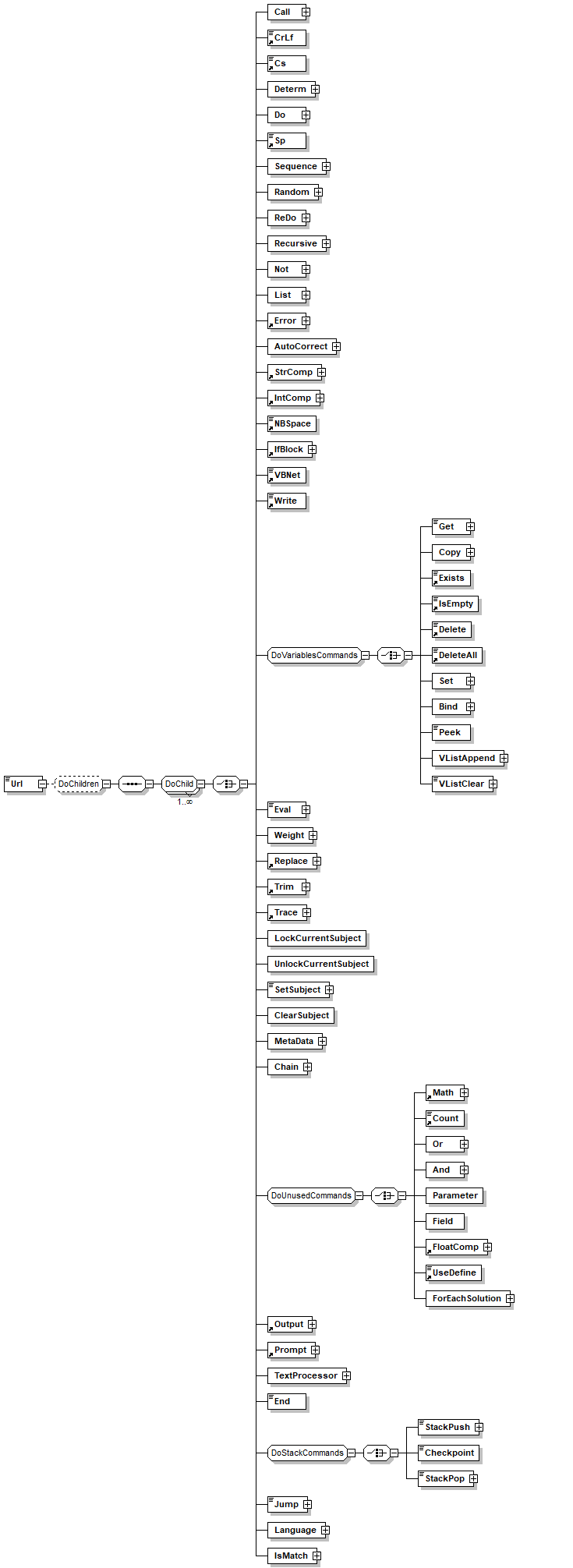
element DataSource/Source/Json/Source/Url
diagram
children Call CrLf Cs Determ Do Sp Sequence Random ReDo Recursive Not List Error AutoCorrect StrComp IntComp NBSpace IfBlock VBNet Write Get Copy Exists IsEmpty Delete DeleteAll Set Bind Peek VListAppend VListClear Eval Weight Replace Trim Trace LockCurrentSubject UnlockCurrentSubject SetSubject ClearSubject MetaData Chain Math Count Or And Parameter Field FloatComp UseDefine ForEachSolution Output Prompt TextProcessor End StackPush Checkpoint StackPop Jump Language IsMatch

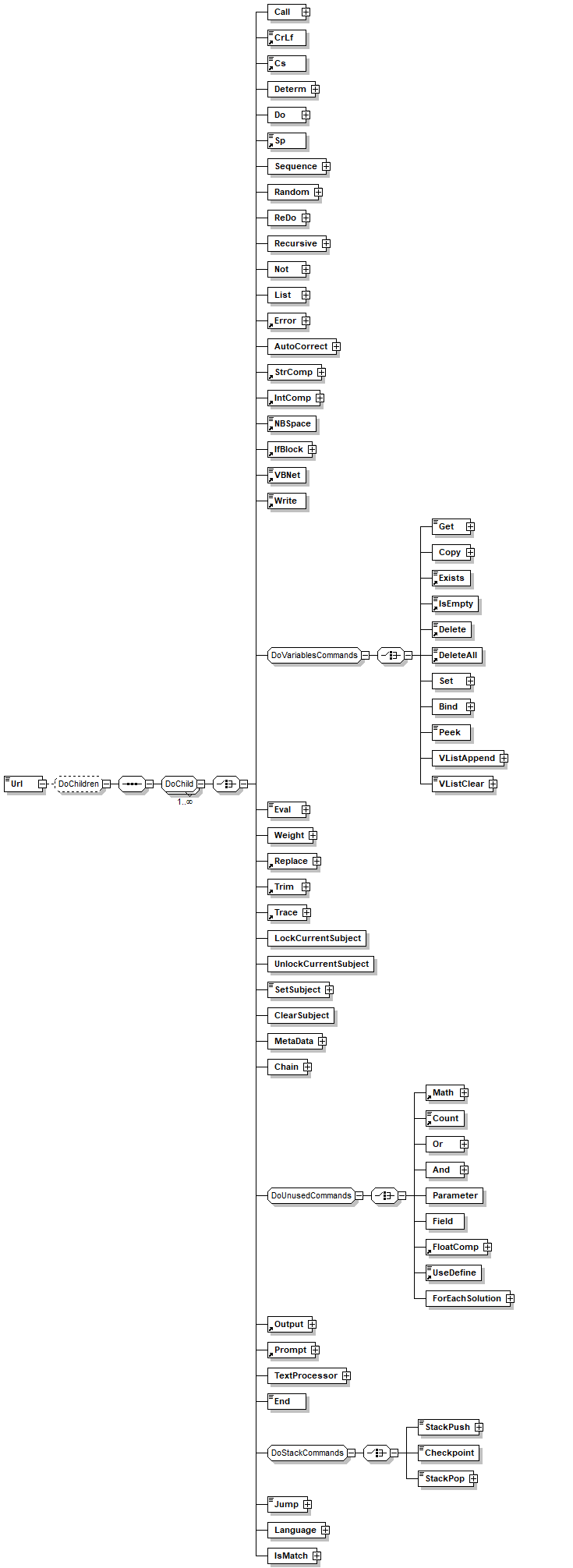
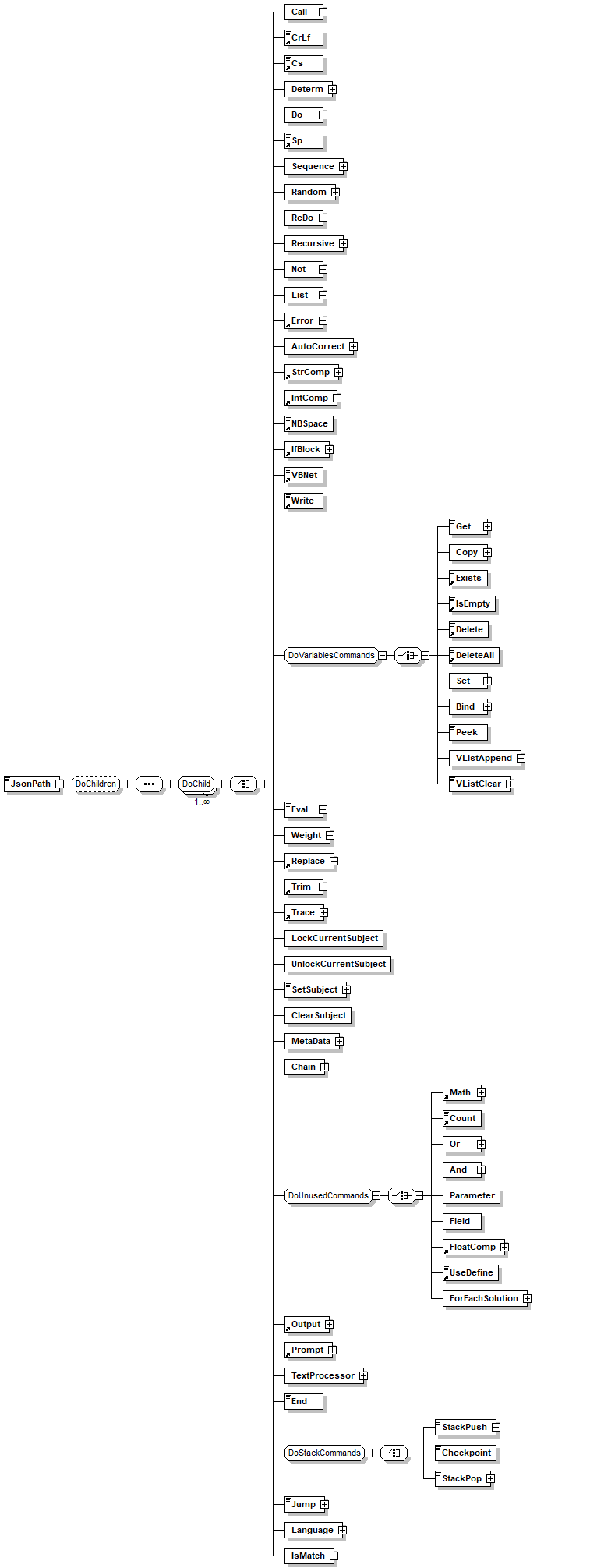
element DataSource/Source/Json/JsonPath
diagram
children Call CrLf Cs Determ Do Sp Sequence Random ReDo Recursive Not List Error AutoCorrect StrComp IntComp NBSpace IfBlock VBNet Write Get Copy Exists IsEmpty Delete DeleteAll Set Bind Peek VListAppend VListClear Eval Weight Replace Trim Trace LockCurrentSubject UnlockCurrentSubject SetSubject ClearSubject MetaData Chain Math Count Or And Parameter Field FloatComp UseDefine ForEachSolution Output Prompt TextProcessor End StackPush Checkpoint StackPop Jump Language IsMatch
annotation
documentation 
a JsonPath for a set of objects
http://goessner.net/articles/JsonPath/
https://support.smartbear.com/alertsite/docs/monitors/api/endpoint/jsonpath.html. For example $.channel.item[*] all the objects in item array

element DataSource/Source/DataSource
diagram
attributes
Name  Type  Use  Default  Fixed  Annotation
Name  xs:Name  required      
annotation
documentation 
Allow to use another datasource as input to this DataSource. for example use this to join DS across files

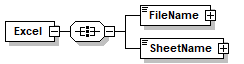
element DataSource/Source/Excel
diagram
children FileName SheetName

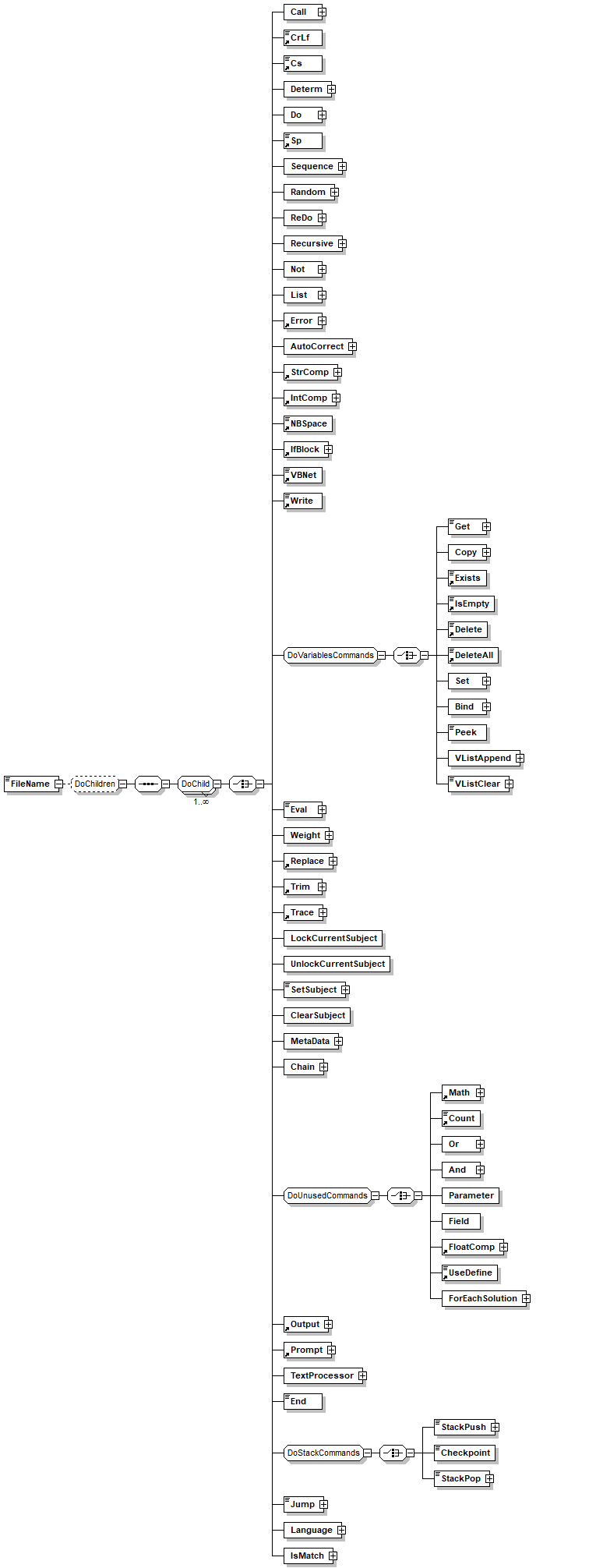
element DataSource/Source/Excel/FileName
diagram
children Call CrLf Cs Determ Do Sp Sequence Random ReDo Recursive Not List Error AutoCorrect StrComp IntComp NBSpace IfBlock VBNet Write Get Copy Exists IsEmpty Delete DeleteAll Set Bind Peek VListAppend VListClear Eval Weight Replace Trim Trace LockCurrentSubject UnlockCurrentSubject SetSubject ClearSubject MetaData Chain Math Count Or And Parameter Field FloatComp UseDefine ForEachSolution Output Prompt TextProcessor End StackPush Checkpoint StackPop Jump Language IsMatch

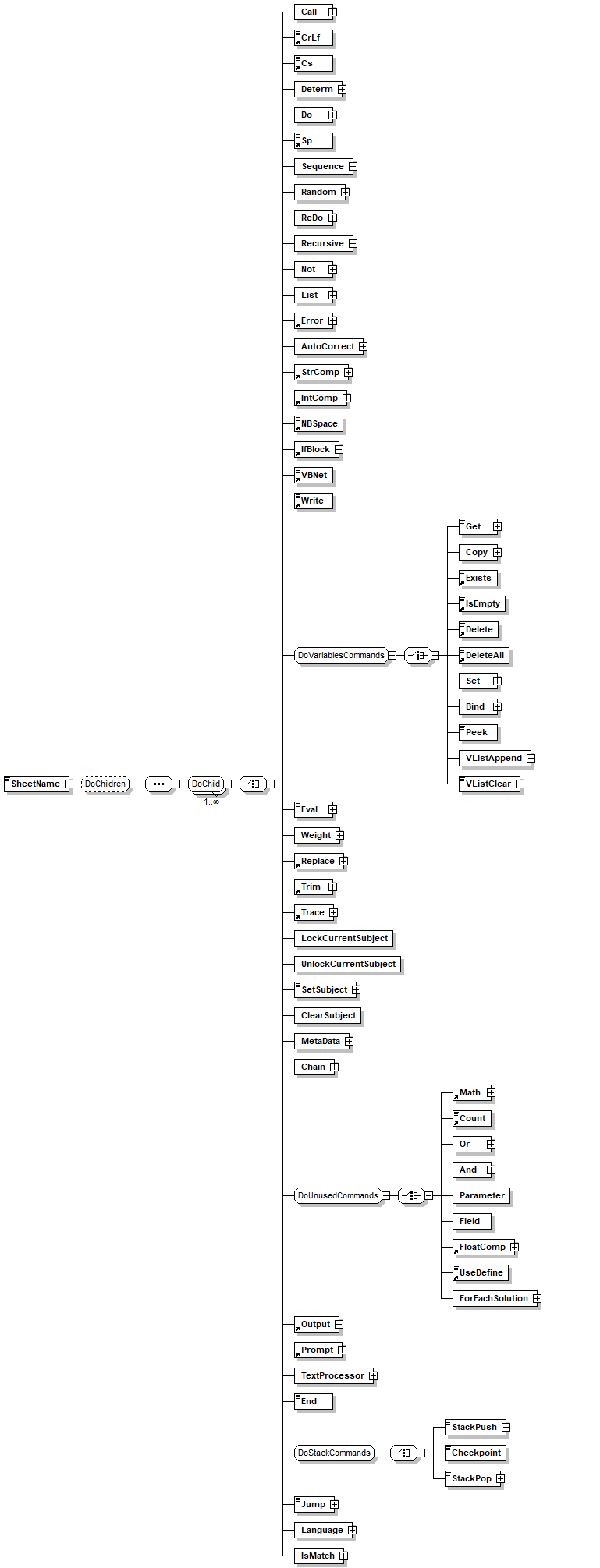
element DataSource/Source/Excel/SheetName
diagram
children Call CrLf Cs Determ Do Sp Sequence Random ReDo Recursive Not List Error AutoCorrect StrComp IntComp NBSpace IfBlock VBNet Write Get Copy Exists IsEmpty Delete DeleteAll Set Bind Peek VListAppend VListClear Eval Weight Replace Trim Trace LockCurrentSubject UnlockCurrentSubject SetSubject ClearSubject MetaData Chain Math Count Or And Parameter Field FloatComp UseDefine ForEachSolution Output Prompt TextProcessor End StackPush Checkpoint StackPop Jump Language IsMatch

element Delete
diagram
type VariableName
used by
groups DoParseChild DoVariablesCommands
facets
minLength 1
whiteSpace collapse
pattern [_\w]+([./][_\w]+)*
annotation
documentation 
Deletes a variable. Unlike setting the variable to empty, delete removes the variable from the variables list.
appInfo 
deletevar
appInfo 
Deletes a variable
appInfo 
true
appInfo 
Variables

element DeleteAll
diagram
type VariableName
used by
groups DoParseChild DoVariablesCommands
facets
minLength 1
whiteSpace collapse
pattern [_\w]+([./][_\w]+)*
annotation
documentation 
Deletes a variable. Unlike setting the variable to empty, delete removes the variable from the variables list.
appInfo 
deletevar
appInfo 
Deletes a variable
appInfo 
true
appInfo 
Variables

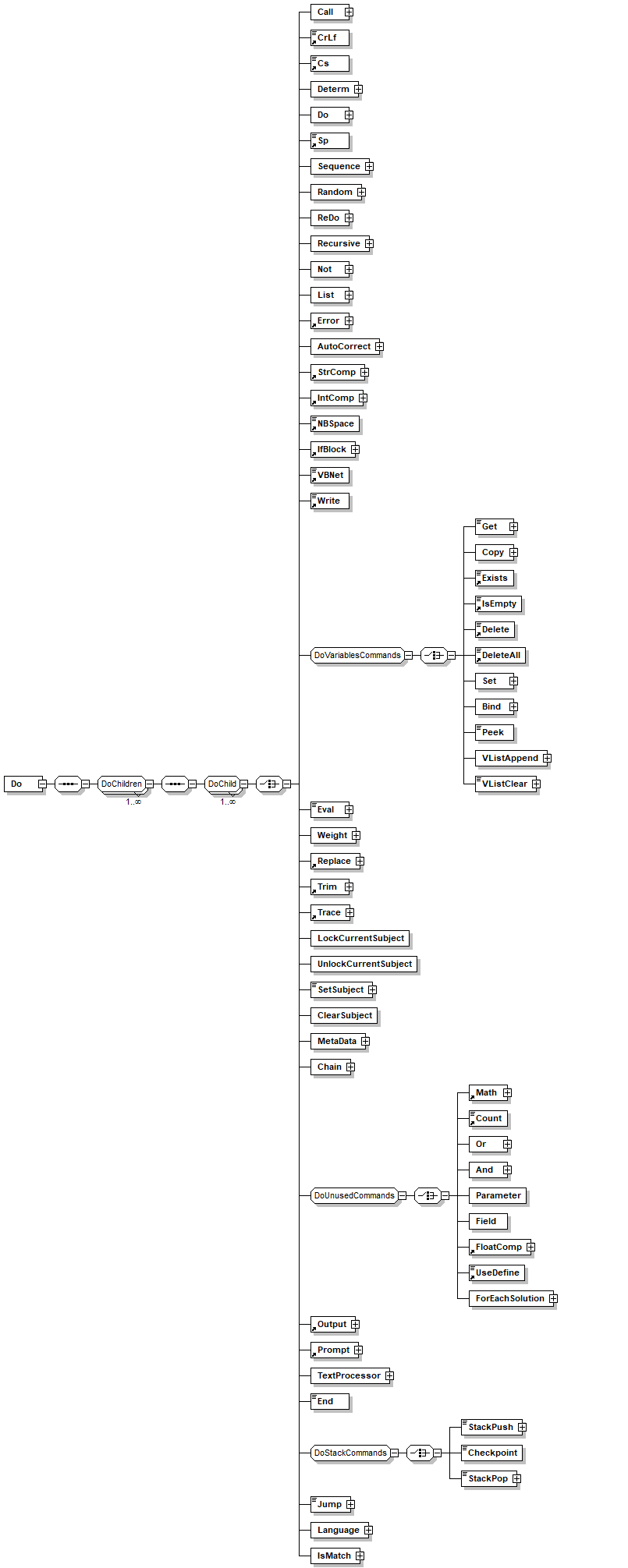
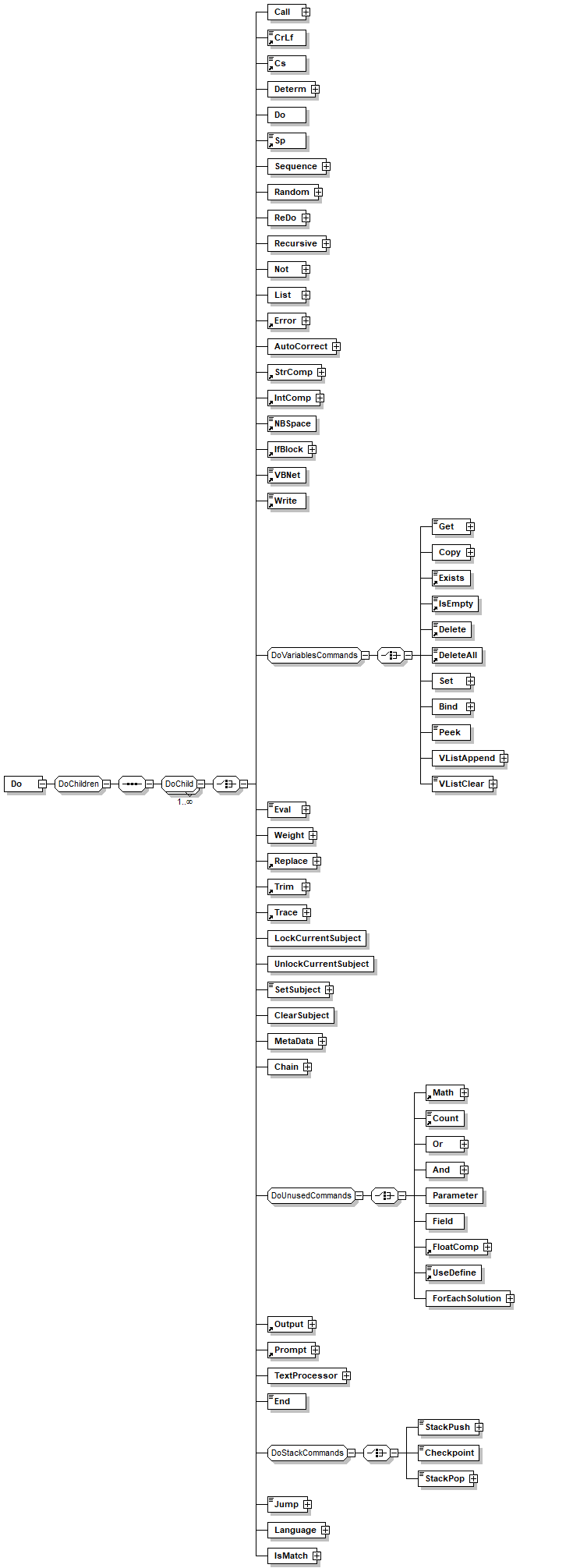
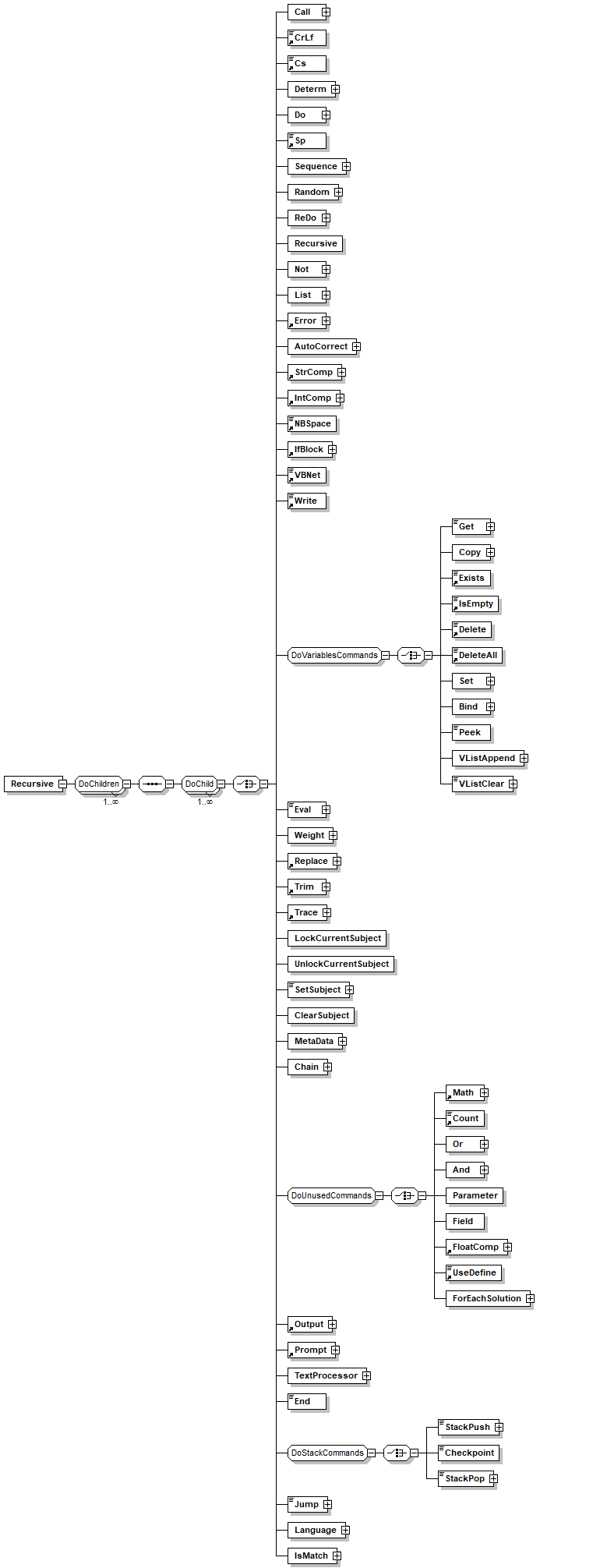
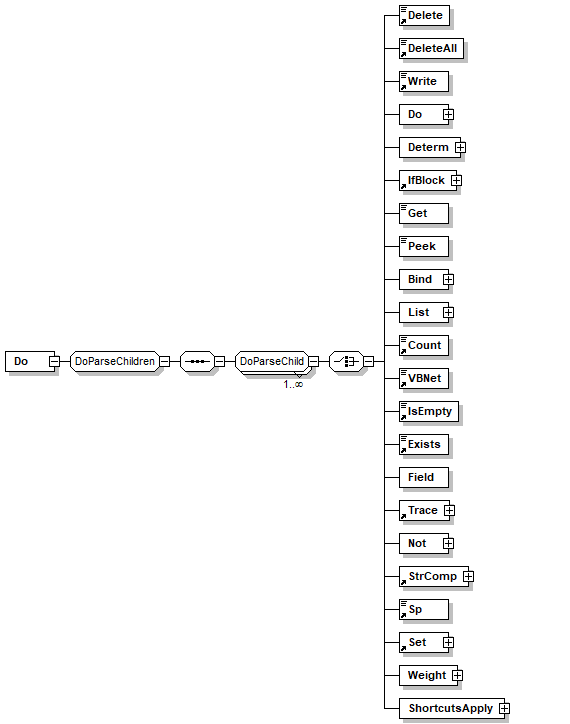
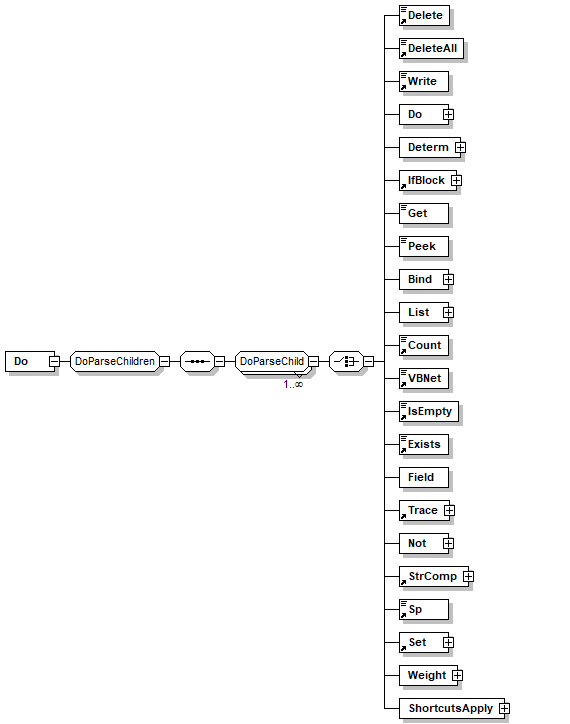
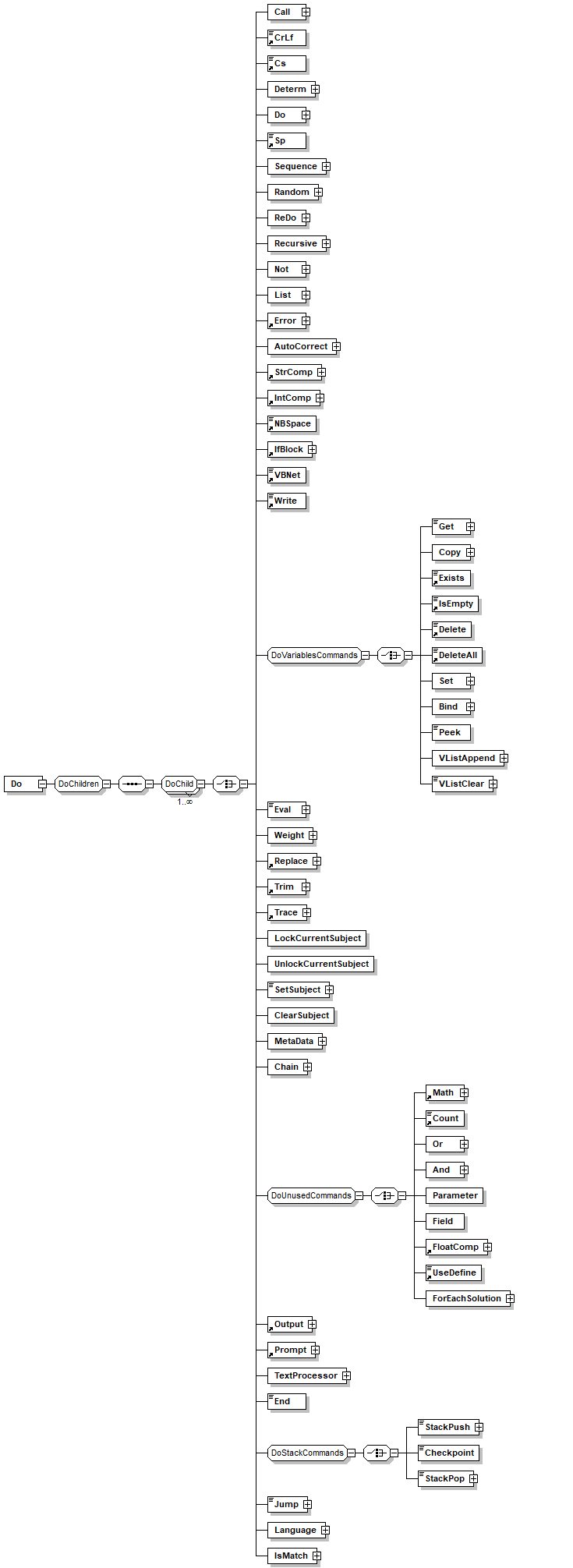
element Do
diagram
children Call CrLf Cs Determ Do Sp Sequence Random ReDo Recursive Not List Error AutoCorrect StrComp IntComp NBSpace IfBlock VBNet Write Get Copy Exists IsEmpty Delete DeleteAll Set Bind Peek VListAppend VListClear Eval Weight Replace Trim Trace LockCurrentSubject UnlockCurrentSubject SetSubject ClearSubject MetaData Chain Math Count Or And Parameter Field FloatComp UseDefine ForEachSolution Output Prompt TextProcessor End StackPush Checkpoint StackPop Jump Language IsMatch
used by
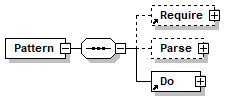
element Pattern
annotation
documentation 
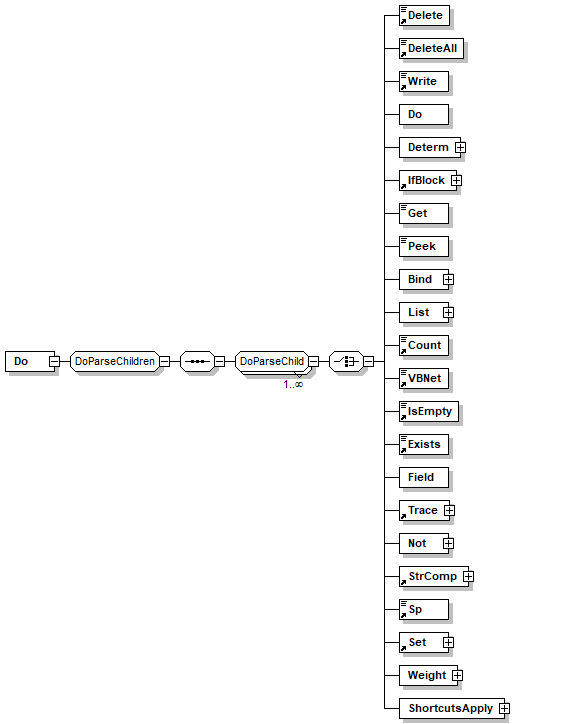
'do' element has several meanings:
1) 'do' acts as the RHS part of patterns. It contains all the executable action to be taken by the pattern.
2) When used inside another 'do', it simply acts as a container for a set of elements. When called it will call all of it's child elements disregarding the return status of those elements.
3) When used inside 'parse', it must be the last element in the parse, 'do' can be used to make more tests over bounded variables. If any of it's child elements will fail, it will fail the 'parse' element itself. However it will allways execute all of it's child elements.
appInfo 
Execute a list of actions.
appInfo 
do
appInfo 
true

element elementID_Hide
diagram
annotation
documentation 

        !!!!!! hidden element !!!!!!!!!!!!!!!!
      
appInfo 
false

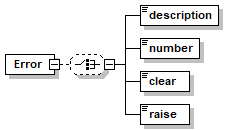
element Error
diagram
children description number clear raise
used by
group DoChild
annotation
documentation 
Envelope for Error object. The error object is filled on error and it includes textual description, numeric id and methods to clear and to raise errors
appInfo 
error
appInfo 
true
appInfo 
Access error information

element Error/description
diagram
type restriction of xs:string
facets
length 0
annotation
documentation 
Returns the description of the error generated; the output is a textual description.
appInfo 
error_description
appInfo 
true
appInfo 
Retuns textual description of the error.

element Error/number
diagram
type restriction of xs:string
facets
length 0
annotation
documentation 
Returns the last known error number.
appInfo 
Returns the last known error number
appInfo 
true
appInfo 
error_number

element Error/clear
diagram
type restriction of xs:string
facets
length 0
annotation
documentation 
Clears the error object. After an error is raised, the error object contains the error details. It continues to do so until the pattern is completely executed. 'Clear' empties the error object.
appInfo 
Clears the error object
appInfo 
true
appInfo 
error_clear

element Error/raise
diagram
type restriction of xs:string
facets
length 0
annotation
documentation 
Raises an error. Use this element to simulate an error in an element execution. The error details include the error number, description and source.
appInfo 
error_raise
appInfo 
Rases an error
appInfo 
true

element Exists
diagram
type VariableName
used by
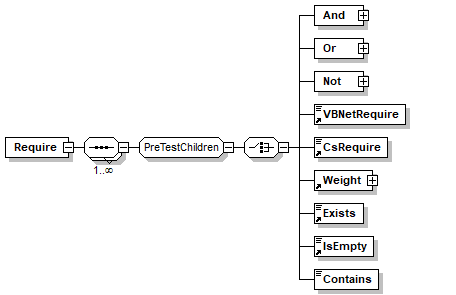
groups DoParseChild DoVariablesCommands PreTestChildren
facets
minLength 1
whiteSpace collapse
pattern [_\w]+([./][_\w]+)*
annotation
documentation 
Checks if a variable exists in the current context (profile, session and temp).
appInfo 
exists
appInfo 
Checks if a variable exists in the current context (profile, session and temp).
appInfo 
true
appInfo 
Variables

element Fit_Begin_Hide
diagram
annotation
documentation 

        !!!!!! hidden element !!!!!!!!!!!!!!!!
      
appInfo 
false

element Fit_End_Hide
diagram
annotation
documentation 

        !!!!!! hidden element !!!!!!!!!!!!!!!!
      
appInfo 
false

element FloatComp
diagram
children Call CrLf Cs Determ Do Sp Sequence Random ReDo Recursive Not List Error AutoCorrect StrComp IntComp NBSpace IfBlock VBNet Write Get Copy Exists IsEmpty Delete DeleteAll Set Bind Peek VListAppend VListClear Eval Weight Replace Trim Trace LockCurrentSubject UnlockCurrentSubject SetSubject ClearSubject MetaData Chain Math Count Or And Parameter Field FloatComp UseDefine ForEachSolution Output Prompt TextProcessor End StackPush Checkpoint StackPop Jump Language IsMatch
used by
group DoUnusedCommands
attributes
Name  Type  Use  Default  Fixed  Annotation
Operator  xs:string  required      
annotation
documentation 
Compares between two given numbers according to a given operator (Equal, LessThan, GreaterThan,  LessThanEqual, GreterThanEqual).
documentation 
Compares between two given numbers according to a given operator.
appInfo 
numcomp
appInfo 
Compares between two given numbersf
appInfo 
true
appInfo 
Math

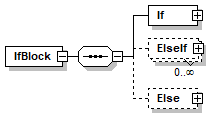
element IfBlock
diagram
children If ElseIf Else
used by
groups DoChild DoParseChild
annotation
documentation 
IF enables to build a IF THEN [ELSEIF] [ELSE] flow block.
The first child is the If, if it's first child returns true the next child are excecuted if false then the next sibling of the If is checked. 
If siblings can be ELSEIF that is an alternative IF or  ELSE that provides a default.
appInfo 
ifblock
appInfo 
true
appInfo 
IF enables to build a simple IF THEN ELSE flow block.
appInfo 
Flow

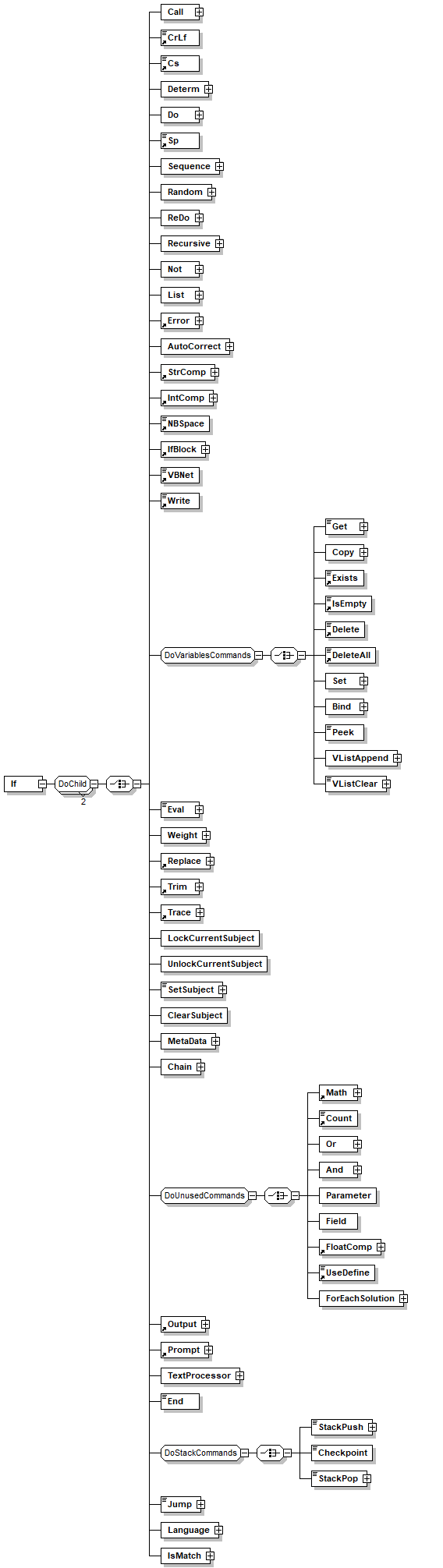
element IfBlock/If
diagram
children Call CrLf Cs Determ Do Sp Sequence Random ReDo Recursive Not List Error AutoCorrect StrComp IntComp NBSpace IfBlock VBNet Write Get Copy Exists IsEmpty Delete DeleteAll Set Bind Peek VListAppend VListClear Eval Weight Replace Trim Trace LockCurrentSubject UnlockCurrentSubject SetSubject ClearSubject MetaData Chain Math Count Or And Parameter Field FloatComp UseDefine ForEachSolution Output Prompt TextProcessor End StackPush Checkpoint StackPop Jump Language IsMatch
annotation
documentation 
IF has two children, the first is the condition, if it's true then the next child is executed and the system exits the IfBlock. If the first child returns false the next  sibling in the IfBlock is tested.
appInfo 
if
appInfo 
true
appInfo 
The IF-THEN part of the IF block
appInfo 
Flow

element IfBlock/ElseIf
diagram
children Call CrLf Cs Determ Do Sp Sequence Random ReDo Recursive Not List Error AutoCorrect StrComp IntComp NBSpace IfBlock VBNet Write Get Copy Exists IsEmpty Delete DeleteAll Set Bind Peek VListAppend VListClear Eval Weight Replace Trim Trace LockCurrentSubject UnlockCurrentSubject SetSubject ClearSubject MetaData Chain Math Count Or And Parameter Field FloatComp UseDefine ForEachSolution Output Prompt TextProcessor End StackPush Checkpoint StackPop Jump Language IsMatch
annotation
documentation 
ELSEIF has two children, the first is the condition, if it's true then the next child is executed and the system exits the IfBlock. If the first child returns false the next  sibling in the IfBlock is tested.
appInfo 
elseif
appInfo 
true
appInfo 
The ELSEIF-THEN part of the IF block
appInfo 
Flow

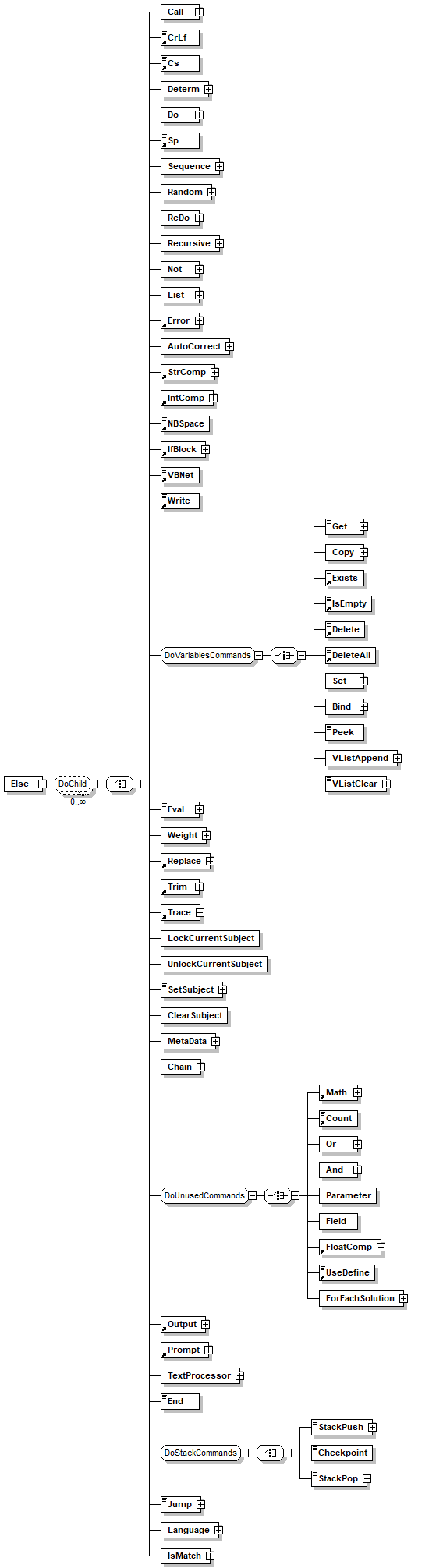
element IfBlock/Else
diagram
children Call CrLf Cs Determ Do Sp Sequence Random ReDo Recursive Not List Error AutoCorrect StrComp IntComp NBSpace IfBlock VBNet Write Get Copy Exists IsEmpty Delete DeleteAll Set Bind Peek VListAppend VListClear Eval Weight Replace Trim Trace LockCurrentSubject UnlockCurrentSubject SetSubject ClearSubject MetaData Chain Math Count Or And Parameter Field FloatComp UseDefine ForEachSolution Output Prompt TextProcessor End StackPush Checkpoint StackPop Jump Language IsMatch
annotation
appInfo 
else
appInfo 
Flow
appInfo 
true

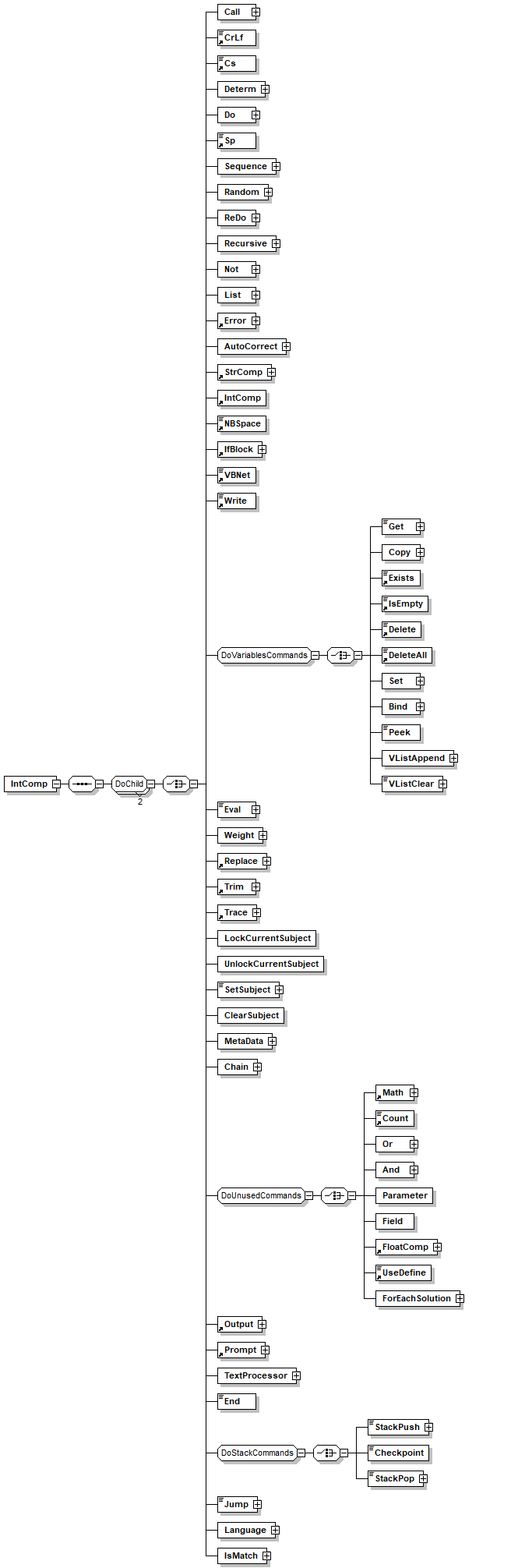
element IntComp
diagram
children Call CrLf Cs Determ Do Sp Sequence Random ReDo Recursive Not List Error AutoCorrect StrComp IntComp NBSpace IfBlock VBNet Write Get Copy Exists IsEmpty Delete DeleteAll Set Bind Peek VListAppend VListClear Eval Weight Replace Trim Trace LockCurrentSubject UnlockCurrentSubject SetSubject ClearSubject MetaData Chain Math Count Or And Parameter Field FloatComp UseDefine ForEachSolution Output Prompt TextProcessor End StackPush Checkpoint StackPop Jump Language IsMatch
used by
group DoChild
attributes
Name  Type  Use  Default  Fixed  Annotation
Operator  xs:string  required      

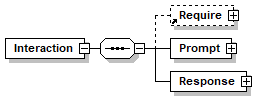
element Interaction
diagram
children Require Prompt Response
used by
element Collection
attributes
Name  Type  Use  Default  Fixed  Annotation
Path  xs:string  optional      
documentation 
Used to hold the path of the clause in the compiler
appInfo 
true
Name  xs:Name  required      
LockSubject  xs:string  optional      
documentation 
do we need to lock the subject (if specified) true lock the subject when entering the interaction, false do not lock, auto lock and release the subject based on the type of tries (e.g. 'free' or numbers will lock the subject locally), local locks the subject (only if there are tries) and automatically release when exiting the interaction 
Keys  Keys  required      
DefaultVarPath  VariablePath  optional      
Subject  xs:string  required      
EnterSubject  xs:string  optional      
TryCount  xs:unsignedInt  optional  3    

element Interaction/Prompt
diagram
children Call CrLf Cs Determ Do Sp Sequence Random ReDo Recursive Not List Error AutoCorrect StrComp IntComp NBSpace IfBlock VBNet Write Get Copy Exists IsEmpty Delete DeleteAll Set Bind Peek VListAppend VListClear Eval Weight Replace Trim Trace LockCurrentSubject UnlockCurrentSubject SetSubject ClearSubject MetaData Chain Math Count Or And Parameter Field FloatComp UseDefine ForEachSolution Output Prompt TextProcessor End StackPush Checkpoint StackPop Jump Language IsMatch
annotation
appInfo 
prompt

element Interaction/Response
diagram
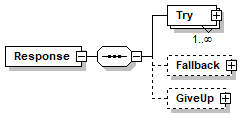
children Try Fallback GiveUp

element Interaction/Response/Try
diagram
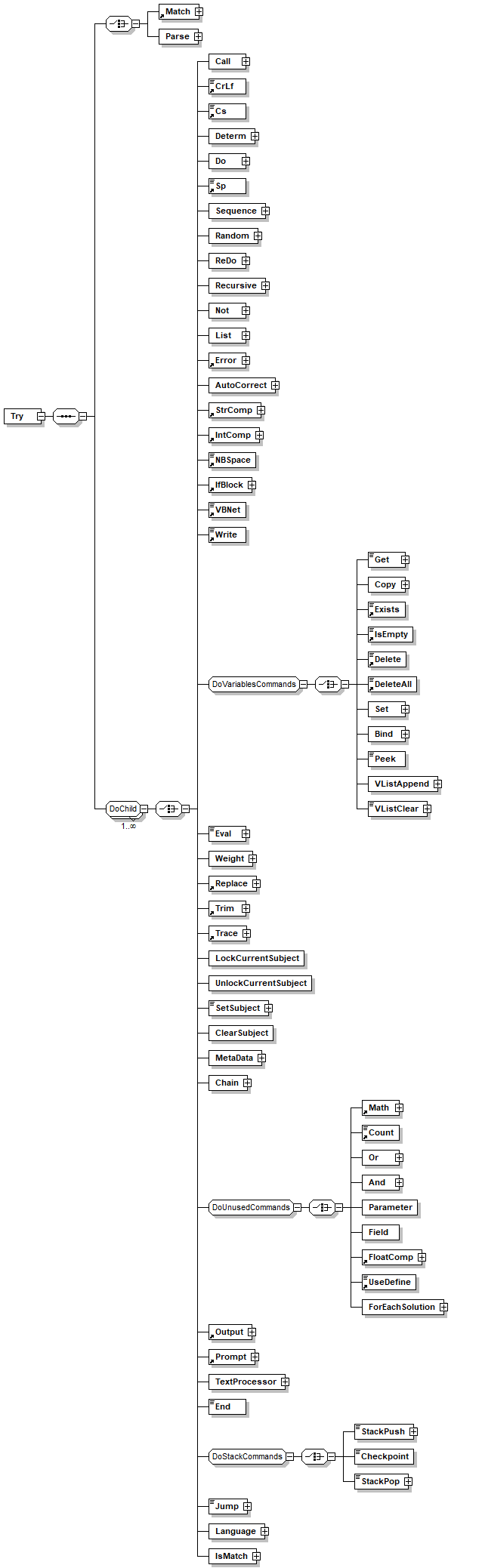
children Match Parse Call CrLf Cs Determ Do Sp Sequence Random ReDo Recursive Not List Error AutoCorrect StrComp IntComp NBSpace IfBlock VBNet Write Get Copy Exists IsEmpty Delete DeleteAll Set Bind Peek VListAppend VListClear Eval Weight Replace Trim Trace LockCurrentSubject UnlockCurrentSubject SetSubject ClearSubject MetaData Chain Math Count Or And Parameter Field FloatComp UseDefine ForEachSolution Output Prompt TextProcessor End StackPush Checkpoint StackPop Jump Language IsMatch
attributes
Name  Type  Use  Default  Fixed  Annotation
Keys  Keys  optional      
documentation 
If we expect some baseform to be generated between the input and the 'try' then keys may be used (e.g. we requested the user for date and we use patters to preprocess and get some baseform from there)

element Interaction/Response/Try/Parse
diagram
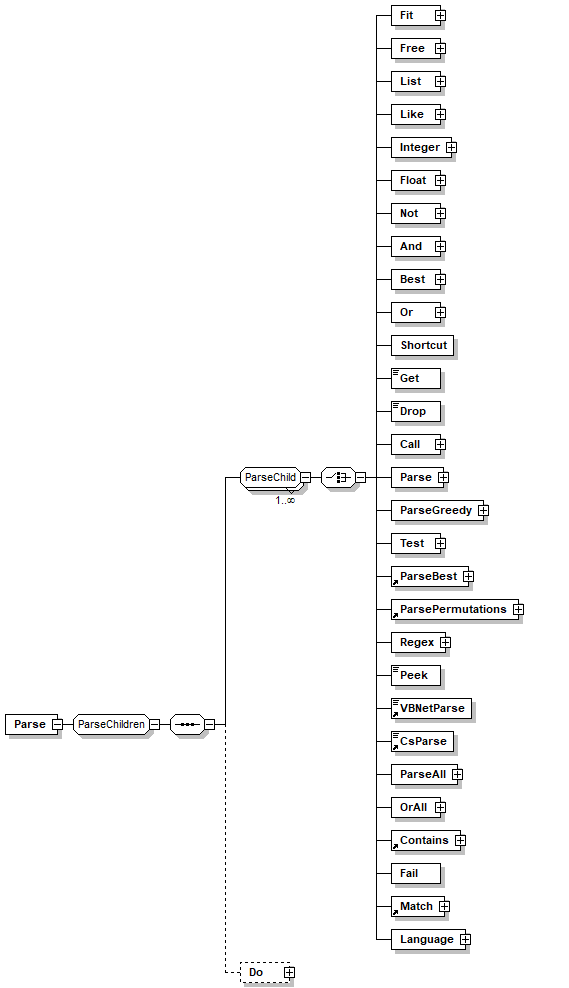
children Fit Free List Like Integer Float Not And Best Or Shortcut Get Drop Call Parse ParseGreedy Test ParseBest ParsePermutations Regex Peek VBNetParse CsParse ParseAll OrAll Contains Fail Match Language Do

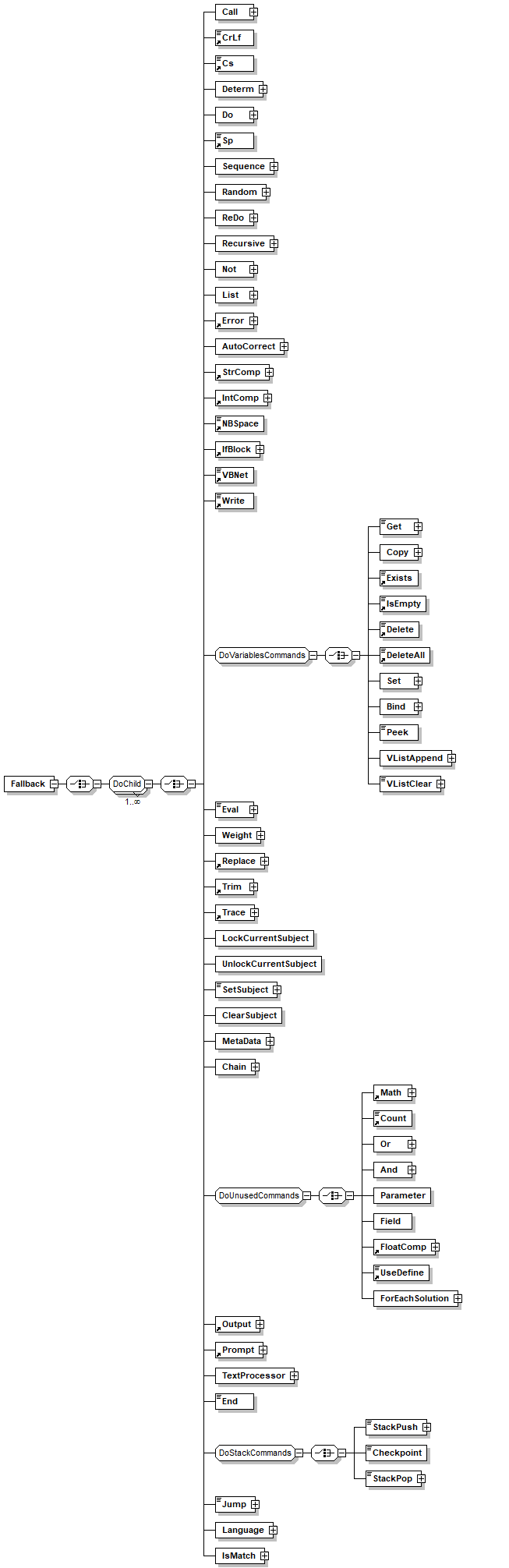
element Interaction/Response/Fallback
diagram
children Call CrLf Cs Determ Do Sp Sequence Random ReDo Recursive Not List Error AutoCorrect StrComp IntComp NBSpace IfBlock VBNet Write Get Copy Exists IsEmpty Delete DeleteAll Set Bind Peek VListAppend VListClear Eval Weight Replace Trim Trace LockCurrentSubject UnlockCurrentSubject SetSubject ClearSubject MetaData Chain Math Count Or And Parameter Field FloatComp UseDefine ForEachSolution Output Prompt TextProcessor End StackPush Checkpoint StackPop Jump Language IsMatch

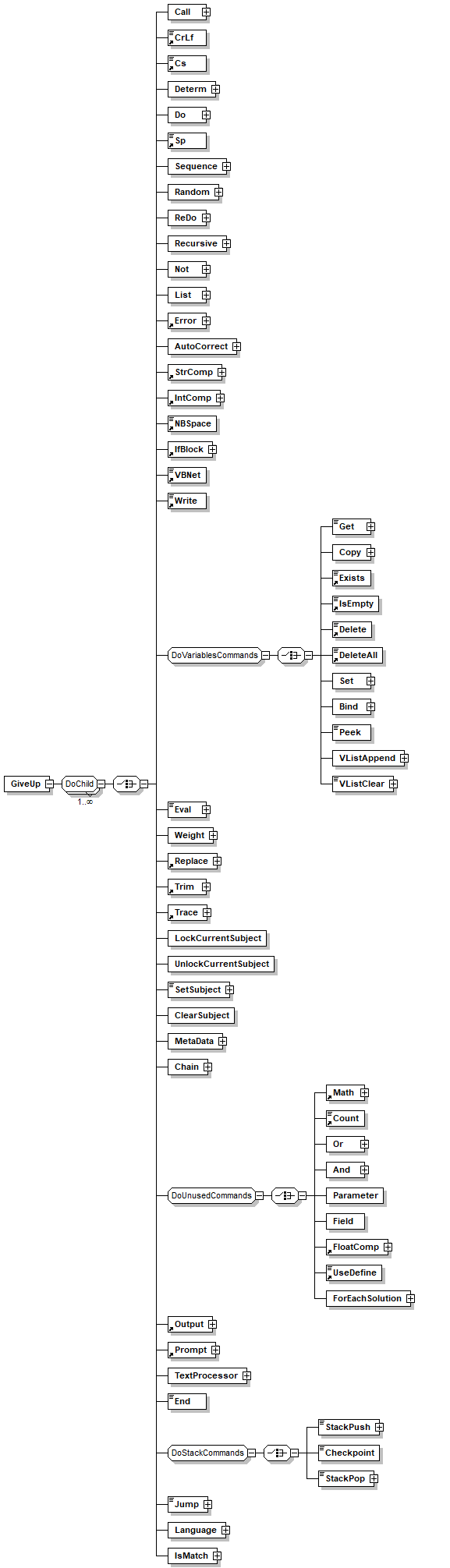
element Interaction/Response/GiveUp
diagram
children Call CrLf Cs Determ Do Sp Sequence Random ReDo Recursive Not List Error AutoCorrect StrComp IntComp NBSpace IfBlock VBNet Write Get Copy Exists IsEmpty Delete DeleteAll Set Bind Peek VListAppend VListClear Eval Weight Replace Trim Trace LockCurrentSubject UnlockCurrentSubject SetSubject ClearSubject MetaData Chain Math Count Or And Parameter Field FloatComp UseDefine ForEachSolution Output Prompt TextProcessor End StackPush Checkpoint StackPop Jump Language IsMatch

element IsEmpty
diagram
type extension of VariableName
used by
groups DoParseChild DoVariablesCommands PreTestChildren
facets
minLength 1
whiteSpace collapse
pattern [_\w]+([./][_\w]+)*
annotation
documentation 
Checks if an existing variable has no content (equals NULL).
Return values:


* If the variable exists and has no value the element will succeed.


* If the variable exists and has a value the element will fail.
* If the variable does not exists then the element will fail.
appInfo 
isempty
appInfo 
Checks if a variable is empty
appInfo 
true
appInfo 
Variables

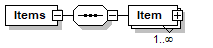
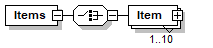
element Items
diagram
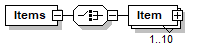
children Item
used by
elements Items/Item Prompt/Menu

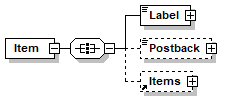
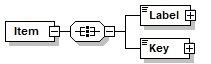
element Items/Item
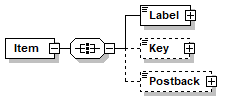
diagram
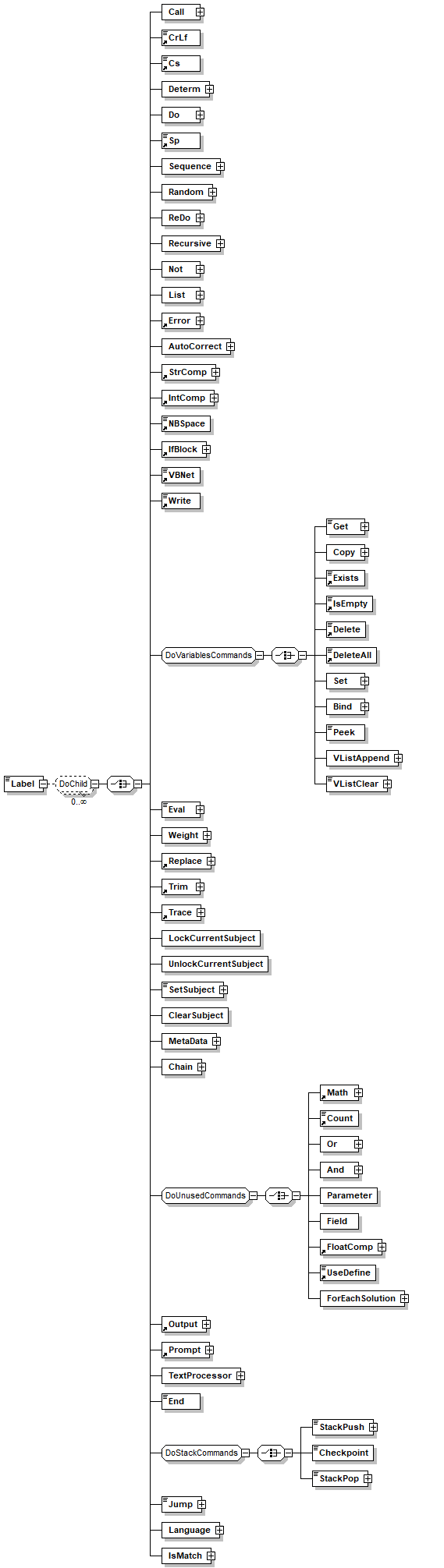
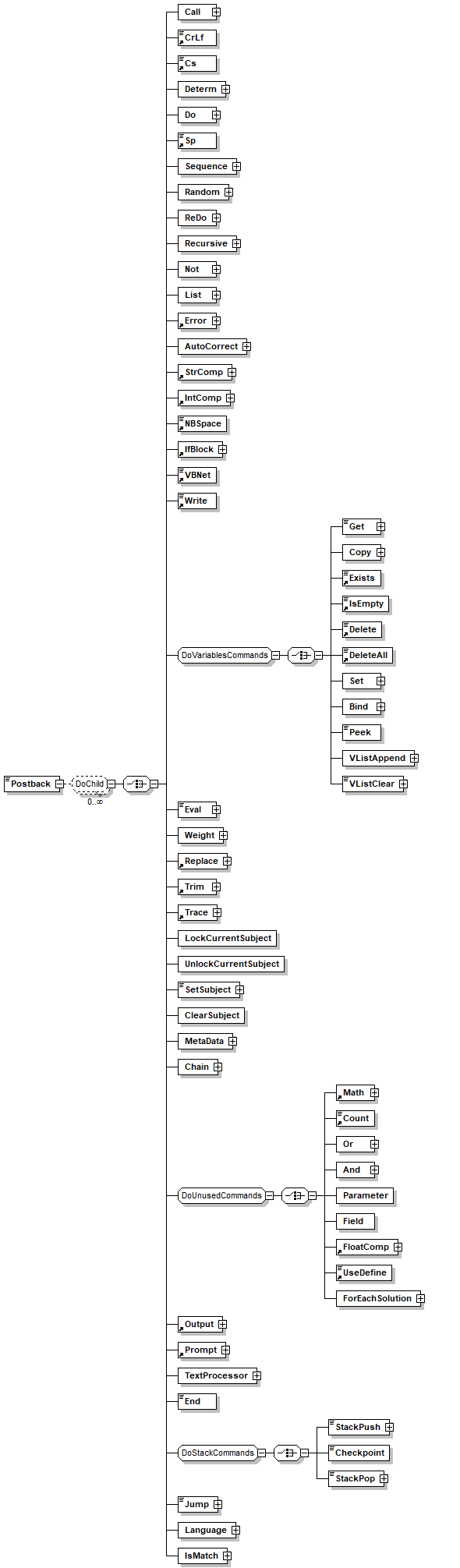
children Label Postback Items

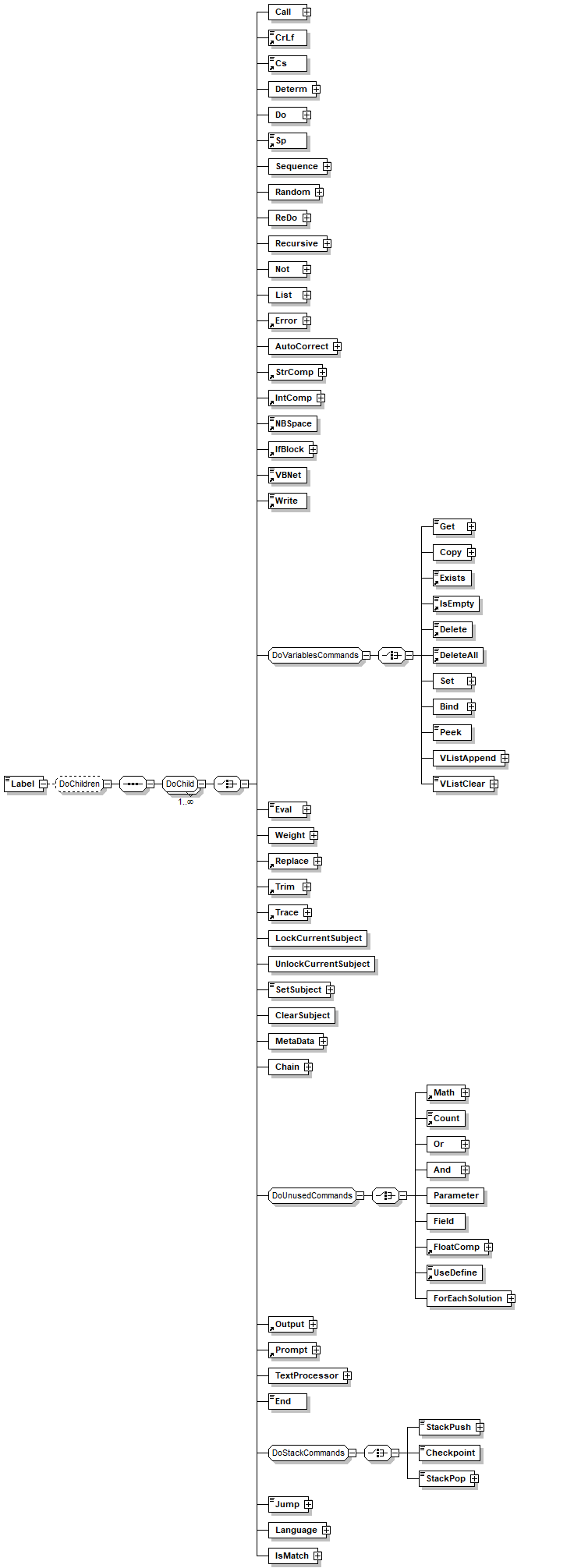
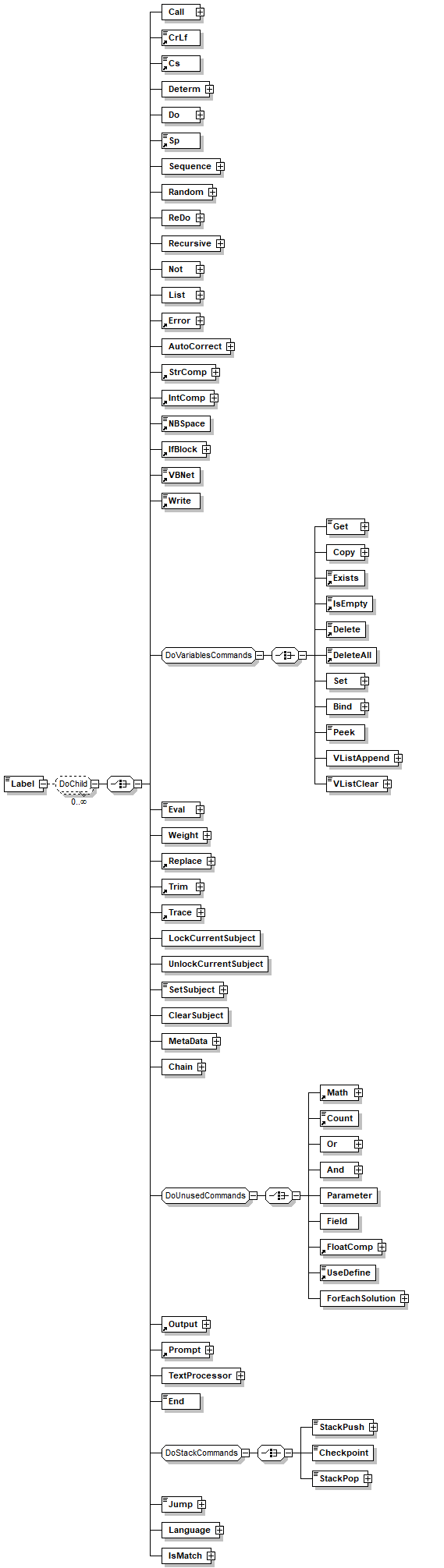
element Items/Item/Label
diagram
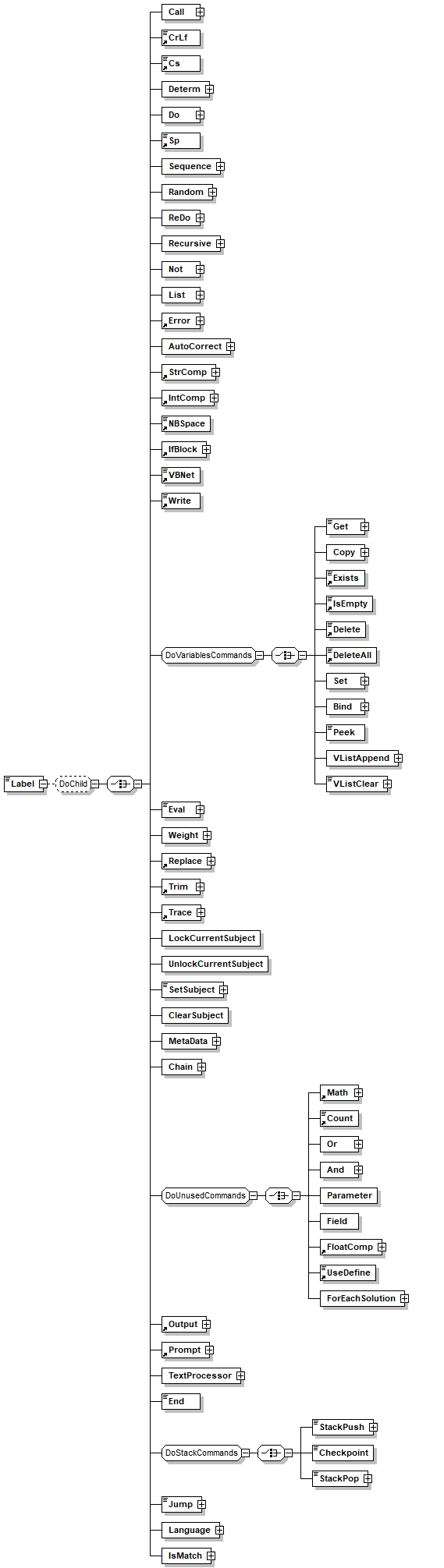
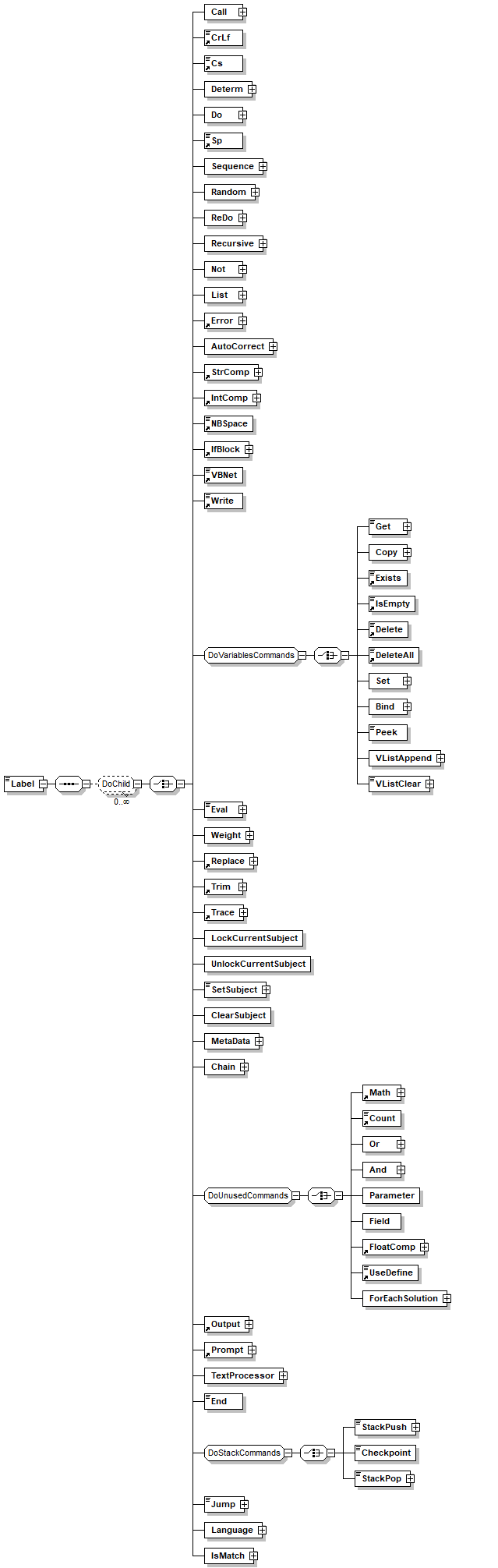
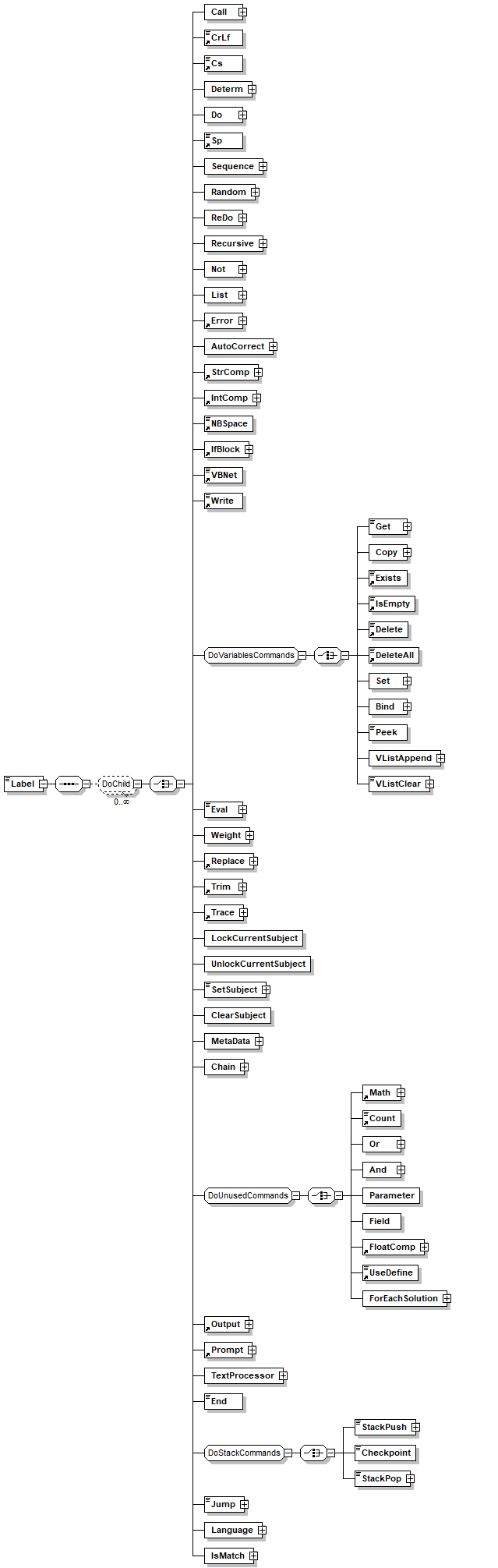
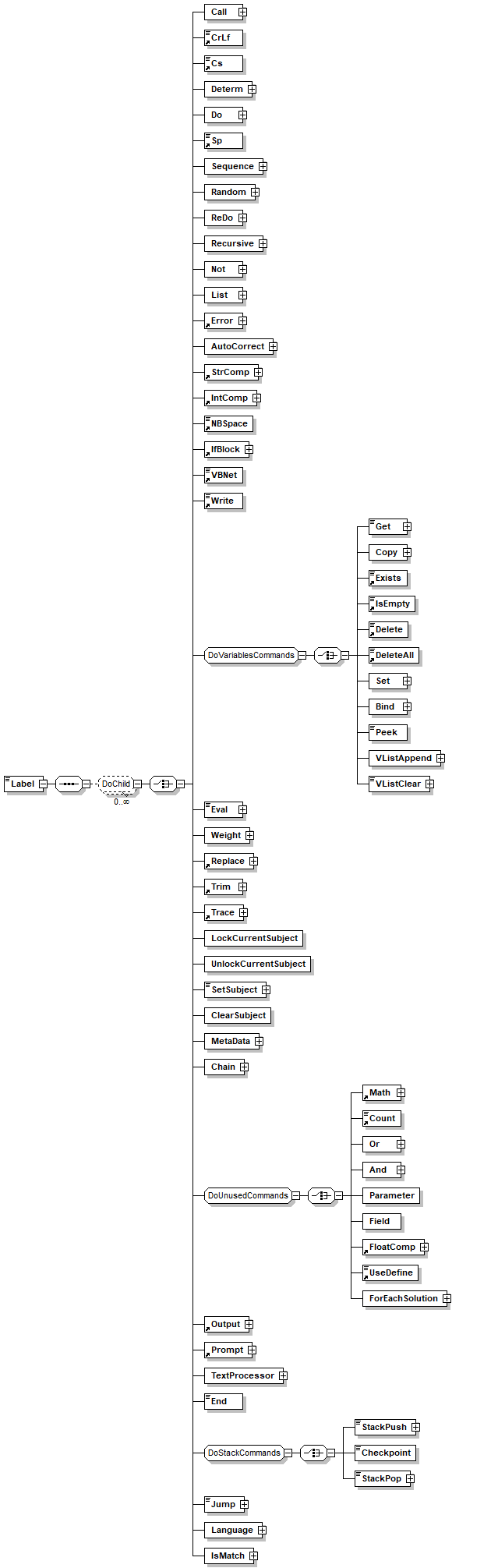
children Call CrLf Cs Determ Do Sp Sequence Random ReDo Recursive Not List Error AutoCorrect StrComp IntComp NBSpace IfBlock VBNet Write Get Copy Exists IsEmpty Delete DeleteAll Set Bind Peek VListAppend VListClear Eval Weight Replace Trim Trace LockCurrentSubject UnlockCurrentSubject SetSubject ClearSubject MetaData Chain Math Count Or And Parameter Field FloatComp UseDefine ForEachSolution Output Prompt TextProcessor End StackPush Checkpoint StackPop Jump Language IsMatch

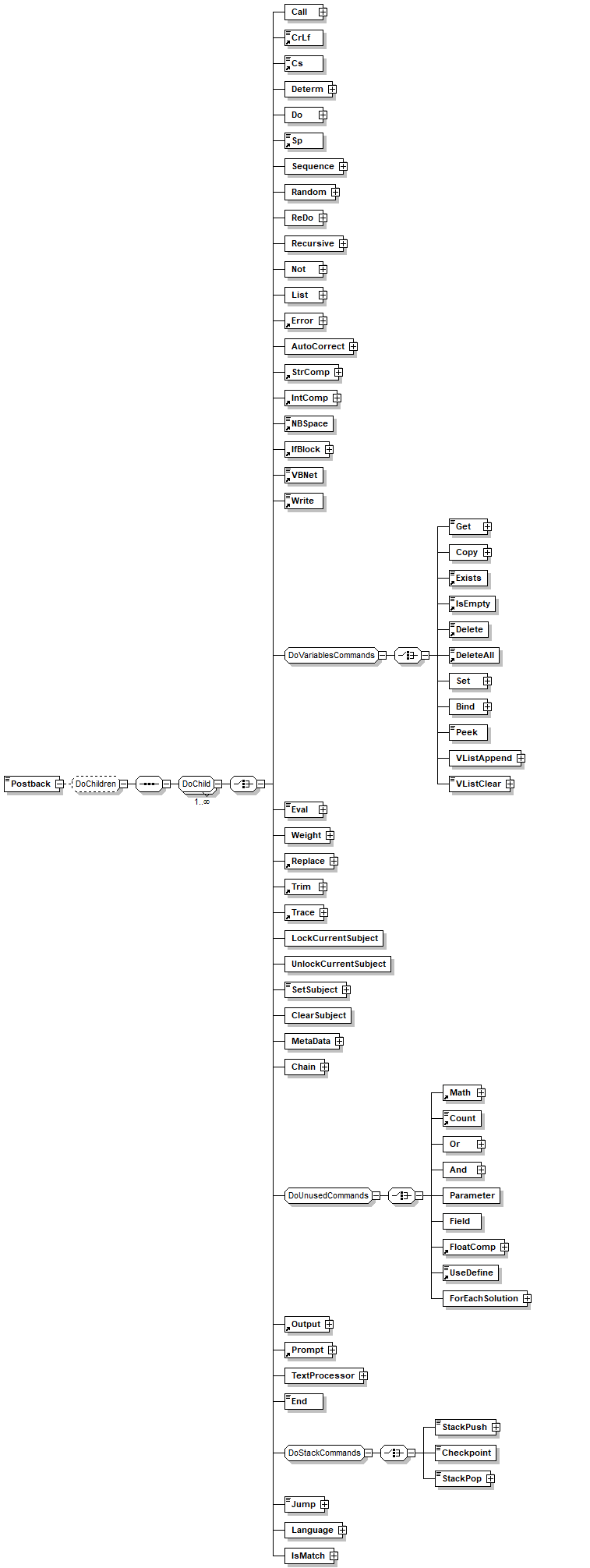
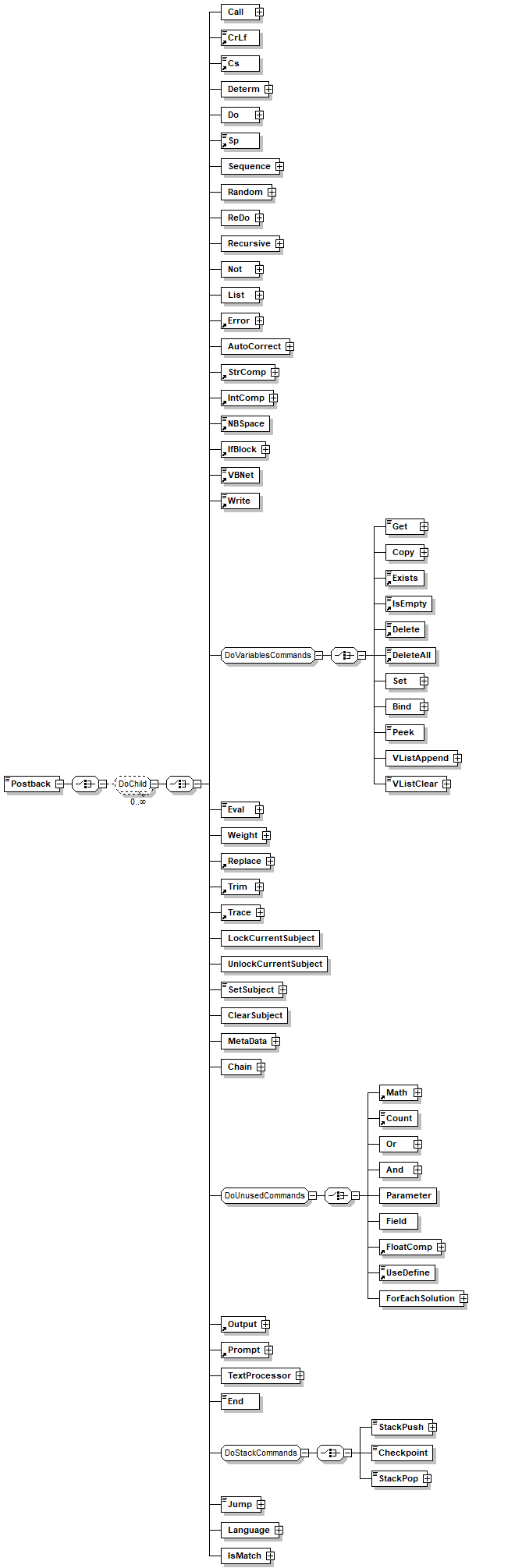
element Items/Item/Postback
diagram
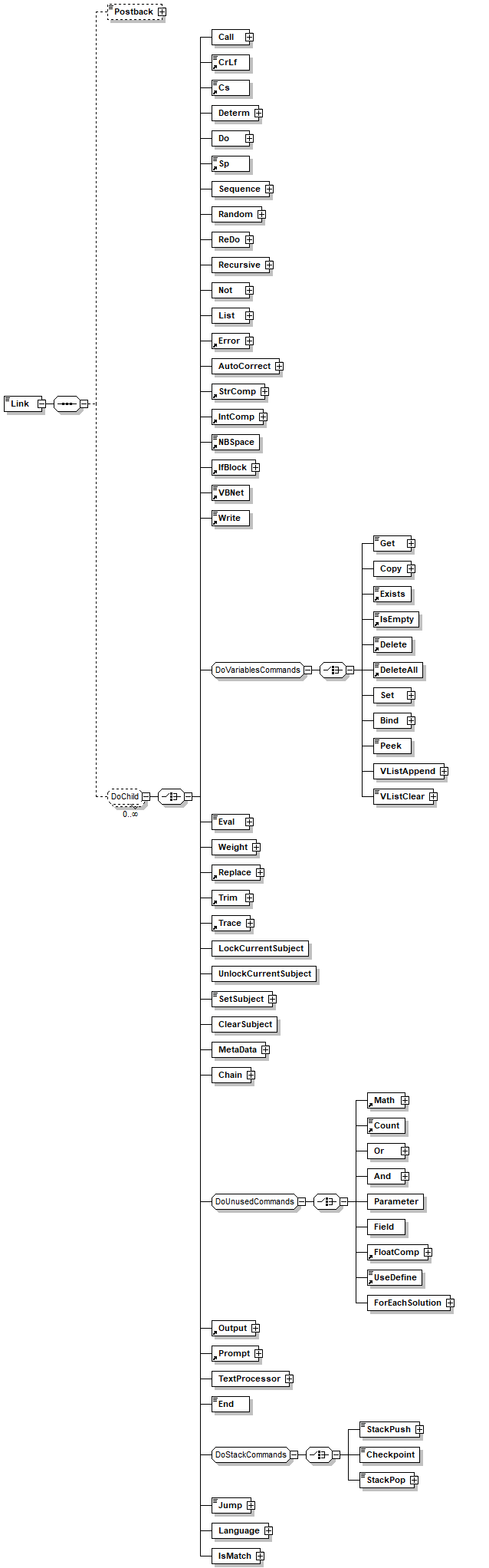
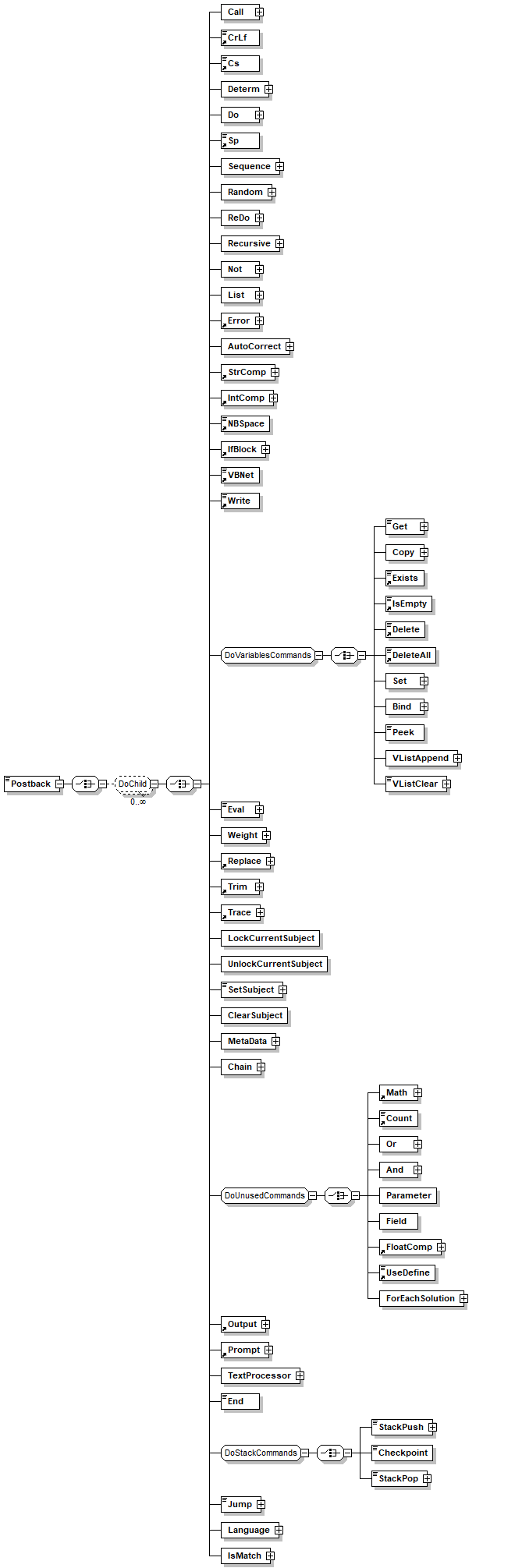
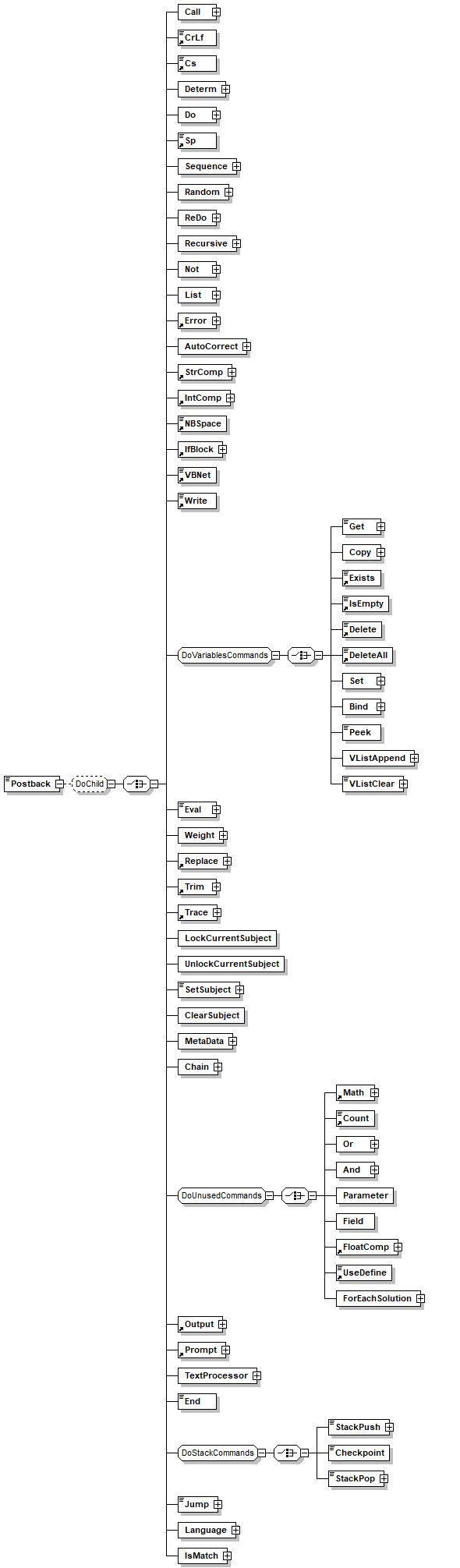
children Call CrLf Cs Determ Do Sp Sequence Random ReDo Recursive Not List Error AutoCorrect StrComp IntComp NBSpace IfBlock VBNet Write Get Copy Exists IsEmpty Delete DeleteAll Set Bind Peek VListAppend VListClear Eval Weight Replace Trim Trace LockCurrentSubject UnlockCurrentSubject SetSubject ClearSubject MetaData Chain Math Count Or And Parameter Field FloatComp UseDefine ForEachSolution Output Prompt TextProcessor End StackPush Checkpoint StackPop Jump Language IsMatch

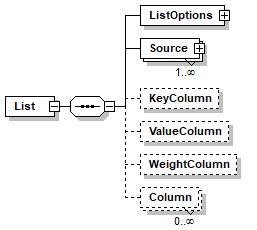
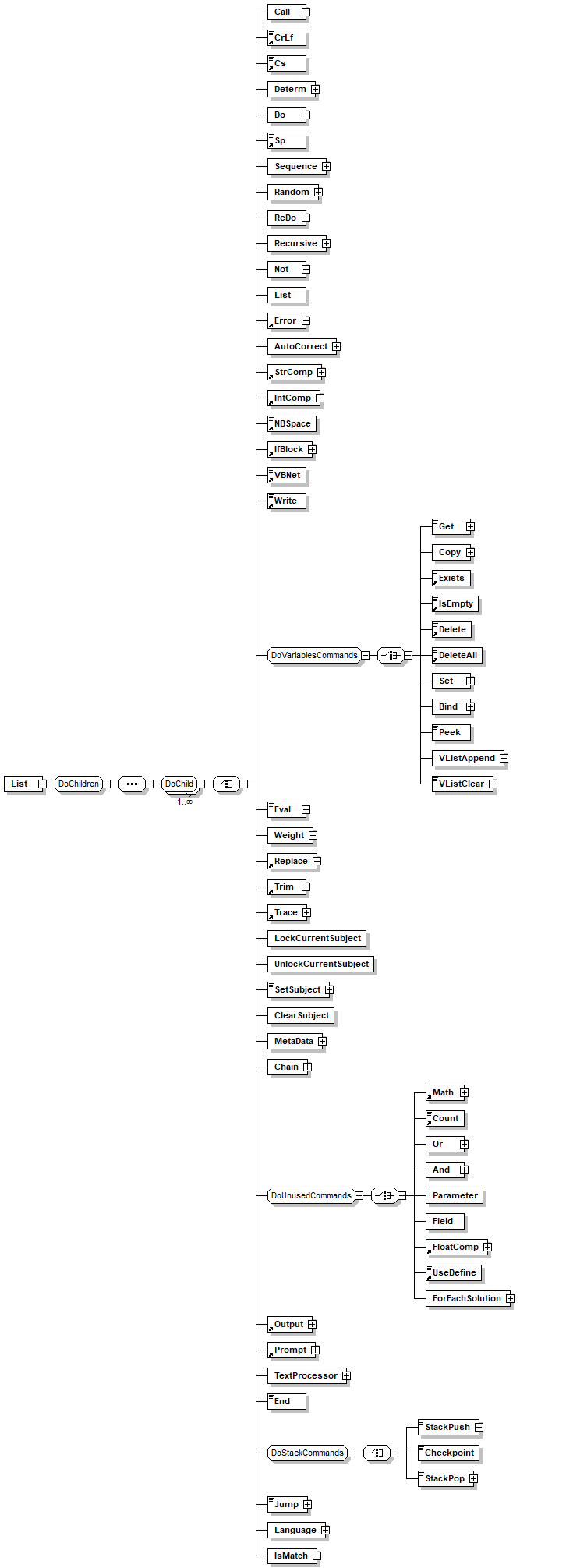
element List
diagram
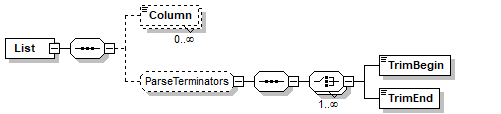
children ListOptions Source KeyColumn ValueColumn WeightColumn Column
used by
element Collection
attributes
Name  Type  Use  Default  Fixed  Annotation
Path  xs:string  optional      
documentation 
Used to hold the path of the clause in the compiler
appInfo 
true
Name  xs:string        
documentation 
The name of the list, to be referenced by the other patterns
appInfo 
name
appInfo 
The name of the list, to be referenced by the other patterns
appInfo 
true
Disabled  xs:boolean  optional  true    
documentation 
Defines if the clause will be compiled
appInfo 
true
appInfo 
disabled
appInfo 
Prevents the item to be compiled
Private  xs:boolean  optional  true    
documentation 
Specifies if the item is private, that is, only clauses from the same file may reference it.
appInfo 
true
appInfo 
private
appInfo 
Specifies if the item is private, that is, only clauses from the same file may reference it.
Keep  xs:string  optional  Auto    
documentation 
Instruct the compiler how to handle unreferenced item (e.g. data base connection) 'always' will keep the clause even if it is not referenced anywhere else. Use this when you reference clause by name like accessing connection by name.
annotation
documentation 
LIST defines a key value table, List can be made from a database index or from an explicit values list. Later the list can be referenced to check if a value exists in the keys and to get the correlating value for the specified key
appInfo 
Insert a clause of type list
appInfo 
list
appInfo 
true

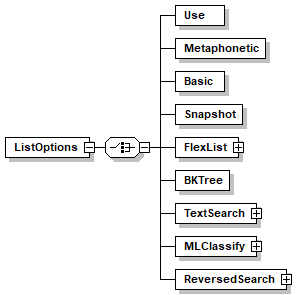
element List/ListOptions
diagram
children Use Metaphonetic Basic Snapshot FlexList BKTree TextSearch MLClassify ReversedSearch
annotation
documentation 
Setup options, use this to select what type of list to use and configure the matching algorithems.
appInfo 
Insert an explicit value list
appInfo 
vlist
appInfo 
true

element List/ListOptions/Use
diagram
attributes
Name  Type  Use  Default  Fixed  Annotation
Name  xs:QName  required      
annotation
documentation 
not implemented yet
appInfo 
1

element List/ListOptions/Metaphonetic
diagram
attributes
Name  Type  Use  Default  Fixed  Annotation
MatchType  MatchType        
documentation 
Specifies a matching algorithem, ranging from Fixed character to character exact match to Metaphonetic limited by the total number of character mismached
appInfo 
like
appInfo 
true
appInfo 
Specifes matching algorithem.
Tolerance    optional      
documentation 
Specifies the number of changes between two tokens. A change is a replacement deletion or insert of a single character.
appInfo 
tolerance
ToleranceMethod  TolecranceMethod  optional      
appInfo 
tolerancemethod
MaxTolerance    optional      
documentation 
Specify maximum tolerance in case of variable tolerance method (e.g Linear)
Top  xs:positiveInteger  optional  1    
AllowDuplicateKeys  xs:boolean  optional  true    

element List/ListOptions/Basic
diagram
attributes
Name  Type  Use  Default  Fixed  Annotation
AllowDuplicateKeys  xs:boolean  optional  true    
annotation
documentation 
Simple list without manipulation, can return shorterqlonger que to the engine

element List/ListOptions/Snapshot
diagram
annotation
documentation 
Fast list (based on hash table) bu without the ability to return shorter/longer que. used as support for Flexlist. don't use in parsing

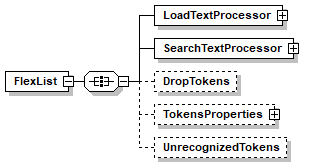
element List/ListOptions/FlexList
diagram
children LoadTextProcessor SearchTextProcessor DropTokens TokensProperties UnrecognizedTokens
attributes
Name  Type  Use  Default  Fixed  Annotation
Top  xs:positiveInteger  optional  1    
AllowSplitWord  xs:boolean  required      
OptionalTokenCost  xs:double  required      
documentation 
Weight of each Optional token from the data (not the search string!!)
ReorderCost  xs:double  required      
ScatterCost  xs:double  required      
TokenLocationCost  xs:double  required      
TokenTolerance  xs:double  optional      
documentation 
Specify a maximum metaphonetic tolerance on any token 
appInfo 
tolerance
TokenToleranceMethod  TolecranceMethod  optional      
documentation 
Tolerance calculation method for any specific token works with TokenTolerance
MatchType  MatchType        
documentation 
Specifies a matching algorithem, ranging from Fixed character to character exact match to Metaphonetic limited by the total number of character mismached
appInfo 
like
appInfo 
true
appInfo 
Specifes matching algorithem.
MaxWeight  xs:double  required      
documentation 
The maximum weight allowed for each match in the list, this is the internal weigh (meaning without extra calculations made by the processor).
appInfo 
weight
appInfo 
Max internal weight
RemoveDuplicateValues  xs:boolean  optional      
documentation 
remove duplicate results based on comparing the values, keeping the ones with the better weight.
The compare is string case insensitive. 

element List/ListOptions/FlexList/LoadTextProcessor
diagram
type TextProcessorType
children Tokenizer Filters
annotation
documentation 
Configure the Text processor, no setting Filters or Tokenizers will revert to the defaults, standard tokenizer and no filters

element List/ListOptions/FlexList/SearchTextProcessor
diagram
type TextProcessorType
children Tokenizer Filters
annotation
documentation 
Configure the Text processor, no setting Filters or Tokenizers will revert to the defaults, standard tokenizer and no filters

element List/ListOptions/FlexList/DropTokens
diagram
attributes
Name  Type  Use  Default  Fixed  Annotation
TokensDrop  FlexListSearchDropToken  optional      
TokenWeight  xs:float  optional      
OptionalTokensDrop  FlexListSearchDropToken  optional      
OptionalTokenWeight  xs:float  optional      

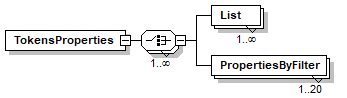
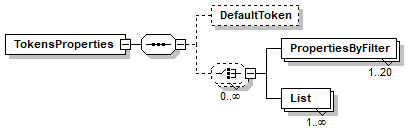
element List/ListOptions/FlexList/TokensProperties
diagram
children List PropertiesByFilter
attributes
Name  Type  Use  Default  Fixed  Annotation
AllowDuplicateKeys  xs:boolean  optional  false    
documentation 
If true, duplicate word properties are overwritten by the last value
documentation 
If true, duplicate word properties are overwritten by the last value
appInfo 
allowduplicatekeys

element List/ListOptions/FlexList/TokensProperties/List
diagram
attributes
Name  Type  Use  Default  Fixed  Annotation
Name  list_name  required      

element List/ListOptions/FlexList/TokensProperties/PropertiesByFilter
diagram
attributes
Name  Type  Use  Default  Fixed  Annotation
Optional  xs:boolean        
ProhibitLastWord  xs:boolean        
ProhibitFirstWord  xs:boolean        
IsSupporting  xs:boolean        
RegExFilter  xs:string  required      

element List/ListOptions/FlexList/UnrecognizedTokens
diagram
attributes
Name  Type  Use  Default  Fixed  Annotation
Ignore  xs:boolean  optional  true    
Weight  xs:float  optional      

element List/ListOptions/BKTree
diagram
attributes
Name  Type  Use  Default  Fixed  Annotation
Top  xs:positiveInteger  optional  1    
MaxWeight  xs:double  required      
annotation
documentation 
Use BKtree to quickly find the string with minimum edits (symetric Add  Remove). This is much faster then metaphonetic Free, but Add and Delete have the same cost

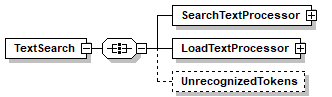
element List/ListOptions/TextSearch
diagram
children SearchTextProcessor LoadTextProcessor UnrecognizedTokens
attributes
Name  Type  Use  Default  Fixed  Annotation
Top  xs:positiveInteger  optional  1    
OptionalTokenCost  xs:double  required      
ReorderCost  xs:double  required      
ScatterCost  xs:double  required      
TokenLocationCost  xs:double  required      
TokenTolerance  xs:double  optional      
documentation 
Specify a maximum metaphonetic tolerance on any token 
appInfo 
tolerance
TokenToleranceMethod  TolecranceMethod  optional      
documentation 
Tolerance calculation method for any specific token works with TokenTolerance
MatchType  MatchType        
documentation 
Specifies a matching algorithem, ranging from Fixed character to character exact match to Metaphonetic limited by the total number of character mismached
appInfo 
like
appInfo 
true
appInfo 
Specifes matching algorithem.
MaxWeight  xs:double  required      
documentation 
The maximum weight allowed for each match in the list, this is the internal weigh (meaning without extra calculations made by the processor).
appInfo 
weight
appInfo 
Max internal weight

element List/ListOptions/TextSearch/SearchTextProcessor
diagram
type TextProcessorType
children Tokenizer Filters
annotation
documentation 
Configure the Text processor, no setting Filters or Tokenizers will revert to the defaults, standard tokenizer and no filters

element List/ListOptions/TextSearch/LoadTextProcessor
diagram
type TextProcessorType
children Tokenizer Filters
annotation
documentation 
Configure the Text processor, no setting Filters or Tokenizers will revert to the defaults, standard tokenizer and no filters

element List/ListOptions/TextSearch/UnrecognizedTokens
diagram
attributes
Name  Type  Use  Default  Fixed  Annotation
Ignore  xs:boolean  optional  true    
Weight  xs:float  optional      

element List/ListOptions/MLClassify
diagram
children SearchTextProcessor LoadTextProcessor
attributes
Name  Type  Use  Default  Fixed  Annotation
Top  xs:positiveInteger  optional  1    
MaxWeight  xs:double  optional      
documentation 
Upper limit on combined weight
WeightFactor  xs:double  required      
documentation 
factor on the Classify weight. 
Classify weight is a number between 0 to 1, percent of error. 
Usually we want less then 50% adn when combined with other apps less then 10%
Cache  xs:string  optional      

element List/ListOptions/MLClassify/SearchTextProcessor
diagram
type TextProcessorType
children Tokenizer Filters
annotation
documentation 
Configure the Text processor, no setting Filters or Tokenizers will revert to the defaults, standard tokenizer and no filters

element List/ListOptions/MLClassify/LoadTextProcessor
diagram
type TextProcessorType
children Tokenizer Filters
annotation
documentation 
Configure the Text processor, no setting Filters or Tokenizers will revert to the defaults, standard tokenizer and no filters

element List/ListOptions/ReversedSearch
diagram
children SearchTextProcessor LoadTextProcessor
attributes
Name  Type  Use  Default  Fixed  Annotation
ReorderCost  xs:double  required      
ScatterCost  xs:double  required      
TokenLocationCost  xs:double  required      
TokenCountCost  xs:double  required      
Top  xs:positiveInteger  optional  1    

element List/ListOptions/ReversedSearch/SearchTextProcessor
diagram
type TextProcessorType
children Tokenizer Filters
annotation
documentation 
Configure the Text processor, no setting Filters or Tokenizers will revert to the defaults, standard tokenizer and no filters

element List/ListOptions/ReversedSearch/LoadTextProcessor
diagram
type TextProcessorType
children Tokenizer Filters
annotation
documentation 
Configure the Text processor, no setting Filters or Tokenizers will revert to the defaults, standard tokenizer and no filters

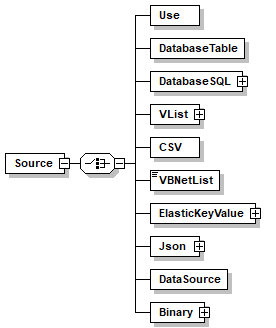
element List/Source
diagram
children Use DatabaseTable DatabaseSQL VList CSV VBNetList ElasticKeyValue Json DataSource Binary
annotation
documentation 
Defines the source of the data for key value map list. it is prefered to use DataSource other options will soon be deprecated
appInfo 
Insert a list based on database table or query
appInfo 
database_table
appInfo 
true

element List/Source/Use
diagram
attributes
Name  Type  Use  Default  Fixed  Annotation
Name  xs:QName  required      
annotation
documentation 
not implemented, will allow to reference another list as source
appInfo 
1

element List/Source/DatabaseTable
diagram
attributes
Name  Type  Use  Default  Fixed  Annotation
Connection  connection_name  required      
documentation 
Name of the connection to use in this database index list
appInfo 
database_index
appInfo 
true
appInfo 
Name of the connection to use in this database index list
Table  xs:string  required      
documentation 
Name of the table to use
appInfo 
table
appInfo 
true
appInfo 
Name of the table to use
annotation
documentation 
The source is a database table, this will read the table directly by executing select * from table name. Use this only for tables with few fields.

element List/Source/DatabaseSQL
diagram
children SQL
attributes
Name  Type  Use  Default  Fixed  Annotation
Connection  connection_name  required      
documentation 
Name of the connection to use in this database index list
appInfo 
database_index
appInfo 
true
appInfo 
Name of the connection to use in this database index list
annotation
documentation 
Executes  the provided SQL and uses the returned recordset, you will need to sepecify the key and value columns (names of fields in the returned recordset)

element List/Source/DatabaseSQL/SQL
diagram
type xs:string
annotation
documentation 
SQL to use, must be a select SQL
appInfo 
sql
appInfo 
true
appInfo 
SQL

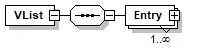
element List/Source/VList
diagram
children Entry
annotation
documentation 
VLIST is a definition of a dictionary made from keys and values where one value may have several keys.The VLIST enables defining each value and key by using the DO elements.VLIST enables caching the values and keys for increased performance or to dynamically generate the values and keys as needed caching is set using the CACHE child element.

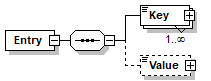
element List/Source/VList/Entry
diagram
children Key Value
annotation
documentation 
A single entry in a list, made from a set of one or more keys and a value.
An entry has one value but may have more then one key. The keys has to be unique in the list.
appInfo 
entry
appInfo 
A single entry in a list, made from a set of one or more keys and a value
appInfo 
true

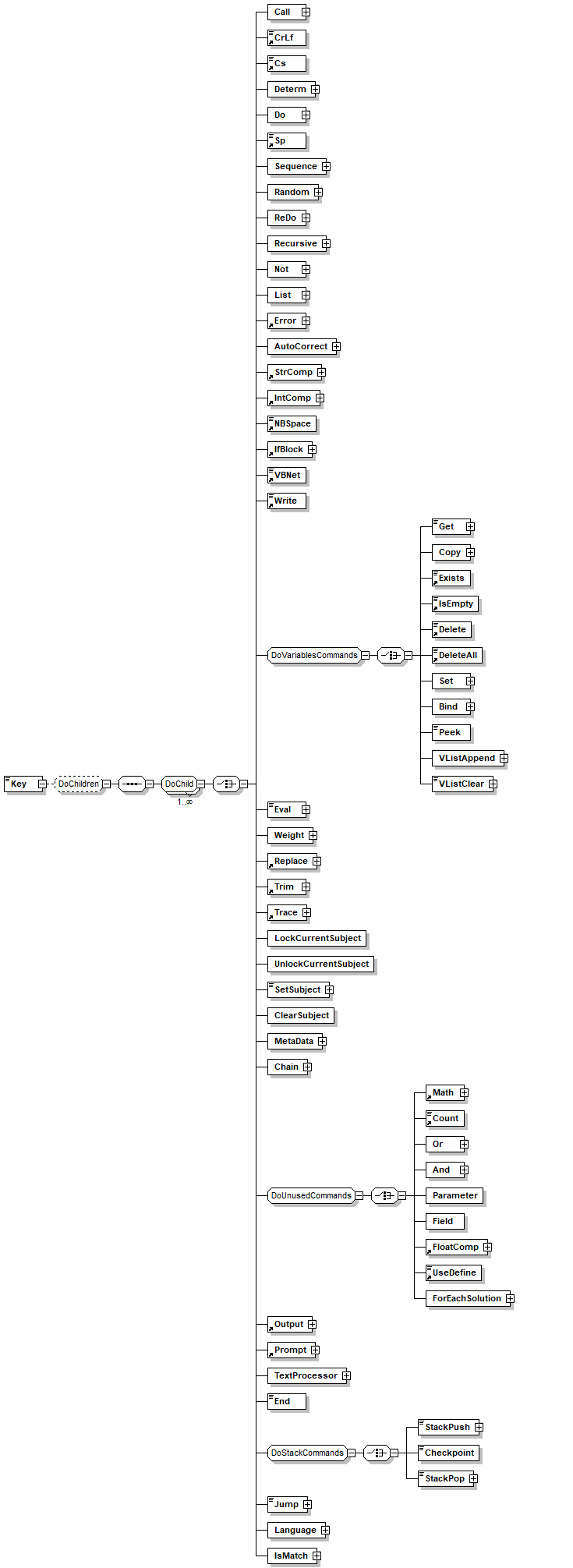
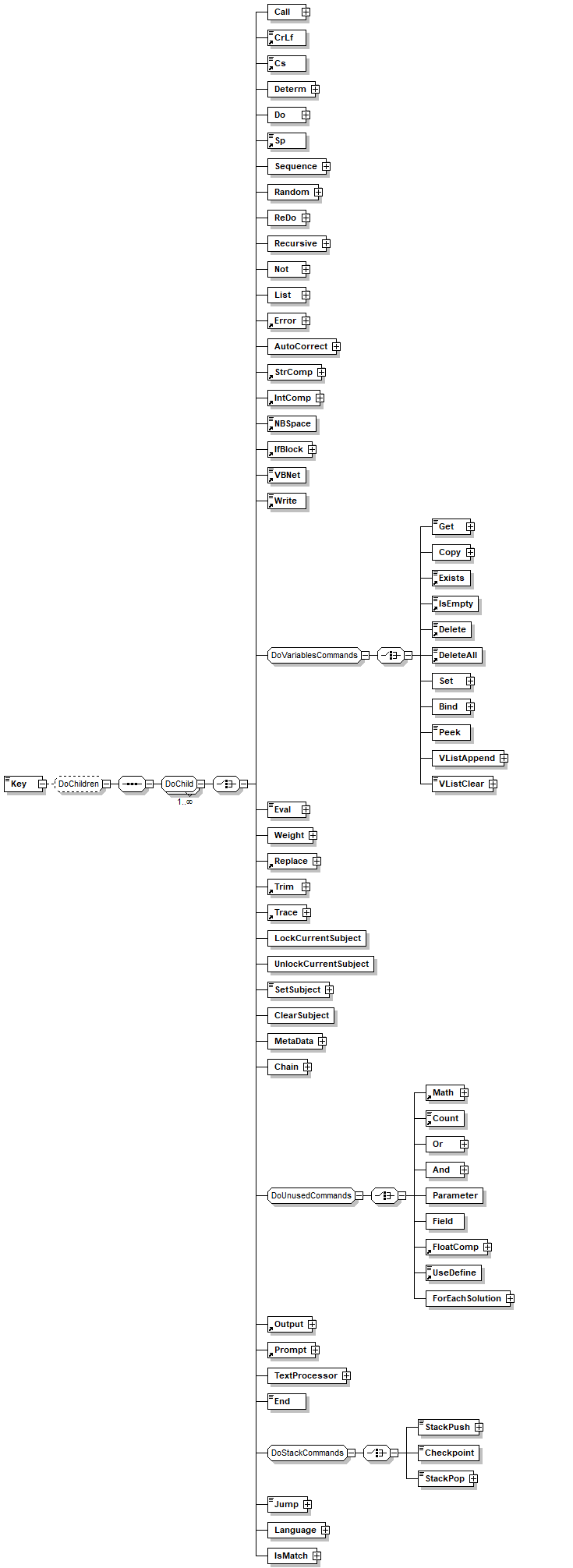
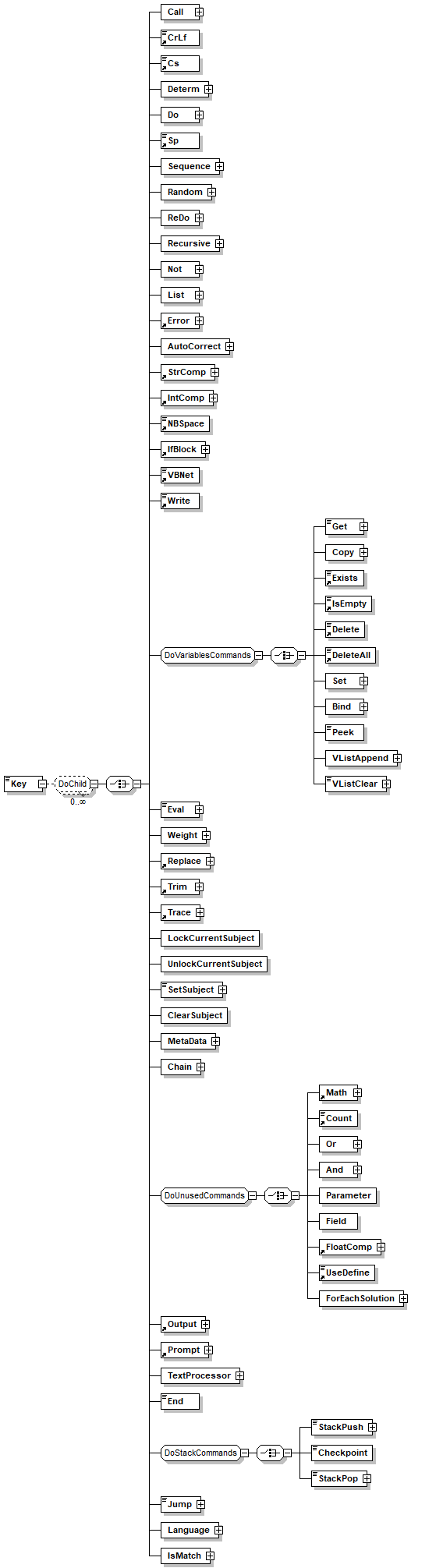
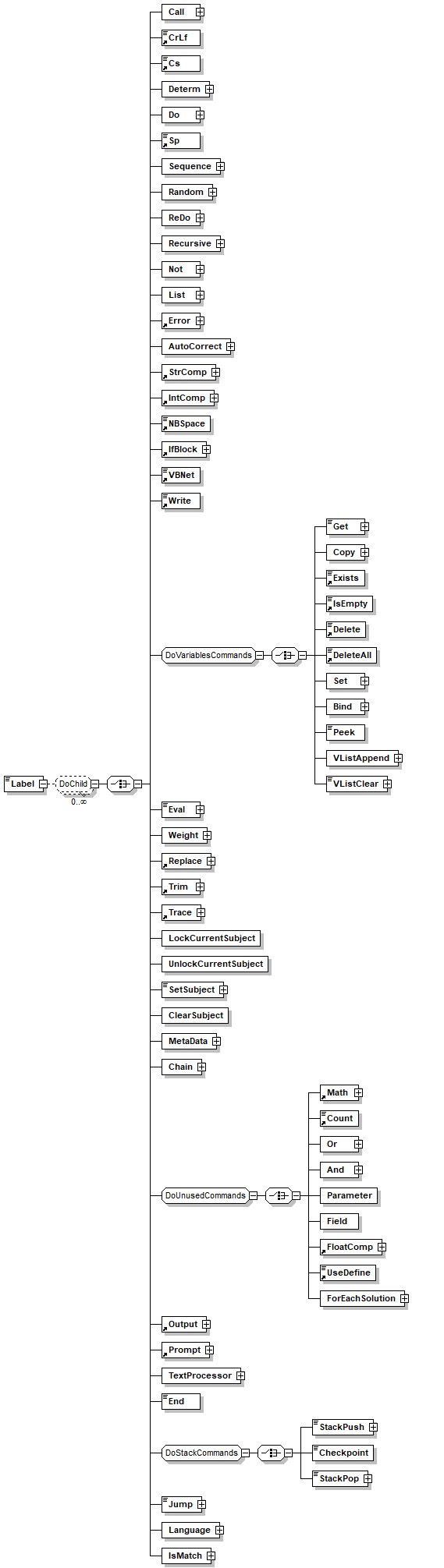
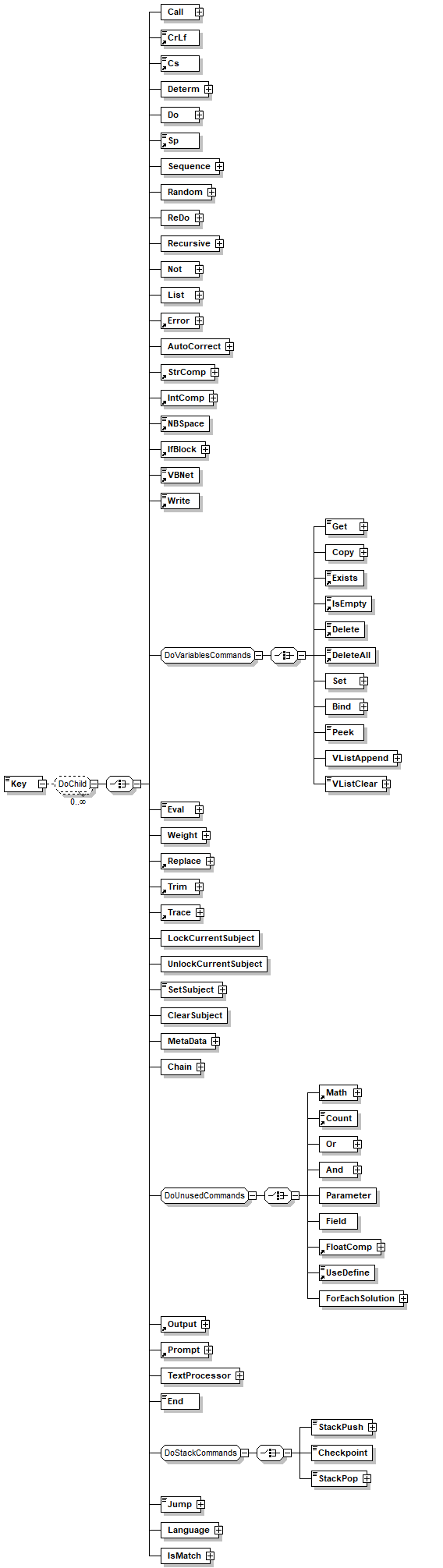
element List/Source/VList/Entry/Key
diagram
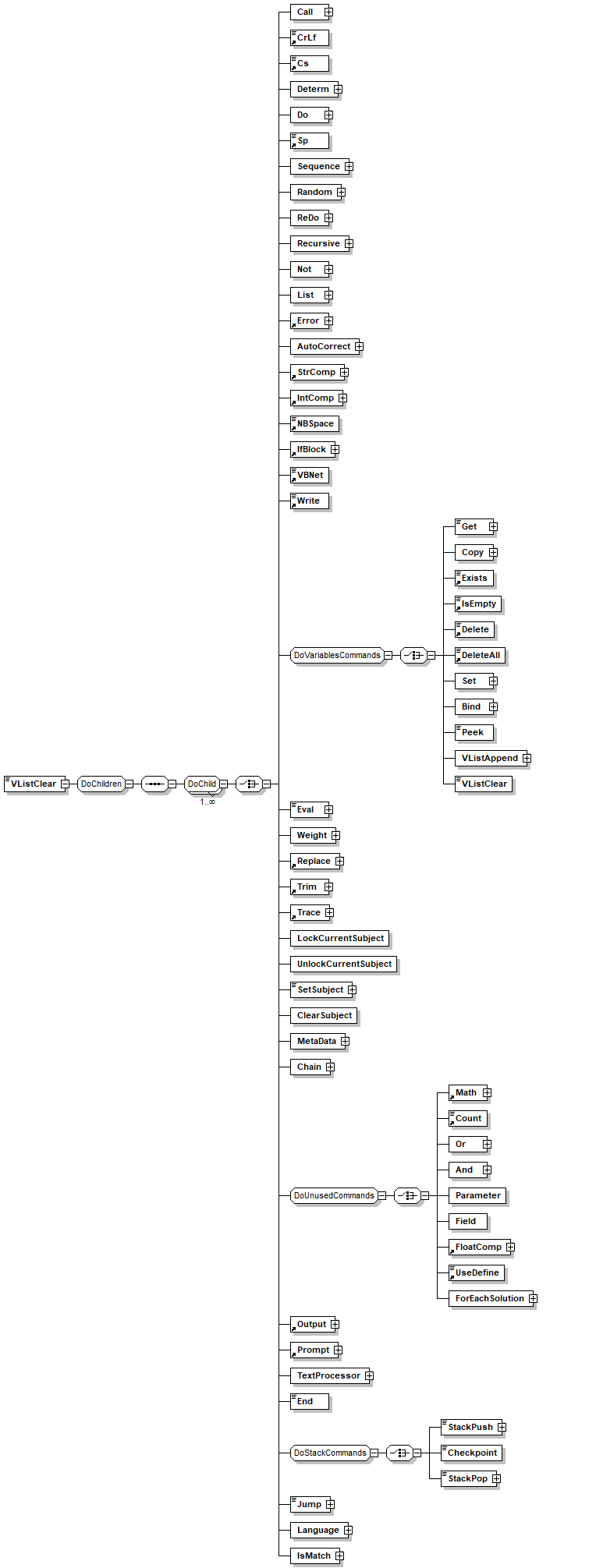
children Call CrLf Cs Determ Do Sp Sequence Random ReDo Recursive Not List Error AutoCorrect StrComp IntComp NBSpace IfBlock VBNet Write Get Copy Exists IsEmpty Delete DeleteAll Set Bind Peek VListAppend VListClear Eval Weight Replace Trim Trace LockCurrentSubject UnlockCurrentSubject SetSubject ClearSubject MetaData Chain Math Count Or And Parameter Field FloatComp UseDefine ForEachSolution Output Prompt TextProcessor End StackPush Checkpoint StackPop Jump Language IsMatch
annotation
documentation 
Key is a string value that identifies the entry it is generated by inheriting DO child commands.The key has to be unique in the list and duplicate keys will result in unexpected behavior.
appInfo 
key
appInfo 
String value that identifies the entry
appInfo 
true

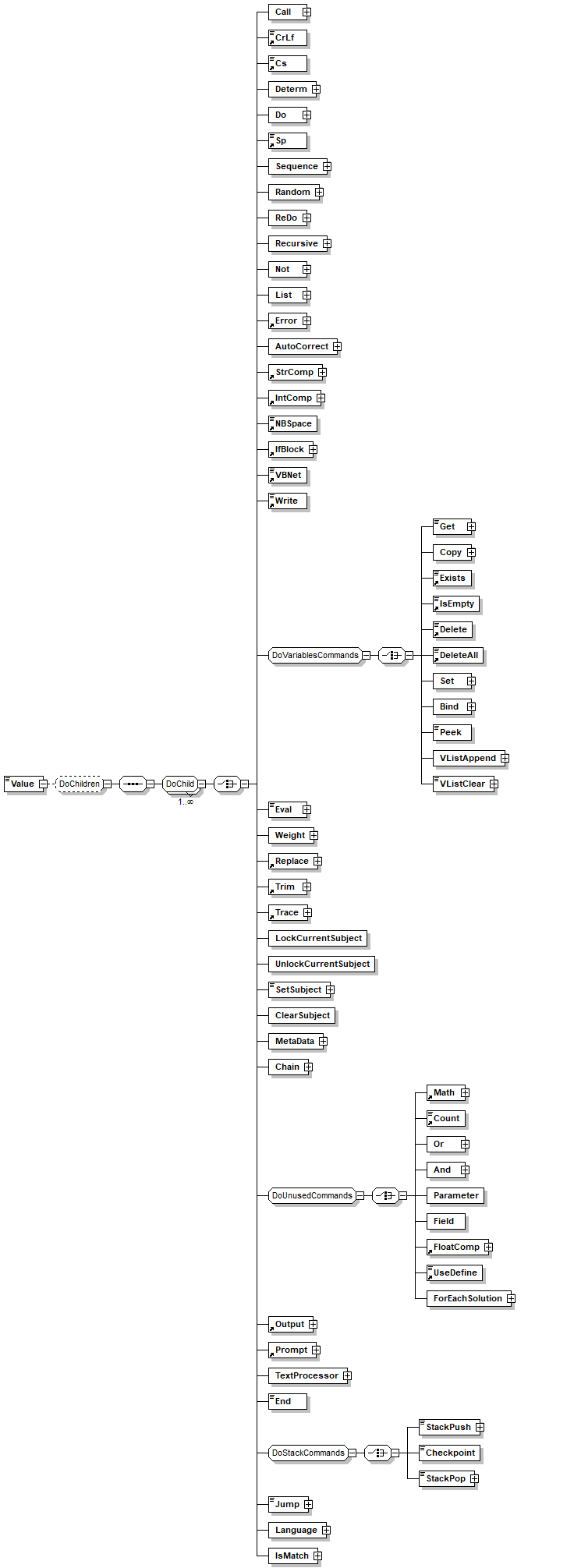
element List/Source/VList/Entry/Value
diagram
children Call CrLf Cs Determ Do Sp Sequence Random ReDo Recursive Not List Error AutoCorrect StrComp IntComp NBSpace IfBlock VBNet Write Get Copy Exists IsEmpty Delete DeleteAll Set Bind Peek VListAppend VListClear Eval Weight Replace Trim Trace LockCurrentSubject UnlockCurrentSubject SetSubject ClearSubject MetaData Chain Math Count Or And Parameter Field FloatComp UseDefine ForEachSolution Output Prompt TextProcessor End StackPush Checkpoint StackPop Jump Language IsMatch
annotation
documentation 
The value of the entry in a form of string. Inherited DO child commands generate the value.
appInfo 
value
appInfo 
true
appInfo 
The value of the entry in a form of string.

element List/Source/CSV
diagram
attributes
Name  Type  Use  Default  Fixed  Annotation
FileName  xs:string  required      
annotation
documentation 
Read a csv file, assuming the first line is a header that contans the fileds names.

element List/Source/VBNetList
diagram
type vbnet
annotation
appInfo 
1

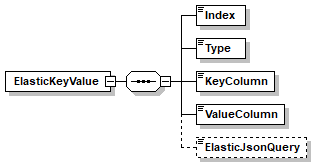
element List/Source/ElasticKeyValue
diagram
children Index Type KeyColumn ValueColumn ElasticJsonQuery
attributes
Name  Type  Use  Default  Fixed  Annotation
Connection  connection_name  required      
Index          
annotation
documentation 
Loads a key value set from Elastic Search  Index (can use filters)
appInfo 
1

element List/Source/ElasticKeyValue/Index
diagram
type xs:string

element List/Source/ElasticKeyValue/Type
diagram
type xs:string

element List/Source/ElasticKeyValue/KeyColumn
diagram
type xs:string

element List/Source/ElasticKeyValue/ValueColumn
diagram
type xs:string

element List/Source/ElasticKeyValue/ElasticJsonQuery
diagram
type xs:string

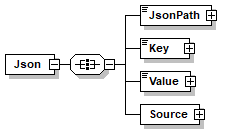
element List/Source/Json
diagram
children JsonPath Key Value Source
attributes
Name  Type  Use  Default  Fixed  Annotation
ParseAs  xs:string  optional      
annotation
documentation 
Read the data from a JSON file, we assume that the json root contains an array  or a list of items, each item represent a single record, names are selected through the key ans value columns

element List/Source/Json/JsonPath
diagram
children Call CrLf Cs Determ Do Sp Sequence Random ReDo Recursive Not List Error AutoCorrect StrComp IntComp NBSpace IfBlock VBNet Write Get Copy Exists IsEmpty Delete DeleteAll Set Bind Peek VListAppend VListClear Eval Weight Replace Trim Trace LockCurrentSubject UnlockCurrentSubject SetSubject ClearSubject MetaData Chain Math Count Or And Parameter Field FloatComp UseDefine ForEachSolution Output Prompt TextProcessor End StackPush Checkpoint StackPop Jump Language IsMatch
annotation
documentation 
a JsonPath for a set of objects
http://goessner.net/articles/JsonPath/
https://support.smartbear.com/alertsite/docs/monitors/api/endpoint/jsonpath.html. For example $.channel.item[*] all the objects in item array

element List/Source/Json/Key
diagram
children Call CrLf Cs Determ Do Sp Sequence Random ReDo Recursive Not List Error AutoCorrect StrComp IntComp NBSpace IfBlock VBNet Write Get Copy Exists IsEmpty Delete DeleteAll Set Bind Peek VListAppend VListClear Eval Weight Replace Trim Trace LockCurrentSubject UnlockCurrentSubject SetSubject ClearSubject MetaData Chain Math Count Or And Parameter Field FloatComp UseDefine ForEachSolution Output Prompt TextProcessor End StackPush Checkpoint StackPop Jump Language IsMatch

element List/Source/Json/Value
diagram
children Call CrLf Cs Determ Do Sp Sequence Random ReDo Recursive Not List Error AutoCorrect StrComp IntComp NBSpace IfBlock VBNet Write Get Copy Exists IsEmpty Delete DeleteAll Set Bind Peek VListAppend VListClear Eval Weight Replace Trim Trace LockCurrentSubject UnlockCurrentSubject SetSubject ClearSubject MetaData Chain Math Count Or And Parameter Field FloatComp UseDefine ForEachSolution Output Prompt TextProcessor End StackPush Checkpoint StackPop Jump Language IsMatch

element List/Source/Json/Source
diagram
children FileName Url

element List/Source/Json/Source/FileName
diagram
children Call CrLf Cs Determ Do Sp Sequence Random ReDo Recursive Not List Error AutoCorrect StrComp IntComp NBSpace IfBlock VBNet Write Get Copy Exists IsEmpty Delete DeleteAll Set Bind Peek VListAppend VListClear Eval Weight Replace Trim Trace LockCurrentSubject UnlockCurrentSubject SetSubject ClearSubject MetaData Chain Math Count Or And Parameter Field FloatComp UseDefine ForEachSolution Output Prompt TextProcessor End StackPush Checkpoint StackPop Jump Language IsMatch

element List/Source/Json/Source/Url
diagram
children Call CrLf Cs Determ Do Sp Sequence Random ReDo Recursive Not List Error AutoCorrect StrComp IntComp NBSpace IfBlock VBNet Write Get Copy Exists IsEmpty Delete DeleteAll Set Bind Peek VListAppend VListClear Eval Weight Replace Trim Trace LockCurrentSubject UnlockCurrentSubject SetSubject ClearSubject MetaData Chain Math Count Or And Parameter Field FloatComp UseDefine ForEachSolution Output Prompt TextProcessor End StackPush Checkpoint StackPop Jump Language IsMatch

element List/Source/DataSource
diagram
attributes
Name  Type  Use  Default  Fixed  Annotation
Name  xs:Name  required      
annotation
documentation 
Specifies a name of a datasource

element List/Source/Binary
diagram
children File
annotation
appInfo 
1

element List/Source/Binary/File
diagram
children Call CrLf Cs Determ Do Sp Sequence Random ReDo Recursive Not List Error AutoCorrect StrComp IntComp NBSpace IfBlock VBNet Write Get Copy Exists IsEmpty Delete DeleteAll Set Bind Peek VListAppend VListClear Eval Weight Replace Trim Trace LockCurrentSubject UnlockCurrentSubject SetSubject ClearSubject MetaData Chain Math Count Or And Parameter Field FloatComp UseDefine ForEachSolution Output Prompt TextProcessor End StackPush Checkpoint StackPop Jump Language IsMatch
annotation
documentation 
A binary file (format according to the list type) path relative to the project bin folder
appInfo 
key
appInfo 
String value that identifies the entry
appInfo 
true

element List/KeyColumn
diagram
attributes
Name  Type  Use  Default  Fixed  Annotation
Field  xs:QName  required      

element List/ValueColumn
diagram
attributes
Name  Type  Use  Default  Fixed  Annotation
Field  xs:QName  required      

element List/WeightColumn
diagram
attributes
Name  Type  Use  Default  Fixed  Annotation
Field  xs:QName  required      
annotation
appInfo 
true

element List/Column
diagram
attributes
Name  Type  Use  Default  Fixed  Annotation
Name  xs:QName  required      
Field  xs:QName  required      
annotation
appInfo 
1

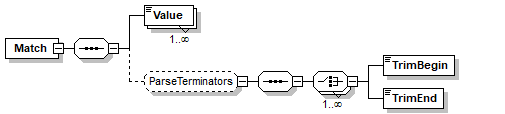
element Match
diagram
children Value TrimBegin TrimEnd
used by
element Interaction/Response/Try
group ParseChild
attributes
Name  Type  Use  Default  Fixed  Annotation
MinChar  xs:unsignedInt  optional  1    
documentation 
Sets the minimum number of words that can match this element.
appInfo 
Specify minimum number of tokens to match in parse element
appInfo 
min_words
appInfo 
true
MaxChar  xs:unsignedInt  optional  1    
documentation 
Sets the maximum number of words that can match this element.
appInfo 
Specify maximum number of tokens to match in parse element
appInfo 
max_words
appInfo 
true
MinWords  xs:unsignedInt  optional  1    
documentation 
Sets the minimum number of words that can match this element.
appInfo 
Specify minimum number of tokens to match in parse element
appInfo 
min_words
appInfo 
true
MaxWords  xs:unsignedInt  optional  1    
documentation 
Sets the maximum number of words that can match this element.
appInfo 
Specify maximum number of tokens to match in parse element
appInfo 
max_words
appInfo 
true
Optional  xs:string  optional  true    
documentation 
Specifies that the element is optional. (Note: this is not the same as setting min_words = 0.)
appInfo 
Allow the parse element to be ignored
appInfo 
optional
appInfo 
true
Terminator  TerminatorRanges  optional  space    
appInfo 
terminator
TerminatorDrop  xs:boolean  optional  false    
documentation 
Specifies that the terminator is dropped when the parser advances to the next token or when the parser starts the next token from the "including-the- terminator" character:
 Terminator_drop allows the parser to parse phrases like "4+4", where "+" is detected by the terminator and is then handled by the next parse command. 
include_terminator values:
  True:  The terminator is dropped
  False: The terminator is joined with the next token.
appInfo 
terminator_include
appInfo 
true
appInfo 
Keep/Drop the terminator for use in next element
Bind  TempVariableName  optional      
documentation 
Name of a temporary variable (excluding the "/temp" prefix) that will be bounded to the token matched by the parsing element. This variable may hold several different values while the parser tries to resolve the input.
When using 'bind' no complex variables are allowed, that is you can not use pointers references, randoms or '[' symbols.
appInfo 
bind
appInfo 
Name of a temporary variable excluding the  "/temp" prefix
appInfo 
true
Weight  Weight  optional      
documentation 
Used to overwrite the built-in sub weight calculation.
values are 0 to 1 as float or vb Const
appInfo 
weight
Accuracy    optional      
appInfo 
1
TrimMode  xs:string  optional      
documentation 

          TrimMode specifies how the system will handle the Trim streings:
          Normal- Try to solve without trimming, of successful then stop else try to trim.
          Prefere- First trim the string then try to solve, only if not successful then try nontrimmed string.
          Force- Allow only to trim.
          All - 
          Best -
          
appInfo 
trim_mode
TrimBind  TempVariableName  optional      
appInfo 
bind
appInfo 
true
TrimWeight  xs:float  optional      
documentation 

          Used to overwrite the built-in sub weight calculation.
          values are 0 to 1 as float
        
appInfo 
weight
annotation
documentation 
Match a complex pattern, the value, allows a primitive Parse element in a single text line
appInfo 
match complex pattern

element Match/Value
diagram
type xs:string
annotation
appInfo 
value
appInfo 
true
documentation 
Build a complex match pattern. where '{' '}' opens and closes a group, use '|' to specify OR operation % for wildchar and [...] to call a rule

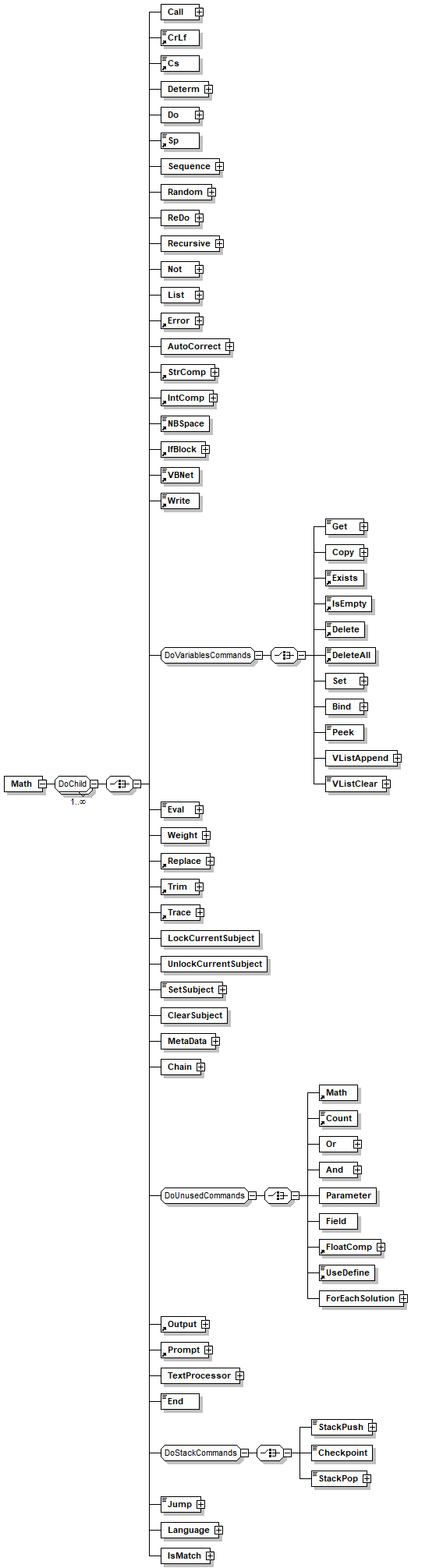
element Math
diagram
children Call CrLf Cs Determ Do Sp Sequence Random ReDo Recursive Not List Error AutoCorrect StrComp IntComp NBSpace IfBlock VBNet Write Get Copy Exists IsEmpty Delete DeleteAll Set Bind Peek VListAppend VListClear Eval Weight Replace Trim Trace LockCurrentSubject UnlockCurrentSubject SetSubject ClearSubject MetaData Chain Math Count Or And Parameter Field FloatComp UseDefine ForEachSolution Output Prompt TextProcessor End StackPush Checkpoint StackPop Jump Language IsMatch
used by
group DoUnusedCommands
attributes
Name  Type  Use  Default  Fixed  Annotation
Operator  xs:string  required      
annotation
documentation 
Performs a mathematical calculation as defined in the input operation parameter:
Add: adding one value to another.
Substruct: subtracting a value from another value.
Multiply: multiply a value with another one.
Divide: divide a value with another one.
Rand: provide a random number between the range of zero to the given number.
PlusPlus: Adds one to the given number.
MinusMinus: substracts one from the given number.
Return value: The result of the calculation.
appInfo 
math
appInfo 
Performs a mathematical calculation
appInfo 
true
appInfo 
Math
appInfo 
true

element NBSpace
diagram
type restriction of xs:string
used by
group DoChild
facets
maxLength 0
annotation
documentation 
Enters a non-breaking space into the buffer.
appInfo 
nbsp
appInfo 
Enters a non-breaking space into the buffer.
appInfo 
true
appInfo 
Format

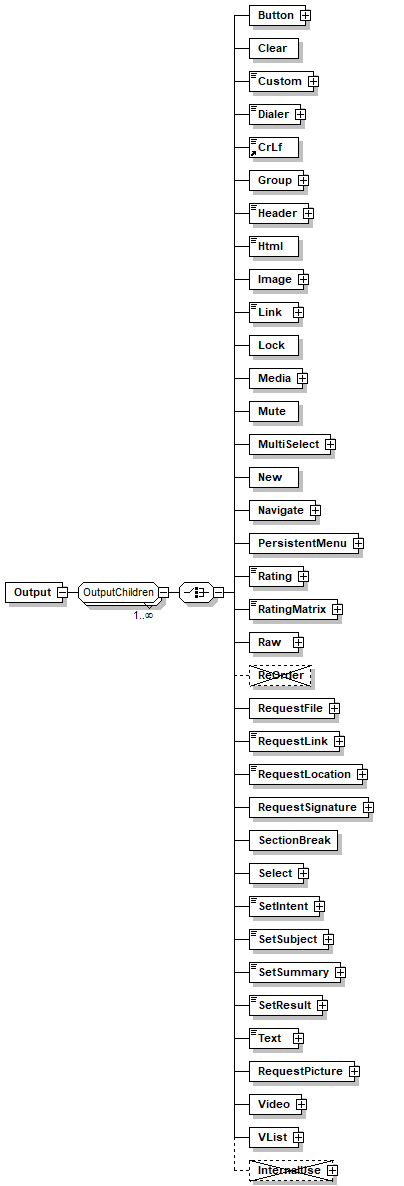
element Output
diagram
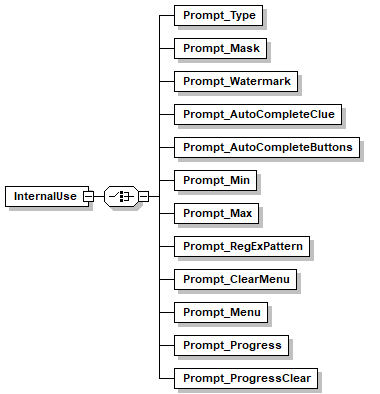
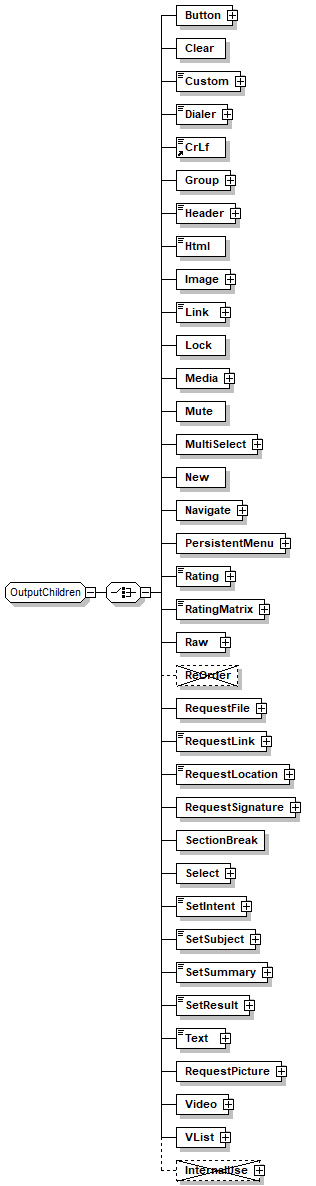
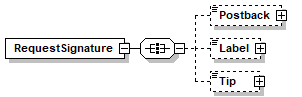
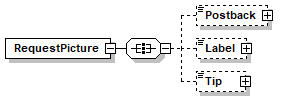
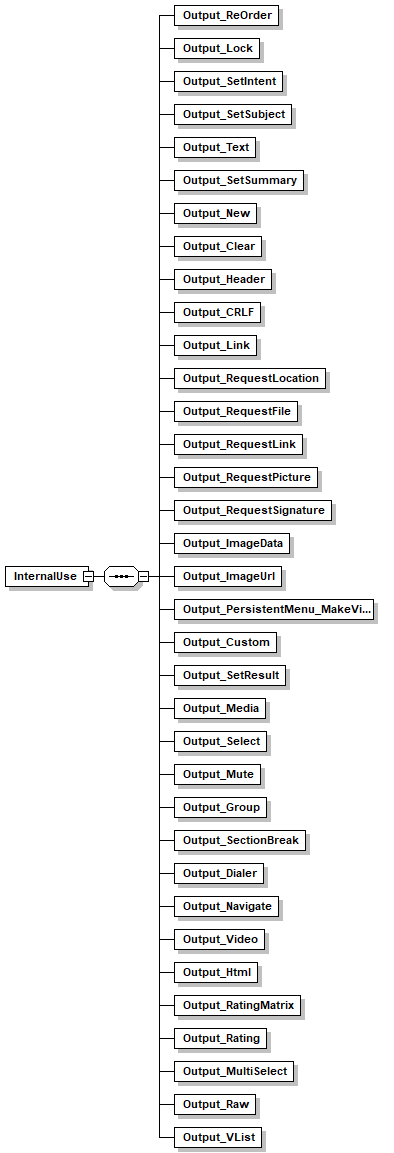
children Button Clear Custom Dialer CrLf Group Header Html Image Link Lock Media Mute MultiSelect New Navigate PersistentMenu Rating RatingMatrix Raw ReOrder RequestFile RequestLink RequestLocation RequestSignature SectionBreak Select SetIntent SetSubject SetSummary SetResult Text RequestPicture Video VList InternalUse
used by
group DoChild

element Parse_Child_Hide
diagram
annotation
documentation 
!! hidden element !!!!!!!!!!!!!!!!
Replace the compiler in case of Paser under Paser

element Parse_Inline_Hide
diagram
annotation
documentation 
!!!!!! hidden element !!!!!!!!!!!!!!!!
Replace the compiler in case of Paser under Inline
appInfo 
false

element Parse_Pattern_Hide
diagram
annotation
documentation 
!!!!!! hidden element !!!!!!!!!!!!!!!!
Replace the compiler in case of Paser under Pattern
appInfo 
false

element Parse_Trim_Hide
diagram
annotation
documentation 

        !!!!!! hidden element !!!!!!!!!!!!!!!!
        Replace the compiler in case of Trim
      
appInfo 
false

element ParseALL_Child2_Hide
diagram
annotation
documentation 

        !!!!! hidden element !!!!!!!!!!!!!!!!
        Replace by the compiler
      

element ParseALL_Terminator_Child2_Hide
diagram
annotation
documentation 

        !!!!! hidden element !!!!!!!!!!!!!!!!
        Replace by the compiler
      

element ParseBest
diagram
children Fit Free List Like Integer Float Not And Best Or Shortcut Get Drop Call Parse ParseGreedy Test ParseBest ParsePermutations Regex Peek VBNetParse CsParse ParseAll OrAll Contains Fail Match Language
used by
group ParseChild
attributes
Name  Type  Use  Default  Fixed  Annotation
Optional  xs:boolean  optional  true    
documentation 
Specifies that the element is optional. (Note: this is not the same as setting min_words = 0.)
appInfo 
Allow the parse element to be ignored
appInfo 
optional
appInfo 
true
annotation
documentation 
selects the best way to split the token among the children, best way that will result in maximum weight.
appInfo 
parsebest

element ParseBest_Terminator_Hide
diagram
annotation
documentation 
!!!!! hidden element !!!!!!!!!!!!!!!!
Replace by the compiler  

element ParsePermutations
diagram
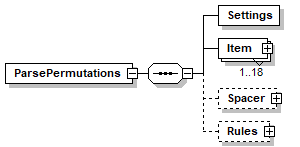
children Settings Item Spacer Rules
used by
group ParseChild
attributes
Name  Type  Use  Default  Fixed  Annotation
MinChar  xs:unsignedInt  optional  1    
documentation 
Sets the minimum number of words that can match this element.
appInfo 
Specify minimum number of tokens to match in parse element
appInfo 
min_words
appInfo 
true
MaxChar  xs:unsignedInt  optional  1    
documentation 
Sets the maximum number of words that can match this element.
appInfo 
Specify maximum number of tokens to match in parse element
appInfo 
max_words
appInfo 
true
MinWords  xs:unsignedInt  optional  1    
documentation 
Sets the minimum number of words that can match this element.
appInfo 
Specify minimum number of tokens to match in parse element
appInfo 
min_words
appInfo 
true
MaxWords  xs:unsignedInt  optional  1    
documentation 
Sets the maximum number of words that can match this element.
appInfo 
Specify maximum number of tokens to match in parse element
appInfo 
max_words
appInfo 
true
Optional  xs:string  optional  true    
documentation 
Specifies that the element is optional. (Note: this is not the same as setting min_words = 0.)
appInfo 
Allow the parse element to be ignored
appInfo 
optional
appInfo 
true
Terminator  TerminatorRanges  optional  space    
appInfo 
terminator
TerminatorDrop  xs:boolean  optional  false    
documentation 
Specifies that the terminator is dropped when the parser advances to the next token or when the parser starts the next token from the "including-the- terminator" character:
 Terminator_drop allows the parser to parse phrases like "4+4", where "+" is detected by the terminator and is then handled by the next parse command. 
include_terminator values:
  True:  The terminator is dropped
  False: The terminator is joined with the next token.
appInfo 
terminator_include
appInfo 
true
appInfo 
Keep/Drop the terminator for use in next element
Bind  TempVariableName  optional      
documentation 
Name of a temporary variable (excluding the "/temp" prefix) that will be bounded to the token matched by the parsing element. This variable may hold several different values while the parser tries to resolve the input.
When using 'bind' no complex variables are allowed, that is you can not use pointers references, randoms or '[' symbols.
appInfo 
bind
appInfo 
Name of a temporary variable excluding the  "/temp" prefix
appInfo 
true
Weight  Weight  optional      
documentation 
Used to overwrite the built-in sub weight calculation.
values are 0 to 1 as float or vb Const
appInfo 
weight
Accuracy    optional      
appInfo 
1
TrimMode  xs:string  optional      
documentation 

          TrimMode specifies how the system will handle the Trim streings:
          Normal- Try to solve without trimming, of successful then stop else try to trim.
          Prefere- First trim the string then try to solve, only if not successful then try nontrimmed string.
          Force- Allow only to trim.
          All - 
          Best -
          
appInfo 
trim_mode
TrimBind  TempVariableName  optional      
appInfo 
bind
appInfo 
true
TrimWeight  xs:float  optional      
documentation 

          Used to overwrite the built-in sub weight calculation.
          values are 0 to 1 as float
        
appInfo 
weight

element ParsePermutations/Settings
diagram
attributes
Name  Type  Use  Default  Fixed  Annotation
MaxLength  xs:integer  required      
documentation 
Maximum number of items in a set, including spacers (if specified)
MinLength  xs:integer  required      
documentation 
Minimum number of items in a set including spacers (if specified)
appInfo 
Minimum number of items in a set including spacers (if specified)
Mode  xs:string  required      
documentation 
Select which type of parse algorithem to use.
appInfo 
Select which type of parse algorithem to use.
Embed  xs:boolean  optional  true    
documentation 
Select whether to embed as much as possible (at least the 1'st level) from the compiled permutation into the owner clause or place it a a separate rule. 
appInfo 
Embed parts of the compiled permutation into the owner clause
PreTest  xs:boolean  optional  true    
documentation 
When true, the processor will first test the entire string to see if all the mandatory items exists before executing the diferent possible permutations. This is used to increase performancein cases where there are few mandatory items and the permutations number is very big
appInfo 
When true, the processor will first test the entire string to see if all the mandatory items exists before executing the diferent possible permutations. 

element ParsePermutations/Item
diagram
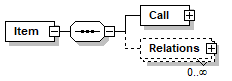
children Call Relations
attributes
Name  Type  Use  Default  Fixed  Annotation
ID  xs:Name  required      
MinOccurrences  xs:integer    1    
documentation 
The minimum of times this item must apear in the permutation
appInfo 
The minimum of times this item must apear in the permutation
appInfo 
min_occurrences
MaxOccurrences  xs:integer    1    
documentation 
The maximum of times this item must apear in the permutation
appInfo 
The maximum of times this item must apear in the permutation
appInfo 
max_occurrences
AllowPositions  xs:string  optional  All    
documentation 
You can set apecific positions for the item, allowed values are numbers from 0 to 9 specifying first place to 10th place or L0 to L9 specifying last position to 10th position from the end. multiple values can apear with space or comma as seperators. Also writing "All" will allow all positions (default).
Adding # means that after it the rest of the text is a comment
annotation
documentation 
Tries to match the input token to a complete parse procedure.
appInfo 
Inline - Match input token(s) to Parse defined elsewhere in the code
appInfo 
inline
appInfo 
true
documentation 
Tries to match the input token to a complete parse procedure.
appInfo 
Inline - Match input token(s) to Parse defined elsewhere in the code
appInfo 
inline
appInfo 
true
documentation 
Tries to match the input token to a complete parse procedure.
appInfo 
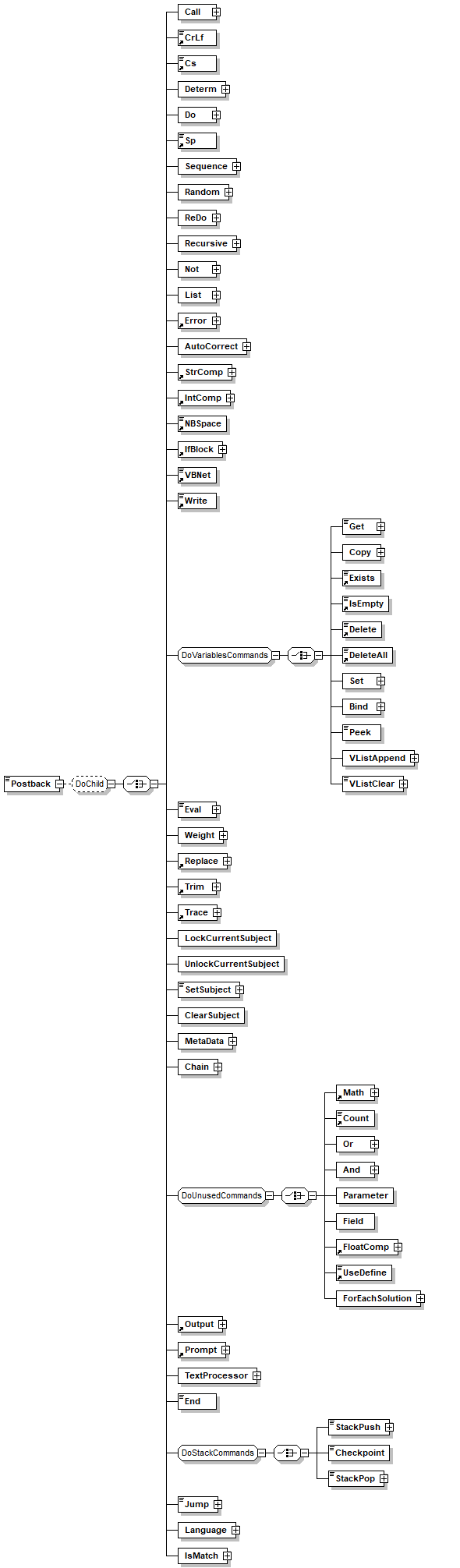
Inline - Match input token(s) to Parse defined elsewhere in the code
appInfo 
inline
appInfo 
true
documentation 
Tries to match the input token to a complete parse procedure.
appInfo 
Inline - Match input token(s) to Parse defined elsewhere in the code
appInfo 
inline
appInfo 
true

element ParsePermutations/Item/Call
diagram
children TrimBegin TrimEnd
attributes
Name  Type  Use  Default  Fixed  Annotation
MinChar  xs:unsignedInt  optional  1    
documentation 
Sets the minimum number of words that can match this element.
appInfo 
Specify minimum number of tokens to match in parse element
appInfo 
min_words
appInfo 
true
MaxChar  xs:unsignedInt  optional  1    
documentation 
Sets the maximum number of words that can match this element.
appInfo 
Specify maximum number of tokens to match in parse element
appInfo 
max_words
appInfo 
true
MinWords  xs:unsignedInt  optional  1    
documentation 
Sets the minimum number of words that can match this element.
appInfo 
Specify minimum number of tokens to match in parse element
appInfo 
min_words
appInfo 
true
MaxWords  xs:unsignedInt  optional  1    
documentation 
Sets the maximum number of words that can match this element.
appInfo 
Specify maximum number of tokens to match in parse element
appInfo 
max_words
appInfo 
true
Optional  xs:string  optional  true    
documentation 
Specifies that the element is optional. (Note: this is not the same as setting min_words = 0.)
appInfo 
Allow the parse element to be ignored
appInfo 
optional
appInfo 
true
Terminator  TerminatorRanges  optional  space    
appInfo 
terminator
TerminatorDrop  xs:boolean  optional  false    
documentation 
Specifies that the terminator is dropped when the parser advances to the next token or when the parser starts the next token from the "including-the- terminator" character:
 Terminator_drop allows the parser to parse phrases like "4+4", where "+" is detected by the terminator and is then handled by the next parse command. 
include_terminator values:
  True:  The terminator is dropped
  False: The terminator is joined with the next token.
appInfo 
terminator_include
appInfo 
true
appInfo 
Keep/Drop the terminator for use in next element
Bind  TempVariableName  optional      
documentation 
Name of a temporary variable (excluding the "/temp" prefix) that will be bounded to the token matched by the parsing element. This variable may hold several different values while the parser tries to resolve the input.
When using 'bind' no complex variables are allowed, that is you can not use pointers references, randoms or '[' symbols.
appInfo 
bind
appInfo 
Name of a temporary variable excluding the  "/temp" prefix
appInfo 
true
Weight  Weight  optional      
documentation 
Used to overwrite the built-in sub weight calculation.
values are 0 to 1 as float or vb Const
appInfo 
weight
Accuracy    optional      
appInfo 
1
TrimMode  xs:string  optional      
documentation 

          TrimMode specifies how the system will handle the Trim streings:
          Normal- Try to solve without trimming, of successful then stop else try to trim.
          Prefere- First trim the string then try to solve, only if not successful then try nontrimmed string.
          Force- Allow only to trim.
          All - 
          Best -
          
appInfo 
trim_mode
TrimBind  TempVariableName  optional      
appInfo 
bind
appInfo 
true
TrimWeight  xs:float  optional      
documentation 

          Used to overwrite the built-in sub weight calculation.
          values are 0 to 1 as float
        
appInfo 
weight
Name  parse_name  required      
appInfo 
name
appInfo 
RULENODE
annotation
documentation 
Tries to match the input token to a complete parse procedure.
appInfo 
Inline - Match input token(s) to Parse defined elsewhere in the code
appInfo 
inline
appInfo 
true
documentation 
Tries to match the input token to a complete parse procedure.
appInfo 
Inline - Match input token(s) to Parse defined elsewhere in the code
appInfo 
inline
appInfo 
true
documentation 
Tries to match the input token to a complete parse procedure.
appInfo 
Inline - Match input token(s) to Parse defined elsewhere in the code
appInfo 
inline
appInfo 
true
documentation 
Tries to match the input token to a complete parse procedure.
appInfo 
Inline - Match input token(s) to Parse defined elsewhere in the code
appInfo 
inline
appInfo 
true

element ParsePermutations/Item/Relations
diagram
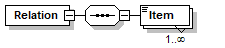
children Relation
annotation
documentation 
Specifies a set of relations between the owner item to another items
appInfo 
relation
appInfo 
Specifies a set of relations between the owner item to another items

element ParsePermutations/Item/Relations/Relation
diagram
children Item
attributes
Name  Type  Use  Default  Fixed  Annotation
Type  PermutationRelations  required      
annotation
documentation 
Specifies a relation between the owner item to another item
appInfo 
relation
appInfo 
Specifies a relation between the owner item to another item

element ParsePermutations/Item/Relations/Relation/Item
diagram
type xs:Name

element ParsePermutations/Spacer
diagram
children ForbiddenContent
attributes
Name  Type  Use  Default  Fixed  Annotation
AllowItems  xs:boolean  required      
documentation 
Can the spacer contain text that can match one of the items in the permutation
MaxOccurrences  xs:integer  optional  3    
documentation 
The maximum of times this item must apear in the permutation
appInfo 
The maximum of times this item must apear in the permutation
appInfo 
max_occurrences
AllowPositions  xs:string  optional  All    
documentation 
You can set apecific positions for the item, allowed values are numbers from 0 to 9 specifying first place to 10th place or L0 to L9 specifying last position to 10th position from the end. multiple values can apear with space or comma as seperators. Also writing "All" will allow all positions (default).
Adding # means that after it the rest of the text is a comment
Bind  TempVariableName  optional      
documentation 
Name of a temporary variable (excluding the "/temp" prefix) that will be bounded to the token matched by the parsing element. This variable may hold several different values while the parser tries to resolve the input.
When using 'bind' no complex variables are allowed, that is you can not use pointers references, randoms or '[' symbols.
appInfo 
bind
appInfo 
Name of a temporary variable excluding the  "/temp" prefix
appInfo 
true

element ParsePermutations/Spacer/ForbiddenContent
diagram
children Call

element ParsePermutations/Spacer/ForbiddenContent/Call
diagram
children TrimBegin TrimEnd
attributes
Name  Type  Use  Default  Fixed  Annotation
MinChar  xs:unsignedInt  optional  1    
documentation 
Sets the minimum number of words that can match this element.
appInfo 
Specify minimum number of tokens to match in parse element
appInfo 
min_words
appInfo 
true
MaxChar  xs:unsignedInt  optional  1    
documentation 
Sets the maximum number of words that can match this element.
appInfo 
Specify maximum number of tokens to match in parse element
appInfo 
max_words
appInfo 
true
MinWords  xs:unsignedInt  optional  1    
documentation 
Sets the minimum number of words that can match this element.
appInfo 
Specify minimum number of tokens to match in parse element
appInfo 
min_words
appInfo 
true
MaxWords  xs:unsignedInt  optional  1    
documentation 
Sets the maximum number of words that can match this element.
appInfo 
Specify maximum number of tokens to match in parse element
appInfo 
max_words
appInfo 
true
Optional  xs:string  optional  true    
documentation 
Specifies that the element is optional. (Note: this is not the same as setting min_words = 0.)
appInfo 
Allow the parse element to be ignored
appInfo 
optional
appInfo 
true
Terminator  TerminatorRanges  optional  space    
appInfo 
terminator
TerminatorDrop  xs:boolean  optional  false    
documentation 
Specifies that the terminator is dropped when the parser advances to the next token or when the parser starts the next token from the "including-the- terminator" character:
 Terminator_drop allows the parser to parse phrases like "4+4", where "+" is detected by the terminator and is then handled by the next parse command. 
include_terminator values:
  True:  The terminator is dropped
  False: The terminator is joined with the next token.
appInfo 
terminator_include
appInfo 
true
appInfo 
Keep/Drop the terminator for use in next element
Bind  TempVariableName  optional      
documentation 
Name of a temporary variable (excluding the "/temp" prefix) that will be bounded to the token matched by the parsing element. This variable may hold several different values while the parser tries to resolve the input.
When using 'bind' no complex variables are allowed, that is you can not use pointers references, randoms or '[' symbols.
appInfo 
bind
appInfo 
Name of a temporary variable excluding the  "/temp" prefix
appInfo 
true
Weight  Weight  optional      
documentation 
Used to overwrite the built-in sub weight calculation.
values are 0 to 1 as float or vb Const
appInfo 
weight
Accuracy    optional      
appInfo 
1
TrimMode  xs:string  optional      
documentation 

          TrimMode specifies how the system will handle the Trim streings:
          Normal- Try to solve without trimming, of successful then stop else try to trim.
          Prefere- First trim the string then try to solve, only if not successful then try nontrimmed string.
          Force- Allow only to trim.
          All - 
          Best -
          
appInfo 
trim_mode
TrimBind  TempVariableName  optional      
appInfo 
bind
appInfo 
true
TrimWeight  xs:float  optional      
documentation 

          Used to overwrite the built-in sub weight calculation.
          values are 0 to 1 as float
        
appInfo 
weight
Name  parse_name  required      
appInfo 
name
appInfo 
RULENODE
annotation
documentation 
Tries to match the input token to a complete parse procedure.
appInfo 
Inline - Match input token(s) to Parse defined elsewhere in the code
appInfo 
inline
appInfo 
true
documentation 
Tries to match the input token to a complete parse procedure.
appInfo 
Inline - Match input token(s) to Parse defined elsewhere in the code
appInfo 
inline
appInfo 
true
documentation 
Tries to match the input token to a complete parse procedure.
appInfo 
Inline - Match input token(s) to Parse defined elsewhere in the code
appInfo 
inline
appInfo 
true
documentation 
Tries to match the input token to a complete parse procedure.
appInfo 
Inline - Match input token(s) to Parse defined elsewhere in the code
appInfo 
inline
appInfo 
true

element ParsePermutations/Rules
diagram
children Switch Or

element ParsePermutations/Rules/Switch
diagram
children Item
attributes
Name  Type  Use  Default  Fixed  Annotation
Required  xs:boolean  optional  true    
documentation 
The minimum of times this item must apear in the permutation
appInfo 
The minimum of times this item must apear in the permutation
appInfo 
required
annotation
documentation 
Rule that specifies that only one of a set of permutation items may apear once in a solution. The rule itself has a Optional option to force one item from the set

element ParsePermutations/Rules/Switch/Item
diagram
type xs:Name

element ParsePermutations/Rules/Or
diagram
children Item

element ParsePermutations/Rules/Or/Item
diagram
type xs:Name

element Pattern
diagram
children Require Parse Do
used by
element Collection
attributes
Name  Type  Use  Default  Fixed  Annotation
Path  xs:string  optional      
documentation 
Used to hold the path of the clause in the compiler
appInfo 
true
Name  xs:Name  required      
documentation 
Use the name attribute to set explicitly a runtime ID for the pattern
appInfo 
name
appInfo 
true
appInfo 
Sets the name of the element
Rank  Rank  optional      
documentation 
The Rank is a number between 1 and 100 which indicates the emphasis to be placed on this pattern as a potential match for the input.  A Rank of 100 represents a perfect match which should overide other potential matches. You can also use rank names e.g. Normal, low, high ...
appInfo 
rank
appInfo 
true
Divs  Divs  optional      
documentation 
 Links the patterns to a multiple devisions
Disabled  xs:boolean  optional  true    
documentation 
Defines if the clause will be compiled
appInfo 
true
appInfo 
disabled
appInfo 
Prevents the item to be compiled
Run  xs:string  optional      
documentation 
Defines a method for running the pattern:
Normal
RunOnce - the patterns is executed only once per interaction
appInfo 
run
MatchType  xs:string  optional  Fixed    
appInfo 
true
Cache  xs:string  optional      
documentation 

todo doc
          
appInfo 
cache
CacheLifespan  amlduration  optional      
documentation 

todo doc
           
          
appInfo 
CacheLifespan
DetectError  xs:boolean  optional      
documentation 
tokens will enter the "unknown words" lists
EnterSubject  xs:string  optional      
Subjects  xs:string  optional      
documentation 
Empty - Enter any subject with weight panelty.
'*' - Enter any subject with weight panelty including locked
'%' - Enter any subject without weight panelty (excluding locked)
appInfo 
Empty - Enter any subject with weight panelty.
'*' - Enter any subject with weight panelty including locked
'%' - Enter any subject without weight panelty (excluding locked)
Keys  Keys  optional      
documentation 
Keys for chaning, key id used to concedure only part of the patterns.
appInfo 
key
DefaultVarPath  VariablePath  optional      
OverridePattern  xs:Name  optional      
documentation 
Use to override an existing pattern, this will simply remove the first pattern it finds with the specified name. It is intended to allow change in a shared file.
appInfo 
Use to override an existing pattern
BaseForm  xs:boolean  optional      
documentation 
For internal use, Use this if a specific patter should handle baseforms even if it does not have keys (fit with "_")
appInfo 
true
Checkpoint  xs:boolean  optional  false    
documentation 
If true, the key of the pattern (if has key) is logged to the report database.
later the data collected can be used to create usage graphs 
KeysUnique  xs:boolean  optional  false    
documentation 
Instruct the compiler link to ensure that the keys for this pattern are unique in the entire project
annotation
documentation 
Pattern element is the basic processing rule. It is comprised of two parts:
The "IF" and the "THEN" that corespond to LHS-Left Hand Side and RHS-Right Hand Side.
The LHS is made of several attributes and elements that combine to specify whether the rule will be activated for a specific input.
The RHS is made of a single element 'do' that specifes a list of actions to be performed.
appInfo 
Insert a clause of type pattern
appInfo 
pattern
appInfo 
true

element Pattern/Parse
diagram
children Fit Free List Like Integer Float Not And Best Or Shortcut Get Drop Call Parse ParseGreedy Test ParseBest ParsePermutations Regex Peek VBNetParse CsParse ParseAll OrAll Contains Fail Match Language Do
attributes
Name  Type  Use  Default  Fixed  Annotation
Optional  xs:boolean  optional  false    
annotation
documentation 
Parse element compares the input text to a complex template, that if is matched the pattern processing will continue.The Parse template is made from a collection of simple filters and logic operations.
appInfo 
parse
appInfo 
true
appInfo 
Defines a specific parse pattern for testing inout text.

element Prompt
diagram
children Type RegExPattern Mask Max Min Watermark InternalUse AutoCompleteClue AutoCompleteButtons ClearMenu Menu Progress ProgressClear
used by
group DoChild
annotation
documentation 
Force the user to a mask on input for text (where the channel supports, e.g. web) and force the user to use the buttons in the menu

element Prompt/Type
diagram
children Call CrLf Cs Determ Do Sp Sequence Random ReDo Recursive Not List Error AutoCorrect StrComp IntComp NBSpace IfBlock VBNet Write Get Copy Exists IsEmpty Delete DeleteAll Set Bind Peek VListAppend VListClear Eval Weight Replace Trim Trace LockCurrentSubject UnlockCurrentSubject SetSubject ClearSubject MetaData Chain Math Count Or And Parameter Field FloatComp UseDefine ForEachSolution Output Prompt TextProcessor End StackPush Checkpoint StackPop Jump Language IsMatch
annotation
documentation 
Mask for the input "locked","text","number","date","datetime"...   empty means everything is allowed

element Prompt/RegExPattern
diagram
children Call CrLf Cs Determ Do Sp Sequence Random ReDo Recursive Not List Error AutoCorrect StrComp IntComp NBSpace IfBlock VBNet Write Get Copy Exists IsEmpty Delete DeleteAll Set Bind Peek VListAppend VListClear Eval Weight Replace Trim Trace LockCurrentSubject UnlockCurrentSubject SetSubject ClearSubject MetaData Chain Math Count Or And Parameter Field FloatComp UseDefine ForEachSolution Output Prompt TextProcessor End StackPush Checkpoint StackPop Jump Language IsMatch

element Prompt/Mask
diagram
children Call CrLf Cs Determ Do Sp Sequence Random ReDo Recursive Not List Error AutoCorrect StrComp IntComp NBSpace IfBlock VBNet Write Get Copy Exists IsEmpty Delete DeleteAll Set Bind Peek VListAppend VListClear Eval Weight Replace Trim Trace LockCurrentSubject UnlockCurrentSubject SetSubject ClearSubject MetaData Chain Math Count Or And Parameter Field FloatComp UseDefine ForEachSolution Output Prompt TextProcessor End StackPush Checkpoint StackPop Jump Language IsMatch
annotation
documentation 
Mask specifies the input structure, e.g.  "__.__"

element Prompt/Max
diagram
children Call CrLf Cs Determ Do Sp Sequence Random ReDo Recursive Not List Error AutoCorrect StrComp IntComp NBSpace IfBlock VBNet Write Get Copy Exists IsEmpty Delete DeleteAll Set Bind Peek VListAppend VListClear Eval Weight Replace Trim Trace LockCurrentSubject UnlockCurrentSubject SetSubject ClearSubject MetaData Chain Math Count Or And Parameter Field FloatComp UseDefine ForEachSolution Output Prompt TextProcessor End StackPush Checkpoint StackPop Jump Language IsMatch
annotation
documentation 
Maximum (inclusive)  for the input field, used only with Type

element Prompt/Min
diagram
children Call CrLf Cs Determ Do Sp Sequence Random ReDo Recursive Not List Error AutoCorrect StrComp IntComp NBSpace IfBlock VBNet Write Get Copy Exists IsEmpty Delete DeleteAll Set Bind Peek VListAppend VListClear Eval Weight Replace Trim Trace LockCurrentSubject UnlockCurrentSubject SetSubject ClearSubject MetaData Chain Math Count Or And Parameter Field FloatComp UseDefine ForEachSolution Output Prompt TextProcessor End StackPush Checkpoint StackPop Jump Language IsMatch
annotation
documentation 
Minimum (inclusive)  for the input field, used only with Type

element Prompt/Watermark
diagram
children Call CrLf Cs Determ Do Sp Sequence Random ReDo Recursive Not List Error AutoCorrect StrComp IntComp NBSpace IfBlock VBNet Write Get Copy Exists IsEmpty Delete DeleteAll Set Bind Peek VListAppend VListClear Eval Weight Replace Trim Trace LockCurrentSubject UnlockCurrentSubject SetSubject ClearSubject MetaData Chain Math Count Or And Parameter Field FloatComp UseDefine ForEachSolution Output Prompt TextProcessor End StackPush Checkpoint StackPop Jump Language IsMatch
annotation
documentation 
Water mark to display in the input field

element Prompt/InternalUse
diagram
children Prompt_Type Prompt_Mask Prompt_Watermark Prompt_AutoCompleteClue Prompt_AutoCompleteButtons Prompt_Min Prompt_Max Prompt_RegExPattern Prompt_ClearMenu Prompt_Menu Prompt_Progress Prompt_ProgressClear
annotation
appInfo 
true

element Prompt/InternalUse/Prompt_Type
diagram

element Prompt/InternalUse/Prompt_Mask
diagram

element Prompt/InternalUse/Prompt_Watermark
diagram

element Prompt/InternalUse/Prompt_AutoCompleteClue
diagram

element Prompt/InternalUse/Prompt_AutoCompleteButtons
diagram

element Prompt/InternalUse/Prompt_Min
diagram

element Prompt/InternalUse/Prompt_Max
diagram

element Prompt/InternalUse/Prompt_RegExPattern
diagram

element Prompt/InternalUse/Prompt_ClearMenu
diagram

element Prompt/InternalUse/Prompt_Menu
diagram

element Prompt/InternalUse/Prompt_Progress
diagram

element Prompt/InternalUse/Prompt_ProgressClear
diagram

element Prompt/AutoCompleteClue
diagram
children Call CrLf Cs Determ Do Sp Sequence Random ReDo Recursive Not List Error AutoCorrect StrComp IntComp NBSpace IfBlock VBNet Write Get Copy Exists IsEmpty Delete DeleteAll Set Bind Peek VListAppend VListClear Eval Weight Replace Trim Trace LockCurrentSubject UnlockCurrentSubject SetSubject ClearSubject MetaData Chain Math Count Or And Parameter Field FloatComp UseDefine ForEachSolution Output Prompt TextProcessor End StackPush Checkpoint StackPop Jump Language IsMatch
attributes
Name  Type  Use  Default  Fixed  Annotation
Permanent  xs:boolean  optional  false    
annotation
documentation 
Provide a name of a set to the auto complete, so it will display correct values

element Prompt/AutoCompleteButtons
diagram
attributes
Name  Type  Use  Default  Fixed  Annotation
Permanent  xs:boolean  optional  false    
Enabled  xs:boolean  required      

element Prompt/ClearMenu
diagram

element Prompt/Menu
diagram
children Items

element Prompt/Progress
diagram
children Min Max Value Units Header

element Prompt/Progress/Min
diagram
children Call CrLf Cs Determ Do Sp Sequence Random ReDo Recursive Not List Error AutoCorrect StrComp IntComp NBSpace IfBlock VBNet Write Get Copy Exists IsEmpty Delete DeleteAll Set Bind Peek VListAppend VListClear Eval Weight Replace Trim Trace LockCurrentSubject UnlockCurrentSubject SetSubject ClearSubject MetaData Chain Math Count Or And Parameter Field FloatComp UseDefine ForEachSolution Output Prompt TextProcessor End StackPush Checkpoint StackPop Jump Language IsMatch

element Prompt/Progress/Max
diagram
children Call CrLf Cs Determ Do Sp Sequence Random ReDo Recursive Not List Error AutoCorrect StrComp IntComp NBSpace IfBlock VBNet Write Get Copy Exists IsEmpty Delete DeleteAll Set Bind Peek VListAppend VListClear Eval Weight Replace Trim Trace LockCurrentSubject UnlockCurrentSubject SetSubject ClearSubject MetaData Chain Math Count Or And Parameter Field FloatComp UseDefine ForEachSolution Output Prompt TextProcessor End StackPush Checkpoint StackPop Jump Language IsMatch

element Prompt/Progress/Value
diagram
children Call CrLf Cs Determ Do Sp Sequence Random ReDo Recursive Not List Error AutoCorrect StrComp IntComp NBSpace IfBlock VBNet Write Get Copy Exists IsEmpty Delete DeleteAll Set Bind Peek VListAppend VListClear Eval Weight Replace Trim Trace LockCurrentSubject UnlockCurrentSubject SetSubject ClearSubject MetaData Chain Math Count Or And Parameter Field FloatComp UseDefine ForEachSolution Output Prompt TextProcessor End StackPush Checkpoint StackPop Jump Language IsMatch

element Prompt/Progress/Units
diagram
children Call CrLf Cs Determ Do Sp Sequence Random ReDo Recursive Not List Error AutoCorrect StrComp IntComp NBSpace IfBlock VBNet Write Get Copy Exists IsEmpty Delete DeleteAll Set Bind Peek VListAppend VListClear Eval Weight Replace Trim Trace LockCurrentSubject UnlockCurrentSubject SetSubject ClearSubject MetaData Chain Math Count Or And Parameter Field FloatComp UseDefine ForEachSolution Output Prompt TextProcessor End StackPush Checkpoint StackPop Jump Language IsMatch

element Prompt/Progress/Header
diagram
children Call CrLf Cs Determ Do Sp Sequence Random ReDo Recursive Not List Error AutoCorrect StrComp IntComp NBSpace IfBlock VBNet Write Get Copy Exists IsEmpty Delete DeleteAll Set Bind Peek VListAppend VListClear Eval Weight Replace Trim Trace LockCurrentSubject UnlockCurrentSubject SetSubject ClearSubject MetaData Chain Math Count Or And Parameter Field FloatComp UseDefine ForEachSolution Output Prompt TextProcessor End StackPush Checkpoint StackPop Jump Language IsMatch

element Prompt/ProgressClear
diagram

element Replace
diagram
children Expression List Find ReplaceWith
used by
group DoChild
attributes
Name  Type  Use  Default  Fixed  Annotation
Occurrences  xs:string  optional      
Separator  SeparatorType  optional      
SeparatorBegin  SeparatorType  optional      
SeparatorEnd  SeparatorType  optional      
FailOn  xs:string  optional      
ReduceMultiSpace  xs:boolean  optional      
annotation
documentation 
Replaces tokens inside the string. The input is an expression to be replaced. The replacement can be defined in three ways:
1. by find and replace the expression with a new string.
2. by find and replace the expression in a list, in a way that the matched keys in the list are the ones to be matched and replaced.
3. by find and replace the expression in a list, in a way that after matching the keys in the list. the values of the matched keys are the ones to be replaced in the list.
appInfo 
replace
appInfo 
Finds and Replaces a matching string in an expression.

element Replace/Expression
diagram
children Call CrLf Cs Determ Do Sp Sequence Random ReDo Recursive Not List Error AutoCorrect StrComp IntComp NBSpace IfBlock VBNet Write Get Copy Exists IsEmpty Delete DeleteAll Set Bind Peek VListAppend VListClear Eval Weight Replace Trim Trace LockCurrentSubject UnlockCurrentSubject SetSubject ClearSubject MetaData Chain Math Count Or And Parameter Field FloatComp UseDefine ForEachSolution Output Prompt TextProcessor End StackPush Checkpoint StackPop Jump Language IsMatch
annotation
documentation 
 Expression doc
appInfo 
value
appInfo 
false
appInfo 
 Expression doc

element Replace/List
diagram
attributes
Name  Type  Use  Default  Fixed  Annotation
Name  list_name  required      
annotation
documentation 
List used for replacing, the list properties such as MatchType will apply
appInfo 
List used for Replace
appInfo 
list
appInfo 
true

element Replace/Find
diagram
children Call CrLf Cs Determ Do Sp Sequence Random ReDo Recursive Not List Error AutoCorrect StrComp IntComp NBSpace IfBlock VBNet Write Get Copy Exists IsEmpty Delete DeleteAll Set Bind Peek VListAppend VListClear Eval Weight Replace Trim Trace LockCurrentSubject UnlockCurrentSubject SetSubject ClearSubject MetaData Chain Math Count Or And Parameter Field FloatComp UseDefine ForEachSolution Output Prompt TextProcessor End StackPush Checkpoint StackPop Jump Language IsMatch
annotation
documentation 
The value to replace wih
appInfo 
The value to replace wih
appInfo 
value
appInfo 
true

element Replace/ReplaceWith
diagram
children Call CrLf Cs Determ Do Sp Sequence Random ReDo Recursive Not List Error AutoCorrect StrComp IntComp NBSpace IfBlock VBNet Write Get Copy Exists IsEmpty Delete DeleteAll Set Bind Peek VListAppend VListClear Eval Weight Replace Trim Trace LockCurrentSubject UnlockCurrentSubject SetSubject ClearSubject MetaData Chain Math Count Or And Parameter Field FloatComp UseDefine ForEachSolution Output Prompt TextProcessor End StackPush Checkpoint StackPop Jump Language IsMatch
annotation
documentation 
Value to search for
appInfo 
Value to search for
appInfo 
key
appInfo 
true

element Require
diagram
children And Or Not VBNetRequire CsRequire Weight Exists IsEmpty Contains
used by
elements Interaction Pattern
annotation
documentation 
The test section of the pattern is used to decide whether or not to continue processing the pattern.  Test may check values from the profile, external inputs or time-date, thus allowing the pattern to behave differently at different times and for different users.
appInfo 
true
appInfo 
test
appInfo 
Allow to test variables values or external inputs.

element Root
diagram
children Collection

element Rule
diagram
children Fit Free List Like Integer Float Not And Best Or Shortcut Get Drop Call Parse ParseGreedy Test ParseBest ParsePermutations Regex Peek VBNetParse CsParse ParseAll OrAll Contains Fail Match Language Do
used by
element Collection
attributes
Name  Type  Use  Default  Fixed  Annotation
Path  xs:string  optional      
documentation 
Used to hold the path of the clause in the compiler
appInfo 
true
Name  xs:string        
documentation 
The name of the parse, to be referenced by the other patterns
appInfo 
name
appInfo 
The name of the parse, to be referenced by the other patterns
appInfo 
true
Private  xs:boolean  optional  true    
documentation 
Specifies if the item is private, that is, only clauses from the same file may reference it.
appInfo 
true
appInfo 
private
appInfo 
Specifies if the item is private, that is, only clauses from the same file may reference it.
Disabled  xs:boolean  optional  true    
documentation 
Defines if the clause will be compiled
appInfo 
true
appInfo 
disabled
appInfo 
Prevents the item to be compiled
WeightMin  xs:float  optional  0    
documentation 
Specifies a minimum weight for the Parse element to be concidured successful.
values are normanlized to scale of 0 to 1.
appInfo 
Specifies a minimum weight for the Parse element to be concidured successful.
values are normanlized to scale of 0 to 1.
appInfo 
weightmin
Binds  xs:string  optional      
documentation 
Determine handling the internal binds and what to pass to the caller. Private - all binds are private and the entire Rule returns a value generated in the Do part. Public - binds are accesible to the caller. Return - binds are private returns the first variable found that has the name 'return'
appInfo 
binds
UseInWordSearch  xs:boolean  optional  true    
documentation 
Used to disable the unknown words search for this rule. This is important in cases where the rule assumes that a nother rule ran before it (for example updating a global)
appInfo 
Used to disable the unknown words search for this rule.
annotation
documentation 
A 'parse' clause is a set of parsing elements that can be used in different patterns by referencing the 'parse' clause name using the 'inline' element.This is not a function call but the 'parse' clause is fully copied into the target element.'Parse’ clauses may be nested, that is they can reference themselves using the 'inline' element. 
appInfo 
parse
appInfo 
true
appInfo 
solo

element Set
diagram
children Call CrLf Cs Determ Do Sp Sequence Random ReDo Recursive Not List Error AutoCorrect StrComp IntComp NBSpace IfBlock VBNet Write Get Copy Exists IsEmpty Delete DeleteAll Set Bind Peek VListAppend VListClear Eval Weight Replace Trim Trace LockCurrentSubject UnlockCurrentSubject SetSubject ClearSubject MetaData Chain Math Count Or And Parameter Field FloatComp UseDefine ForEachSolution Output Prompt TextProcessor End StackPush Checkpoint StackPop Jump Language IsMatch
used by
group DoParseChild
attributes
Name  Type  Use  Default  Fixed  Annotation
Name  VariableName  required      
documentation 
Name of the variable to set
appInfo 
set
appInfo 
true
appInfo 
Name of variable to set
annotation
documentation 
Sets the value of a variable, the value to set is generated from executing the children of the element and combining the output buffers into a string.
appInfo 
Set a value of a variable
appInfo 
set
appInfo 
true
appInfo 
Variables

element Sp
diagram
type restriction of xs:string
used by
groups DoChild DoParseChild
facets
length 0
annotation
documentation 
This is a simple replacement for writing a single whitespace in write.
Write element with just a single space will collapse upon save thus the space will be lost.
appInfo 
sp
appInfo 
write single space

element StrComp
diagram
children Call CrLf Cs Determ Do Sp Sequence Random ReDo Recursive Not List Error AutoCorrect StrComp IntComp NBSpace IfBlock VBNet Write Get Copy Exists IsEmpty Delete DeleteAll Set Bind Peek VListAppend VListClear Eval Weight Replace Trim Trace LockCurrentSubject UnlockCurrentSubject SetSubject ClearSubject MetaData Chain Math Count Or And Parameter Field FloatComp UseDefine ForEachSolution Output Prompt TextProcessor End StackPush Checkpoint StackPop Jump Language IsMatch
used by
groups DoChild DoParseChild
attributes
Name  Type  Use  Default  Fixed  Annotation
Operator  xs:string  optional      
annotation
documentation 
Compares two values as strings. If the strings are the same true is returned, if not false. This command does not write to the output buffer; it is not case sensitive.
appInfo 
Compare two values as strings. 
appInfo 
true
appInfo 
strcomp
appInfo 
do/strcomp
appInfo 
Variables

element Terminator_Hide
diagram
annotation
documentation 

        !!!!! hidden element !!!!!!!!!!!!!!!!
        Replace by the compiler
      

element TerminatorChar_Hide
diagram
annotation
documentation 

        !!!!! hidden element !!!!!!!!!!!!!!!!
        Replace by the compiler
      

element Trace
diagram
children Call CrLf Cs Determ Do Sp Sequence Random ReDo Recursive Not List Error AutoCorrect StrComp IntComp NBSpace IfBlock VBNet Write Get Copy Exists IsEmpty Delete DeleteAll Set Bind Peek VListAppend VListClear Eval Weight Replace Trim Trace LockCurrentSubject UnlockCurrentSubject SetSubject ClearSubject MetaData Chain Math Count Or And Parameter Field FloatComp UseDefine ForEachSolution Output Prompt TextProcessor End StackPush Checkpoint StackPop Jump Language IsMatch
used by
groups DoChild DoParseChild
attributes
Name  Type  Use  Default  Fixed  Annotation
Type  TraceType        
annotation
documentation 
Trace
appInfo 
Trace to the output string
appInfo 
trace

element Trim
diagram
children Expression TrimWhat
used by
group DoChild
attributes
Name  Type  Use  Default  Fixed  Annotation
Operator  xs:string  optional      
ReduceMultiSpace  xs:boolean  optional  true    
annotation
documentation 
Removes characters from either begining and/or end of the string.The input is an expression string to reduce from and a TrimWhat parameter which defines what character list to reduce from the input string.

For example:

 <Trim Operator="Last" ReduceMultiSpace="true">
	<Expression>
		<Get>/temp/t</Get>
	</Expression>
	<TrimWhat>?,$</TrimWhat>
</Trim>
appInfo 
trim
appInfo 
Removes characters list from the begining and/or end an input string.

element Trim/Expression
diagram
children Call CrLf Cs Determ Do Sp Sequence Random ReDo Recursive Not List Error AutoCorrect StrComp IntComp NBSpace IfBlock VBNet Write Get Copy Exists IsEmpty Delete DeleteAll Set Bind Peek VListAppend VListClear Eval Weight Replace Trim Trace LockCurrentSubject UnlockCurrentSubject SetSubject ClearSubject MetaData Chain Math Count Or And Parameter Field FloatComp UseDefine ForEachSolution Output Prompt TextProcessor End StackPush Checkpoint StackPop Jump Language IsMatch

element Trim/TrimWhat
diagram
type SeparatorType
facets
pattern (\[Any\])|((\[(Hebrew|English|Number)\]|\[\w-\w\]|\w|\\\\|\\\[|\\\]|[_'`^\w -A{-¾])*)

element UseDefine
diagram
type DefineName
used by
group DoUnusedCommands
annotation
documentation 
Places a predefined item
appInfo 
Places a predefined item
appInfo 
place
appInfo 
true

element VBNet
diagram
type extension of vbnet
used by
groups DoChild DoParseChild
attributes
Name  Type  Use  Default  Fixed  Annotation
FunctionName  xs:string  optional      
annotation
appInfo 
vbnet

element VBNetParse
diagram
type extension of vbnet
used by
group ParseChild
attributes
Name  Type  Use  Default  Fixed  Annotation
FunctionName  xs:string  optional      
Bind  TempVariableName  optional      
documentation 
Name of a temporary variable (excluding the "/temp" prefix) that will be bounded to the token matched by the parsing element. This variable may hold several different values while the parser tries to resolve the input.
When using 'bind' no complex variables are allowed, that is you can not use pointers references, randoms or '[' symbols.
appInfo 
bind
appInfo 
Name of a temporary variable excluding the  "/temp" prefix
appInfo 
true
annotation
appInfo 
vbnet

element VBNetRequire
diagram
type extension of vbnet
used by
group PreTestChildren
attributes
Name  Type  Use  Default  Fixed  Annotation
FunctionName  xs:string  optional      
annotation
appInfo 
vbnet

element Weight
diagram
children Delete DeleteAll Write Do Determ IfBlock Get Peek Bind List Count VBNet IsEmpty Exists Field Trace Not StrComp Sp Set Weight ShortcutsApply
used by
group PreTestChildren
annotation
documentation 
Provides a number between 0-1 to reduce the weight of the input string.
appInfo 
weight

element Write
diagram
type extension of xs:string
used by
groups DoChild DoParseChild
attributes
Name  Type  Use  Default  Fixed  Annotation
Language  Language  optional      
annotation
documentation 
Writes element text to selected output. Text can include white spaces; XML rules apply to the text. It is best not to include CR, LF or other formating within write; instead, use the appropriate elements.
 Note: Write must include more characters than spaces only, or the editor and compiler will collapse the space!
appInfo 
Specify a text to be appended to buffer
appInfo 
write
appInfo 
true

group DoChild
diagram
children Call CrLf Cs Determ Do Sp Sequence Random ReDo Recursive Not List Error AutoCorrect StrComp IntComp NBSpace IfBlock VBNet Write Get Copy Exists IsEmpty Delete DeleteAll Set Bind Peek VListAppend VListClear Eval Weight Replace Trim Trace LockCurrentSubject UnlockCurrentSubject SetSubject ClearSubject MetaData Chain Math Count Or And Parameter Field FloatComp UseDefine ForEachSolution Output Prompt TextProcessor End StackPush Checkpoint StackPop Jump Language IsMatch
used by
elements OutputChildren/RequestFile/Accept DoUnusedCommands/And Prompt/AutoCompleteClue OutputChildren/VList/Bullet OutputChildren/Image/Data OutputChildren/Media/Data OutputChildren/Dialer IfBlock/Else IfBlock/ElseIf IfBlock/ElseIf Interaction/Response/Fallback OutputChildren/Media/File OutputChildren/Raw/File FloatComp FloatComp Interaction/Response/GiveUp OutputChildren/Group OutputChildren/Header OutputChildren/RatingMatrix/Header IfBlock/If DoChild/TextProcessor/Input IntComp DoChild/IsMatch OutputChildren/RatingMatrix/Rows/Row/Key OutputChildren/Media/Key OutputChildren/Select/Items/Item/Key OutputChildren/Video/Key OutputChildren/MultiSelect/Items/Item/Key OutputChildren/Navigate/Label OutputChildren/Media/Label OutputChildren/MultiSelect/Label OutputChildren/MultiSelect/Items/Item/Label OutputChildren/RatingMatrix/Rows/Row/Label OutputChildren/RequestFile/Label OutputChildren/RequestSignature/Label OutputChildren/Select/Items/Item/Label OutputChildren/Video/Label OutputChildren/RequestPicture/Label OutputChildren/Navigate/Latitude OutputChildren/RatingMatrix/Levels OutputChildren/Rating/Levels OutputChildren/Link OutputChildren/Navigate/Longitude Prompt/Mask Math Prompt/Max Prompt/Min OutputChildren/VList/Name DoStackCommands/StackPush/Name Database/ConnectionString/Parameter/Name DoVariablesCommands/VListAppend/Name DoChild/Not DoUnusedCommands/Or OutputChildren/Dialer/PhoneNumber OutputChildren/RequestLink/Postback OutputChildren/RequestFile/Postback OutputChildren/RequestLocation/Postback OutputChildren/Dialer/Postback OutputChildren/RequestSignature/Postback OutputChildren/Select/Postback OutputChildren/RatingMatrix/Postback OutputChildren/Select/Items/Item/Postback OutputChildren/Link/Postback OutputChildren/RequestPicture/Postback OutputChildren/Rating/Postback OutputChildren/Navigate/Postback OutputChildren/Video/Postback OutputChildren/MultiSelect/Postback Interaction/Prompt Prompt/RegExPattern OutputChildren/RequestLink OutputChildren/RequestLocation OutputChildren/Media/Resource OutputChildren/VList/Separator OutputChildren/SetIntent OutputChildren/SetResult OutputChildren/SetSubject DoChild/SetSubject OutputChildren/SetSummary DoStackCommands/StackPop DoStackCommands/StackPush StrComp OutputChildren/MultiSelect/SubmitLabel OutputChildren/RatingMatrix/SubmitLabel OutputChildren/Raw/Text OutputChildren/Text OutputChildren/RequestSignature/Tip OutputChildren/RequestFile/Tip OutputChildren/RequestPicture/Tip OutputChildren/Rating/Tip OutputChildren/RatingMatrix/Tip Interaction/Response/Try Prompt/Type OutputChildren/Rating/Type OutputChildren/Video/Type OutputChildren/RatingMatrix/Type OutputChildren/Media/Url OutputChildren/Image/Url DoVariablesCommands/VListAppend/Value Database/ConnectionString/Parameter/Value Prompt/Watermark
group DoChildren
annotation
documentation 
A group of possible actions in do (e.g., write, var_get...). This is stored as a group to allow access to the same actions through other action- grouping elements (Determ, Random...). The different child elements are organized as a list of selections.
appInfo 
DoChildren
appInfo 
DoChildren
appInfo 
true

element DoChild/Call
diagram
children Call CrLf Cs Determ Do Sp Sequence Random ReDo Recursive Not List Error AutoCorrect StrComp IntComp NBSpace IfBlock VBNet Write Get Copy Exists IsEmpty Delete DeleteAll Set Bind Peek VListAppend VListClear Eval Weight Replace Trim Trace LockCurrentSubject UnlockCurrentSubject SetSubject ClearSubject MetaData Chain Math Count Or And Parameter Field FloatComp UseDefine ForEachSolution Output Prompt TextProcessor End StackPush Checkpoint StackPop Jump Language IsMatch
attributes
Name  Type  Use  Default  Fixed  Annotation
Key  Key  required      
annotation
documentation 
Creates a new engine and runs it using the Key and node children as input; it then appends the result to the buffer.
Call is slower then Chain. For this reason  if there is no need to combine results use Chain.
appInfo 
Recursivly call another pattern by Key
appInfo 
call
appInfo 
true
appInfo 
Flow

element DoChild/Determ
diagram
children Call CrLf Cs Determ Do Sp Sequence Random ReDo Recursive Not List Error AutoCorrect StrComp IntComp NBSpace IfBlock VBNet Write Get Copy Exists IsEmpty Delete DeleteAll Set Bind Peek VListAppend VListClear Eval Weight Replace Trim Trace LockCurrentSubject UnlockCurrentSubject SetSubject ClearSubject MetaData Chain Math Count Or And Parameter Field FloatComp UseDefine ForEachSolution Output Prompt TextProcessor End StackPush Checkpoint StackPop Jump Language IsMatch
annotation
documentation 
Determ will try to perform one of its children following the physical order in which they are set out. It will do this until one child returns a SUCCESSFUL status. If all children are marked FAIL, then determ will mark itself as FAIL.
 Note: Multiple determ elements can be nested.
appInfo 
Determ - Sequentialy try to execute children elements
appInfo 
determ
appInfo 
true
appInfo 
do/determ
appInfo 
Flow

element DoChild/Do
diagram
children Call CrLf Cs Determ Do Sp Sequence Random ReDo Recursive Not List Error AutoCorrect StrComp IntComp NBSpace IfBlock VBNet Write Get Copy Exists IsEmpty Delete DeleteAll Set Bind Peek VListAppend VListClear Eval Weight Replace Trim Trace LockCurrentSubject UnlockCurrentSubject SetSubject ClearSubject MetaData Chain Math Count Or And Parameter Field FloatComp UseDefine ForEachSolution Output Prompt TextProcessor End StackPush Checkpoint StackPop Jump Language IsMatch
annotation
documentation 
'do' element has several meanings:
1) 'do' acts as the RHS part of patterns. It contains all the executable action to be taken by the pattern.
2) When used inside another 'do', it simply acts as a container for a set of elements. When called it will call all of it's child elements disregarding the return status of those elements.
3) When used inside 'parse', it must be the last element in the parse, 'do' can be used to make more tests over bounded variables. If any of it's child elements will fail, it will fail the 'parse' element itself. However it will allways execute all of it's child elements.
appInfo 
Execute a list of actions.
appInfo 
do
appInfo 
true
appInfo 
Flow
appInfo 
do/do

element DoChild/Sequence
diagram
children Call CrLf Cs Determ Do Sp Sequence Random ReDo Recursive Not List Error AutoCorrect StrComp IntComp NBSpace IfBlock VBNet Write Get Copy Exists IsEmpty Delete DeleteAll Set Bind Peek VListAppend VListClear Eval Weight Replace Trim Trace LockCurrentSubject UnlockCurrentSubject SetSubject ClearSubject MetaData Chain Math Count Or And Parameter Field FloatComp UseDefine ForEachSolution Output Prompt TextProcessor End StackPush Checkpoint StackPop Jump Language IsMatch
attributes
Name  Type  Use  Default  Fixed  Annotation
Context  xs:string  optional  Session    
documentation 
In which context to save the sequence state, if stored in session then it will restart on every session.
OnLastRestart  xs:boolean  optional  true    
documentation 
When on the last item, should the next item be the first, default is true
annotation
documentation 
Sequence will try to execute its children sequencialy until one child returns a SUCCESSFUL status. If all child elements are marked FAIL them Sequence will mark itself as FAIL.
appInfo 
Sequence - Select sequence child to execute
appInfo 
sequence
appInfo 
true
appInfo 
master
appInfo 
Flow

element DoChild/Random
diagram
children Call CrLf Cs Determ Do Sp Sequence Random ReDo Recursive Not List Error AutoCorrect StrComp IntComp NBSpace IfBlock VBNet Write Get Copy Exists IsEmpty Delete DeleteAll Set Bind Peek VListAppend VListClear Eval Weight Replace Trim Trace LockCurrentSubject UnlockCurrentSubject SetSubject ClearSubject MetaData Chain Math Count Or And Parameter Field FloatComp UseDefine ForEachSolution Output Prompt TextProcessor End StackPush Checkpoint StackPop Jump Language IsMatch
annotation
documentation 
Random will try to execute its children randomly until one child returns a SUCCESSFUL status. If all child elements are marked FAIL them random will mark itself as FAIL.
appInfo 
Random - Select random child to execute
appInfo 
random
appInfo 
true
appInfo 
master
appInfo 
Flow

element DoChild/ReDo
diagram
children Call CrLf Cs Determ Do Sp Sequence Random ReDo Recursive Not List Error AutoCorrect StrComp IntComp NBSpace IfBlock VBNet Write Get Copy Exists IsEmpty Delete DeleteAll Set Bind Peek VListAppend VListClear Eval Weight Replace Trim Trace LockCurrentSubject UnlockCurrentSubject SetSubject ClearSubject MetaData Chain Math Count Or And Parameter Field FloatComp UseDefine ForEachSolution Output Prompt TextProcessor End StackPush Checkpoint StackPop Jump Language IsMatch
annotation
documentation 
Sets a redo flag for the pattern. This forces the complete output buffer to be resubmitted to the engine (i.e., recursive).  The output resubmitted by Redo cannot be combined with regular output (write) -- for a combined output, use Recursive. 
appInfo 
Instruct the engine to send the complete generated output of the pattern back as a new input.
appInfo 
true
appInfo 
redo
appInfo 
master
appInfo 
Flow

element DoChild/Recursive
diagram
children Call CrLf Cs Determ Do Sp Sequence Random ReDo Recursive Not List Error AutoCorrect StrComp IntComp NBSpace IfBlock VBNet Write Get Copy Exists IsEmpty Delete DeleteAll Set Bind Peek VListAppend VListClear Eval Weight Replace Trim Trace LockCurrentSubject UnlockCurrentSubject SetSubject ClearSubject MetaData Chain Math Count Or And Parameter Field FloatComp UseDefine ForEachSolution Output Prompt TextProcessor End StackPush Checkpoint StackPop Jump Language IsMatch
attributes
Name  Type  Use  Default  Fixed  Annotation
annotation
documentation 
Creates a new engine and runs it using the node children as input; it then appends the result to the buffer.
Recursive is slower then Redo. For this reason  if there is no need to combine results use Redo.
appInfo 
Recursivly generates a reply for the input and add it to the buffer.
appInfo 
recursive
appInfo 
true
appInfo 
Flow

element DoChild/Not
diagram
children Call CrLf Cs Determ Do Sp Sequence Random ReDo Recursive Not List Error AutoCorrect StrComp IntComp NBSpace IfBlock VBNet Write Get Copy Exists IsEmpty Delete DeleteAll Set Bind Peek VListAppend VListClear Eval Weight Replace Trim Trace LockCurrentSubject UnlockCurrentSubject SetSubject ClearSubject MetaData Chain Math Count Or And Parameter Field FloatComp UseDefine ForEachSolution Output Prompt TextProcessor End StackPush Checkpoint StackPop Jump Language IsMatch
annotation
documentation 
Inverts the status of the child nodes
appInfo 
Invert the status of the child nodes
appInfo 
true
appInfo 
not
appInfo 
master
appInfo 
Logic
appInfo 
do/not

element DoChild/List
diagram
children Call CrLf Cs Determ Do Sp Sequence Random ReDo Recursive Not List Error AutoCorrect StrComp IntComp NBSpace IfBlock VBNet Write Get Copy Exists IsEmpty Delete DeleteAll Set Bind Peek VListAppend VListClear Eval Weight Replace Trim Trace LockCurrentSubject UnlockCurrentSubject SetSubject ClearSubject MetaData Chain Math Count Or And Parameter Field FloatComp UseDefine ForEachSolution Output Prompt TextProcessor End StackPush Checkpoint StackPop Jump Language IsMatch
attributes
Name  Type  Use  Default  Fixed  Annotation
Name  list_name  required      
appInfo 
name
appInfo 
listnode
appInfo 
do/list/@name
Tolerance    optional      
documentation 
Specifies the number of changes between two tokens. A change is a replacement deletion or insert of a single character.
appInfo 
tolerance
ToleranceMethod  TolecranceMethod  optional      
appInfo 
tolerancemethod
MaxTolerance    optional      
documentation 
Specify maximum tolerance in case of variable tolerance method (e.g Linear)
annotation
documentation 
Searches a list for the specified key and returns the values ascosiated with that key. If the key can not be found an empty string is returned and the element's fail status is activated.
appInfo 
list
appInfo 
Returns the value ascocited with the specified key
appInfo 
true
appInfo 
do/list

element DoChild/AutoCorrect
diagram
children Call CrLf Cs Determ Do Sp Sequence Random ReDo Recursive Not List Error AutoCorrect StrComp IntComp NBSpace IfBlock VBNet Write Get Copy Exists IsEmpty Delete DeleteAll Set Bind Peek VListAppend VListClear Eval Weight Replace Trim Trace LockCurrentSubject UnlockCurrentSubject SetSubject ClearSubject MetaData Chain Math Count Or And Parameter Field FloatComp UseDefine ForEachSolution Output Prompt TextProcessor End StackPush Checkpoint StackPop Jump Language IsMatch
attributes
Name  Type  Use  Default  Fixed  Annotation
RemoveEndPunctuation  xs:boolean  optional  false    
documentation 
Removes punctuation symbol at the end of the input (e.g. '?', '!', '.' ...)
appInfo 
Removes end punctuation symbols.
appInfo 
true
appInfo 
removeendpunctuation
RemoveStartPunctuation  xs:boolean  optional  false    
documentation 
Removes punctuation symbol at the begining of the input (e.g. '?', '!', '.' ...).
appInfo 
removestartpunctuation
appInfo 
true
appInfo 
Removes begining punctuation symbols.
HebrewFinalLetterFixup  xs:boolean  optional  false    
documentation 
1) Find all the places where final letters in hebrew are followed by a letter or digit for example "יוםשני".   so the ם should be replaced with מ and a space, so the result should be "יומ שני"
2) Replace all the final letters to regular letters
ץ    --->  צ
ף  ----> פ
ם   ---> מ
ך ----> כ
appInfo 
element
appInfo 
true
appInfo 
Remove hebrew final letters
annotation
documentation 
Performs autocorrect dictionary on the input
appInfo 
Perform auto correct dictionary on the input
appInfo 
autocorrect
appInfo 
false
appInfo 
do/autocorrect

element DoChild/Eval
diagram
children Call CrLf Cs Determ Do Sp Sequence Random ReDo Recursive Not List Error AutoCorrect StrComp IntComp NBSpace IfBlock VBNet Write Get Copy Exists IsEmpty Delete DeleteAll Set Bind Peek VListAppend VListClear Eval Weight Replace Trim Trace LockCurrentSubject UnlockCurrentSubject SetSubject ClearSubject MetaData Chain Math Count Or And Parameter Field FloatComp UseDefine ForEachSolution Output Prompt TextProcessor End StackPush Checkpoint StackPop Jump Language IsMatch
attributes
Name  Type  Use  Default  Fixed  Annotation
As  xs:string  optional      
documentation 
Optionally specify the type of value from the evaluation, if not specified the processor will try to determine the type in runtime
annotation
documentation 
Evaluate the text using VBScript engine
appInfo 
Evaluate the text using VBScript engine
appInfo 
element
appInfo 
true
appInfo 
Math
appInfo 
true

element DoChild/Weight
diagram
children Delete DeleteAll Write Do Determ IfBlock Get Peek Bind List Count VBNet IsEmpty Exists Field Trace Not StrComp Sp Set Weight ShortcutsApply
annotation
appInfo 
weight

element DoChild/LockCurrentSubject
diagram
annotation
appInfo 
locksubject
documentation 
prevent other patterns from changing the subject, the system will concedure only element in the current subject or *
appInfo 
Locks the current subject, only allowed pattern will be concedured

element DoChild/UnlockCurrentSubject
diagram

element DoChild/SetSubject
diagram
children Call CrLf Cs Determ Do Sp Sequence Random ReDo Recursive Not List Error AutoCorrect StrComp IntComp NBSpace IfBlock VBNet Write Get Copy Exists IsEmpty Delete DeleteAll Set Bind Peek VListAppend VListClear Eval Weight Replace Trim Trace LockCurrentSubject UnlockCurrentSubject SetSubject ClearSubject MetaData Chain Math Count Or And Parameter Field FloatComp UseDefine ForEachSolution Output Prompt TextProcessor End StackPush Checkpoint StackPop Jump Language IsMatch

element DoChild/ClearSubject
diagram
annotation
documentation 
Clears the current subject, thus allowing all relevant patterns to be concedured 

element DoChild/MetaData
diagram
children Call CrLf Cs Determ Do Sp Sequence Random ReDo Recursive Not List Error AutoCorrect StrComp IntComp NBSpace IfBlock VBNet Write Get Copy Exists IsEmpty Delete DeleteAll Set Bind Peek VListAppend VListClear Eval Weight Replace Trim Trace LockCurrentSubject UnlockCurrentSubject SetSubject ClearSubject MetaData Chain Math Count Or And Parameter Field FloatComp UseDefine ForEachSolution Output Prompt TextProcessor End StackPush Checkpoint StackPop Jump Language IsMatch
attributes
Name  Type  Use  Default  Fixed  Annotation
Name  MetaDataItems  required      
documentation 
The name of the metadata attribute apended to the XML output from the processor.
appInfo 
name
appInfo 
true
appInfo 
solo
documentation 
The name of the metadata attribute apended to the XML output from the processor.
annotation
documentation 
Adds a new attribute to the metadata element in the XML output from the processor.
Those attributes are not part of the answer to the user and can be used to send meta data to the interface module, both for formatting and for triggering business logic.
appInfo 
metadata
appInfo 
true
appInfo 
Adds a new attribute into the metadata element in the XML outpu from the processor.
appInfo 
do/MetaData

element DoChild/Chain
diagram
children Call CrLf Cs Determ Do Sp Sequence Random ReDo Recursive Not List Error AutoCorrect StrComp IntComp NBSpace IfBlock VBNet Write Get Copy Exists IsEmpty Delete DeleteAll Set Bind Peek VListAppend VListClear Eval Weight Replace Trim Trace LockCurrentSubject UnlockCurrentSubject SetSubject ClearSubject MetaData Chain Math Count Or And Parameter Field FloatComp UseDefine ForEachSolution Output Prompt TextProcessor End StackPush Checkpoint StackPop Jump Language IsMatch
attributes
Name  Type  Use  Default  Fixed  Annotation
Key  xs:string  required      
documentation 
Set the key 
appInfo 
key
ChainMode  xs:string  optional      
ReturnToKey  xs:Name  optional      
documentation 
If specified, then later in another pattern when a call "End" will "chain" the specified name, this will for example allow to make a subroutine in a menu tree
KeepBuffer  xs:boolean  optional      
documentation 
Set to true if you don't want to clear the buffer before writing the content of the chain element (the default is false)
annotation
documentation 
Chain this pattern output to another patter with matching key
appInfo 
chain

element DoChild/TextProcessor
diagram
children Input Tokenizer Filters

element DoChild/TextProcessor/Input
diagram
children Call CrLf Cs Determ Do Sp Sequence Random ReDo Recursive Not List Error AutoCorrect StrComp IntComp NBSpace IfBlock VBNet Write Get Copy Exists IsEmpty Delete DeleteAll Set Bind Peek VListAppend VListClear Eval Weight Replace Trim Trace LockCurrentSubject UnlockCurrentSubject SetSubject ClearSubject MetaData Chain Math Count Or And Parameter Field FloatComp UseDefine ForEachSolution Output Prompt TextProcessor End StackPush Checkpoint StackPop Jump Language IsMatch

element DoChild/End
diagram
type restriction of xs:string
facets
length 0
annotation
documentation 
If a Chain with returnTo is active, chain to the returnTo else do nothing

element DoChild/Jump
diagram
children Call CrLf Cs Determ Do Sp Sequence Random ReDo Recursive Not List Error AutoCorrect StrComp IntComp NBSpace IfBlock VBNet Write Get Copy Exists IsEmpty Delete DeleteAll Set Bind Peek VListAppend VListClear Eval Weight Replace Trim Trace LockCurrentSubject UnlockCurrentSubject SetSubject ClearSubject MetaData Chain Math Count Or And Parameter Field FloatComp UseDefine ForEachSolution Output Prompt TextProcessor End StackPush Checkpoint StackPop Jump Language IsMatch

element DoChild/Language
diagram
children Arabic Amharic Chinese_Simplified Chinese_Traditional English_US English_GB French German Hebrew Japanese Malay Neutral Russian Spanish

element DoChild/Language/Arabic
diagram
children Call CrLf Cs Determ Do Sp Sequence Random ReDo Recursive Not List Error AutoCorrect StrComp IntComp NBSpace IfBlock VBNet Write Get Copy Exists IsEmpty Delete DeleteAll Set Bind Peek VListAppend VListClear Eval Weight Replace Trim Trace LockCurrentSubject UnlockCurrentSubject SetSubject ClearSubject MetaData Chain Math Count Or And Parameter Field FloatComp UseDefine ForEachSolution Output Prompt TextProcessor End StackPush Checkpoint StackPop Jump Language IsMatch

element DoChild/Language/Amharic
diagram
children Call CrLf Cs Determ Do Sp Sequence Random ReDo Recursive Not List Error AutoCorrect StrComp IntComp NBSpace IfBlock VBNet Write Get Copy Exists IsEmpty Delete DeleteAll Set Bind Peek VListAppend VListClear Eval Weight Replace Trim Trace LockCurrentSubject UnlockCurrentSubject SetSubject ClearSubject MetaData Chain Math Count Or And Parameter Field FloatComp UseDefine ForEachSolution Output Prompt TextProcessor End StackPush Checkpoint StackPop Jump Language IsMatch

element DoChild/Language/Chinese_Simplified
diagram
children Call CrLf Cs Determ Do Sp Sequence Random ReDo Recursive Not List Error AutoCorrect StrComp IntComp NBSpace IfBlock VBNet Write Get Copy Exists IsEmpty Delete DeleteAll Set Bind Peek VListAppend VListClear Eval Weight Replace Trim Trace LockCurrentSubject UnlockCurrentSubject SetSubject ClearSubject MetaData Chain Math Count Or And Parameter Field FloatComp UseDefine ForEachSolution Output Prompt TextProcessor End StackPush Checkpoint StackPop Jump Language IsMatch

element DoChild/Language/Chinese_Traditional
diagram
children Call CrLf Cs Determ Do Sp Sequence Random ReDo Recursive Not List Error AutoCorrect StrComp IntComp NBSpace IfBlock VBNet Write Get Copy Exists IsEmpty Delete DeleteAll Set Bind Peek VListAppend VListClear Eval Weight Replace Trim Trace LockCurrentSubject UnlockCurrentSubject SetSubject ClearSubject MetaData Chain Math Count Or And Parameter Field FloatComp UseDefine ForEachSolution Output Prompt TextProcessor End StackPush Checkpoint StackPop Jump Language IsMatch

element DoChild/Language/English_US
diagram
children Call CrLf Cs Determ Do Sp Sequence Random ReDo Recursive Not List Error AutoCorrect StrComp IntComp NBSpace IfBlock VBNet Write Get Copy Exists IsEmpty Delete DeleteAll Set Bind Peek VListAppend VListClear Eval Weight Replace Trim Trace LockCurrentSubject UnlockCurrentSubject SetSubject ClearSubject MetaData Chain Math Count Or And Parameter Field FloatComp UseDefine ForEachSolution Output Prompt TextProcessor End StackPush Checkpoint StackPop Jump Language IsMatch

element DoChild/Language/English_GB
diagram
children Call CrLf Cs Determ Do Sp Sequence Random ReDo Recursive Not List Error AutoCorrect StrComp IntComp NBSpace IfBlock VBNet Write Get Copy Exists IsEmpty Delete DeleteAll Set Bind Peek VListAppend VListClear Eval Weight Replace Trim Trace LockCurrentSubject UnlockCurrentSubject SetSubject ClearSubject MetaData Chain Math Count Or And Parameter Field FloatComp UseDefine ForEachSolution Output Prompt TextProcessor End StackPush Checkpoint StackPop Jump Language IsMatch

element DoChild/Language/French
diagram
children Call CrLf Cs Determ Do Sp Sequence Random ReDo Recursive Not List Error AutoCorrect StrComp IntComp NBSpace IfBlock VBNet Write Get Copy Exists IsEmpty Delete DeleteAll Set Bind Peek VListAppend VListClear Eval Weight Replace Trim Trace LockCurrentSubject UnlockCurrentSubject SetSubject ClearSubject MetaData Chain Math Count Or And Parameter Field FloatComp UseDefine ForEachSolution Output Prompt TextProcessor End StackPush Checkpoint StackPop Jump Language IsMatch

element DoChild/Language/German
diagram
children Call CrLf Cs Determ Do Sp Sequence Random ReDo Recursive Not List Error AutoCorrect StrComp IntComp NBSpace IfBlock VBNet Write Get Copy Exists IsEmpty Delete DeleteAll Set Bind Peek VListAppend VListClear Eval Weight Replace Trim Trace LockCurrentSubject UnlockCurrentSubject SetSubject ClearSubject MetaData Chain Math Count Or And Parameter Field FloatComp UseDefine ForEachSolution Output Prompt TextProcessor End StackPush Checkpoint StackPop Jump Language IsMatch

element DoChild/Language/Hebrew
diagram
children Call CrLf Cs Determ Do Sp Sequence Random ReDo Recursive Not List Error AutoCorrect StrComp IntComp NBSpace IfBlock VBNet Write Get Copy Exists IsEmpty Delete DeleteAll Set Bind Peek VListAppend VListClear Eval Weight Replace Trim Trace LockCurrentSubject UnlockCurrentSubject SetSubject ClearSubject MetaData Chain Math Count Or And Parameter Field FloatComp UseDefine ForEachSolution Output Prompt TextProcessor End StackPush Checkpoint StackPop Jump Language IsMatch

element DoChild/Language/Japanese
diagram
children Call CrLf Cs Determ Do Sp Sequence Random ReDo Recursive Not List Error AutoCorrect StrComp IntComp NBSpace IfBlock VBNet Write Get Copy Exists IsEmpty Delete DeleteAll Set Bind Peek VListAppend VListClear Eval Weight Replace Trim Trace LockCurrentSubject UnlockCurrentSubject SetSubject ClearSubject MetaData Chain Math Count Or And Parameter Field FloatComp UseDefine ForEachSolution Output Prompt TextProcessor End StackPush Checkpoint StackPop Jump Language IsMatch

element DoChild/Language/Malay
diagram
children Call CrLf Cs Determ Do Sp Sequence Random ReDo Recursive Not List Error AutoCorrect StrComp IntComp NBSpace IfBlock VBNet Write Get Copy Exists IsEmpty Delete DeleteAll Set Bind Peek VListAppend VListClear Eval Weight Replace Trim Trace LockCurrentSubject UnlockCurrentSubject SetSubject ClearSubject MetaData Chain Math Count Or And Parameter Field FloatComp UseDefine ForEachSolution Output Prompt TextProcessor End StackPush Checkpoint StackPop Jump Language IsMatch

element DoChild/Language/Neutral
diagram
children Call CrLf Cs Determ Do Sp Sequence Random ReDo Recursive Not List Error AutoCorrect StrComp IntComp NBSpace IfBlock VBNet Write Get Copy Exists IsEmpty Delete DeleteAll Set Bind Peek VListAppend VListClear Eval Weight Replace Trim Trace LockCurrentSubject UnlockCurrentSubject SetSubject ClearSubject MetaData Chain Math Count Or And Parameter Field FloatComp UseDefine ForEachSolution Output Prompt TextProcessor End StackPush Checkpoint StackPop Jump Language IsMatch

element DoChild/Language/Russian
diagram
children Call CrLf Cs Determ Do Sp Sequence Random ReDo Recursive Not List Error AutoCorrect StrComp IntComp NBSpace IfBlock VBNet Write Get Copy Exists IsEmpty Delete DeleteAll Set Bind Peek VListAppend VListClear Eval Weight Replace Trim Trace LockCurrentSubject UnlockCurrentSubject SetSubject ClearSubject MetaData Chain Math Count Or And Parameter Field FloatComp UseDefine ForEachSolution Output Prompt TextProcessor End StackPush Checkpoint StackPop Jump Language IsMatch

element DoChild/Language/Spanish
diagram
children Call CrLf Cs Determ Do Sp Sequence Random ReDo Recursive Not List Error AutoCorrect StrComp IntComp NBSpace IfBlock VBNet Write Get Copy Exists IsEmpty Delete DeleteAll Set Bind Peek VListAppend VListClear Eval Weight Replace Trim Trace LockCurrentSubject UnlockCurrentSubject SetSubject ClearSubject MetaData Chain Math Count Or And Parameter Field FloatComp UseDefine ForEachSolution Output Prompt TextProcessor End StackPush Checkpoint StackPop Jump Language IsMatch

element DoChild/IsMatch
diagram
children Call CrLf Cs Determ Do Sp Sequence Random ReDo Recursive Not List Error AutoCorrect StrComp IntComp NBSpace IfBlock VBNet Write Get Copy Exists IsEmpty Delete DeleteAll Set Bind Peek VListAppend VListClear Eval Weight Replace Trim Trace LockCurrentSubject UnlockCurrentSubject SetSubject ClearSubject MetaData Chain Math Count Or And Parameter Field FloatComp UseDefine ForEachSolution Output Prompt TextProcessor End StackPush Checkpoint StackPop Jump Language IsMatch
attributes
Name  Type  Use  Default  Fixed  Annotation
Name  parse_name  required      
annotation
documentation 
Simple true false test of text against a specific rule, returns true if the rule is matched.

group DoChildren
diagram
children Call CrLf Cs Determ Do Sp Sequence Random ReDo Recursive Not List Error AutoCorrect StrComp IntComp NBSpace IfBlock VBNet Write Get Copy Exists IsEmpty Delete DeleteAll Set Bind Peek VListAppend VListClear Eval Weight Replace Trim Trace LockCurrentSubject UnlockCurrentSubject SetSubject ClearSubject MetaData Chain Math Count Or And Parameter Field FloatComp UseDefine ForEachSolution Output Prompt TextProcessor End StackPush Checkpoint StackPop Jump Language IsMatch
used by
elements DoChild/Language/Amharic DoChild/Language/Arabic DoChild/AutoCorrect DoChild/Call DoChild/Chain DoChild/Language/Chinese_Simplified DoChild/Language/Chinese_Traditional OutputChildren/Custom DoChild/Determ DoChild/Do ParseChildren/Do Do DoChild/Language/English_GB DoChild/Language/English_US DoChild/Eval Replace/Expression Trim/Expression List/Source/Binary/File DataSource/Source/Excel/FileName List/Source/Json/Source/FileName DataSource/Source/Json/Source/FileName Replace/Find DoUnusedCommands/ForEachSolution DoChild/Language/French DoVariablesCommands/Copy/From DoChild/Language/German DoVariablesCommands/Get Prompt/Progress/Header DoChild/Language/Hebrew DoChild/Language/Japanese DataSource/Source/Json/JsonPath List/Source/Json/JsonPath DoChild/Jump List/Source/Json/Key List/Source/VList/Entry/Key Items/Item/Label DoChild/List DoChild/Language/Malay Prompt/Progress/Max DoChild/MetaData Prompt/Progress/Min DoChild/Language/Neutral Items/Item/Postback DoChild/Random DoChild/Recursive DoChild/ReDo Replace/ReplaceWith DataSource/Source/DataSet/Row DoChild/Language/Russian DoChild/Sequence DoVariablesCommands/Set Set DataSource/Source/Excel/SheetName DoParseChild/ShortcutsApply DoChild/Language/Spanish OutputChildren/Group/Style OutputChildren/Button/Text DoVariablesCommands/Copy/To Trace Prompt/Progress/Units DataSource/Source/Json/Source/Url List/Source/Json/Source/Url List/Source/Json/Value List/Source/VList/Entry/Value Prompt/Progress/Value DoVariablesCommands/VListClear
annotation
documentation 
Group that allows endless numbers  of do_child group entries.

group DoParseChild
diagram
children Delete DeleteAll Write Do Determ IfBlock Get Peek Bind List Count VBNet IsEmpty Exists Field Trace Not StrComp Sp Set Weight ShortcutsApply
used by
element DoParseChild/Not
group DoParseChildren
annotation
documentation 
A collection of all posible commands under parse
appInfo 
false

element DoParseChild/Do
diagram
children Delete DeleteAll Write Do Determ IfBlock Get Peek Bind List Count VBNet IsEmpty Exists Field Trace Not StrComp Sp Set Weight ShortcutsApply
annotation
documentation 
'do' element has several meanings:
1) 'do' acts as the RHS part of patterns. It contains all the executable action to be taken by the pattern.
2) When used inside another 'do', it simply acts as a container for a set of elements. When called it will call all of it's child elements disregarding the return status of those elements.
3) When used inside 'parse', it must be the last element in the parse, 'do' can be used to make more tests over bounded variables. If any of it's child elements will fail, it will fail the 'parse' element itself. However it will allways execute all of it's child elements.
appInfo 
Execute a list of actions.
appInfo 
do
appInfo 
true
appInfo 
Flow
appInfo 
do/do

element DoParseChild/Determ
diagram
children Delete DeleteAll Write Do Determ IfBlock Get Peek Bind List Count VBNet IsEmpty Exists Field Trace Not StrComp Sp Set Weight ShortcutsApply
annotation
documentation 
Determ will try to perform one of its children following the physical order in which they are set out. It will do this until one child returns a SUCCESSFUL status. If all children are marked FAIL, then determ will mark itself as FAIL.
 Note: Multiple determ elements can be nested.
appInfo 
Determ - Sequentialy try to execute children elements
appInfo 
determ
appInfo 
true
appInfo 
do/determ
appInfo 
Flow

element DoParseChild/Get
diagram
type VariableName
facets
minLength 1
whiteSpace collapse
pattern [_\w]+([./][_\w]+)*
annotation
documentation 
Gets the value of a variable. The Get keyword changes its function depending on its location in the clause:
In Do the Get retrieves a variable value to the output sink (i.e. write).
In Parse it is used to symbolically match a value to a variable.
appInfo 
get
appInfo 
Retrieves the value of a variable
appInfo 
Variables
appInfo 
do/get

element DoParseChild/Peek
diagram
type TempVariablePathWithMember
facets
minLength 1
whiteSpace collapse
pattern ^([a-zA-Z][a-zA-Z0-9_:]*/)*[a-zA-Z][a-zA-Z0-9_:]*[.](text|value|weight|key)\z
annotation
documentation 
Retrieves the current value of the variable that could be bounded to a parse element. The value retrieved is the current value of the variable when accessed; this is not neccesarily the value of the variable when the parse is completed.
appInfo 
Peeks the current value of a temporary bounded variable.
appInfo 
true
appInfo 
peek
appInfo 
Variables

element DoParseChild/Bind
diagram
children Delete DeleteAll Write Do Determ IfBlock Get Peek Bind List Count VBNet IsEmpty Exists Field Trace Not StrComp Sp Set Weight ShortcutsApply
attributes
Name  Type  Use  Default  Fixed  Annotation
Name  TempVariablePathWithMember  required      
documentation 
Name of a variable
appInfo 
Name of the variable to use
appInfo 
name
appInfo 
true
annotation
appInfo 
bind
appInfo 
Binds the value of the token into the temporary variable name
appInfo 
true
appInfo 
parse/do/bind
appInfo 
Variables

element DoParseChild/List
diagram
children Delete DeleteAll Write Do Determ IfBlock Get Peek Bind List Count VBNet IsEmpty Exists Field Trace Not StrComp Sp Set Weight ShortcutsApply
attributes
Name  Type  Use  Default  Fixed  Annotation
Name  xs:string  required      
appInfo 
name
appInfo 
listnode
appInfo 
do/list/@name
annotation
documentation 
Searches a list for the specified key and returns the values ascosiated with that key.
If the key can not be found an empty string is returned and the element's fail status is activated.
appInfo 
list
appInfo 
Returns the value ascocited with the specified key
appInfo 
true
appInfo 
do/list

element DoParseChild/Field
diagram
attributes
Name  Type  Use  Default  Fixed  Annotation
Name  xs:string  required      
annotation
documentation 
Gets a value from the database into a variable
appInfo 
Gets a value from the database into a variable
appInfo 
field
appInfo 
true
appInfo 
do/field

element DoParseChild/Not
diagram
children Delete DeleteAll Write Do Determ IfBlock Get Peek Bind List Count VBNet IsEmpty Exists Field Trace Not StrComp Sp Set Weight ShortcutsApply
annotation
documentation 
Inverts the status of the child nodes
appInfo 
Invert the status of the child nodes
appInfo 
true
appInfo 
not
appInfo 
master
appInfo 
Logic
appInfo 
do/not

element DoParseChild/Weight
diagram
children Delete DeleteAll Write Do Determ IfBlock Get Peek Bind List Count VBNet IsEmpty Exists Field Trace Not StrComp Sp Set Weight ShortcutsApply
annotation
appInfo 
weight

element DoParseChild/ShortcutsApply
diagram
children Call CrLf Cs Determ Do Sp Sequence Random ReDo Recursive Not List Error AutoCorrect StrComp IntComp NBSpace IfBlock VBNet Write Get Copy Exists IsEmpty Delete DeleteAll Set Bind Peek VListAppend VListClear Eval Weight Replace Trim Trace LockCurrentSubject UnlockCurrentSubject SetSubject ClearSubject MetaData Chain Math Count Or And Parameter Field FloatComp UseDefine ForEachSolution Output Prompt TextProcessor End StackPush Checkpoint StackPop Jump Language IsMatch
attributes
Name  Type  Use  Default  Fixed  Annotation
Type  xs:string  optional  any_part_of_string    
documentation 
Defines the type of search to use when replacing shortcuts. Option are to replace any part of string, the beginning of the string or the entire string
appInfo 
type
appInfo 
true
appInfo 
Type of search to use
annotation
documentation 
Shortcut element allows setting, retrieving and clearing shortcuts
appInfo 
Specify an action in the shortcuts collection
appInfo 
shortcut_apply
appInfo 
false
appInfo 
Shortcuts

group DoParseChildren
diagram
children Delete DeleteAll Write Do Determ IfBlock Get Peek Bind List Count VBNet IsEmpty Exists Field Trace Not StrComp Sp Set Weight ShortcutsApply
used by
elements DoParseChild/Bind DoVariablesCommands/Bind DoParseChild/Determ DoParseChild/Do ParseChild/Test/Do ParseChild/OrAll/Do DoParseChild/List Weight DoParseChild/Weight DoChild/Weight

group DoStackCommands
diagram
children StackPush Checkpoint StackPop
used by
group DoChild

element DoStackCommands/StackPush
diagram
children Name Call CrLf Cs Determ Do Sp Sequence Random ReDo Recursive Not List Error AutoCorrect StrComp IntComp NBSpace IfBlock VBNet Write Get Copy Exists IsEmpty Delete DeleteAll Set Bind Peek VListAppend VListClear Eval Weight Replace Trim Trace LockCurrentSubject UnlockCurrentSubject SetSubject ClearSubject MetaData Chain Math Count Or And Parameter Field FloatComp UseDefine ForEachSolution Output Prompt TextProcessor End StackPush Checkpoint StackPop Jump Language IsMatch
annotation
documentation 
A simple stack (LIFO) where you can push an pop values, the stack is stored in location specified by name. To use simply call StackPush with the storage location and write to the buffer, the buffer will be stored in the stack for later use.

element DoStackCommands/StackPush/Name
diagram
children Call CrLf Cs Determ Do Sp Sequence Random ReDo Recursive Not List Error AutoCorrect StrComp IntComp NBSpace IfBlock VBNet Write Get Copy Exists IsEmpty Delete DeleteAll Set Bind Peek VListAppend VListClear Eval Weight Replace Trim Trace LockCurrentSubject UnlockCurrentSubject SetSubject ClearSubject MetaData Chain Math Count Or And Parameter Field FloatComp UseDefine ForEachSolution Output Prompt TextProcessor End StackPush Checkpoint StackPop Jump Language IsMatch

element DoStackCommands/Checkpoint
diagram
type xs:string
annotation
documentation 
Logs the value in checkpoint to the database for later analysis report (e.g. know how many users passed through a specific point)

element DoStackCommands/StackPop
diagram
children Call CrLf Cs Determ Do Sp Sequence Random ReDo Recursive Not List Error AutoCorrect StrComp IntComp NBSpace IfBlock VBNet Write Get Copy Exists IsEmpty Delete DeleteAll Set Bind Peek VListAppend VListClear Eval Weight Replace Trim Trace LockCurrentSubject UnlockCurrentSubject SetSubject ClearSubject MetaData Chain Math Count Or And Parameter Field FloatComp UseDefine ForEachSolution Output Prompt TextProcessor End StackPush Checkpoint StackPop Jump Language IsMatch
annotation
documentation 
Try to pop a single value from the stack and writes it to the buffer

group DoUnusedCommands
diagram
children Math Count Or And Parameter Field FloatComp UseDefine ForEachSolution
used by
group DoChild

element DoUnusedCommands/Or
diagram
children Call CrLf Cs Determ Do Sp Sequence Random ReDo Recursive Not List Error AutoCorrect StrComp IntComp NBSpace IfBlock VBNet Write Get Copy Exists IsEmpty Delete DeleteAll Set Bind Peek VListAppend VListClear Eval Weight Replace Trim Trace LockCurrentSubject UnlockCurrentSubject SetSubject ClearSubject MetaData Chain Math Count Or And Parameter Field FloatComp UseDefine ForEachSolution Output Prompt TextProcessor End StackPush Checkpoint StackPop Jump Language IsMatch
annotation
documentation 
Performs logical Or on the results from it's children
appInfo 
Performs logical OR on the results from it's children
appInfo 
or
appInfo 
true
appInfo 
Logic
appInfo 
true

element DoUnusedCommands/And
diagram
children Call CrLf Cs Determ Do Sp Sequence Random ReDo Recursive Not List Error AutoCorrect StrComp IntComp NBSpace IfBlock VBNet Write Get Copy Exists IsEmpty Delete DeleteAll Set Bind Peek VListAppend VListClear Eval Weight Replace Trim Trace LockCurrentSubject UnlockCurrentSubject SetSubject ClearSubject MetaData Chain Math Count Or And Parameter Field FloatComp UseDefine ForEachSolution Output Prompt TextProcessor End StackPush Checkpoint StackPop Jump Language IsMatch
annotation
documentation 
Performs logical AND on the results from it's children
appInfo 
Performs logical AND on the results from it's children
appInfo 
and
appInfo 
true
appInfo 
Logic
appInfo 
true

element DoUnusedCommands/Parameter
diagram
attributes
Name  Type  Use  Default  Fixed  Annotation
Name  xs:string  required      
annotation
documentation 
Gets a value from the database into a variable
appInfo 
Gets a value from the database into a variable
appInfo 
parameter
appInfo 
true
appInfo 
master
appInfo 
Database
appInfo 
true

element DoUnusedCommands/Field
diagram
attributes
Name  Type  Use  Default  Fixed  Annotation
Name  xs:string  required      
documentation 
Name of the field
appInfo 
name
annotation
documentation 
Gets a value from the database into a variable
appInfo 
Gets a value from the database into a variable
appInfo 
field
appInfo 
true
appInfo 
master
appInfo 
Database
appInfo 
true

element DoUnusedCommands/ForEachSolution
diagram
children Call CrLf Cs Determ Do Sp Sequence Random ReDo Recursive Not List Error AutoCorrect StrComp IntComp NBSpace IfBlock VBNet Write Get Copy Exists IsEmpty Delete DeleteAll Set Bind Peek VListAppend VListClear Eval Weight Replace Trim Trace LockCurrentSubject UnlockCurrentSubject SetSubject ClearSubject MetaData Chain Math Count Or And Parameter Field FloatComp UseDefine ForEachSolution Output Prompt TextProcessor End StackPush Checkpoint StackPop Jump Language IsMatch
annotation
documentation 
Allows to run code for each possible solution, the binfs in this code will be deleted after leaving the command
appInfo 
true

group DoVariablesCommands
diagram
children Get Copy Exists IsEmpty Delete DeleteAll Set Bind Peek VListAppend VListClear
used by
group DoChild

element DoVariablesCommands/Get
diagram
children Call CrLf Cs Determ Do Sp Sequence Random ReDo Recursive Not List Error AutoCorrect StrComp IntComp NBSpace IfBlock VBNet Write Get Copy Exists IsEmpty Delete DeleteAll Set Bind Peek VListAppend VListClear Eval Weight Replace Trim Trace LockCurrentSubject UnlockCurrentSubject SetSubject ClearSubject MetaData Chain Math Count Or And Parameter Field FloatComp UseDefine ForEachSolution Output Prompt TextProcessor End StackPush Checkpoint StackPop Jump Language IsMatch
annotation
documentation 
Gets the value of a variable. The Get keyword changes its function depending on its location in the clause:
In Do the Get retrieves a variable value to the output sink (i.e. write).
In Parse it is used to symbolically match a value to a variable.
appInfo 
get
appInfo 
Retrieves the value of a variable
appInfo 
Variables
appInfo 
do/get

element DoVariablesCommands/Copy
diagram
children From To

element DoVariablesCommands/Copy/From
diagram
children Call CrLf Cs Determ Do Sp Sequence Random ReDo Recursive Not List Error AutoCorrect StrComp IntComp NBSpace IfBlock VBNet Write Get Copy Exists IsEmpty Delete DeleteAll Set Bind Peek VListAppend VListClear Eval Weight Replace Trim Trace LockCurrentSubject UnlockCurrentSubject SetSubject ClearSubject MetaData Chain Math Count Or And Parameter Field FloatComp UseDefine ForEachSolution Output Prompt TextProcessor End StackPush Checkpoint StackPop Jump Language IsMatch
annotation
documentation 
Gets the value of a variable. The Get keyword changes its function depending on its location in the clause:
In Do the Get retrieves a variable value to the output sink (i.e. write).
In Parse it is used to symbolically match a value to a variable.
appInfo 
get
appInfo 
Retrieves the value of a variable
appInfo 
Variables
appInfo 
do/get

element DoVariablesCommands/Copy/To
diagram
children Call CrLf Cs Determ Do Sp Sequence Random ReDo Recursive Not List Error AutoCorrect StrComp IntComp NBSpace IfBlock VBNet Write Get Copy Exists IsEmpty Delete DeleteAll Set Bind Peek VListAppend VListClear Eval Weight Replace Trim Trace LockCurrentSubject UnlockCurrentSubject SetSubject ClearSubject MetaData Chain Math Count Or And Parameter Field FloatComp UseDefine ForEachSolution Output Prompt TextProcessor End StackPush Checkpoint StackPop Jump Language IsMatch
annotation
documentation 
Gets the value of a variable. The Get keyword changes its function depending on its location in the clause:
In Do the Get retrieves a variable value to the output sink (i.e. write).
In Parse it is used to symbolically match a value to a variable.
appInfo 
get
appInfo 
Retrieves the value of a variable
appInfo 
Variables
appInfo 
do/get

element DoVariablesCommands/Set
diagram
children Call CrLf Cs Determ Do Sp Sequence Random ReDo Recursive Not List Error AutoCorrect StrComp IntComp NBSpace IfBlock VBNet Write Get Copy Exists IsEmpty Delete DeleteAll Set Bind Peek VListAppend VListClear Eval Weight Replace Trim Trace LockCurrentSubject UnlockCurrentSubject SetSubject ClearSubject MetaData Chain Math Count Or And Parameter Field FloatComp UseDefine ForEachSolution Output Prompt TextProcessor End StackPush Checkpoint StackPop Jump Language IsMatch
attributes
Name  Type  Use  Default  Fixed  Annotation
Name  VariableName  required      
appInfo 
name
appInfo 
true
LifeSpan  xs:integer  optional      
documentation 
sets the life span of variables
appInfo 
sets the life span of variables
appInfo 
lifespan
appInfo 
true
annotation
documentation 
Sets the value of a variable. The value set is generated by executing the children of the element and combining the output buffers into a string.
appInfo 
Set a value of a variable
appInfo 
set
appInfo 
true
appInfo 
Variables
appInfo 
do/set

element DoVariablesCommands/Bind
diagram
children Delete DeleteAll Write Do Determ IfBlock Get Peek Bind List Count VBNet IsEmpty Exists Field Trace Not StrComp Sp Set Weight ShortcutsApply
attributes
Name  Type  Use  Default  Fixed  Annotation
Name  TempVariablePathWithMember  required      
documentation 
Name of a variable
appInfo 
Name of the variable to use
appInfo 
name
appInfo 
true
annotation
appInfo 
bind
appInfo 
Binds the value of the token into the temporary variable name
appInfo 
true
appInfo 
parse/do/bind
appInfo 
Variables

element DoVariablesCommands/Peek
diagram
type TempVariablePathWithMember
facets
minLength 1
whiteSpace collapse
pattern ^([a-zA-Z][a-zA-Z0-9_:]*/)*[a-zA-Z][a-zA-Z0-9_:]*[.](text|value|weight|key)\z
annotation
documentation 
Retrieves the current value of the variable that could be bounded to a parse element. The value retrieved is the current value of the variable when accessed; this is not neccesarily the value of the variable when the parse is completed.
appInfo 
Peeks the current value of a temporary bounded variable.
appInfo 
true
appInfo 
peek
appInfo 
Variables

element DoVariablesCommands/VListAppend
diagram
children Name Value
annotation
documentation 
A simple stack (LIFO) where you can push an pop values, the stack is stored in location specified by name. To use simply call StackPush with the storage location and write to the buffer, the buffer will be stored in the stack for later use.

element DoVariablesCommands/VListAppend/Name
diagram
children Call CrLf Cs Determ Do Sp Sequence Random ReDo Recursive Not List Error AutoCorrect StrComp IntComp NBSpace IfBlock VBNet Write Get Copy Exists IsEmpty Delete DeleteAll Set Bind Peek VListAppend VListClear Eval Weight Replace Trim Trace LockCurrentSubject UnlockCurrentSubject SetSubject ClearSubject MetaData Chain Math Count Or And Parameter Field FloatComp UseDefine ForEachSolution Output Prompt TextProcessor End StackPush Checkpoint StackPop Jump Language IsMatch

element DoVariablesCommands/VListAppend/Value
diagram
children Call CrLf Cs Determ Do Sp Sequence Random ReDo Recursive Not List Error AutoCorrect StrComp IntComp NBSpace IfBlock VBNet Write Get Copy Exists IsEmpty Delete DeleteAll Set Bind Peek VListAppend VListClear Eval Weight Replace Trim Trace LockCurrentSubject UnlockCurrentSubject SetSubject ClearSubject MetaData Chain Math Count Or And Parameter Field FloatComp UseDefine ForEachSolution Output Prompt TextProcessor End StackPush Checkpoint StackPop Jump Language IsMatch

element DoVariablesCommands/VListClear
diagram
children Call CrLf Cs Determ Do Sp Sequence Random ReDo Recursive Not List Error AutoCorrect StrComp IntComp NBSpace IfBlock VBNet Write Get Copy Exists IsEmpty Delete DeleteAll Set Bind Peek VListAppend VListClear Eval Weight Replace Trim Trace LockCurrentSubject UnlockCurrentSubject SetSubject ClearSubject MetaData Chain Math Count Or And Parameter Field FloatComp UseDefine ForEachSolution Output Prompt TextProcessor End StackPush Checkpoint StackPop Jump Language IsMatch
annotation
documentation 
A simple stack (LIFO) where you can push an pop values, the stack is stored in location specified by name. To use simply call StackPush with the storage location and write to the buffer, the buffer will be stored in the stack for later use.

group OutputChildren
diagram
children Button Clear Custom Dialer CrLf Group Header Html Image Link Lock Media Mute MultiSelect New Navigate PersistentMenu Rating RatingMatrix Raw ReOrder RequestFile RequestLink RequestLocation RequestSignature SectionBreak Select SetIntent SetSubject SetSummary SetResult Text RequestPicture Video VList InternalUse
used by
element Output

element OutputChildren/Button
diagram
children Text
attributes
Name  Type  Use  Default  Fixed  Annotation
Size  xs:string  required      
documentation 
Size of the button
Auto - Size to the text
Click  xs:string  optional      
annotation
documentation 
Use to display a button to the user that is not directing to another page or request. The button simply sends a Request to the VM but no direction is done.
Use it for example to display "Thumbs Up" to allow the user to tell the VM the reply is a good one

element OutputChildren/Button/Text
diagram
children Call CrLf Cs Determ Do Sp Sequence Random ReDo Recursive Not List Error AutoCorrect StrComp IntComp NBSpace IfBlock VBNet Write Get Copy Exists IsEmpty Delete DeleteAll Set Bind Peek VListAppend VListClear Eval Weight Replace Trim Trace LockCurrentSubject UnlockCurrentSubject SetSubject ClearSubject MetaData Chain Math Count Or And Parameter Field FloatComp UseDefine ForEachSolution Output Prompt TextProcessor End StackPush Checkpoint StackPop Jump Language IsMatch

element OutputChildren/Clear
diagram
annotation
documentation 
Delete all the content on the output 

element OutputChildren/Custom
diagram
children Call CrLf Cs Determ Do Sp Sequence Random ReDo Recursive Not List Error AutoCorrect StrComp IntComp NBSpace IfBlock VBNet Write Get Copy Exists IsEmpty Delete DeleteAll Set Bind Peek VListAppend VListClear Eval Weight Replace Trim Trace LockCurrentSubject UnlockCurrentSubject SetSubject ClearSubject MetaData Chain Math Count Or And Parameter Field FloatComp UseDefine ForEachSolution Output Prompt TextProcessor End StackPush Checkpoint StackPop Jump Language IsMatch
attributes
Name  Type  Use  Default  Fixed  Annotation
ConnectorName  xs:string  optional      
documentation 
Name of the connectors this command is intended for (comma separated)

element OutputChildren/Dialer
diagram
children PhoneNumber Postback Call CrLf Cs Determ Do Sp Sequence Random ReDo Recursive Not List Error AutoCorrect StrComp IntComp NBSpace IfBlock VBNet Write Get Copy Exists IsEmpty Delete DeleteAll Set Bind Peek VListAppend VListClear Eval Weight Replace Trim Trace LockCurrentSubject UnlockCurrentSubject SetSubject ClearSubject MetaData Chain Math Count Or And Parameter Field FloatComp UseDefine ForEachSolution Output Prompt TextProcessor End StackPush Checkpoint StackPop Jump Language IsMatch

element OutputChildren/Dialer/PhoneNumber
diagram
children Call CrLf Cs Determ Do Sp Sequence Random ReDo Recursive Not List Error AutoCorrect StrComp IntComp NBSpace IfBlock VBNet Write Get Copy Exists IsEmpty Delete DeleteAll Set Bind Peek VListAppend VListClear Eval Weight Replace Trim Trace LockCurrentSubject UnlockCurrentSubject SetSubject ClearSubject MetaData Chain Math Count Or And Parameter Field FloatComp UseDefine ForEachSolution Output Prompt TextProcessor End StackPush Checkpoint StackPop Jump Language IsMatch

element OutputChildren/Dialer/Postback
diagram
children Call CrLf Cs Determ Do Sp Sequence Random ReDo Recursive Not List Error AutoCorrect StrComp IntComp NBSpace IfBlock VBNet Write Get Copy Exists IsEmpty Delete DeleteAll Set Bind Peek VListAppend VListClear Eval Weight Replace Trim Trace LockCurrentSubject UnlockCurrentSubject SetSubject ClearSubject MetaData Chain Math Count Or And Parameter Field FloatComp UseDefine ForEachSolution Output Prompt TextProcessor End StackPush Checkpoint StackPop Jump Language IsMatch
attributes
Name  Type  Use  Default  Fixed  Annotation
Mute  xs:boolean  optional      
documentation 
When true, instructs the connector to hide the postback and it's reply from the user. Use it when you need to know that the user clicked the link button but without indication in the dialog. only some connectors support this (mainly web)
annotation
documentation 
Used to inform the processor that the user clicked the dialer (where the channel supports, like in web bot), this is optional. The processor can reply normally 

element OutputChildren/Group
diagram
children Style Call CrLf Cs Determ Do Sp Sequence Random ReDo Recursive Not List Error AutoCorrect StrComp IntComp NBSpace IfBlock VBNet Write Get Copy Exists IsEmpty Delete DeleteAll Set Bind Peek VListAppend VListClear Eval Weight Replace Trim Trace LockCurrentSubject UnlockCurrentSubject SetSubject ClearSubject MetaData Chain Math Count Or And Parameter Field FloatComp UseDefine ForEachSolution Output Prompt TextProcessor End StackPush Checkpoint StackPop Jump Language IsMatch
attributes
Name  Type  Use  Default  Fixed  Annotation
Flow  xs:string  optional      

element OutputChildren/Group/Style
diagram
children Call CrLf Cs Determ Do Sp Sequence Random ReDo Recursive Not List Error AutoCorrect StrComp IntComp NBSpace IfBlock VBNet Write Get Copy Exists IsEmpty Delete DeleteAll Set Bind Peek VListAppend VListClear Eval Weight Replace Trim Trace LockCurrentSubject UnlockCurrentSubject SetSubject ClearSubject MetaData Chain Math Count Or And Parameter Field FloatComp UseDefine ForEachSolution Output Prompt TextProcessor End StackPush Checkpoint StackPop Jump Language IsMatch

element OutputChildren/Header
diagram
children Call CrLf Cs Determ Do Sp Sequence Random ReDo Recursive Not List Error AutoCorrect StrComp IntComp NBSpace IfBlock VBNet Write Get Copy Exists IsEmpty Delete DeleteAll Set Bind Peek VListAppend VListClear Eval Weight Replace Trim Trace LockCurrentSubject UnlockCurrentSubject SetSubject ClearSubject MetaData Chain Math Count Or And Parameter Field FloatComp UseDefine ForEachSolution Output Prompt TextProcessor End StackPush Checkpoint StackPop Jump Language IsMatch
attributes
Name  Type  Use  Default  Fixed  Annotation
Level  xs:unsignedShort  required      
annotation
appInfo 
header

element OutputChildren/Html
diagram
type extension of xs:string
attributes
Name  Type  Use  Default  Fixed  Annotation
HasFields  xs:boolean  optional  false    
annotation
documentation 
Output a HTML block as is, this is supported only on web, take care when using not to overwrite styles or exit the chat area. The html may contain variables fields in the {{name}} format setting 'HasFields' property will cause to replace the fields with values (where possible)

element OutputChildren/Image
diagram
children Url Data
attributes
Name  Type  Use  Default  Fixed  Annotation
AltText  xs:string  optional      

element OutputChildren/Image/Url
diagram
children Call CrLf Cs Determ Do Sp Sequence Random ReDo Recursive Not List Error AutoCorrect StrComp IntComp NBSpace IfBlock VBNet Write Get Copy Exists IsEmpty Delete DeleteAll Set Bind Peek VListAppend VListClear Eval Weight Replace Trim Trace LockCurrentSubject UnlockCurrentSubject SetSubject ClearSubject MetaData Chain Math Count Or And Parameter Field FloatComp UseDefine ForEachSolution Output Prompt TextProcessor End StackPush Checkpoint StackPop Jump Language IsMatch

element OutputChildren/Image/Data
diagram
children Call CrLf Cs Determ Do Sp Sequence Random ReDo Recursive Not List Error AutoCorrect StrComp IntComp NBSpace IfBlock VBNet Write Get Copy Exists IsEmpty Delete DeleteAll Set Bind Peek VListAppend VListClear Eval Weight Replace Trim Trace LockCurrentSubject UnlockCurrentSubject SetSubject ClearSubject MetaData Chain Math Count Or And Parameter Field FloatComp UseDefine ForEachSolution Output Prompt TextProcessor End StackPush Checkpoint StackPop Jump Language IsMatch
annotation
documentation 
Image data e.g. like image stored in CSS or HTML: data:image/jpg,/9j/4QAYRXhpZgAASUkqAAgAAAAAAAAAAAAA

element OutputChildren/Link
diagram
children Postback Call CrLf Cs Determ Do Sp Sequence Random ReDo Recursive Not List Error AutoCorrect StrComp IntComp NBSpace IfBlock VBNet Write Get Copy Exists IsEmpty Delete DeleteAll Set Bind Peek VListAppend VListClear Eval Weight Replace Trim Trace LockCurrentSubject UnlockCurrentSubject SetSubject ClearSubject MetaData Chain Math Count Or And Parameter Field FloatComp UseDefine ForEachSolution Output Prompt TextProcessor End StackPush Checkpoint StackPop Jump Language IsMatch
attributes
Name  Type  Use  Default  Fixed  Annotation
Url  xs:string  required      
WebPreview  xs:boolean  optional  true    
documentation 
Some IM like Telegram can disable/enable the WebPreview of links in the UI 
Format  xs:string  optional      

element OutputChildren/Link/Postback
diagram
children Call CrLf Cs Determ Do Sp Sequence Random ReDo Recursive Not List Error AutoCorrect StrComp IntComp NBSpace IfBlock VBNet Write Get Copy Exists IsEmpty Delete DeleteAll Set Bind Peek VListAppend VListClear Eval Weight Replace Trim Trace LockCurrentSubject UnlockCurrentSubject SetSubject ClearSubject MetaData Chain Math Count Or And Parameter Field FloatComp UseDefine ForEachSolution Output Prompt TextProcessor End StackPush Checkpoint StackPop Jump Language IsMatch
attributes
Name  Type  Use  Default  Fixed  Annotation
Mute  xs:boolean  optional      
documentation 
When true, instructs the connector to hide the postback and it's reply from the user. Use it when you need to know that the user clicked the link button but without indication in the dialog. only some connectors support this (mainly web)
annotation
documentation 
Used to inform the processor that the user clicked the link (where the channel supports, like in web bot), this is optional. The processor can reply normally 

element OutputChildren/Lock
diagram

element OutputChildren/Media
diagram
children Data Url Key File Resource Label
attributes
Name  Type  Use  Default  Fixed  Annotation
ViewAs  xs:string  optional      

element OutputChildren/Media/Data
diagram
children Call CrLf Cs Determ Do Sp Sequence Random ReDo Recursive Not List Error AutoCorrect StrComp IntComp NBSpace IfBlock VBNet Write Get Copy Exists IsEmpty Delete DeleteAll Set Bind Peek VListAppend VListClear Eval Weight Replace Trim Trace LockCurrentSubject UnlockCurrentSubject SetSubject ClearSubject MetaData Chain Math Count Or And Parameter Field FloatComp UseDefine ForEachSolution Output Prompt TextProcessor End StackPush Checkpoint StackPop Jump Language IsMatch
annotation
documentation 
Image data e.g. like image stored in CSS or HTML: data:image/jpg,/9j/4QAYRXhpZgAASUkqAAgAAAAAAAAAAAAA

element OutputChildren/Media/Url
diagram
children Call CrLf Cs Determ Do Sp Sequence Random ReDo Recursive Not List Error AutoCorrect StrComp IntComp NBSpace IfBlock VBNet Write Get Copy Exists IsEmpty Delete DeleteAll Set Bind Peek VListAppend VListClear Eval Weight Replace Trim Trace LockCurrentSubject UnlockCurrentSubject SetSubject ClearSubject MetaData Chain Math Count Or And Parameter Field FloatComp UseDefine ForEachSolution Output Prompt TextProcessor End StackPush Checkpoint StackPop Jump Language IsMatch

element OutputChildren/Media/Key
diagram
children Call CrLf Cs Determ Do Sp Sequence Random ReDo Recursive Not List Error AutoCorrect StrComp IntComp NBSpace IfBlock VBNet Write Get Copy Exists IsEmpty Delete DeleteAll Set Bind Peek VListAppend VListClear Eval Weight Replace Trim Trace LockCurrentSubject UnlockCurrentSubject SetSubject ClearSubject MetaData Chain Math Count Or And Parameter Field FloatComp UseDefine ForEachSolution Output Prompt TextProcessor End StackPush Checkpoint StackPop Jump Language IsMatch

element OutputChildren/Media/File
diagram
children Call CrLf Cs Determ Do Sp Sequence Random ReDo Recursive Not List Error AutoCorrect StrComp IntComp NBSpace IfBlock VBNet Write Get Copy Exists IsEmpty Delete DeleteAll Set Bind Peek VListAppend VListClear Eval Weight Replace Trim Trace LockCurrentSubject UnlockCurrentSubject SetSubject ClearSubject MetaData Chain Math Count Or And Parameter Field FloatComp UseDefine ForEachSolution Output Prompt TextProcessor End StackPush Checkpoint StackPop Jump Language IsMatch

element OutputChildren/Media/Resource
diagram
children Call CrLf Cs Determ Do Sp Sequence Random ReDo Recursive Not List Error AutoCorrect StrComp IntComp NBSpace IfBlock VBNet Write Get Copy Exists IsEmpty Delete DeleteAll Set Bind Peek VListAppend VListClear Eval Weight Replace Trim Trace LockCurrentSubject UnlockCurrentSubject SetSubject ClearSubject MetaData Chain Math Count Or And Parameter Field FloatComp UseDefine ForEachSolution Output Prompt TextProcessor End StackPush Checkpoint StackPop Jump Language IsMatch

element OutputChildren/Media/Label
diagram
children Call CrLf Cs Determ Do Sp Sequence Random ReDo Recursive Not List Error AutoCorrect StrComp IntComp NBSpace IfBlock VBNet Write Get Copy Exists IsEmpty Delete DeleteAll Set Bind Peek VListAppend VListClear Eval Weight Replace Trim Trace LockCurrentSubject UnlockCurrentSubject SetSubject ClearSubject MetaData Chain Math Count Or And Parameter Field FloatComp UseDefine ForEachSolution Output Prompt TextProcessor End StackPush Checkpoint StackPop Jump Language IsMatch

element OutputChildren/Mute
diagram
annotation
documentation 
Instruct the connector to mute and not reply to the user

element OutputChildren/MultiSelect
diagram
children Label SubmitLabel Postback Items
attributes
Name  Type  Use  Default  Fixed  Annotation
ViewAs  xs:string  optional      

element OutputChildren/MultiSelect/Label
diagram
children Call CrLf Cs Determ Do Sp Sequence Random ReDo Recursive Not List Error AutoCorrect StrComp IntComp NBSpace IfBlock VBNet Write Get Copy Exists IsEmpty Delete DeleteAll Set Bind Peek VListAppend VListClear Eval Weight Replace Trim Trace LockCurrentSubject UnlockCurrentSubject SetSubject ClearSubject MetaData Chain Math Count Or And Parameter Field FloatComp UseDefine ForEachSolution Output Prompt TextProcessor End StackPush Checkpoint StackPop Jump Language IsMatch

element OutputChildren/MultiSelect/SubmitLabel
diagram
children Call CrLf Cs Determ Do Sp Sequence Random ReDo Recursive Not List Error AutoCorrect StrComp IntComp NBSpace IfBlock VBNet Write Get Copy Exists IsEmpty Delete DeleteAll Set Bind Peek VListAppend VListClear Eval Weight Replace Trim Trace LockCurrentSubject UnlockCurrentSubject SetSubject ClearSubject MetaData Chain Math Count Or And Parameter Field FloatComp UseDefine ForEachSolution Output Prompt TextProcessor End StackPush Checkpoint StackPop Jump Language IsMatch

element OutputChildren/MultiSelect/Postback
diagram
children Call CrLf Cs Determ Do Sp Sequence Random ReDo Recursive Not List Error AutoCorrect StrComp IntComp NBSpace IfBlock VBNet Write Get Copy Exists IsEmpty Delete DeleteAll Set Bind Peek VListAppend VListClear Eval Weight Replace Trim Trace LockCurrentSubject UnlockCurrentSubject SetSubject ClearSubject MetaData Chain Math Count Or And Parameter Field FloatComp UseDefine ForEachSolution Output Prompt TextProcessor End StackPush Checkpoint StackPop Jump Language IsMatch

element OutputChildren/MultiSelect/Items
diagram
children Item

element OutputChildren/MultiSelect/Items/Item
diagram
children Label Key

element OutputChildren/MultiSelect/Items/Item/Label
diagram
children Call CrLf Cs Determ Do Sp Sequence Random ReDo Recursive Not List Error AutoCorrect StrComp IntComp NBSpace IfBlock VBNet Write Get Copy Exists IsEmpty Delete DeleteAll Set Bind Peek VListAppend VListClear Eval Weight Replace Trim Trace LockCurrentSubject UnlockCurrentSubject SetSubject ClearSubject MetaData Chain Math Count Or And Parameter Field FloatComp UseDefine ForEachSolution Output Prompt TextProcessor End StackPush Checkpoint StackPop Jump Language IsMatch

element OutputChildren/MultiSelect/Items/Item/Key
diagram
children Call CrLf Cs Determ Do Sp Sequence Random ReDo Recursive Not List Error AutoCorrect StrComp IntComp NBSpace IfBlock VBNet Write Get Copy Exists IsEmpty Delete DeleteAll Set Bind Peek VListAppend VListClear Eval Weight Replace Trim Trace LockCurrentSubject UnlockCurrentSubject SetSubject ClearSubject MetaData Chain Math Count Or And Parameter Field FloatComp UseDefine ForEachSolution Output Prompt TextProcessor End StackPush Checkpoint StackPop Jump Language IsMatch

element OutputChildren/New
diagram

element OutputChildren/Navigate
diagram
children Longitude Latitude Label Postback

element OutputChildren/Navigate/Longitude
diagram
children Call CrLf Cs Determ Do Sp Sequence Random ReDo Recursive Not List Error AutoCorrect StrComp IntComp NBSpace IfBlock VBNet Write Get Copy Exists IsEmpty Delete DeleteAll Set Bind Peek VListAppend VListClear Eval Weight Replace Trim Trace LockCurrentSubject UnlockCurrentSubject SetSubject ClearSubject MetaData Chain Math Count Or And Parameter Field FloatComp UseDefine ForEachSolution Output Prompt TextProcessor End StackPush Checkpoint StackPop Jump Language IsMatch

element OutputChildren/Navigate/Latitude
diagram
children Call CrLf Cs Determ Do Sp Sequence Random ReDo Recursive Not List Error AutoCorrect StrComp IntComp NBSpace IfBlock VBNet Write Get Copy Exists IsEmpty Delete DeleteAll Set Bind Peek VListAppend VListClear Eval Weight Replace Trim Trace LockCurrentSubject UnlockCurrentSubject SetSubject ClearSubject MetaData Chain Math Count Or And Parameter Field FloatComp UseDefine ForEachSolution Output Prompt TextProcessor End StackPush Checkpoint StackPop Jump Language IsMatch

element OutputChildren/Navigate/Label
diagram
children Call CrLf Cs Determ Do Sp Sequence Random ReDo Recursive Not List Error AutoCorrect StrComp IntComp NBSpace IfBlock VBNet Write Get Copy Exists IsEmpty Delete DeleteAll Set Bind Peek VListAppend VListClear Eval Weight Replace Trim Trace LockCurrentSubject UnlockCurrentSubject SetSubject ClearSubject MetaData Chain Math Count Or And Parameter Field FloatComp UseDefine ForEachSolution Output Prompt TextProcessor End StackPush Checkpoint StackPop Jump Language IsMatch

element OutputChildren/Navigate/Postback
diagram
children Call CrLf Cs Determ Do Sp Sequence Random ReDo Recursive Not List Error AutoCorrect StrComp IntComp NBSpace IfBlock VBNet Write Get Copy Exists IsEmpty Delete DeleteAll Set Bind Peek VListAppend VListClear Eval Weight Replace Trim Trace LockCurrentSubject UnlockCurrentSubject SetSubject ClearSubject MetaData Chain Math Count Or And Parameter Field FloatComp UseDefine ForEachSolution Output Prompt TextProcessor End StackPush Checkpoint StackPop Jump Language IsMatch

element OutputChildren/PersistentMenu
diagram
children MakeVisible
annotation
documentation 
Some IM products allow a persistent menu (e.g. telegram)

element OutputChildren/PersistentMenu/MakeVisible
diagram
annotation
documentation 
If supported by the channel, try and make the menu visible

element OutputChildren/Rating
diagram
children Postback Type Levels Tip

element OutputChildren/Rating/Postback
diagram
children Call CrLf Cs Determ Do Sp Sequence Random ReDo Recursive Not List Error AutoCorrect StrComp IntComp NBSpace IfBlock VBNet Write Get Copy Exists IsEmpty Delete DeleteAll Set Bind Peek VListAppend VListClear Eval Weight Replace Trim Trace LockCurrentSubject UnlockCurrentSubject SetSubject ClearSubject MetaData Chain Math Count Or And Parameter Field FloatComp UseDefine ForEachSolution Output Prompt TextProcessor End StackPush Checkpoint StackPop Jump Language IsMatch

element OutputChildren/Rating/Type
diagram
children Call CrLf Cs Determ Do Sp Sequence Random ReDo Recursive Not List Error AutoCorrect StrComp IntComp NBSpace IfBlock VBNet Write Get Copy Exists IsEmpty Delete DeleteAll Set Bind Peek VListAppend VListClear Eval Weight Replace Trim Trace LockCurrentSubject UnlockCurrentSubject SetSubject ClearSubject MetaData Chain Math Count Or And Parameter Field FloatComp UseDefine ForEachSolution Output Prompt TextProcessor End StackPush Checkpoint StackPop Jump Language IsMatch
annotation
documentation 
Rating types supported are: 
        Stars,
        Mood,
        Temp,
        Health,
        Numeric0,
        Numeric1,
        ThumbUp,

element OutputChildren/Rating/Levels
diagram
children Call CrLf Cs Determ Do Sp Sequence Random ReDo Recursive Not List Error AutoCorrect StrComp IntComp NBSpace IfBlock VBNet Write Get Copy Exists IsEmpty Delete DeleteAll Set Bind Peek VListAppend VListClear Eval Weight Replace Trim Trace LockCurrentSubject UnlockCurrentSubject SetSubject ClearSubject MetaData Chain Math Count Or And Parameter Field FloatComp UseDefine ForEachSolution Output Prompt TextProcessor End StackPush Checkpoint StackPop Jump Language IsMatch

element OutputChildren/Rating/Tip
diagram
children Call CrLf Cs Determ Do Sp Sequence Random ReDo Recursive Not List Error AutoCorrect StrComp IntComp NBSpace IfBlock VBNet Write Get Copy Exists IsEmpty Delete DeleteAll Set Bind Peek VListAppend VListClear Eval Weight Replace Trim Trace LockCurrentSubject UnlockCurrentSubject SetSubject ClearSubject MetaData Chain Math Count Or And Parameter Field FloatComp UseDefine ForEachSolution Output Prompt TextProcessor End StackPush Checkpoint StackPop Jump Language IsMatch

element OutputChildren/RatingMatrix
diagram
children Postback Type Levels SubmitLabel Tip Header Rows

element OutputChildren/RatingMatrix/Postback
diagram
children Call CrLf Cs Determ Do Sp Sequence Random ReDo Recursive Not List Error AutoCorrect StrComp IntComp NBSpace IfBlock VBNet Write Get Copy Exists IsEmpty Delete DeleteAll Set Bind Peek VListAppend VListClear Eval Weight Replace Trim Trace LockCurrentSubject UnlockCurrentSubject SetSubject ClearSubject MetaData Chain Math Count Or And Parameter Field FloatComp UseDefine ForEachSolution Output Prompt TextProcessor End StackPush Checkpoint StackPop Jump Language IsMatch

element OutputChildren/RatingMatrix/Type
diagram
children Call CrLf Cs Determ Do Sp Sequence Random ReDo Recursive Not List Error AutoCorrect StrComp IntComp NBSpace IfBlock VBNet Write Get Copy Exists IsEmpty Delete DeleteAll Set Bind Peek VListAppend VListClear Eval Weight Replace Trim Trace LockCurrentSubject UnlockCurrentSubject SetSubject ClearSubject MetaData Chain Math Count Or And Parameter Field FloatComp UseDefine ForEachSolution Output Prompt TextProcessor End StackPush Checkpoint StackPop Jump Language IsMatch
annotation
documentation 
Rating types supported are: 
        Stars,
        Mood,
        Temp,
        Health,
        Numeric0,
        Numeric1,
        ThumbUp,

element OutputChildren/RatingMatrix/Levels
diagram
children Call CrLf Cs Determ Do Sp Sequence Random ReDo Recursive Not List Error AutoCorrect StrComp IntComp NBSpace IfBlock VBNet Write Get Copy Exists IsEmpty Delete DeleteAll Set Bind Peek VListAppend VListClear Eval Weight Replace Trim Trace LockCurrentSubject UnlockCurrentSubject SetSubject ClearSubject MetaData Chain Math Count Or And Parameter Field FloatComp UseDefine ForEachSolution Output Prompt TextProcessor End StackPush Checkpoint StackPop Jump Language IsMatch

element OutputChildren/RatingMatrix/SubmitLabel
diagram
children Call CrLf Cs Determ Do Sp Sequence Random ReDo Recursive Not List Error AutoCorrect StrComp IntComp NBSpace IfBlock VBNet Write Get Copy Exists IsEmpty Delete DeleteAll Set Bind Peek VListAppend VListClear Eval Weight Replace Trim Trace LockCurrentSubject UnlockCurrentSubject SetSubject ClearSubject MetaData Chain Math Count Or And Parameter Field FloatComp UseDefine ForEachSolution Output Prompt TextProcessor End StackPush Checkpoint StackPop Jump Language IsMatch

element OutputChildren/RatingMatrix/Tip
diagram
children Call CrLf Cs Determ Do Sp Sequence Random ReDo Recursive Not List Error AutoCorrect StrComp IntComp NBSpace IfBlock VBNet Write Get Copy Exists IsEmpty Delete DeleteAll Set Bind Peek VListAppend VListClear Eval Weight Replace Trim Trace LockCurrentSubject UnlockCurrentSubject SetSubject ClearSubject MetaData Chain Math Count Or And Parameter Field FloatComp UseDefine ForEachSolution Output Prompt TextProcessor End StackPush Checkpoint StackPop Jump Language IsMatch

element OutputChildren/RatingMatrix/Header
diagram
children Call CrLf Cs Determ Do Sp Sequence Random ReDo Recursive Not List Error AutoCorrect StrComp IntComp NBSpace IfBlock VBNet Write Get Copy Exists IsEmpty Delete DeleteAll Set Bind Peek VListAppend VListClear Eval Weight Replace Trim Trace LockCurrentSubject UnlockCurrentSubject SetSubject ClearSubject MetaData Chain Math Count Or And Parameter Field FloatComp UseDefine ForEachSolution Output Prompt TextProcessor End StackPush Checkpoint StackPop Jump Language IsMatch

element OutputChildren/RatingMatrix/Rows
diagram
children Row

element OutputChildren/RatingMatrix/Rows/Row
diagram
children Label Key

element OutputChildren/RatingMatrix/Rows/Row/Label
diagram
children Call CrLf Cs Determ Do Sp Sequence Random ReDo Recursive Not List Error AutoCorrect StrComp IntComp NBSpace IfBlock VBNet Write Get Copy Exists IsEmpty Delete DeleteAll Set Bind Peek VListAppend VListClear Eval Weight Replace Trim Trace LockCurrentSubject UnlockCurrentSubject SetSubject ClearSubject MetaData Chain Math Count Or And Parameter Field FloatComp UseDefine ForEachSolution Output Prompt TextProcessor End StackPush Checkpoint StackPop Jump Language IsMatch

element OutputChildren/RatingMatrix/Rows/Row/Key
diagram
children Call CrLf Cs Determ Do Sp Sequence Random ReDo Recursive Not List Error AutoCorrect StrComp IntComp NBSpace IfBlock VBNet Write Get Copy Exists IsEmpty Delete DeleteAll Set Bind Peek VListAppend VListClear Eval Weight Replace Trim Trace LockCurrentSubject UnlockCurrentSubject SetSubject ClearSubject MetaData Chain Math Count Or And Parameter Field FloatComp UseDefine ForEachSolution Output Prompt TextProcessor End StackPush Checkpoint StackPop Jump Language IsMatch

element OutputChildren/Raw
diagram
children Text File
attributes
Name  Type  Use  Default  Fixed  Annotation
Format  xs:string  required      
ProcessInlineVariables  xs:boolean  optional      

element OutputChildren/Raw/Text
diagram
children Call CrLf Cs Determ Do Sp Sequence Random ReDo Recursive Not List Error AutoCorrect StrComp IntComp NBSpace IfBlock VBNet Write Get Copy Exists IsEmpty Delete DeleteAll Set Bind Peek VListAppend VListClear Eval Weight Replace Trim Trace LockCurrentSubject UnlockCurrentSubject SetSubject ClearSubject MetaData Chain Math Count Or And Parameter Field FloatComp UseDefine ForEachSolution Output Prompt TextProcessor End StackPush Checkpoint StackPop Jump Language IsMatch

element OutputChildren/Raw/File
diagram
children Call CrLf Cs Determ Do Sp Sequence Random ReDo Recursive Not List Error AutoCorrect StrComp IntComp NBSpace IfBlock VBNet Write Get Copy Exists IsEmpty Delete DeleteAll Set Bind Peek VListAppend VListClear Eval Weight Replace Trim Trace LockCurrentSubject UnlockCurrentSubject SetSubject ClearSubject MetaData Chain Math Count Or And Parameter Field FloatComp UseDefine ForEachSolution Output Prompt TextProcessor End StackPush Checkpoint StackPop Jump Language IsMatch

element OutputChildren/ReOrder
diagram
attributes
Name  Type  Use  Default  Fixed  Annotation
Move  xs:string  required      

element OutputChildren/RequestFile
diagram
children Postback Label Tip Accept
attributes
Name  Type  Use  Default  Fixed  Annotation
Multiple  xs:boolean  optional  false    
annotation
documentation 
Display "upload file" button, the user uploads a file, then the file location is sent as a request to the processor

element OutputChildren/RequestFile/Postback
diagram
children Call CrLf Cs Determ Do Sp Sequence Random ReDo Recursive Not List Error AutoCorrect StrComp IntComp NBSpace IfBlock VBNet Write Get Copy Exists IsEmpty Delete DeleteAll Set Bind Peek VListAppend VListClear Eval Weight Replace Trim Trace LockCurrentSubject UnlockCurrentSubject SetSubject ClearSubject MetaData Chain Math Count Or And Parameter Field FloatComp UseDefine ForEachSolution Output Prompt TextProcessor End StackPush Checkpoint StackPop Jump Language IsMatch

element OutputChildren/RequestFile/Label
diagram
children Call CrLf Cs Determ Do Sp Sequence Random ReDo Recursive Not List Error AutoCorrect StrComp IntComp NBSpace IfBlock VBNet Write Get Copy Exists IsEmpty Delete DeleteAll Set Bind Peek VListAppend VListClear Eval Weight Replace Trim Trace LockCurrentSubject UnlockCurrentSubject SetSubject ClearSubject MetaData Chain Math Count Or And Parameter Field FloatComp UseDefine ForEachSolution Output Prompt TextProcessor End StackPush Checkpoint StackPop Jump Language IsMatch

element OutputChildren/RequestFile/Tip
diagram
children Call CrLf Cs Determ Do Sp Sequence Random ReDo Recursive Not List Error AutoCorrect StrComp IntComp NBSpace IfBlock VBNet Write Get Copy Exists IsEmpty Delete DeleteAll Set Bind Peek VListAppend VListClear Eval Weight Replace Trim Trace LockCurrentSubject UnlockCurrentSubject SetSubject ClearSubject MetaData Chain Math Count Or And Parameter Field FloatComp UseDefine ForEachSolution Output Prompt TextProcessor End StackPush Checkpoint StackPop Jump Language IsMatch

element OutputChildren/RequestFile/Accept
diagram
children Call CrLf Cs Determ Do Sp Sequence Random ReDo Recursive Not List Error AutoCorrect StrComp IntComp NBSpace IfBlock VBNet Write Get Copy Exists IsEmpty Delete DeleteAll Set Bind Peek VListAppend VListClear Eval Weight Replace Trim Trace LockCurrentSubject UnlockCurrentSubject SetSubject ClearSubject MetaData Chain Math Count Or And Parameter Field FloatComp UseDefine ForEachSolution Output Prompt TextProcessor End StackPush Checkpoint StackPop Jump Language IsMatch
annotation
documentation 
The accept attribute takes as its value a comma-separated list of one or more file types, or unique file type specifiers, describing which file types to allow.

element OutputChildren/RequestLink
diagram
children Postback Call CrLf Cs Determ Do Sp Sequence Random ReDo Recursive Not List Error AutoCorrect StrComp IntComp NBSpace IfBlock VBNet Write Get Copy Exists IsEmpty Delete DeleteAll Set Bind Peek VListAppend VListClear Eval Weight Replace Trim Trace LockCurrentSubject UnlockCurrentSubject SetSubject ClearSubject MetaData Chain Math Count Or And Parameter Field FloatComp UseDefine ForEachSolution Output Prompt TextProcessor End StackPush Checkpoint StackPop Jump Language IsMatch
attributes
Name  Type  Use  Default  Fixed  Annotation
Tip  xs:string  optional      
documentation 
A description that can be used for tooltip popup or for accessability (e.g. Title property in HTML A link)

element OutputChildren/RequestLink/Postback
diagram
children Call CrLf Cs Determ Do Sp Sequence Random ReDo Recursive Not List Error AutoCorrect StrComp IntComp NBSpace IfBlock VBNet Write Get Copy Exists IsEmpty Delete DeleteAll Set Bind Peek VListAppend VListClear Eval Weight Replace Trim Trace LockCurrentSubject UnlockCurrentSubject SetSubject ClearSubject MetaData Chain Math Count Or And Parameter Field FloatComp UseDefine ForEachSolution Output Prompt TextProcessor End StackPush Checkpoint StackPop Jump Language IsMatch

element OutputChildren/RequestLocation
diagram
children Postback Call CrLf Cs Determ Do Sp Sequence Random ReDo Recursive Not List Error AutoCorrect StrComp IntComp NBSpace IfBlock VBNet Write Get Copy Exists IsEmpty Delete DeleteAll Set Bind Peek VListAppend VListClear Eval Weight Replace Trim Trace LockCurrentSubject UnlockCurrentSubject SetSubject ClearSubject MetaData Chain Math Count Or And Parameter Field FloatComp UseDefine ForEachSolution Output Prompt TextProcessor End StackPush Checkpoint StackPop Jump Language IsMatch
attributes
Name  Type  Use  Default  Fixed  Annotation
Tip  xs:string  optional      
documentation 
A description that can be used for tooltip popup or for accessability (e.g. Title property in HTML A link)
annotation
documentation 
Request the location of the end user from the connector. Used for example in Messenger

element OutputChildren/RequestLocation/Postback
diagram
children Call CrLf Cs Determ Do Sp Sequence Random ReDo Recursive Not List Error AutoCorrect StrComp IntComp NBSpace IfBlock VBNet Write Get Copy Exists IsEmpty Delete DeleteAll Set Bind Peek VListAppend VListClear Eval Weight Replace Trim Trace LockCurrentSubject UnlockCurrentSubject SetSubject ClearSubject MetaData Chain Math Count Or And Parameter Field FloatComp UseDefine ForEachSolution Output Prompt TextProcessor End StackPush Checkpoint StackPop Jump Language IsMatch
annotation
documentation 
The postback on which the coordinates are added.
Most channels do not support this, supported by WebBot

element OutputChildren/RequestSignature
diagram
children Postback Label Tip
annotation
documentation 
If supported by channel, opens a signature pad and allows the user to draw thweir signature.

element OutputChildren/RequestSignature/Postback
diagram
children Call CrLf Cs Determ Do Sp Sequence Random ReDo Recursive Not List Error AutoCorrect StrComp IntComp NBSpace IfBlock VBNet Write Get Copy Exists IsEmpty Delete DeleteAll Set Bind Peek VListAppend VListClear Eval Weight Replace Trim Trace LockCurrentSubject UnlockCurrentSubject SetSubject ClearSubject MetaData Chain Math Count Or And Parameter Field FloatComp UseDefine ForEachSolution Output Prompt TextProcessor End StackPush Checkpoint StackPop Jump Language IsMatch

element OutputChildren/RequestSignature/Label
diagram
children Call CrLf Cs Determ Do Sp Sequence Random ReDo Recursive Not List Error AutoCorrect StrComp IntComp NBSpace IfBlock VBNet Write Get Copy Exists IsEmpty Delete DeleteAll Set Bind Peek VListAppend VListClear Eval Weight Replace Trim Trace LockCurrentSubject UnlockCurrentSubject SetSubject ClearSubject MetaData Chain Math Count Or And Parameter Field FloatComp UseDefine ForEachSolution Output Prompt TextProcessor End StackPush Checkpoint StackPop Jump Language IsMatch

element OutputChildren/RequestSignature/Tip
diagram
children Call CrLf Cs Determ Do Sp Sequence Random ReDo Recursive Not List Error AutoCorrect StrComp IntComp NBSpace IfBlock VBNet Write Get Copy Exists IsEmpty Delete DeleteAll Set Bind Peek VListAppend VListClear Eval Weight Replace Trim Trace LockCurrentSubject UnlockCurrentSubject SetSubject ClearSubject MetaData Chain Math Count Or And Parameter Field FloatComp UseDefine ForEachSolution Output Prompt TextProcessor End StackPush Checkpoint StackPop Jump Language IsMatch

element OutputChildren/SectionBreak
diagram

element OutputChildren/Select
diagram
children Postback Items
attributes
Name  Type  Use  Default  Fixed  Annotation
ViewAs  xs:string  optional      

element OutputChildren/Select/Postback
diagram
children Call CrLf Cs Determ Do Sp Sequence Random ReDo Recursive Not List Error AutoCorrect StrComp IntComp NBSpace IfBlock VBNet Write Get Copy Exists IsEmpty Delete DeleteAll Set Bind Peek VListAppend VListClear Eval Weight Replace Trim Trace LockCurrentSubject UnlockCurrentSubject SetSubject ClearSubject MetaData Chain Math Count Or And Parameter Field FloatComp UseDefine ForEachSolution Output Prompt TextProcessor End StackPush Checkpoint StackPop Jump Language IsMatch

element OutputChildren/Select/Items
diagram
children Item

element OutputChildren/Select/Items/Item
diagram
children Label Key Postback

element OutputChildren/Select/Items/Item/Label
diagram
children Call CrLf Cs Determ Do Sp Sequence Random ReDo Recursive Not List Error AutoCorrect StrComp IntComp NBSpace IfBlock VBNet Write Get Copy Exists IsEmpty Delete DeleteAll Set Bind Peek VListAppend VListClear Eval Weight Replace Trim Trace LockCurrentSubject UnlockCurrentSubject SetSubject ClearSubject MetaData Chain Math Count Or And Parameter Field FloatComp UseDefine ForEachSolution Output Prompt TextProcessor End StackPush Checkpoint StackPop Jump Language IsMatch

element OutputChildren/Select/Items/Item/Key
diagram
children Call CrLf Cs Determ Do Sp Sequence Random ReDo Recursive Not List Error AutoCorrect StrComp IntComp NBSpace IfBlock VBNet Write Get Copy Exists IsEmpty Delete DeleteAll Set Bind Peek VListAppend VListClear Eval Weight Replace Trim Trace LockCurrentSubject UnlockCurrentSubject SetSubject ClearSubject MetaData Chain Math Count Or And Parameter Field FloatComp UseDefine ForEachSolution Output Prompt TextProcessor End StackPush Checkpoint StackPop Jump Language IsMatch
annotation
documentation 
If specified, the text here is appended as text to the key (separated)

element OutputChildren/Select/Items/Item/Postback
diagram
children Call CrLf Cs Determ Do Sp Sequence Random ReDo Recursive Not List Error AutoCorrect StrComp IntComp NBSpace IfBlock VBNet Write Get Copy Exists IsEmpty Delete DeleteAll Set Bind Peek VListAppend VListClear Eval Weight Replace Trim Trace LockCurrentSubject UnlockCurrentSubject SetSubject ClearSubject MetaData Chain Math Count Or And Parameter Field FloatComp UseDefine ForEachSolution Output Prompt TextProcessor End StackPush Checkpoint StackPop Jump Language IsMatch

element OutputChildren/SetIntent
diagram
children Call CrLf Cs Determ Do Sp Sequence Random ReDo Recursive Not List Error AutoCorrect StrComp IntComp NBSpace IfBlock VBNet Write Get Copy Exists IsEmpty Delete DeleteAll Set Bind Peek VListAppend VListClear Eval Weight Replace Trim Trace LockCurrentSubject UnlockCurrentSubject SetSubject ClearSubject MetaData Chain Math Count Or And Parameter Field FloatComp UseDefine ForEachSolution Output Prompt TextProcessor End StackPush Checkpoint StackPop Jump Language IsMatch

element OutputChildren/SetSubject
diagram
children Call CrLf Cs Determ Do Sp Sequence Random ReDo Recursive Not List Error AutoCorrect StrComp IntComp NBSpace IfBlock VBNet Write Get Copy Exists IsEmpty Delete DeleteAll Set Bind Peek VListAppend VListClear Eval Weight Replace Trim Trace LockCurrentSubject UnlockCurrentSubject SetSubject ClearSubject MetaData Chain Math Count Or And Parameter Field FloatComp UseDefine ForEachSolution Output Prompt TextProcessor End StackPush Checkpoint StackPop Jump Language IsMatch

element OutputChildren/SetSummary
diagram
children Call CrLf Cs Determ Do Sp Sequence Random ReDo Recursive Not List Error AutoCorrect StrComp IntComp NBSpace IfBlock VBNet Write Get Copy Exists IsEmpty Delete DeleteAll Set Bind Peek VListAppend VListClear Eval Weight Replace Trim Trace LockCurrentSubject UnlockCurrentSubject SetSubject ClearSubject MetaData Chain Math Count Or And Parameter Field FloatComp UseDefine ForEachSolution Output Prompt TextProcessor End StackPush Checkpoint StackPop Jump Language IsMatch

element OutputChildren/SetResult
diagram
children Call CrLf Cs Determ Do Sp Sequence Random ReDo Recursive Not List Error AutoCorrect StrComp IntComp NBSpace IfBlock VBNet Write Get Copy Exists IsEmpty Delete DeleteAll Set Bind Peek VListAppend VListClear Eval Weight Replace Trim Trace LockCurrentSubject UnlockCurrentSubject SetSubject ClearSubject MetaData Chain Math Count Or And Parameter Field FloatComp UseDefine ForEachSolution Output Prompt TextProcessor End StackPush Checkpoint StackPop Jump Language IsMatch
annotation
documentation 
Sets the result flag/tag. Usually set one of the following values:
OK, UnrecognizedText, UnrecognizedWords, Invalid, Error, Warning

element OutputChildren/Text
diagram
children Call CrLf Cs Determ Do Sp Sequence Random ReDo Recursive Not List Error AutoCorrect StrComp IntComp NBSpace IfBlock VBNet Write Get Copy Exists IsEmpty Delete DeleteAll Set Bind Peek VListAppend VListClear Eval Weight Replace Trim Trace LockCurrentSubject UnlockCurrentSubject SetSubject ClearSubject MetaData Chain Math Count Or And Parameter Field FloatComp UseDefine ForEachSolution Output Prompt TextProcessor End StackPush Checkpoint StackPop Jump Language IsMatch
attributes
Name  Type  Use  Default  Fixed  Annotation
Bold  xs:boolean  optional  false    
Underline  xs:boolean  optional  false    
Italic  xs:boolean  optional  false    
Monospace  xs:boolean  optional  false    
documentation 
Instruct the display to use monospace font, useful for displaying text tables and lists
annotation
appInfo 
text

element OutputChildren/RequestPicture
diagram
children Postback Label Tip
annotation
documentation 
If supported by channel, opens the camera app and allows the user to take one picture.

element OutputChildren/RequestPicture/Postback
diagram
children Call CrLf Cs Determ Do Sp Sequence Random ReDo Recursive Not List Error AutoCorrect StrComp IntComp NBSpace IfBlock VBNet Write Get Copy Exists IsEmpty Delete DeleteAll Set Bind Peek VListAppend VListClear Eval Weight Replace Trim Trace LockCurrentSubject UnlockCurrentSubject SetSubject ClearSubject MetaData Chain Math Count Or And Parameter Field FloatComp UseDefine ForEachSolution Output Prompt TextProcessor End StackPush Checkpoint StackPop Jump Language IsMatch

element OutputChildren/RequestPicture/Label
diagram
children Call CrLf Cs Determ Do Sp Sequence Random ReDo Recursive Not List Error AutoCorrect StrComp IntComp NBSpace IfBlock VBNet Write Get Copy Exists IsEmpty Delete DeleteAll Set Bind Peek VListAppend VListClear Eval Weight Replace Trim Trace LockCurrentSubject UnlockCurrentSubject SetSubject ClearSubject MetaData Chain Math Count Or And Parameter Field FloatComp UseDefine ForEachSolution Output Prompt TextProcessor End StackPush Checkpoint StackPop Jump Language IsMatch

element OutputChildren/RequestPicture/Tip
diagram
children Call CrLf Cs Determ Do Sp Sequence Random ReDo Recursive Not List Error AutoCorrect StrComp IntComp NBSpace IfBlock VBNet Write Get Copy Exists IsEmpty Delete DeleteAll Set Bind Peek VListAppend VListClear Eval Weight Replace Trim Trace LockCurrentSubject UnlockCurrentSubject SetSubject ClearSubject MetaData Chain Math Count Or And Parameter Field FloatComp UseDefine ForEachSolution Output Prompt TextProcessor End StackPush Checkpoint StackPop Jump Language IsMatch

element OutputChildren/Video
diagram
children Type Key Label Postback
attributes
Name  Type  Use  Default  Fixed  Annotation
ViewAs  xs:string  optional      
annotation
documentation 
Embedded video

element OutputChildren/Video/Type
diagram
children Call CrLf Cs Determ Do Sp Sequence Random ReDo Recursive Not List Error AutoCorrect StrComp IntComp NBSpace IfBlock VBNet Write Get Copy Exists IsEmpty Delete DeleteAll Set Bind Peek VListAppend VListClear Eval Weight Replace Trim Trace LockCurrentSubject UnlockCurrentSubject SetSubject ClearSubject MetaData Chain Math Count Or And Parameter Field FloatComp UseDefine ForEachSolution Output Prompt TextProcessor End StackPush Checkpoint StackPop Jump Language IsMatch

element OutputChildren/Video/Key
diagram
children Call CrLf Cs Determ Do Sp Sequence Random ReDo Recursive Not List Error AutoCorrect StrComp IntComp NBSpace IfBlock VBNet Write Get Copy Exists IsEmpty Delete DeleteAll Set Bind Peek VListAppend VListClear Eval Weight Replace Trim Trace LockCurrentSubject UnlockCurrentSubject SetSubject ClearSubject MetaData Chain Math Count Or And Parameter Field FloatComp UseDefine ForEachSolution Output Prompt TextProcessor End StackPush Checkpoint StackPop Jump Language IsMatch

element OutputChildren/Video/Label
diagram
children Call CrLf Cs Determ Do Sp Sequence Random ReDo Recursive Not List Error AutoCorrect StrComp IntComp NBSpace IfBlock VBNet Write Get Copy Exists IsEmpty Delete DeleteAll Set Bind Peek VListAppend VListClear Eval Weight Replace Trim Trace LockCurrentSubject UnlockCurrentSubject SetSubject ClearSubject MetaData Chain Math Count Or And Parameter Field FloatComp UseDefine ForEachSolution Output Prompt TextProcessor End StackPush Checkpoint StackPop Jump Language IsMatch

element OutputChildren/Video/Postback
diagram
children Call CrLf Cs Determ Do Sp Sequence Random ReDo Recursive Not List Error AutoCorrect StrComp IntComp NBSpace IfBlock VBNet Write Get Copy Exists IsEmpty Delete DeleteAll Set Bind Peek VListAppend VListClear Eval Weight Replace Trim Trace LockCurrentSubject UnlockCurrentSubject SetSubject ClearSubject MetaData Chain Math Count Or And Parameter Field FloatComp UseDefine ForEachSolution Output Prompt TextProcessor End StackPush Checkpoint StackPop Jump Language IsMatch

element OutputChildren/VList
diagram
children Name Separator Bullet
attributes
Name  Type  Use  Default  Fixed  Annotation
Format  xs:string  required      
annotation
documentation 
A simple stack (LIFO) where you can push an pop values, the stack is stored in location specified by name. To use simply call StackPush with the storage location and write to the buffer, the buffer will be stored in the stack for later use.

element OutputChildren/VList/Name
diagram
children Call CrLf Cs Determ Do Sp Sequence Random ReDo Recursive Not List Error AutoCorrect StrComp IntComp NBSpace IfBlock VBNet Write Get Copy Exists IsEmpty Delete DeleteAll Set Bind Peek VListAppend VListClear Eval Weight Replace Trim Trace LockCurrentSubject UnlockCurrentSubject SetSubject ClearSubject MetaData Chain Math Count Or And Parameter Field FloatComp UseDefine ForEachSolution Output Prompt TextProcessor End StackPush Checkpoint StackPop Jump Language IsMatch

element OutputChildren/VList/Separator
diagram
children Call CrLf Cs Determ Do Sp Sequence Random ReDo Recursive Not List Error AutoCorrect StrComp IntComp NBSpace IfBlock VBNet Write Get Copy Exists IsEmpty Delete DeleteAll Set Bind Peek VListAppend VListClear Eval Weight Replace Trim Trace LockCurrentSubject UnlockCurrentSubject SetSubject ClearSubject MetaData Chain Math Count Or And Parameter Field FloatComp UseDefine ForEachSolution Output Prompt TextProcessor End StackPush Checkpoint StackPop Jump Language IsMatch

element OutputChildren/VList/Bullet
diagram
children Call CrLf Cs Determ Do Sp Sequence Random ReDo Recursive Not List Error AutoCorrect StrComp IntComp NBSpace IfBlock VBNet Write Get Copy Exists IsEmpty Delete DeleteAll Set Bind Peek VListAppend VListClear Eval Weight Replace Trim Trace LockCurrentSubject UnlockCurrentSubject SetSubject ClearSubject MetaData Chain Math Count Or And Parameter Field FloatComp UseDefine ForEachSolution Output Prompt TextProcessor End StackPush Checkpoint StackPop Jump Language IsMatch

element OutputChildren/InternalUse
diagram
children Output_ReOrder Output_Lock Output_SetIntent Output_SetSubject Output_Text Output_SetSummary Output_New Output_Clear Output_Header Output_CRLF Output_Link Output_RequestLocation Output_RequestFile Output_RequestLink Output_RequestPicture Output_RequestSignature Output_ImageData Output_ImageUrl Output_PersistentMenu_MakeVisible Output_Custom Output_SetResult Output_Media Output_Select Output_Mute Output_Group Output_SectionBreak Output_Dialer Output_Navigate Output_Video Output_Html Output_RatingMatrix Output_Rating Output_MultiSelect Output_Raw Output_VList
annotation
appInfo 
true
documentation 
For internal use, each output child has a direct replacement to skip the "output" level

element OutputChildren/InternalUse/Output_ReOrder
diagram
annotation
appInfo 
true
documentation 
Used by compiler as shortcut for Output-Text...

element OutputChildren/InternalUse/Output_Lock
diagram
annotation
appInfo 
true
documentation 
Used by compiler as shortcut for Output-Text...

element OutputChildren/InternalUse/Output_SetIntent
diagram
annotation
appInfo 
true
documentation 
Used by compiler as shortcut for Output-Text...

element OutputChildren/InternalUse/Output_SetSubject
diagram
annotation
appInfo 
true
documentation 
Used by compiler as shortcut for Output-Text...

element OutputChildren/InternalUse/Output_Text
diagram
annotation
appInfo 
true
documentation 
Used by compiler as shortcut for Output-Text...

element OutputChildren/InternalUse/Output_SetSummary
diagram
annotation
appInfo 
true
documentation 
Used by compiler as shortcut for Output-Text...

element OutputChildren/InternalUse/Output_New
diagram
annotation
appInfo 
true
documentation 
Used by compiler as shortcut for Output-Text...

element OutputChildren/InternalUse/Output_Clear
diagram
annotation
appInfo 
true
documentation 
Used by compiler as shortcut for Output-Text...

element OutputChildren/InternalUse/Output_Header
diagram
annotation
appInfo 
true
documentation 
Used by compiler as shortcut for Output-Text...

element OutputChildren/InternalUse/Output_CRLF
diagram
annotation
appInfo 
true
documentation 
Used by compiler as shortcut for Output-Text...

element OutputChildren/InternalUse/Output_Link
diagram
annotation
appInfo 
true
documentation 
Used by compiler as shortcut for Output-Text...

element OutputChildren/InternalUse/Output_RequestLocation
diagram
annotation
appInfo 
true
documentation 
Used by compiler as shortcut for Output-Text...

element OutputChildren/InternalUse/Output_RequestFile
diagram
annotation
appInfo 
true
documentation 
Used by compiler as shortcut for Output-Text...

element OutputChildren/InternalUse/Output_RequestLink
diagram
annotation
appInfo 
true
documentation 
Used by compiler as shortcut for Output-Text...

element OutputChildren/InternalUse/Output_RequestPicture
diagram
annotation
appInfo 
true
documentation 
Used by compiler as shortcut for Output-Text...

element OutputChildren/InternalUse/Output_RequestSignature
diagram
annotation
appInfo 
true
documentation 
Used by compiler as shortcut for Output-Text...

element OutputChildren/InternalUse/Output_ImageData
diagram
annotation
appInfo 
true
documentation 
Used by compiler as shortcut for Output-Text...

element OutputChildren/InternalUse/Output_ImageUrl
diagram
annotation
appInfo 
true
documentation 
Used by compiler as shortcut for Output-Text...

element OutputChildren/InternalUse/Output_PersistentMenu_MakeVisible
diagram
annotation
appInfo 
true
documentation 
Used by compiler as shortcut for Output-Text...

element OutputChildren/InternalUse/Output_Custom
diagram

element OutputChildren/InternalUse/Output_SetResult
diagram

element OutputChildren/InternalUse/Output_Media
diagram

element OutputChildren/InternalUse/Output_Select
diagram

element OutputChildren/InternalUse/Output_Mute
diagram

element OutputChildren/InternalUse/Output_Group
diagram

element OutputChildren/InternalUse/Output_SectionBreak
diagram

element OutputChildren/InternalUse/Output_Dialer
diagram

element OutputChildren/InternalUse/Output_Navigate
diagram

element OutputChildren/InternalUse/Output_Video
diagram

element OutputChildren/InternalUse/Output_Html
diagram

element OutputChildren/InternalUse/Output_RatingMatrix
diagram

element OutputChildren/InternalUse/Output_Rating
diagram

element OutputChildren/InternalUse/Output_MultiSelect
diagram

element OutputChildren/InternalUse/Output_Raw
diagram

element OutputChildren/InternalUse/Output_VList
diagram

group ParseChild
diagram
children Fit Free List Like Integer Float Not And Best Or Shortcut Get Drop Call Parse ParseGreedy Test ParseBest ParsePermutations Regex Peek VBNetParse CsParse ParseAll OrAll Contains Fail Match Language
used by
elements ParseChild/And ParseChild/And ParseChild/Best Contains ParseChild/Not ParseChild/Language/On ParseChild/Or ParseChild/OrAll ParseChild/Parse ParseChild/ParseAll ParseBest ParseChild/ParseGreedy ParseChild/Test
group ParseChildren

element ParseChild/Fit
diagram
children Value TrimBegin TrimEnd
attributes
Name  Type  Use  Default  Fixed  Annotation
MinChar  xs:unsignedInt  optional  1    
documentation 
Sets the minimum number of words that can match this element.
appInfo 
Specify minimum number of tokens to match in parse element
appInfo 
min_words
appInfo 
true
MaxChar  xs:unsignedInt  optional  1    
documentation 
Sets the maximum number of words that can match this element.
appInfo 
Specify maximum number of tokens to match in parse element
appInfo 
max_words
appInfo 
true
MinWords  xs:unsignedInt  optional  1    
documentation 
Sets the minimum number of words that can match this element.
appInfo 
Specify minimum number of tokens to match in parse element
appInfo 
min_words
appInfo 
true
MaxWords  xs:unsignedInt  optional  1    
documentation 
Sets the maximum number of words that can match this element.
appInfo 
Specify maximum number of tokens to match in parse element
appInfo 
max_words
appInfo 
true
Optional  xs:string  optional  true    
documentation 
Specifies that the element is optional. (Note: this is not the same as setting min_words = 0.)
appInfo 
Allow the parse element to be ignored
appInfo 
optional
appInfo 
true
Terminator  TerminatorRanges  optional  space    
appInfo 
terminator
TerminatorDrop  xs:boolean  optional  false    
documentation 
Specifies that the terminator is dropped when the parser advances to the next token or when the parser starts the next token from the "including-the- terminator" character:
 Terminator_drop allows the parser to parse phrases like "4+4", where "+" is detected by the terminator and is then handled by the next parse command. 
include_terminator values:
  True:  The terminator is dropped
  False: The terminator is joined with the next token.
appInfo 
terminator_include
appInfo 
true
appInfo 
Keep/Drop the terminator for use in next element
Bind  TempVariableName  optional      
documentation 
Name of a temporary variable (excluding the "/temp" prefix) that will be bounded to the token matched by the parsing element. This variable may hold several different values while the parser tries to resolve the input.
When using 'bind' no complex variables are allowed, that is you can not use pointers references, randoms or '[' symbols.
appInfo 
bind
appInfo 
Name of a temporary variable excluding the  "/temp" prefix
appInfo 
true
Weight  Weight  optional      
documentation 
Used to overwrite the built-in sub weight calculation.
values are 0 to 1 as float or vb Const
appInfo 
weight
Accuracy    optional      
appInfo 
1
TrimMode  xs:string  optional      
documentation 

          TrimMode specifies how the system will handle the Trim streings:
          Normal- Try to solve without trimming, of successful then stop else try to trim.
          Prefere- First trim the string then try to solve, only if not successful then try nontrimmed string.
          Force- Allow only to trim.
          All - 
          Best -
          
appInfo 
trim_mode
TrimBind  TempVariableName  optional      
appInfo 
bind
appInfo 
true
TrimWeight  xs:float  optional      
documentation 

          Used to overwrite the built-in sub weight calculation.
          values are 0 to 1 as float
        
appInfo 
weight
MatchType  MatchType        
documentation 
Specifies a matching algorithem, ranging from Fixed character to character exact match to Metaphonetic limited by the total number of character mismached
appInfo 
like
appInfo 
true
appInfo 
Specifes matching algorithem.
Tolerance    optional      
documentation 
Specifies the number of changes between two tokens. A change is a replacement deletion or insert of a single character.
appInfo 
tolerance
ToleranceMethod  TolecranceMethod  optional      
appInfo 
tolerancemethod
MaxTolerance    optional      
documentation 
Specify maximum tolerance in case of variable tolerance method (e.g Linear)
annotation
documentation 
Fit is the basic parsing command.  It includes at least one symbolic value that is matched to the input string.  It may correspond to a text portion of the mask, or to an asterisk (wildcard).  Fit may also be optional.
appInfo 
Fit - Match input token(s) to a list of values
appInfo 
fit
appInfo 
true
appInfo 
Match

element ParseChild/Fit/Value
diagram
type TrimedToken
facets
pattern ([^\x20].*[^\x20])|[^\x20]
annotation
appInfo 
value
appInfo 
true

element ParseChild/Free
diagram
children TrimBegin TrimEnd
attributes
Name  Type  Use  Default  Fixed  Annotation
MinChar  xs:unsignedInt  optional  1    
documentation 
Sets the minimum number of words that can match this element.
appInfo 
Specify minimum number of tokens to match in parse element
appInfo 
min_words
appInfo 
true
MaxChar  xs:unsignedInt  optional  1    
documentation 
Sets the maximum number of words that can match this element.
appInfo 
Specify maximum number of tokens to match in parse element
appInfo 
max_words
appInfo 
true
MinWords  xs:unsignedInt  optional  1    
documentation 
Sets the minimum number of words that can match this element.
appInfo 
Specify minimum number of tokens to match in parse element
appInfo 
min_words
appInfo 
true
MaxWords  xs:unsignedInt  optional  1    
documentation 
Sets the maximum number of words that can match this element.
appInfo 
Specify maximum number of tokens to match in parse element
appInfo 
max_words
appInfo 
true
Optional  xs:string  optional  true    
documentation 
Specifies that the element is optional. (Note: this is not the same as setting min_words = 0.)
appInfo 
Allow the parse element to be ignored
appInfo 
optional
appInfo 
true
Terminator  TerminatorRanges  optional  space    
appInfo 
terminator
TerminatorDrop  xs:boolean  optional  false    
documentation 
Specifies that the terminator is dropped when the parser advances to the next token or when the parser starts the next token from the "including-the- terminator" character:
 Terminator_drop allows the parser to parse phrases like "4+4", where "+" is detected by the terminator and is then handled by the next parse command. 
include_terminator values:
  True:  The terminator is dropped
  False: The terminator is joined with the next token.
appInfo 
terminator_include
appInfo 
true
appInfo 
Keep/Drop the terminator for use in next element
Bind  TempVariableName  optional      
documentation 
Name of a temporary variable (excluding the "/temp" prefix) that will be bounded to the token matched by the parsing element. This variable may hold several different values while the parser tries to resolve the input.
When using 'bind' no complex variables are allowed, that is you can not use pointers references, randoms or '[' symbols.
appInfo 
bind
appInfo 
Name of a temporary variable excluding the  "/temp" prefix
appInfo 
true
Weight  Weight  optional      
documentation 
Used to overwrite the built-in sub weight calculation.
values are 0 to 1 as float or vb Const
appInfo 
weight
Accuracy    optional      
appInfo 
1
TrimMode  xs:string  optional      
documentation 

          TrimMode specifies how the system will handle the Trim streings:
          Normal- Try to solve without trimming, of successful then stop else try to trim.
          Prefere- First trim the string then try to solve, only if not successful then try nontrimmed string.
          Force- Allow only to trim.
          All - 
          Best -
          
appInfo 
trim_mode
TrimBind  TempVariableName  optional      
appInfo 
bind
appInfo 
true
TrimWeight  xs:float  optional      
documentation 

          Used to overwrite the built-in sub weight calculation.
          values are 0 to 1 as float
        
appInfo 
weight
annotation
documentation 
FREE in parse refers to any possible value, limited by words count and terminators. The value from FREE can be stored in a variable if the child element SET is specified.
appInfo 
Allow any token(s) to be selected
appInfo 
free
appInfo 
true

element ParseChild/List
diagram
children Column TrimBegin TrimEnd
attributes
Name  Type  Use  Default  Fixed  Annotation
MinChar  xs:unsignedInt  optional  1    
documentation 
Sets the minimum number of words that can match this element.
appInfo 
Specify minimum number of tokens to match in parse element
appInfo 
min_words
appInfo 
true
MaxChar  xs:unsignedInt  optional  1    
documentation 
Sets the maximum number of words that can match this element.
appInfo 
Specify maximum number of tokens to match in parse element
appInfo 
max_words
appInfo 
true
MinWords  xs:unsignedInt  optional  1    
documentation 
Sets the minimum number of words that can match this element.
appInfo 
Specify minimum number of tokens to match in parse element
appInfo 
min_words
appInfo 
true
MaxWords  xs:unsignedInt  optional  1    
documentation 
Sets the maximum number of words that can match this element.
appInfo 
Specify maximum number of tokens to match in parse element
appInfo 
max_words
appInfo 
true
Optional  xs:string  optional  true    
documentation 
Specifies that the element is optional. (Note: this is not the same as setting min_words = 0.)
appInfo 
Allow the parse element to be ignored
appInfo 
optional
appInfo 
true
Terminator  TerminatorRanges  optional  space    
appInfo 
terminator
TerminatorDrop  xs:boolean  optional  false    
documentation 
Specifies that the terminator is dropped when the parser advances to the next token or when the parser starts the next token from the "including-the- terminator" character:
 Terminator_drop allows the parser to parse phrases like "4+4", where "+" is detected by the terminator and is then handled by the next parse command. 
include_terminator values:
  True:  The terminator is dropped
  False: The terminator is joined with the next token.
appInfo 
terminator_include
appInfo 
true
appInfo 
Keep/Drop the terminator for use in next element
Bind  TempVariableName  optional      
documentation 
Name of a temporary variable (excluding the "/temp" prefix) that will be bounded to the token matched by the parsing element. This variable may hold several different values while the parser tries to resolve the input.
When using 'bind' no complex variables are allowed, that is you can not use pointers references, randoms or '[' symbols.
appInfo 
bind
appInfo 
Name of a temporary variable excluding the  "/temp" prefix
appInfo 
true
Weight  Weight  optional      
documentation 
Used to overwrite the built-in sub weight calculation.
values are 0 to 1 as float or vb Const
appInfo 
weight
Accuracy    optional      
appInfo 
1
TrimMode  xs:string  optional      
documentation 

          TrimMode specifies how the system will handle the Trim streings:
          Normal- Try to solve without trimming, of successful then stop else try to trim.
          Prefere- First trim the string then try to solve, only if not successful then try nontrimmed string.
          Force- Allow only to trim.
          All - 
          Best -
          
appInfo 
trim_mode
TrimBind  TempVariableName  optional      
appInfo 
bind
appInfo 
true
TrimWeight  xs:float  optional      
documentation 

          Used to overwrite the built-in sub weight calculation.
          values are 0 to 1 as float
        
appInfo 
weight
Name  list_name  required      
documentation 
Name of a list to be used as a mach to input token.
appInfo 
name of a list clause
appInfo 
listnode
appInfo 
name
Tolerance    optional      
documentation 
Specifies the number of changes between two tokens. A change is a replacement deletion or insert of a single character.
appInfo 
tolerance
ToleranceMethod  TolecranceMethod  optional      
appInfo 
tolerancemethod
MaxTolerance    optional      
documentation 
Specify maximum tolerance in case of variable tolerance method (e.g Linear)
BindingModel  BindingModel  optional      
annotation
documentation 
Tries to match input token to one of the keys in the list named.
appInfo 
List - Match a key in specified list to input token(s)
appInfo 
list
appInfo 
true

element ParseChild/List/Column
diagram
type extension of xs:QName
attributes
Name  Type  Use  Default  Fixed  Annotation
Bind  TempVariableName  optional      
documentation 
Name of a temporary variable (excluding the "/temp" prefix) that will be bounded to the token matched by the parsing element. This variable may hold several different values while the parser tries to resolve the input.
When using 'bind' no complex variables are allowed, that is you can not use pointers references, randoms or '[' symbols.
appInfo 
bind
appInfo 
Name of a temporary variable excluding the  "/temp" prefix
appInfo 
true
Index_Hide  xs:int  optional      
documentation 
Used internally for index of the column in the list declaration
appInfo 
false

element ParseChild/Like
diagram
children Value TrimBegin TrimEnd
attributes
Name  Type  Use  Default  Fixed  Annotation
MinChar  xs:unsignedInt  optional  1    
documentation 
Sets the minimum number of words that can match this element.
appInfo 
Specify minimum number of tokens to match in parse element
appInfo 
min_words
appInfo 
true
MaxChar  xs:unsignedInt  optional  1    
documentation 
Sets the maximum number of words that can match this element.
appInfo 
Specify maximum number of tokens to match in parse element
appInfo 
max_words
appInfo 
true
MinWords  xs:unsignedInt  optional  1    
documentation 
Sets the minimum number of words that can match this element.
appInfo 
Specify minimum number of tokens to match in parse element
appInfo 
min_words
appInfo 
true
MaxWords  xs:unsignedInt  optional  1    
documentation 
Sets the maximum number of words that can match this element.
appInfo 
Specify maximum number of tokens to match in parse element
appInfo 
max_words
appInfo 
true
Optional  xs:string  optional  true    
documentation 
Specifies that the element is optional. (Note: this is not the same as setting min_words = 0.)
appInfo 
Allow the parse element to be ignored
appInfo 
optional
appInfo 
true
Terminator  TerminatorRanges  optional  space    
appInfo 
terminator
TerminatorDrop  xs:boolean  optional  false    
documentation 
Specifies that the terminator is dropped when the parser advances to the next token or when the parser starts the next token from the "including-the- terminator" character:
 Terminator_drop allows the parser to parse phrases like "4+4", where "+" is detected by the terminator and is then handled by the next parse command. 
include_terminator values:
  True:  The terminator is dropped
  False: The terminator is joined with the next token.
appInfo 
terminator_include
appInfo 
true
appInfo 
Keep/Drop the terminator for use in next element
Bind  TempVariableName  optional      
documentation 
Name of a temporary variable (excluding the "/temp" prefix) that will be bounded to the token matched by the parsing element. This variable may hold several different values while the parser tries to resolve the input.
When using 'bind' no complex variables are allowed, that is you can not use pointers references, randoms or '[' symbols.
appInfo 
bind
appInfo 
Name of a temporary variable excluding the  "/temp" prefix
appInfo 
true
Weight  Weight  optional      
documentation 
Used to overwrite the built-in sub weight calculation.
values are 0 to 1 as float or vb Const
appInfo 
weight
Accuracy    optional      
appInfo 
1
TrimMode  xs:string  optional      
documentation 

          TrimMode specifies how the system will handle the Trim streings:
          Normal- Try to solve without trimming, of successful then stop else try to trim.
          Prefere- First trim the string then try to solve, only if not successful then try nontrimmed string.
          Force- Allow only to trim.
          All - 
          Best -
          
appInfo 
trim_mode
TrimBind  TempVariableName  optional      
appInfo 
bind
appInfo 
true
TrimWeight  xs:float  optional      
documentation 

          Used to overwrite the built-in sub weight calculation.
          values are 0 to 1 as float
        
appInfo 
weight
annotation
documentation 
Match the pattern (wildcard) against the string (fixed):

    match(string, pattern, ignore_case);

  
returns TRUE if string matches pattern, FALSE otherwise.  

In the pattern:


     `*' matches any sequence of characters (zero or more)

     `?' matches any single character

     [SET] matches any character in the specified set,

     [!SET] or [^SET] matches any character not in the specified set.


A set is composed of characters or ranges; a range looks like ``character
  hyphen character'' (as in 0-9 or A-Z).  [0-9a-zA-Z_] is the minimal set of
  characters allowed in the [..] pattern construct.  Other characters are
  allowed (i.e., 8-bit characters) if your system will support them.


To suppress the special syntactic significance of any of ``[]*?!^-\'', in-
  side or outside a [..] construct, and match the character exactly, precede
  it with a ``\'' (backslash).
appInfo 
Fit - 'Like' operator input token(s) to a list of values
appInfo 
like
appInfo 
true
appInfo 
Match

element ParseChild/Like/Value
diagram
type restriction of xs:string
facets
minLength 1
annotation
appInfo 
value
appInfo 
true

element ParseChild/Integer
diagram
children TrimBegin TrimEnd
attributes
Name  Type  Use  Default  Fixed  Annotation
MinChar  xs:unsignedInt  optional  1    
documentation 
Sets the minimum number of words that can match this element.
appInfo 
Specify minimum number of tokens to match in parse element
appInfo 
min_words
appInfo 
true
MaxChar  xs:unsignedInt  optional  1    
documentation 
Sets the maximum number of words that can match this element.
appInfo 
Specify maximum number of tokens to match in parse element
appInfo 
max_words
appInfo 
true
MinWords  xs:unsignedInt  optional  1    
documentation 
Sets the minimum number of words that can match this element.
appInfo 
Specify minimum number of tokens to match in parse element
appInfo 
min_words
appInfo 
true
MaxWords  xs:unsignedInt  optional  1    
documentation 
Sets the maximum number of words that can match this element.
appInfo 
Specify maximum number of tokens to match in parse element
appInfo 
max_words
appInfo 
true
Optional  xs:string  optional  true    
documentation 
Specifies that the element is optional. (Note: this is not the same as setting min_words = 0.)
appInfo 
Allow the parse element to be ignored
appInfo 
optional
appInfo 
true
Terminator  TerminatorRanges  optional  space    
appInfo 
terminator
TerminatorDrop  xs:boolean  optional  false    
documentation 
Specifies that the terminator is dropped when the parser advances to the next token or when the parser starts the next token from the "including-the- terminator" character:
 Terminator_drop allows the parser to parse phrases like "4+4", where "+" is detected by the terminator and is then handled by the next parse command. 
include_terminator values:
  True:  The terminator is dropped
  False: The terminator is joined with the next token.
appInfo 
terminator_include
appInfo 
true
appInfo 
Keep/Drop the terminator for use in next element
Bind  TempVariableName  optional      
documentation 
Name of a temporary variable (excluding the "/temp" prefix) that will be bounded to the token matched by the parsing element. This variable may hold several different values while the parser tries to resolve the input.
When using 'bind' no complex variables are allowed, that is you can not use pointers references, randoms or '[' symbols.
appInfo 
bind
appInfo 
Name of a temporary variable excluding the  "/temp" prefix
appInfo 
true
Weight  Weight  optional      
documentation 
Used to overwrite the built-in sub weight calculation.
values are 0 to 1 as float or vb Const
appInfo 
weight
Accuracy    optional      
appInfo 
1
TrimMode  xs:string  optional      
documentation 

          TrimMode specifies how the system will handle the Trim streings:
          Normal- Try to solve without trimming, of successful then stop else try to trim.
          Prefere- First trim the string then try to solve, only if not successful then try nontrimmed string.
          Force- Allow only to trim.
          All - 
          Best -
          
appInfo 
trim_mode
TrimBind  TempVariableName  optional      
appInfo 
bind
appInfo 
true
TrimWeight  xs:float  optional      
documentation 

          Used to overwrite the built-in sub weight calculation.
          values are 0 to 1 as float
        
appInfo 
weight
Min  IntegerOrVariable  optional      
documentation 
A minimum value (including) that is allowed for the integer
appInfo 
A minimum value (including) that is allowed for the integer
appInfo 
min
appInfo 
true
Max  IntegerOrVariable  optional      
documentation 
Maximum value allowed for the integer (including)
appInfo 
Maximum value allowed for the integer (including)
appInfo 
max
appInfo 
true
AllowSign  xs:boolean  optional  true    
annotation
documentation 
Match an integer in a numeric form (i.e. 1,2,3,4...)
appInfo 
Integer - Match an integer in a numeric form (i.e. 1,2,3,4...)
appInfo 
integer
appInfo 
true
appInfo 
numeric

element ParseChild/Float
diagram
children TrimBegin TrimEnd
attributes
Name  Type  Use  Default  Fixed  Annotation
MinChar  xs:unsignedInt  optional  1    
documentation 
Sets the minimum number of words that can match this element.
appInfo 
Specify minimum number of tokens to match in parse element
appInfo 
min_words
appInfo 
true
MaxChar  xs:unsignedInt  optional  1    
documentation 
Sets the maximum number of words that can match this element.
appInfo 
Specify maximum number of tokens to match in parse element
appInfo 
max_words
appInfo 
true
MinWords  xs:unsignedInt  optional  1    
documentation 
Sets the minimum number of words that can match this element.
appInfo 
Specify minimum number of tokens to match in parse element
appInfo 
min_words
appInfo 
true
MaxWords  xs:unsignedInt  optional  1    
documentation 
Sets the maximum number of words that can match this element.
appInfo 
Specify maximum number of tokens to match in parse element
appInfo 
max_words
appInfo 
true
Optional  xs:string  optional  true    
documentation 
Specifies that the element is optional. (Note: this is not the same as setting min_words = 0.)
appInfo 
Allow the parse element to be ignored
appInfo 
optional
appInfo 
true
Terminator  TerminatorRanges  optional  space    
appInfo 
terminator
TerminatorDrop  xs:boolean  optional  false    
documentation 
Specifies that the terminator is dropped when the parser advances to the next token or when the parser starts the next token from the "including-the- terminator" character:
 Terminator_drop allows the parser to parse phrases like "4+4", where "+" is detected by the terminator and is then handled by the next parse command. 
include_terminator values:
  True:  The terminator is dropped
  False: The terminator is joined with the next token.
appInfo 
terminator_include
appInfo 
true
appInfo 
Keep/Drop the terminator for use in next element
Bind  TempVariableName  optional      
documentation 
Name of a temporary variable (excluding the "/temp" prefix) that will be bounded to the token matched by the parsing element. This variable may hold several different values while the parser tries to resolve the input.
When using 'bind' no complex variables are allowed, that is you can not use pointers references, randoms or '[' symbols.
appInfo 
bind
appInfo 
Name of a temporary variable excluding the  "/temp" prefix
appInfo 
true
Weight  Weight  optional      
documentation 
Used to overwrite the built-in sub weight calculation.
values are 0 to 1 as float or vb Const
appInfo 
weight
Accuracy    optional      
appInfo 
1
TrimMode  xs:string  optional      
documentation 

          TrimMode specifies how the system will handle the Trim streings:
          Normal- Try to solve without trimming, of successful then stop else try to trim.
          Prefere- First trim the string then try to solve, only if not successful then try nontrimmed string.
          Force- Allow only to trim.
          All - 
          Best -
          
appInfo 
trim_mode
TrimBind  TempVariableName  optional      
appInfo 
bind
appInfo 
true
TrimWeight  xs:float  optional      
documentation 

          Used to overwrite the built-in sub weight calculation.
          values are 0 to 1 as float
        
appInfo 
weight
Min  xs:float  optional      
documentation 
Minimum value (including) for the numeric value
appInfo 
Minimum value (including) for the numeric value
appInfo 
min
appInfo 
true
Max  xs:float  optional      
documentation 
Maximum value (including) for the numeric value
appInfo 
Maximum value (including) for the numeric value
appInfo 
max
appInfo 
true
annotation
documentation 
Matches an a floating point number (e.g. 1.2, 2.0 , -33.9 ...)
appInfo 
Match an a floating point number (e.g. 1.2, 2.0 , -33.9 ...)
appInfo 
float
appInfo 
true
appInfo 
numeric

element ParseChild/Not
diagram
children Fit Free List Like Integer Float Not And Best Or Shortcut Get Drop Call Parse ParseGreedy Test ParseBest ParsePermutations Regex Peek VBNetParse CsParse ParseAll OrAll Contains Fail Match Language TrimBegin TrimEnd
attributes
Name  Type  Use  Default  Fixed  Annotation
MinChar  xs:unsignedInt  optional  1    
documentation 
Sets the minimum number of words that can match this element.
appInfo 
Specify minimum number of tokens to match in parse element
appInfo 
min_words
appInfo 
true
MaxChar  xs:unsignedInt  optional  1    
documentation 
Sets the maximum number of words that can match this element.
appInfo 
Specify maximum number of tokens to match in parse element
appInfo 
max_words
appInfo 
true
MinWords  xs:unsignedInt  optional  1    
documentation 
Sets the minimum number of words that can match this element.
appInfo 
Specify minimum number of tokens to match in parse element
appInfo 
min_words
appInfo 
true
MaxWords  xs:unsignedInt  optional  1    
documentation 
Sets the maximum number of words that can match this element.
appInfo 
Specify maximum number of tokens to match in parse element
appInfo 
max_words
appInfo 
true
Optional  xs:string  optional  true    
documentation 
Specifies that the element is optional. (Note: this is not the same as setting min_words = 0.)
appInfo 
Allow the parse element to be ignored
appInfo 
optional
appInfo 
true
Terminator  TerminatorRanges  optional  space    
appInfo 
terminator
TerminatorDrop  xs:boolean  optional  false    
documentation 
Specifies that the terminator is dropped when the parser advances to the next token or when the parser starts the next token from the "including-the- terminator" character:
 Terminator_drop allows the parser to parse phrases like "4+4", where "+" is detected by the terminator and is then handled by the next parse command. 
include_terminator values:
  True:  The terminator is dropped
  False: The terminator is joined with the next token.
appInfo 
terminator_include
appInfo 
true
appInfo 
Keep/Drop the terminator for use in next element
Bind  TempVariableName  optional      
documentation 
Name of a temporary variable (excluding the "/temp" prefix) that will be bounded to the token matched by the parsing element. This variable may hold several different values while the parser tries to resolve the input.
When using 'bind' no complex variables are allowed, that is you can not use pointers references, randoms or '[' symbols.
appInfo 
bind
appInfo 
Name of a temporary variable excluding the  "/temp" prefix
appInfo 
true
Weight  Weight  optional      
documentation 
Used to overwrite the built-in sub weight calculation.
values are 0 to 1 as float or vb Const
appInfo 
weight
Accuracy    optional      
appInfo 
1
TrimMode  xs:string  optional      
documentation 

          TrimMode specifies how the system will handle the Trim streings:
          Normal- Try to solve without trimming, of successful then stop else try to trim.
          Prefere- First trim the string then try to solve, only if not successful then try nontrimmed string.
          Force- Allow only to trim.
          All - 
          Best -
          
appInfo 
trim_mode
TrimBind  TempVariableName  optional      
appInfo 
bind
appInfo 
true
TrimWeight  xs:float  optional      
documentation 

          Used to overwrite the built-in sub weight calculation.
          values are 0 to 1 as float
        
appInfo 
weight
annotation
documentation 
Not will succeed only if it's child has failed. use it when you want to spesify that a specific token is not allowed. Not will never keep it's children variables.
appInfo 
Not - Inverts the status of it's child
appInfo 
not
appInfo 
true
appInfo 
Logic

element ParseChild/And
diagram
children Fit Free List Like Integer Float Not And Best Or Shortcut Get Drop Call Parse ParseGreedy Test ParseBest ParsePermutations Regex Peek VBNetParse CsParse ParseAll OrAll Contains Fail Match Language VBNetTest TrimBegin TrimEnd
attributes
Name  Type  Use  Default  Fixed  Annotation
MinChar  xs:unsignedInt  optional  1    
documentation 
Sets the minimum number of words that can match this element.
appInfo 
Specify minimum number of tokens to match in parse element
appInfo 
min_words
appInfo 
true
MaxChar  xs:unsignedInt  optional  1    
documentation 
Sets the maximum number of words that can match this element.
appInfo 
Specify maximum number of tokens to match in parse element
appInfo 
max_words
appInfo 
true
MinWords  xs:unsignedInt  optional  1    
documentation 
Sets the minimum number of words that can match this element.
appInfo 
Specify minimum number of tokens to match in parse element
appInfo 
min_words
appInfo 
true
MaxWords  xs:unsignedInt  optional  1    
documentation 
Sets the maximum number of words that can match this element.
appInfo 
Specify maximum number of tokens to match in parse element
appInfo 
max_words
appInfo 
true
Optional  xs:string  optional  true    
documentation 
Specifies that the element is optional. (Note: this is not the same as setting min_words = 0.)
appInfo 
Allow the parse element to be ignored
appInfo 
optional
appInfo 
true
Terminator  TerminatorRanges  optional  space    
appInfo 
terminator
TerminatorDrop  xs:boolean  optional  false    
documentation 
Specifies that the terminator is dropped when the parser advances to the next token or when the parser starts the next token from the "including-the- terminator" character:
 Terminator_drop allows the parser to parse phrases like "4+4", where "+" is detected by the terminator and is then handled by the next parse command. 
include_terminator values:
  True:  The terminator is dropped
  False: The terminator is joined with the next token.
appInfo 
terminator_include
appInfo 
true
appInfo 
Keep/Drop the terminator for use in next element
Bind  TempVariableName  optional      
documentation 
Name of a temporary variable (excluding the "/temp" prefix) that will be bounded to the token matched by the parsing element. This variable may hold several different values while the parser tries to resolve the input.
When using 'bind' no complex variables are allowed, that is you can not use pointers references, randoms or '[' symbols.
appInfo 
bind
appInfo 
Name of a temporary variable excluding the  "/temp" prefix
appInfo 
true
Weight  Weight  optional      
documentation 
Used to overwrite the built-in sub weight calculation.
values are 0 to 1 as float or vb Const
appInfo 
weight
Accuracy    optional      
appInfo 
1
TrimMode  xs:string  optional      
documentation 

          TrimMode specifies how the system will handle the Trim streings:
          Normal- Try to solve without trimming, of successful then stop else try to trim.
          Prefere- First trim the string then try to solve, only if not successful then try nontrimmed string.
          Force- Allow only to trim.
          All - 
          Best -
          
appInfo 
trim_mode
TrimBind  TempVariableName  optional      
appInfo 
bind
appInfo 
true
TrimWeight  xs:float  optional      
documentation 

          Used to overwrite the built-in sub weight calculation.
          values are 0 to 1 as float
        
appInfo 
weight
annotation
documentation 
And allows testing more than a single alternative when parsing user input. 
Each child of the And is tested seperately to match the input text. All children of And must succeed to allow And itself to succeed.
appInfo 
And - Match all of the children to input token(s)
appInfo 
and
appInfo 
true
appInfo 
Logic

element ParseChild/And/VBNetTest
diagram
type xs:string
annotation
documentation 
A VBNet that can't bind or peek variables and also doesn't get the Current string as argument. Use this in cases where speed is importent like a repetative script that tests a global variable

element ParseChild/Best
diagram
children Fit Free List Like Integer Float Not And Best Or Shortcut Get Drop Call Parse ParseGreedy Test ParseBest ParsePermutations Regex Peek VBNetParse CsParse ParseAll OrAll Contains Fail Match Language TrimBegin TrimEnd
attributes
Name  Type  Use  Default  Fixed  Annotation
MinChar  xs:unsignedInt  optional  1    
documentation 
Sets the minimum number of words that can match this element.
appInfo 
Specify minimum number of tokens to match in parse element
appInfo 
min_words
appInfo 
true
MaxChar  xs:unsignedInt  optional  1    
documentation 
Sets the maximum number of words that can match this element.
appInfo 
Specify maximum number of tokens to match in parse element
appInfo 
max_words
appInfo 
true
MinWords  xs:unsignedInt  optional  1    
documentation 
Sets the minimum number of words that can match this element.
appInfo 
Specify minimum number of tokens to match in parse element
appInfo 
min_words
appInfo 
true
MaxWords  xs:unsignedInt  optional  1    
documentation 
Sets the maximum number of words that can match this element.
appInfo 
Specify maximum number of tokens to match in parse element
appInfo 
max_words
appInfo 
true
Optional  xs:string  optional  true    
documentation 
Specifies that the element is optional. (Note: this is not the same as setting min_words = 0.)
appInfo 
Allow the parse element to be ignored
appInfo 
optional
appInfo 
true
Terminator  TerminatorRanges  optional  space    
appInfo 
terminator
TerminatorDrop  xs:boolean  optional  false    
documentation 
Specifies that the terminator is dropped when the parser advances to the next token or when the parser starts the next token from the "including-the- terminator" character:
 Terminator_drop allows the parser to parse phrases like "4+4", where "+" is detected by the terminator and is then handled by the next parse command. 
include_terminator values:
  True:  The terminator is dropped
  False: The terminator is joined with the next token.
appInfo 
terminator_include
appInfo 
true
appInfo 
Keep/Drop the terminator for use in next element
Bind  TempVariableName  optional      
documentation 
Name of a temporary variable (excluding the "/temp" prefix) that will be bounded to the token matched by the parsing element. This variable may hold several different values while the parser tries to resolve the input.
When using 'bind' no complex variables are allowed, that is you can not use pointers references, randoms or '[' symbols.
appInfo 
bind
appInfo 
Name of a temporary variable excluding the  "/temp" prefix
appInfo 
true
Weight  Weight  optional      
documentation 
Used to overwrite the built-in sub weight calculation.
values are 0 to 1 as float or vb Const
appInfo 
weight
Accuracy    optional      
appInfo 
1
TrimMode  xs:string  optional      
documentation 

          TrimMode specifies how the system will handle the Trim streings:
          Normal- Try to solve without trimming, of successful then stop else try to trim.
          Prefere- First trim the string then try to solve, only if not successful then try nontrimmed string.
          Force- Allow only to trim.
          All - 
          Best -
          
appInfo 
trim_mode
TrimBind  TempVariableName  optional      
appInfo 
bind
appInfo 
true
TrimWeight  xs:float  optional      
documentation 

          Used to overwrite the built-in sub weight calculation.
          values are 0 to 1 as float
        
appInfo 
weight
annotation
documentation 
Best allows testing more than a single alternative when parsing user input. 
Each child of the Best is tested seperately to match the input text. The best scrored child to match the input will be used, thus the order of children in best is not meaningful.
appInfo 
Match the best child to input token(s)
appInfo 
best
appInfo 
true
appInfo 
Logic

element ParseChild/Or
diagram
children Fit Free List Like Integer Float Not And Best Or Shortcut Get Drop Call Parse ParseGreedy Test ParseBest ParsePermutations Regex Peek VBNetParse CsParse ParseAll OrAll Contains Fail Match Language TrimBegin TrimEnd
attributes
Name  Type  Use  Default  Fixed  Annotation
MinChar  xs:unsignedInt  optional  1    
documentation 
Sets the minimum number of words that can match this element.
appInfo 
Specify minimum number of tokens to match in parse element
appInfo 
min_words
appInfo 
true
MaxChar  xs:unsignedInt  optional  1    
documentation 
Sets the maximum number of words that can match this element.
appInfo 
Specify maximum number of tokens to match in parse element
appInfo 
max_words
appInfo 
true
MinWords  xs:unsignedInt  optional  1    
documentation 
Sets the minimum number of words that can match this element.
appInfo 
Specify minimum number of tokens to match in parse element
appInfo 
min_words
appInfo 
true
MaxWords  xs:unsignedInt  optional  1    
documentation 
Sets the maximum number of words that can match this element.
appInfo 
Specify maximum number of tokens to match in parse element
appInfo 
max_words
appInfo 
true
Optional  xs:string  optional  true    
documentation 
Specifies that the element is optional. (Note: this is not the same as setting min_words = 0.)
appInfo 
Allow the parse element to be ignored
appInfo 
optional
appInfo 
true
Terminator  TerminatorRanges  optional  space    
appInfo 
terminator
TerminatorDrop  xs:boolean  optional  false    
documentation 
Specifies that the terminator is dropped when the parser advances to the next token or when the parser starts the next token from the "including-the- terminator" character:
 Terminator_drop allows the parser to parse phrases like "4+4", where "+" is detected by the terminator and is then handled by the next parse command. 
include_terminator values:
  True:  The terminator is dropped
  False: The terminator is joined with the next token.
appInfo 
terminator_include
appInfo 
true
appInfo 
Keep/Drop the terminator for use in next element
Bind  TempVariableName  optional      
documentation 
Name of a temporary variable (excluding the "/temp" prefix) that will be bounded to the token matched by the parsing element. This variable may hold several different values while the parser tries to resolve the input.
When using 'bind' no complex variables are allowed, that is you can not use pointers references, randoms or '[' symbols.
appInfo 
bind
appInfo 
Name of a temporary variable excluding the  "/temp" prefix
appInfo 
true
Weight  Weight  optional      
documentation 
Used to overwrite the built-in sub weight calculation.
values are 0 to 1 as float or vb Const
appInfo 
weight
Accuracy    optional      
appInfo 
1
TrimMode  xs:string  optional      
documentation 

          TrimMode specifies how the system will handle the Trim streings:
          Normal- Try to solve without trimming, of successful then stop else try to trim.
          Prefere- First trim the string then try to solve, only if not successful then try nontrimmed string.
          Force- Allow only to trim.
          All - 
          Best -
          
appInfo 
trim_mode
TrimBind  TempVariableName  optional      
appInfo 
bind
appInfo 
true
TrimWeight  xs:float  optional      
documentation 

          Used to overwrite the built-in sub weight calculation.
          values are 0 to 1 as float
        
appInfo 
weight
annotation
documentation 
Or allows testing more than a single alternative when parsing user input. 
Each child of the Or is tested seperately to match the input text. The first child to match the input will be used, thus the order of children in OR is meaningful.
appInfo 
Or - Match one of children to input token(s)
appInfo 
or
appInfo 
true
appInfo 
Logic

element ParseChild/Shortcut
diagram
attributes
Name  Type  Use  Default  Fixed  Annotation
MinChar  xs:unsignedInt  optional  1    
documentation 
Sets the minimum number of words that can match this element.
appInfo 
Specify minimum number of tokens to match in parse element
appInfo 
min_words
appInfo 
true
MaxChar  xs:unsignedInt  optional  1    
documentation 
Sets the maximum number of words that can match this element.
appInfo 
Specify maximum number of tokens to match in parse element
appInfo 
max_words
appInfo 
true
MinWords  xs:unsignedInt  optional  1    
documentation 
Sets the minimum number of words that can match this element.
appInfo 
Specify minimum number of tokens to match in parse element
appInfo 
min_words
appInfo 
true
MaxWords  xs:unsignedInt  optional  1    
documentation 
Sets the maximum number of words that can match this element.
appInfo 
Specify maximum number of tokens to match in parse element
appInfo 
max_words
appInfo 
true
Optional  xs:string  optional  true    
documentation 
Specifies that the element is optional. (Note: this is not the same as setting min_words = 0.)
appInfo 
Allow the parse element to be ignored
appInfo 
optional
appInfo 
true
Terminator  TerminatorRanges  optional  space    
appInfo 
terminator
TerminatorDrop  xs:boolean  optional  false    
documentation 
Specifies that the terminator is dropped when the parser advances to the next token or when the parser starts the next token from the "including-the- terminator" character:
 Terminator_drop allows the parser to parse phrases like "4+4", where "+" is detected by the terminator and is then handled by the next parse command. 
include_terminator values:
  True:  The terminator is dropped
  False: The terminator is joined with the next token.
appInfo 
terminator_include
appInfo 
true
appInfo 
Keep/Drop the terminator for use in next element
Bind  TempVariableName  optional      
documentation 
Name of a temporary variable (excluding the "/temp" prefix) that will be bounded to the token matched by the parsing element. This variable may hold several different values while the parser tries to resolve the input.
When using 'bind' no complex variables are allowed, that is you can not use pointers references, randoms or '[' symbols.
appInfo 
bind
appInfo 
Name of a temporary variable excluding the  "/temp" prefix
appInfo 
true
Weight  Weight  optional      
documentation 
Used to overwrite the built-in sub weight calculation.
values are 0 to 1 as float or vb Const
appInfo 
weight
Accuracy    optional      
appInfo 
1
TrimMode  xs:string  optional      
documentation 

          TrimMode specifies how the system will handle the Trim streings:
          Normal- Try to solve without trimming, of successful then stop else try to trim.
          Prefere- First trim the string then try to solve, only if not successful then try nontrimmed string.
          Force- Allow only to trim.
          All - 
          Best -
          
appInfo 
trim_mode
TrimBind  TempVariableName  optional      
appInfo 
bind
appInfo 
true
TrimWeight  xs:float  optional      
documentation 

          Used to overwrite the built-in sub weight calculation.
          values are 0 to 1 as float
        
appInfo 
weight
annotation
documentation 
Compares the input token to the existing list of shortcuts
appInfo 
shortcut
appInfo 
Compares the input token to the existing list of shortcuts

element ParseChild/Get
diagram
type extension of VariableName
facets
minLength 1
whiteSpace collapse
pattern [_\w]+([./][_\w]+)*
attributes
Name  Type  Use  Default  Fixed  Annotation
MinChar  xs:unsignedInt  optional  1    
documentation 
Sets the minimum number of words that can match this element.
appInfo 
Specify minimum number of tokens to match in parse element
appInfo 
min_words
appInfo 
true
MaxChar  xs:unsignedInt  optional  1    
documentation 
Sets the maximum number of words that can match this element.
appInfo 
Specify maximum number of tokens to match in parse element
appInfo 
max_words
appInfo 
true
MinWords  xs:unsignedInt  optional  1    
documentation 
Sets the minimum number of words that can match this element.
appInfo 
Specify minimum number of tokens to match in parse element
appInfo 
min_words
appInfo 
true
MaxWords  xs:unsignedInt  optional  1    
documentation 
Sets the maximum number of words that can match this element.
appInfo 
Specify maximum number of tokens to match in parse element
appInfo 
max_words
appInfo 
true
Optional  xs:string  optional  true    
documentation 
Specifies that the element is optional. (Note: this is not the same as setting min_words = 0.)
appInfo 
Allow the parse element to be ignored
appInfo 
optional
appInfo 
true
Terminator  TerminatorRanges  optional  space    
appInfo 
terminator
TerminatorDrop  xs:boolean  optional  false    
documentation 
Specifies that the terminator is dropped when the parser advances to the next token or when the parser starts the next token from the "including-the- terminator" character:
 Terminator_drop allows the parser to parse phrases like "4+4", where "+" is detected by the terminator and is then handled by the next parse command. 
include_terminator values:
  True:  The terminator is dropped
  False: The terminator is joined with the next token.
appInfo 
terminator_include
appInfo 
true
appInfo 
Keep/Drop the terminator for use in next element
Bind  TempVariableName  optional      
documentation 
Name of a temporary variable (excluding the "/temp" prefix) that will be bounded to the token matched by the parsing element. This variable may hold several different values while the parser tries to resolve the input.
When using 'bind' no complex variables are allowed, that is you can not use pointers references, randoms or '[' symbols.
appInfo 
bind
appInfo 
Name of a temporary variable excluding the  "/temp" prefix
appInfo 
true
Weight  Weight  optional      
documentation 
Used to overwrite the built-in sub weight calculation.
values are 0 to 1 as float or vb Const
appInfo 
weight
Accuracy    optional      
appInfo 
1
TrimMode  xs:string  optional      
documentation 

          TrimMode specifies how the system will handle the Trim streings:
          Normal- Try to solve without trimming, of successful then stop else try to trim.
          Prefere- First trim the string then try to solve, only if not successful then try nontrimmed string.
          Force- Allow only to trim.
          All - 
          Best -
          
appInfo 
trim_mode
TrimBind  TempVariableName  optional      
appInfo 
bind
appInfo 
true
TrimWeight  xs:float  optional      
documentation 

          Used to overwrite the built-in sub weight calculation.
          values are 0 to 1 as float
        
appInfo 
weight
annotation
documentation 

            Gets the value of a variable. The Get keyword changes its function depending on its location in the clause:
            In Do the Get retrieves a variable value for the output sink (i.e., write).
            In Parse it is used to symbolically match a value to a variable.
          
appInfo 
Retrieves the value of a variable
appInfo 
get
appInfo 
Variables

element ParseChild/Drop
diagram
type extension of TerminatorRanges
facets
pattern ((english|hebrew|digit|space|math|symbol|LF|CR|.) +)*(english|hebrew|digit|space|math|symbol|LF|CR|.)
pattern notspace
pattern any
attributes
Name  Type  Use  Default  Fixed  Annotation
MinChar  xs:unsignedInt  optional  1    
documentation 
Sets the minimum number of words that can match this element.
appInfo 
Specify minimum number of tokens to match in parse element
appInfo 
min_words
appInfo 
true
MaxChar  xs:unsignedInt  optional  1    
documentation 
Sets the maximum number of words that can match this element.
appInfo 
Specify maximum number of tokens to match in parse element
appInfo 
max_words
appInfo 
true
MinWords  xs:unsignedInt  optional  1    
documentation 
Sets the minimum number of words that can match this element.
appInfo 
Specify minimum number of tokens to match in parse element
appInfo 
min_words
appInfo 
true
MaxWords  xs:unsignedInt  optional  1    
documentation 
Sets the maximum number of words that can match this element.
appInfo 
Specify maximum number of tokens to match in parse element
appInfo 
max_words
appInfo 
true
Optional  xs:string  optional  true    
documentation 
Specifies that the element is optional. (Note: this is not the same as setting min_words = 0.)
appInfo 
Allow the parse element to be ignored
appInfo 
optional
appInfo 
true
Terminator  TerminatorRanges  optional  space    
appInfo 
terminator
TerminatorDrop  xs:boolean  optional  false    
documentation 
Specifies that the terminator is dropped when the parser advances to the next token or when the parser starts the next token from the "including-the- terminator" character:
 Terminator_drop allows the parser to parse phrases like "4+4", where "+" is detected by the terminator and is then handled by the next parse command. 
include_terminator values:
  True:  The terminator is dropped
  False: The terminator is joined with the next token.
appInfo 
terminator_include
appInfo 
true
appInfo 
Keep/Drop the terminator for use in next element
Bind  TempVariableName  optional      
documentation 
Name of a temporary variable (excluding the "/temp" prefix) that will be bounded to the token matched by the parsing element. This variable may hold several different values while the parser tries to resolve the input.
When using 'bind' no complex variables are allowed, that is you can not use pointers references, randoms or '[' symbols.
appInfo 
bind
appInfo 
Name of a temporary variable excluding the  "/temp" prefix
appInfo 
true
Weight  Weight  optional      
documentation 
Used to overwrite the built-in sub weight calculation.
values are 0 to 1 as float or vb Const
appInfo 
weight
Accuracy    optional      
appInfo 
1
TrimMode  xs:string  optional      
documentation 

          TrimMode specifies how the system will handle the Trim streings:
          Normal- Try to solve without trimming, of successful then stop else try to trim.
          Prefere- First trim the string then try to solve, only if not successful then try nontrimmed string.
          Force- Allow only to trim.
          All - 
          Best -
          
appInfo 
trim_mode
TrimBind  TempVariableName  optional      
appInfo 
bind
appInfo 
true
TrimWeight  xs:float  optional      
documentation 

          Used to overwrite the built-in sub weight calculation.
          values are 0 to 1 as float
        
appInfo 
weight
annotation
documentation 
Consume the specified characters until the first character not in the list. this command can cause CACHE issues if used first in a rule (even after optional)
appInfo 
Consume the specified characters until the first character not in the list
appInfo 
drop

element ParseChild/Call
diagram
children Map TrimBegin TrimEnd
attributes
Name  Type  Use  Default  Fixed  Annotation
MinChar  xs:unsignedInt  optional  1    
documentation 
Sets the minimum number of words that can match this element.
appInfo 
Specify minimum number of tokens to match in parse element
appInfo 
min_words
appInfo 
true
MaxChar  xs:unsignedInt  optional  1    
documentation 
Sets the maximum number of words that can match this element.
appInfo 
Specify maximum number of tokens to match in parse element
appInfo 
max_words
appInfo 
true
MinWords  xs:unsignedInt  optional  1    
documentation 
Sets the minimum number of words that can match this element.
appInfo 
Specify minimum number of tokens to match in parse element
appInfo 
min_words
appInfo 
true
MaxWords  xs:unsignedInt  optional  1    
documentation 
Sets the maximum number of words that can match this element.
appInfo 
Specify maximum number of tokens to match in parse element
appInfo 
max_words
appInfo 
true
Optional  xs:string  optional  true    
documentation 
Specifies that the element is optional. (Note: this is not the same as setting min_words = 0.)
appInfo 
Allow the parse element to be ignored
appInfo 
optional
appInfo 
true
Terminator  TerminatorRanges  optional  space    
appInfo 
terminator
TerminatorDrop  xs:boolean  optional  false    
documentation 
Specifies that the terminator is dropped when the parser advances to the next token or when the parser starts the next token from the "including-the- terminator" character:
 Terminator_drop allows the parser to parse phrases like "4+4", where "+" is detected by the terminator and is then handled by the next parse command. 
include_terminator values:
  True:  The terminator is dropped
  False: The terminator is joined with the next token.
appInfo 
terminator_include
appInfo 
true
appInfo 
Keep/Drop the terminator for use in next element
Bind  TempVariableName  optional      
documentation 
Name of a temporary variable (excluding the "/temp" prefix) that will be bounded to the token matched by the parsing element. This variable may hold several different values while the parser tries to resolve the input.
When using 'bind' no complex variables are allowed, that is you can not use pointers references, randoms or '[' symbols.
appInfo 
bind
appInfo 
Name of a temporary variable excluding the  "/temp" prefix
appInfo 
true
Weight  Weight  optional      
documentation 
Used to overwrite the built-in sub weight calculation.
values are 0 to 1 as float or vb Const
appInfo 
weight
Accuracy    optional      
appInfo 
1
TrimMode  xs:string  optional      
documentation 

          TrimMode specifies how the system will handle the Trim streings:
          Normal- Try to solve without trimming, of successful then stop else try to trim.
          Prefere- First trim the string then try to solve, only if not successful then try nontrimmed string.
          Force- Allow only to trim.
          All - 
          Best -
          
appInfo 
trim_mode
TrimBind  TempVariableName  optional      
appInfo 
bind
appInfo 
true
TrimWeight  xs:float  optional      
documentation 

          Used to overwrite the built-in sub weight calculation.
          values are 0 to 1 as float
        
appInfo 
weight
Name  parse_name  required      
appInfo 
name
appInfo 
RULENODE
InhibitCache  xs:boolean  optional  true    
documentation 
Used for inhibiting the cache on call, used by the compiler in permutations
appInfo 
true
OnMissing  OnMissingType  optional      
documentation 
If the reference is missing, what to do
appInfo 
If the called element is not found, throw a compiler error, or the Call element will be replaced with Fail element
Index  xs:string  optional      
documentation 
For internal use
appInfo 
true
MaxWeight  xs:double  optional      
documentation 
Max weight (including 'Weight' attribute) alloed in this call, if weght is larger the call will fail as Unknown (as the processor can't know if longer shorter string will work)
annotation
documentation 
Tries to match the input token to a complete parse procedure.
appInfo 
Inline - Match input token(s) to Parse defined elsewhere in the code
appInfo 
inline
appInfo 
true
documentation 
Tries to match the input token to a complete parse procedure.
appInfo 
Inline - Match input token(s) to Parse defined elsewhere in the code
appInfo 
inline
appInfo 
true
documentation 
Tries to match the input token to a complete parse procedure.
appInfo 
Inline - Match input token(s) to Parse defined elsewhere in the code
appInfo 
inline
appInfo 
true
documentation 
Tries to match the input token to a complete parse procedure.
appInfo 
Inline - Match input token(s) to Parse defined elsewhere in the code
appInfo 
inline
appInfo 
true

element ParseChild/Call/Map
diagram
attributes
Name  Type  Use  Default  Fixed  Annotation
Name  parse_name  required      
As  xs:string  required      

element ParseChild/Parse
diagram
children Fit Free List Like Integer Float Not And Best Or Shortcut Get Drop Call Parse ParseGreedy Test ParseBest ParsePermutations Regex Peek VBNetParse CsParse ParseAll OrAll Contains Fail Match Language TrimBegin TrimEnd
attributes
Name  Type  Use  Default  Fixed  Annotation
MinChar  xs:unsignedInt  optional  1    
documentation 
Sets the minimum number of words that can match this element.
appInfo 
Specify minimum number of tokens to match in parse element
appInfo 
min_words
appInfo 
true
MaxChar  xs:unsignedInt  optional  1    
documentation 
Sets the maximum number of words that can match this element.
appInfo 
Specify maximum number of tokens to match in parse element
appInfo 
max_words
appInfo 
true
MinWords  xs:unsignedInt  optional  1    
documentation 
Sets the minimum number of words that can match this element.
appInfo 
Specify minimum number of tokens to match in parse element
appInfo 
min_words
appInfo 
true
MaxWords  xs:unsignedInt  optional  1    
documentation 
Sets the maximum number of words that can match this element.
appInfo 
Specify maximum number of tokens to match in parse element
appInfo 
max_words
appInfo 
true
Optional  xs:string  optional  true    
documentation 
Specifies that the element is optional. (Note: this is not the same as setting min_words = 0.)
appInfo 
Allow the parse element to be ignored
appInfo 
optional
appInfo 
true
Terminator  TerminatorRanges  optional  space    
appInfo 
terminator
TerminatorDrop  xs:boolean  optional  false    
documentation 
Specifies that the terminator is dropped when the parser advances to the next token or when the parser starts the next token from the "including-the- terminator" character:
 Terminator_drop allows the parser to parse phrases like "4+4", where "+" is detected by the terminator and is then handled by the next parse command. 
include_terminator values:
  True:  The terminator is dropped
  False: The terminator is joined with the next token.
appInfo 
terminator_include
appInfo 
true
appInfo 
Keep/Drop the terminator for use in next element
Bind  TempVariableName  optional      
documentation 
Name of a temporary variable (excluding the "/temp" prefix) that will be bounded to the token matched by the parsing element. This variable may hold several different values while the parser tries to resolve the input.
When using 'bind' no complex variables are allowed, that is you can not use pointers references, randoms or '[' symbols.
appInfo 
bind
appInfo 
Name of a temporary variable excluding the  "/temp" prefix
appInfo 
true
Weight  Weight  optional      
documentation 
Used to overwrite the built-in sub weight calculation.
values are 0 to 1 as float or vb Const
appInfo 
weight
Accuracy    optional      
appInfo 
1
TrimMode  xs:string  optional      
documentation 

          TrimMode specifies how the system will handle the Trim streings:
          Normal- Try to solve without trimming, of successful then stop else try to trim.
          Prefere- First trim the string then try to solve, only if not successful then try nontrimmed string.
          Force- Allow only to trim.
          All - 
          Best -
          
appInfo 
trim_mode
TrimBind  TempVariableName  optional      
appInfo 
bind
appInfo 
true
TrimWeight  xs:float  optional      
documentation 

          Used to overwrite the built-in sub weight calculation.
          values are 0 to 1 as float
        
appInfo 
weight
StoreTokenInBind  xs:boolean  optional  true    
documentation 
Store the bind text.
appInfo 
Store the bind text
appInfo 
StoreTokenInBind
appInfo 
true
annotation
documentation 
Parse command within parse procedure allows grouping of a set of clauses that are treated as a single larger element. In this context parse may be used alone, or to allow the parser to test a sequence of elements. 
appInfo 
parse
appInfo 
Group a sequence of parsing elements
appInfo 
true

element ParseChild/ParseGreedy
diagram
children Fit Free List Like Integer Float Not And Best Or Shortcut Get Drop Call Parse ParseGreedy Test ParseBest ParsePermutations Regex Peek VBNetParse CsParse ParseAll OrAll Contains Fail Match Language
annotation
documentation 
Parse command within parse procedure allows grouping of a set of clauses that are treated as a single larger element. In this context parse may be used alone, or to allow the parser to test a sequence of elements. 
appInfo 
parse
appInfo 
Group a sequence of parsing elements
appInfo 
true

element ParseChild/Test
diagram
children Fit Free List Like Integer Float Not And Best Or Shortcut Get Drop Call Parse ParseGreedy Test ParseBest ParsePermutations Regex Peek VBNetParse CsParse ParseAll OrAll Contains Fail Match Language Do TrimBegin TrimEnd
attributes
Name  Type  Use  Default  Fixed  Annotation
MinChar  xs:unsignedInt  optional  1    
documentation 
Sets the minimum number of words that can match this element.
appInfo 
Specify minimum number of tokens to match in parse element
appInfo 
min_words
appInfo 
true
MaxChar  xs:unsignedInt  optional  1    
documentation 
Sets the maximum number of words that can match this element.
appInfo 
Specify maximum number of tokens to match in parse element
appInfo 
max_words
appInfo 
true
MinWords  xs:unsignedInt  optional  1    
documentation 
Sets the minimum number of words that can match this element.
appInfo 
Specify minimum number of tokens to match in parse element
appInfo 
min_words
appInfo 
true
MaxWords  xs:unsignedInt  optional  1    
documentation 
Sets the maximum number of words that can match this element.
appInfo 
Specify maximum number of tokens to match in parse element
appInfo 
max_words
appInfo 
true
Optional  xs:string  optional  true    
documentation 
Specifies that the element is optional. (Note: this is not the same as setting min_words = 0.)
appInfo 
Allow the parse element to be ignored
appInfo 
optional
appInfo 
true
Terminator  TerminatorRanges  optional  space    
appInfo 
terminator
TerminatorDrop  xs:boolean  optional  false    
documentation 
Specifies that the terminator is dropped when the parser advances to the next token or when the parser starts the next token from the "including-the- terminator" character:
 Terminator_drop allows the parser to parse phrases like "4+4", where "+" is detected by the terminator and is then handled by the next parse command. 
include_terminator values:
  True:  The terminator is dropped
  False: The terminator is joined with the next token.
appInfo 
terminator_include
appInfo 
true
appInfo 
Keep/Drop the terminator for use in next element
Bind  TempVariableName  optional      
documentation 
Name of a temporary variable (excluding the "/temp" prefix) that will be bounded to the token matched by the parsing element. This variable may hold several different values while the parser tries to resolve the input.
When using 'bind' no complex variables are allowed, that is you can not use pointers references, randoms or '[' symbols.
appInfo 
bind
appInfo 
Name of a temporary variable excluding the  "/temp" prefix
appInfo 
true
Weight  Weight  optional      
documentation 
Used to overwrite the built-in sub weight calculation.
values are 0 to 1 as float or vb Const
appInfo 
weight
Accuracy    optional      
appInfo 
1
TrimMode  xs:string  optional      
documentation 

          TrimMode specifies how the system will handle the Trim streings:
          Normal- Try to solve without trimming, of successful then stop else try to trim.
          Prefere- First trim the string then try to solve, only if not successful then try nontrimmed string.
          Force- Allow only to trim.
          All - 
          Best -
          
appInfo 
trim_mode
TrimBind  TempVariableName  optional      
appInfo 
bind
appInfo 
true
TrimWeight  xs:float  optional      
documentation 

          Used to overwrite the built-in sub weight calculation.
          values are 0 to 1 as float
        
appInfo 
weight
annotation
documentation 
Test is used to minimize the variable collection by dropping all the varaibales generated below it. other than that it behaves exactly like regular Parse
appInfo 
Test
appInfo 
Test is used to minimize the variable collection by dropping all the varaibales generated below it.
appInfo 
true

element ParseChild/Test/Do
diagram
children Delete DeleteAll Write Do Determ IfBlock Get Peek Bind List Count VBNet IsEmpty Exists Field Trace Not StrComp Sp Set Weight ShortcutsApply
annotation
documentation 

                  Do acts as the RHS part of patterns, it instructs the execution of its children and returns the output.
                  Do will execute all the children whether sucessful or not.
                
appInfo 
Execute a list of actions
appInfo 
do
appInfo 
true

element ParseChild/Regex
diagram
children Value
attributes
Name  Type  Use  Default  Fixed  Annotation
MinChar  xs:unsignedInt  optional  1    
documentation 
Sets the minimum number of words that can match this element.
appInfo 
Specify minimum number of tokens to match in parse element
appInfo 
min_words
appInfo 
true
MaxChar  xs:unsignedInt  optional  1    
documentation 
Sets the maximum number of words that can match this element.
appInfo 
Specify maximum number of tokens to match in parse element
appInfo 
max_words
appInfo 
true
MinWords  xs:unsignedInt  optional  1    
documentation 
Sets the minimum number of words that can match this element.
appInfo 
Specify minimum number of tokens to match in parse element
appInfo 
min_words
appInfo 
true
MaxWords  xs:unsignedInt  optional  1    
documentation 
Sets the maximum number of words that can match this element.
appInfo 
Specify maximum number of tokens to match in parse element
appInfo 
max_words
appInfo 
true
Optional  xs:string  optional  true    
documentation 
Specifies that the element is optional. (Note: this is not the same as setting min_words = 0.)
appInfo 
Allow the parse element to be ignored
appInfo 
optional
appInfo 
true
Terminator  TerminatorRanges  optional  space    
appInfo 
terminator
TerminatorDrop  xs:boolean  optional  false    
documentation 
Specifies that the terminator is dropped when the parser advances to the next token or when the parser starts the next token from the "including-the- terminator" character:
 Terminator_drop allows the parser to parse phrases like "4+4", where "+" is detected by the terminator and is then handled by the next parse command. 
include_terminator values:
  True:  The terminator is dropped
  False: The terminator is joined with the next token.
appInfo 
terminator_include
appInfo 
true
appInfo 
Keep/Drop the terminator for use in next element
Bind  TempVariableName  optional      
documentation 
Name of a temporary variable (excluding the "/temp" prefix) that will be bounded to the token matched by the parsing element. This variable may hold several different values while the parser tries to resolve the input.
When using 'bind' no complex variables are allowed, that is you can not use pointers references, randoms or '[' symbols.
appInfo 
bind
appInfo 
Name of a temporary variable excluding the  "/temp" prefix
appInfo 
true
Weight  Weight  optional      
documentation 
Used to overwrite the built-in sub weight calculation.
values are 0 to 1 as float or vb Const
appInfo 
weight
Accuracy    optional      
appInfo 
1
TrimMode  xs:string  optional      
documentation 

          TrimMode specifies how the system will handle the Trim streings:
          Normal- Try to solve without trimming, of successful then stop else try to trim.
          Prefere- First trim the string then try to solve, only if not successful then try nontrimmed string.
          Force- Allow only to trim.
          All - 
          Best -
          
appInfo 
trim_mode
TrimBind  TempVariableName  optional      
appInfo 
bind
appInfo 
true
TrimWeight  xs:float  optional      
documentation 

          Used to overwrite the built-in sub weight calculation.
          values are 0 to 1 as float
        
appInfo 
weight
annotation
documentation 
Matches regular expression, multiple values are 'ored' using |

element ParseChild/Regex/Value
diagram
type restriction of xs:string
facets
minLength 1
annotation
documentation 
RegEx expression, if you want to match the entire string don't forget to add ^ on start and $ on the end of the pattern
appInfo 
value
appInfo 
true

element ParseChild/Peek
diagram
type TempVariablePathWithMember
facets
minLength 1
whiteSpace collapse
pattern ^([a-zA-Z][a-zA-Z0-9_:]*/)*[a-zA-Z][a-zA-Z0-9_:]*[.](text|value|weight|key)\z
annotation
documentation 
Retrieves the current value of the variable that could be bounded to a parse element. The value retrieved is the current value of the variable when accessed; this is not neccesarily the value of the variable when the parse is completed.
appInfo 
Peeks the current value of a temporary bounded variable.
appInfo 
true
appInfo 
peek
appInfo 
Variables

element ParseChild/ParseAll
diagram
children Fit Free List Like Integer Float Not And Best Or Shortcut Get Drop Call Parse ParseGreedy Test ParseBest ParsePermutations Regex Peek VBNetParse CsParse ParseAll OrAll Contains Fail Match Language
attributes
Name  Type  Use  Default  Fixed  Annotation
Bind  TempVariableName  optional      
documentation 
Name of a temporary variable (excluding the "/temp" prefix) that will be bounded to the token matched by the parsing element. This variable may hold several different values while the parser tries to resolve the input.
When using 'bind' no complex variables are allowed, that is you can not use pointers references, randoms or '[' symbols.
appInfo 
bind
appInfo 
Name of a temporary variable excluding the  "/temp" prefix
appInfo 
true

element ParseChild/OrAll
diagram
children Fit Free List Like Integer Float Not And Best Or Shortcut Get Drop Call Parse ParseGreedy Test ParseBest ParsePermutations Regex Peek VBNetParse CsParse ParseAll OrAll Contains Fail Match Language Do
attributes
Name  Type  Use  Default  Fixed  Annotation
Bind  TempVariableName  optional      
documentation 
Name of a temporary variable (excluding the "/temp" prefix) that will be bounded to the token matched by the parsing element. This variable may hold several different values while the parser tries to resolve the input.
When using 'bind' no complex variables are allowed, that is you can not use pointers references, randoms or '[' symbols.
appInfo 
bind
appInfo 
Name of a temporary variable excluding the  "/temp" prefix
appInfo 
true
BindingModel  BindingModel  optional      

element ParseChild/OrAll/Do
diagram
children Delete DeleteAll Write Do Determ IfBlock Get Peek Bind List Count VBNet IsEmpty Exists Field Trace Not StrComp Sp Set Weight ShortcutsApply
annotation
documentation 
Do acts as the RHS part of patterns, it instructs the execution of its children and returns the output.
Do will execute all the children whether sucessful or not.
appInfo 
Execute a list of actions
appInfo 
do
appInfo 
true

element ParseChild/Fail
diagram
annotation
documentation 
Fails the compare no matter whats the value
appInfo 
Fails the compare no matter whats the value

element ParseChild/Language
diagram
children On

element ParseChild/Language/On
diagram
children Fit Free List Like Integer Float Not And Best Or Shortcut Get Drop Call Parse ParseGreedy Test ParseBest ParsePermutations Regex Peek VBNetParse CsParse ParseAll OrAll Contains Fail Match Language
attributes
Name  Type  Use  Default  Fixed  Annotation
Language  Language  required      

group ParseChildren
diagram
children Fit Free List Like Integer Float Not And Best Or Shortcut Get Drop Call Parse ParseGreedy Test ParseBest ParsePermutations Regex Peek VBNetParse CsParse ParseAll OrAll Contains Fail Match Language Do
used by
elements Pattern/Parse Interaction/Response/Try/Parse Rule
annotation
documentation 
A group off all commands available in parse

element ParseChildren/Do
diagram
children Call CrLf Cs Determ Do Sp Sequence Random ReDo Recursive Not List Error AutoCorrect StrComp IntComp NBSpace IfBlock VBNet Write Get Copy Exists IsEmpty Delete DeleteAll Set Bind Peek VListAppend VListClear Eval Weight Replace Trim Trace LockCurrentSubject UnlockCurrentSubject SetSubject ClearSubject MetaData Chain Math Count Or And Parameter Field FloatComp UseDefine ForEachSolution Output Prompt TextProcessor End StackPush Checkpoint StackPop Jump Language IsMatch
annotation
documentation 
Do acts as the RHS part of patterns, it instructs the execution of its children and returns the output.
Do will execute all the children whether sucessful or not.
appInfo 
Execute a list of actions
appInfo 
do
appInfo 
true

group ParseTerminators
diagram
children TrimBegin TrimEnd
used by
elements ParseChild/And ParseChild/Best ParsePermutations/Item/Call ParsePermutations/Spacer/ForbiddenContent/Call ParseChild/Call ParseChild/Fit ParseChild/Float ParseChild/Free ParseChild/Integer ParseChild/Like ParseChild/List Match ParseChild/Not ParseChild/Or ParseChild/Parse ParseChild/Test

element ParseTerminators/TrimBegin
diagram
type restriction of xs:string
facets
minLength 1
annotation
documentation 
Allows trimming the begining of the token before it is matched with the parse command. If bind is used then the value stored is after the trim_begin.
trim_begin is activated only once with the first applicable element.
appInfo 
Remove strings from the begining of the token
appInfo 
trim_begin
appInfo 
true
appInfo 
parse/fit/trim_begin

element ParseTerminators/TrimEnd
diagram
type restriction of xs:string
facets
minLength 1
annotation
documentation 
Allows trimming the end of the token befor it is matched with the parse command. If bind is used then the value stored is after the trim_begin.
trim_end is activated only once with the first applicable element.
appInfo 
true
appInfo 
trim_end
appInfo 
Removes strings from the end of the token
appInfo 
parse/fit/trim_end

group PreTestChildren
diagram
children And Or Not VBNetRequire CsRequire Weight Exists IsEmpty Contains
used by
elements PreTestChildren/And PreTestChildren/Not PreTestChildren/Or Require
annotation
documentation 
A group of elements that contains all the possible elements in a test node.

element PreTestChildren/And
diagram
children And Or Not VBNetRequire CsRequire Weight Exists IsEmpty Contains
annotation
documentation 
returns true only if all chikldren are sucessfull
appInfo 
and
appInfo 
true
appInfo 
Sucsseeds if all children sucsseed as well

element PreTestChildren/Or
diagram
children And Or Not VBNetRequire CsRequire Weight Exists IsEmpty Contains
annotation
documentation 
Performs a logical or on it's child nodes, that is succeeds if at least one of it's children returns true.
Or must have at least two child nodes.
appInfo 
or
appInfo 
true
appInfo 
Perform logical or on it's child nodes

element PreTestChildren/Not
diagram
children And Or Not VBNetRequire CsRequire Weight Exists IsEmpty Contains
annotation
documentation 
Invert the status of the child nodes
appInfo 
Invert the status of the child nodes
appInfo 
true
appInfo 
not

element PreTestChildren/Contains
diagram
attributes
Name  Type  Use  Default  Fixed  Annotation
Name  VariableName  required      
annotation
documentation 
checks if a variable contains the specified value
appInfo 
checks if a variable contains the specified value

group TextProcessor_Filters
diagram
children Filters
used by
element DoChild/TextProcessor
complexType TextProcessorType

element TextProcessor_Filters/Filters
diagram
children Synonym Replace FilterHebrewStandard TokensProperties FilterEnglishStemmer FilterStopWords FilterHebrewStopWords FilterEnglishStopWords ChineseScript

element TextProcessor_Filters/Filters/Synonym
diagram
children DataSource List
attributes
Name  Type  Use  Default  Fixed  Annotation
MatchType  MatchType        
documentation 
Specifies a matching algorithem, ranging from Fixed character to character exact match to Metaphonetic limited by the total number of character mismached
appInfo 
like
appInfo 
true
appInfo 
Specifes matching algorithem.
Tolerance    optional      
documentation 
Specifies the number of changes between two tokens. A change is a replacement deletion or insert of a single character.
appInfo 
tolerance
ToleranceMethod  TolecranceMethod  optional      
appInfo 
tolerancemethod
MaxTolerance    optional      
documentation 
Specify maximum tolerance in case of variable tolerance method (e.g Linear)
annotation
appInfo 
Local synonyms, must be first filter

element TextProcessor_Filters/Filters/Synonym/DataSource
diagram
attributes
Name  Type  Use  Default  Fixed  Annotation
Name  list_name  required      
TokenColumnName  xs:string  required      
SynonymColumnName  xs:string  required      
WeightColumnName  xs:string  required      

element TextProcessor_Filters/Filters/Synonym/List
diagram
attributes
Name  Type  Use  Default  Fixed  Annotation
Name  list_name  required      

element TextProcessor_Filters/Filters/Replace
diagram
children DataSource
annotation
appInfo 
Local synonyms, must be first filter

element TextProcessor_Filters/Filters/Replace/DataSource
diagram
attributes
Name  Type  Use  Default  Fixed  Annotation
Name  list_name  required      
TokenColumnName  xs:string  required      
ReplaceWithColumnName  xs:string  required      
WeightColumnName  xs:string  optional      

element TextProcessor_Filters/Filters/FilterHebrewStandard
diagram
children LematizeOptions
attributes
Name  Type  Use  Default  Fixed  Annotation
Morphing  xs:string  optional      

element TextProcessor_Filters/Filters/FilterHebrewStandard/LematizeOptions
diagram
attributes
Name  Type  Use  Default  Fixed  Annotation
PrefixCostFactor  unsignedDouble  required      
MorphCostFactor  unsignedDouble  required      
CumulativeTolerancePerChar  unsignedDouble  required      
MaxTolerance  unsignedDouble  required      
MaxCost  unsignedDouble  required      
ToleranceCostFactor  unsignedDouble  required      

element TextProcessor_Filters/Filters/TokensProperties
diagram
children DefaultToken PropertiesByFilter List
attributes
Name  Type  Use  Default  Fixed  Annotation
AllowDuplicateKeys  xs:boolean  optional  false    
documentation 
If true, duplicate word properties are overwritten by the last value
documentation 
If true, duplicate word properties are overwritten by the last value
appInfo 
allowduplicatekeys

element TextProcessor_Filters/Filters/TokensProperties/DefaultToken
diagram
attributes
Name  Type  Use  Default  Fixed  Annotation
Optional  xs:boolean        
ProhibitLastWord  xs:boolean        
ProhibitFirstWord  xs:boolean        
IsSupporting  xs:boolean        

element TextProcessor_Filters/Filters/TokensProperties/PropertiesByFilter
diagram
attributes
Name  Type  Use  Default  Fixed  Annotation
Optional  xs:boolean        
ProhibitLastWord  xs:boolean        
ProhibitFirstWord  xs:boolean        
IsSupporting  xs:boolean        
RegExFilter  xs:string  required      

element TextProcessor_Filters/Filters/TokensProperties/List
diagram
attributes
Name  Type  Use  Default  Fixed  Annotation
Name  list_name  required      

element TextProcessor_Filters/Filters/FilterEnglishStemmer
diagram

element TextProcessor_Filters/Filters/FilterStopWords
diagram
children DataSource
attributes
Name  Type  Use  Default  Fixed  Annotation
DropTokenCost  unsignedDouble  optional  0.0    
Transform  xs:string  optional      
MarkStopWordsAsSupport  xs:boolean  optional  true    

element TextProcessor_Filters/Filters/FilterStopWords/DataSource
diagram
attributes
Name  Type  Use  Default  Fixed  Annotation
Name  list_name  required      
TokenColumnName  xs:string  required      
WeightColumnName  xs:string  required      

element TextProcessor_Filters/Filters/FilterHebrewStopWords
diagram
attributes
Name  Type  Use  Default  Fixed  Annotation
DropTokenCost  unsignedDouble  optional  0.0    
Transform  xs:string  optional      
MarkStopWordsAsSupport  xs:boolean  optional  true    

element TextProcessor_Filters/Filters/FilterEnglishStopWords
diagram
attributes
Name  Type  Use  Default  Fixed  Annotation
DropTokenCost  unsignedDouble  optional  0.0    
Transform  xs:string  optional      
MarkStopWordsAsSupport  xs:boolean  optional  true    

element TextProcessor_Filters/Filters/ChineseScript
diagram
attributes
Name  Type  Use  Default  Fixed  Annotation
Conversion  xs:string  required      
documentation 
Convert Traditional to Simplified chinese and vise versa. 

group TextProcessor_Tokenizer
diagram
children Tokenizer
used by
element DoChild/TextProcessor
complexType TextProcessorType

element TextProcessor_Tokenizer/Tokenizer
diagram
children StandardTokenizer SmartChineseTokenizer

element TextProcessor_Tokenizer/Tokenizer/StandardTokenizer
diagram
attributes
Name  Type  Use  Default  Fixed  Annotation
Separators  TerminatorRanges  optional      
documentation 
note that double quotes can also be handled by SmartDoubleQuotes 
SmartDoubleQuotes  xs:boolean  optional      
documentation 
Try to correctly decide which " is separator and which is not and user as Acronyms.

element TextProcessor_Tokenizer/Tokenizer/SmartChineseTokenizer
diagram

complexType TextProcessorType
diagram
children Tokenizer Filters
used by
elements List/ListOptions/FlexList/LoadTextProcessor List/ListOptions/TextSearch/LoadTextProcessor List/ListOptions/MLClassify/LoadTextProcessor List/ListOptions/ReversedSearch/LoadTextProcessor List/ListOptions/FlexList/SearchTextProcessor List/ListOptions/TextSearch/SearchTextProcessor List/ListOptions/MLClassify/SearchTextProcessor List/ListOptions/ReversedSearch/SearchTextProcessor

simpleType AccuracyType
type restriction of xs:integer
used by
attributeGroup words
facets
minInclusive 0
maxInclusive 100

simpleType amlduration
type union of (xs:duration, amlduration_names)
used by
attribute Pattern/@CacheLifespan

simpleType amlduration_names
type restriction of xs:string
used by
simpleType amlduration
facets
enumeration 1 Sec
enumeration 10 Sec
enumeration 1 Min
enumeration 10 Min
enumeration 30 Min
enumeration 1 Hour
enumeration 2 Hour
enumeration 8 Hour
enumeration 12 Hour
enumeration 24 Hour

simpleType BaseFormName
type restriction of xs:string
facets
pattern _([\w_:]*)

simpleType BindingModel
type restriction of xs:string
used by
attribute BindingModel/@BindingModel
facets
enumeration Switch
enumeration List

simpleType connection_name
type restriction of xs:string
used by
attributes List/Source/DatabaseTable/@Connection List/Source/DatabaseSQL/@Connection List/Source/ElasticKeyValue/@Connection DataSource/Source/DatabaseSQL/@Connection
facets
minLength 1
annotation
documentation 
The name of the connection to use for this database operation
appInfo 
connection
appInfo 
true
appInfo 
The name of the connection to use in this query

simpleType ConstVB
type restriction of xs:string
used by
simpleType Weight
facets
pattern \@[\w][\w0-9_]*

simpleType cs
type xs:string
used by
elements Cs CsParse CsRequire

simpleType DataRecords
type union of (DataRecordsEnums, xs:unsignedInt)

simpleType DataRecordsEnums
type restriction of xs:Name
used by
simpleType DataRecords
facets
enumeration Random
enumeration First
enumeration All

simpleType dbCommandParameterType
type restriction of xs:string
facets
enumeration String
enumeration Date
enumeration Number

simpleType dbConnectionParamName
type union of (xs:string, dbConnectionParamName1)

simpleType dbConnectionParamName1
type restriction of xs:string
used by
simpleType dbConnectionParamName
facets
enumeration File Name
enumeration Provider
enumeration Data Source
enumeration Persist Security Info

simpleType DefineName
type xs:string
used by
element UseDefine

simpleType DefineUse
type restriction of xs:string
used by
simpleType Rank
facets
pattern \\[_a-zא-ת][^\s]+;

simpleType Divs
type restriction of xs:string
used by
attribute Pattern/@Divs
facets
pattern [a-zA-Z_][0-9a-zA-Z_:-]*[ ]*([ ]*,[ ]*[a-zA-Z_][0-9a-zA-Z_:-]*)*

simpleType FlexListSearchDropToken
type restriction of xs:string
used by
attributes List/ListOptions/FlexList/DropTokens/@OptionalTokensDrop List/ListOptions/FlexList/DropTokens/@TokensDrop
facets
enumeration Never
enumeration Always
enumeration OnNoResults

simpleType IntegerOrVariable
type union of (xs:integer, VariableName)
used by
attributes ParseChild/Integer/@Max ParseChild/Integer/@Min

simpleType Key
type restriction of xs:string
used by
attribute DoChild/Call/@Key
facets
pattern [a-zA-Zא-ת][0-9a-zA-Zא-ת_:.-]*[ ]*

simpleType Keys
type restriction of xs:string
used by
attributes Pattern/@Keys Interaction/Response/Try/@Keys Interaction/@Keys
facets
pattern [a-zA-Zא-ת][0-9a-zA-Zא-ת_:.-]*[ ]*([ ]*,[ ]*[a-zA-Zא-ת][0-9a-zA-Zא-ת_:.-]*)*

simpleType Language
type restriction of xs:string
used by
attributes Write/@Language ParseChild/Language/On/@Language
facets
enumeration Neutral
enumeration English_US
enumeration English_GB
enumeration Hebrew
enumeration Russian
enumeration Spanish
enumeration French
enumeration Arabic
enumeration Japanese
enumeration Chinese_Traditional
enumeration Chinese_Simplified
enumeration German
enumeration Malay
enumeration Amharic

simpleType list_name
type restriction of xs:string
used by
attributes List/ListOptions/FlexList/TokensProperties/List/@Name Replace/List/@Name DoChild/List/@Name ParseChild/List/@Name TextProcessor_Filters/Filters/Synonym/DataSource/@Name TextProcessor_Filters/Filters/Synonym/List/@Name TextProcessor_Filters/Filters/Replace/DataSource/@Name TextProcessor_Filters/Filters/TokensProperties/List/@Name TextProcessor_Filters/Filters/FilterStopWords/DataSource/@Name
facets
minLength 1
annotation
documentation 
Try to match input token to one of the keys in the list named.
appInfo 
List - Match a key in specified list to input token(s)
appInfo 
list
appInfo 
true

simpleType MatchType
type restriction of xs:string
used by
attribute MatchType/@MatchType
facets
enumeration Phonetic1
enumeration Phonetic2
enumeration Soundex
enumeration Free
enumeration Hebrew1
enumeration Hebrew2
enumeration Swap
annotation
documentation 
Select matching algorithem, this should be used to fuzzy match strings in different elements

simpleType MetaDataItems
type restriction of xs:string
used by
attribute DoChild/MetaData/@Name
facets
enumeration Billing
enumeration Result
enumeration UserIdEncryption
enumeration UserName
enumeration CName
enumeration AutoFix

simpleType OnMissingType
type restriction of xs:string
used by
attribute ParseChild/Call/@OnMissing
facets
enumeration Error
enumeration Ignore

simpleType parse_name
type restriction of xs:string
used by
attributes ParsePermutations/Item/Call/@Name ParsePermutations/Spacer/ForbiddenContent/Call/@Name DoChild/IsMatch/@Name ParseChild/Call/Map/@Name ParseChild/Call/@Name
facets
minLength 1

simpleType PermutationRelations
type restriction of xs:QName
used by
attribute ParsePermutations/Item/Relations/Relation/@Type
facets
enumeration Following
enumeration After
enumeration Preceding
enumeration Before
enumeration NotAfter
enumeration NotBefore
enumeration NotFollowing
enumeration NotPreceding
enumeration With
enumeration NotWith

simpleType Rank
type union of (xs:long, Rank_names, DefineUse)
used by
attribute Pattern/@Rank

simpleType Rank_names
type restriction of xs:string
used by
simpleType Rank
facets
enumeration Max
enumeration Above Normal
enumeration Normal
enumeration Below Normal
enumeration Low

simpleType SearchSetName
type xs:string
used by
attributeGroups MatchTolerance words

simpleType sense
type xs:string
used by
attribute Sense/@Sense
annotation
documentation 
A long number specifying a sense number. the number may be followed by a description that is ignored by the compiler.
appInfo 
sense
appInfo 
Sense number follwed by description
appInfo 
true

simpleType SeparatorType
type restriction of xs:string
used by
element Trim/TrimWhat
attributes Replace/@Separator Replace/@SeparatorBegin Replace/@SeparatorEnd
facets
pattern (\[Any\])|((\[(Hebrew|English|Number)\]|\[\w-\w\]|\w|\\\\|\\\[|\\\]|[_'`^\w -A{-¾])*)

simpleType singlecharacter
type restriction of xs:string
facets
maxLength 1

simpleType TempVariableName
type restriction of xs:string
used by
attributes words/@Bind words_bind/@Bind words/@TrimBind
facets
minLength 1
whiteSpace collapse
pattern [a-zA-Z][a-zA-Z0-9_:]*
annotation
documentation 
Bind or Peek Name
appInfo 
Bind or Peek of the variable to use
appInfo 
name
appInfo 
true

simpleType TempVariablePath
type restriction of xs:string
facets
minLength 1
whiteSpace collapse
pattern ([a-zA-Z][a-zA-Z0-9_:]*/)*([a-zA-Z][a-zA-Z0-9_:]*([.](text|value|weight|key))?)
annotation
documentation 
Bind or Peek Name
appInfo 
Bind or Peek of the variable to use
appInfo 
name
appInfo 
true

simpleType TempVariablePathWithMember
type restriction of xs:string
used by
elements DoParseChild/Peek ParseChild/Peek DoVariablesCommands/Peek
attributes DoParseChild/Bind/@Name DoVariablesCommands/Bind/@Name
facets
minLength 1
whiteSpace collapse
pattern ^([a-zA-Z][a-zA-Z0-9_:]*/)*[a-zA-Z][a-zA-Z0-9_:]*[.](text|value|weight|key)\z
annotation
documentation 
Bind or Peek Name
appInfo 
Bind or Peek of the variable to use
appInfo 
name
appInfo 
true

simpleType TerminatorRanges
type restriction of xs:string
used by
element ParseChild/Drop
attributes TextProcessor_Tokenizer/Tokenizer/StandardTokenizer/@Separators words/@Terminator
facets
pattern ((english|hebrew|digit|space|math|symbol|LF|CR|.) +)*(english|hebrew|digit|space|math|symbol|LF|CR|.)
pattern notspace
pattern any

simpleType test_name
type restriction of xs:string
facets
minLength 1

simpleType TolecranceMethod
type restriction of xs:string
used by
attributes List/ListOptions/FlexList/@TokenToleranceMethod List/ListOptions/TextSearch/@TokenToleranceMethod MatchTolerance/@ToleranceMethod
facets
enumeration Flat
enumeration Linear
enumeration StepLinear
enumeration StepParabolic
enumeration Parabolic

simpleType Tolerance
type restriction of xs:integer
used by
attributeGroup MatchTolerance
facets
minInclusive 0
maxInclusive 10

simpleType TraceType
type restriction of xs:string
used by
attribute Trace/@Type
facets
enumeration Debug
enumeration Info
enumeration Error
enumeration Warning
annotation
documentation 
Type of trace

simpleType TrimedToken
type restriction of xs:string
used by
element ParseChild/Fit/Value
facets
pattern ([^\x20].*[^\x20])|[^\x20]
annotation
documentation 
Any text but without leading or trailing spaces

simpleType unsignedDouble
type restriction of xs:double
used by
attributes TextProcessor_Filters/Filters/FilterHebrewStandard/LematizeOptions/@CumulativeTolerancePerChar StopWordsFilterCommon/@DropTokenCost TextProcessor_Filters/Filters/FilterHebrewStandard/LematizeOptions/@MaxCost TextProcessor_Filters/Filters/FilterHebrewStandard/LematizeOptions/@MaxTolerance TextProcessor_Filters/Filters/FilterHebrewStandard/LematizeOptions/@MorphCostFactor TextProcessor_Filters/Filters/FilterHebrewStandard/LematizeOptions/@PrefixCostFactor TextProcessor_Filters/Filters/FilterHebrewStandard/LematizeOptions/@ToleranceCostFactor
facets
minInclusive 0.0

simpleType VariableName
type restriction of xs:string
used by
elements Count Delete DeleteAll Exists DoParseChild/Get ParseChild/Get IsEmpty
simpleType IntegerOrVariable
attributes Set/@Name PreTestChildren/Contains/@Name DoVariablesCommands/Set/@Name
facets
minLength 1
whiteSpace collapse
pattern [_\w]+([./][_\w]+)*
annotation
documentation 
Set or Get Name
appInfo 
Name of the variable to use
appInfo 
name
appInfo 
true

simpleType VariablePath
type restriction of xs:string
used by
attributes Pattern/@DefaultVarPath Interaction/@DefaultVarPath
facets
pattern ([_\w]+[./])+
annotation
documentation 
Masks for a variable path (usually for a list). In the form of /xxx/xxx/...xxx/

simpleType VariableRoot
type restriction of xs:string
facets
pattern /session/
pattern /profile/
pattern /local/
pattern /global/
pattern /environment/

simpleType vbnet
type xs:string
used by
elements VBNet List/Source/VBNetList VBNetParse VBNetRequire

simpleType Weight
type union of (xs:float, ConstVB)
used by
attribute words/@Weight

attributeGroup BindingModel
used by
elements ParseChild/List ParseChild/OrAll
attributes
Name  Type  Use  Default  Fixed  Annotation
BindingModel  BindingModel  optional      
annotation
documentation 
How to return multiple records, options are the default Switch (that generates switch between the results, then broken to multiple solutions by AmlSolutions) or as list that is handled as a single solution (with one weight)

attributeGroup ClauseID
used by
elements Database DataSource Interaction List Pattern Rule
attributes
Name  Type  Use  Default  Fixed  Annotation
Path  xs:string  optional      
documentation 
Used to hold the path of the clause in the compiler
appInfo 
true

attributeGroup DisableClause
used by
elements Database List Pattern Rule
attributes
Name  Type  Use  Default  Fixed  Annotation
Disabled  xs:boolean  optional  true    
documentation 
Defines if the clause will be compiled
appInfo 
true
appInfo 
disabled
appInfo 
Prevents the item to be compiled

attributeGroup Distance
attributes
Name  Type  Use  Default  Fixed  Annotation
Distance  xs:unsignedLong  required      
documentation 
Defines the maximum steps that the parser will perform using the specified relation (e.g. Holonym) from the sense in order to reach the input word.
appInfo 
true
appInfo 
Maximum steps from Sense to word
appInfo 
distance

attributeGroup DoCommonFormating
used by
elements DoChild/AutoCorrect DoChild/Call DoParseChild/Field DoUnusedCommands/Field DoChild/List DoUnusedCommands/Parameter DoChild/Recursive

attributeGroup DoProperties
attributes
Name  Type  Use  Default  Fixed  Annotation
Link  xs:string  optional      
documentation 
Use link to set a sentence that will be used as input if the user selects the text enclosed within the DO.
Link is a lot like the HTML href tag, but instead of refering to an HTML page, it is a semantic link that links to an input from the user.
appInfo 
true
appInfo 
link
appInfo 
Sets a semantic link for the enclused text

attributeGroup FlexListTokenAttributes
used by
elements TextProcessor_Filters/Filters/TokensProperties/DefaultToken List/ListOptions/FlexList/TokensProperties/PropertiesByFilter TextProcessor_Filters/Filters/TokensProperties/PropertiesByFilter
attributes
Name  Type  Use  Default  Fixed  Annotation
Optional  xs:boolean        
ProhibitLastWord  xs:boolean        
ProhibitFirstWord  xs:boolean        
IsSupporting  xs:boolean        

attributeGroup Keep
used by
elements Database List
attributes
Name  Type  Use  Default  Fixed  Annotation
Keep  xs:string  optional  Auto    
documentation 
Instruct the compiler how to handle unreferenced item (e.g. data base connection) 'always' will keep the clause even if it is not referenced anywhere else. Use this when you reference clause by name like accessing connection by name.

attributeGroup Mask
attributes
Name  Type  Use  Default  Fixed  Annotation
Mask  xs:string  required      
documentation 
The mask is the sentence structure to be matched to the input.  
An asterisk indicates a "wildcard", i.e. several possible words or phrases.
The parse command will attempt to fit each portion of the mask to the input.
appInfo 
mask
appInfo 
true

attributeGroup MaskBegin
attributes
Name  Type  Use  Default  Fixed  Annotation
MaskBegin  xs:string  required      
annotation
documentation 
begin of the pattern

attributeGroup MaskEnd
attributes
Name  Type  Use  Default  Fixed  Annotation
MaskEnd  xs:string  required      
annotation
documentation 
begin of the pattern

attributeGroup MaskLike
attributes
Name  Type  Use  Default  Fixed  Annotation
MaskLike  xs:string  required      
annotation
documentation 
begin of the pattern

attributeGroup MatchTolerance
used by
elements ParseChild/Fit DoChild/List ParseChild/List List/ListOptions/Metaphonetic TextProcessor_Filters/Filters/Synonym
attributes
Name  Type  Use  Default  Fixed  Annotation
Tolerance    optional      
documentation 
Specifies the number of changes between two tokens. A change is a replacement deletion or insert of a single character.
appInfo 
tolerance
ToleranceMethod  TolecranceMethod  optional      
appInfo 
tolerancemethod
MaxTolerance    optional      
documentation 
Specify maximum tolerance in case of variable tolerance method (e.g Linear)
annotation
documentation 
Specifies the number of changes between two tokens. A change is a replacement deletion or insert of a single character.
appInfo 
Number of changes between two tokens
appInfo 
attribute

attributeGroup MatchType
used by
elements ParseChild/Fit List/ListOptions/FlexList List/ListOptions/Metaphonetic TextProcessor_Filters/Filters/Synonym List/ListOptions/TextSearch
attributes
Name  Type  Use  Default  Fixed  Annotation
MatchType  MatchType        
documentation 
Specifies a matching algorithem, ranging from Fixed character to character exact match to Metaphonetic limited by the total number of character mismached
appInfo 
like
appInfo 
true
appInfo 
Specifes matching algorithem.
annotation
documentation 
Match type specifies the algorithm used to compare tokens with the parse element. For 'Fixed' the compare is character by character and all characters must be identical. Other algorithms allows a more fuzzy compare like phonetic compare.
appInfo 
Specifies the matching algorithm used
appInfo 
matchtype
appInfo 
true

attributeGroup Private
used by
elements Database List Rule
attributes
Name  Type  Use  Default  Fixed  Annotation
Private  xs:boolean  optional  true    
documentation 
Specifies if the item is private, that is, only clauses from the same file may reference it.
appInfo 
true
appInfo 
private
appInfo 
Specifies if the item is private, that is, only clauses from the same file may reference it.

attributeGroup Sense
attributes
Name  Type  Use  Default  Fixed  Annotation
Sense  sense  required      
documentation 
A long number specifying a sense number. The sense number may be followed by a description that is ignored by the compiler.
appInfo 
sense
appInfo 
Sense number follwed by description.
appInfo 
true

attributeGroup StopWordsFilterCommon
used by
elements TextProcessor_Filters/Filters/FilterEnglishStopWords TextProcessor_Filters/Filters/FilterHebrewStopWords TextProcessor_Filters/Filters/FilterStopWords
attributes
Name  Type  Use  Default  Fixed  Annotation
DropTokenCost  unsignedDouble  optional  0.0    
Transform  xs:string  optional      
MarkStopWordsAsSupport  xs:boolean  optional  true    

attributeGroup Top
used by
elements List/ListOptions/BKTree List/ListOptions/FlexList List/ListOptions/Metaphonetic List/ListOptions/ReversedSearch List/ListOptions/TextSearch
attributes
Name  Type  Use  Default  Fixed  Annotation
Top  xs:positiveInteger  optional  1    

attributeGroup words
used by
elements ParseChild/And ParseChild/Best ParsePermutations/Item/Call ParsePermutations/Spacer/ForbiddenContent/Call ParseChild/Call ParseChild/Drop ParseChild/Fit ParseChild/Float ParseChild/Free ParseChild/Get ParseChild/Integer ParseChild/Like ParseChild/List Match ParseChild/Not ParseChild/Or ParseChild/Parse ParsePermutations ParseChild/Regex ParseChild/Shortcut ParseChild/Test
attributes
Name  Type  Use  Default  Fixed  Annotation
MinChar  xs:unsignedInt  optional  1    
documentation 
Sets the minimum number of words that can match this element.
appInfo 
Specify minimum number of tokens to match in parse element
appInfo 
min_words
appInfo 
true
MaxChar  xs:unsignedInt  optional  1    
documentation 
Sets the maximum number of words that can match this element.
appInfo 
Specify maximum number of tokens to match in parse element
appInfo 
max_words
appInfo 
true
MinWords  xs:unsignedInt  optional  1    
documentation 
Sets the minimum number of words that can match this element.
appInfo 
Specify minimum number of tokens to match in parse element
appInfo 
min_words
appInfo 
true
MaxWords  xs:unsignedInt  optional  1    
documentation 
Sets the maximum number of words that can match this element.
appInfo 
Specify maximum number of tokens to match in parse element
appInfo 
max_words
appInfo 
true
Optional  xs:string  optional  true    
documentation 
Specifies that the element is optional. (Note: this is not the same as setting min_words = 0.)
appInfo 
Allow the parse element to be ignored
appInfo 
optional
appInfo 
true
Terminator  TerminatorRanges  optional  space    
appInfo 
terminator
TerminatorDrop  xs:boolean  optional  false    
documentation 
Specifies that the terminator is dropped when the parser advances to the next token or when the parser starts the next token from the "including-the- terminator" character:
 Terminator_drop allows the parser to parse phrases like "4+4", where "+" is detected by the terminator and is then handled by the next parse command. 
include_terminator values:
  True:  The terminator is dropped
  False: The terminator is joined with the next token.
appInfo 
terminator_include
appInfo 
true
appInfo 
Keep/Drop the terminator for use in next element
Bind  TempVariableName  optional      
documentation 
Name of a temporary variable (excluding the "/temp" prefix) that will be bounded to the token matched by the parsing element. This variable may hold several different values while the parser tries to resolve the input.
When using 'bind' no complex variables are allowed, that is you can not use pointers references, randoms or '[' symbols.
appInfo 
bind
appInfo 
Name of a temporary variable excluding the  "/temp" prefix
appInfo 
true
Weight  Weight  optional      
documentation 
Used to overwrite the built-in sub weight calculation.
values are 0 to 1 as float or vb Const
appInfo 
weight
Accuracy    optional      
appInfo 
1
TrimMode  xs:string  optional      
documentation 

          TrimMode specifies how the system will handle the Trim streings:
          Normal- Try to solve without trimming, of successful then stop else try to trim.
          Prefere- First trim the string then try to solve, only if not successful then try nontrimmed string.
          Force- Allow only to trim.
          All - 
          Best -
          
appInfo 
trim_mode
TrimBind  TempVariableName  optional      
appInfo 
bind
appInfo 
true
TrimWeight  xs:float  optional      
documentation 

          Used to overwrite the built-in sub weight calculation.
          values are 0 to 1 as float
        
appInfo 
weight
annotation
documentation 
A collection of attributes used to specify a specific Parse element this includes:
Mminimum and maximum number of words to be used in this comparison and a binary value to specify if the whole element is optional.

attributeGroup words_bind
used by
elements ParseChild/List/Column CsParse ParseChild/OrAll ParseChild/ParseAll ParsePermutations/Spacer VBNetParse
attributes
Name  Type  Use  Default  Fixed  Annotation
Bind  TempVariableName  optional      
documentation 
Name of a temporary variable (excluding the "/temp" prefix) that will be bounded to the token matched by the parsing element. This variable may hold several different values while the parser tries to resolve the input.
When using 'bind' no complex variables are allowed, that is you can not use pointers references, randoms or '[' symbols.
appInfo 
bind
appInfo 
Name of a temporary variable excluding the  "/temp" prefix
appInfo 
true

attributeGroup words_language
attributes
Name  Type  Use  Default  Fixed  Annotation
Language  xs:string  optional      
documentation 
Specifies that this element should be used only for compilation in the specified language
appInfo 
element
appInfo 
false
appInfo 
Specifies compilation in the specified language
annotation
documentation 
A collection of attributes used to specify a specific Parse element this includes:
Mminimum and maximum number of words to be used in this comparison and a binary value to specify if the whole element is optional.


XML Schema documentation generated with
XML Spy Schema Editor www.xmlspy.com