Visio quick start
Drawing diagrams in Visio is simple, but to make things easier, we have created a stencil that contains all the supported shapes with appropriate names. Before continuing this document make sure you have basic control in Visio!
Installing the stencil
Download the Visio stencil from the Downloads page. Open Visio, on the shapes pane click “More Shapes”
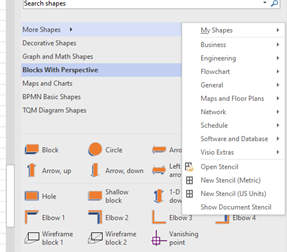
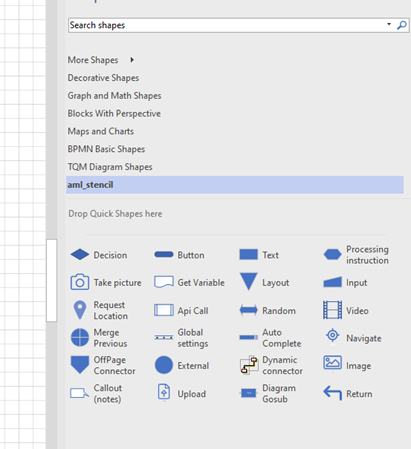
Then select “Open Stencil” In the dialog type/select the file you downloaded After installing, you should see the new stencil:
The name may be different showing another number in the brackets.
Using custom shapes
You can replace the symbolic language shapes with you own, the compiler identifies the shapes by their name (see the Reference guide). So to use you own shapes they must have correct names. Setting names for shapes is easy to do by placing the shapes in a new stencil (shapes library) and give them the correct names as specified in the reference guide.